Introduction
Unified Communications as a Service (UCaaS) is a cloud-based delivery model that brings together voice, video, messaging, conferencing, and collaboration tools into a single platform. Instead of managing separate systems for calls, meetings, and messaging, UCaaS provides a unified solution accessible from anywhere.
As organizations embrace remote and hybrid work, UCaaS has become essential for maintaining seamless communication across distributed teams. These platforms integrate telephony, video conferencing, team chat, and collaboration features—helping businesses improve productivity, reduce infrastructure costs, and simplify IT management.
Common use cases include:
- Business voice and telephony systems
- Video conferencing and virtual meetings
- Team messaging and collaboration
- Remote and hybrid workforce communication
- Contact center and customer communication
What buyers should evaluate:
- Voice and telephony capabilities (VoIP, PSTN support)
- Video conferencing quality and scalability
- Messaging and collaboration features
- Integration with business tools (CRM, productivity apps)
- Security and compliance (encryption, access control)
- Reliability and uptime
- Scalability across teams and regions
- Pricing and licensing flexibility
Best for: Enterprises, SMBs, remote teams, global organizations, and businesses modernizing communication infrastructure.
Not ideal for: Very small teams relying only on basic messaging or free tools.
Key Trends in Unified Communications (UCaaS)
- AI-powered meeting summaries and transcription
- Integration with CRM and business workflows
- Cloud-first communication replacing on-prem systems
- Omnichannel communication (voice, video, chat)
- Mobile-first communication platforms
- Automation of communication workflows
- Increased focus on security and compliance
- Global scalability with local telephony support
- Integration with contact center platforms (CCaaS)
- Analytics for communication performance and usage
How We Selected These Tools (Methodology)
- Market leadership and global adoption
- Feature completeness (voice, video, messaging)
- Integration ecosystem (CRM, productivity tools)
- Scalability for SMB and enterprise
- Security and compliance capabilities
- Reliability and uptime performance
- Ease of use and deployment
- Vendor innovation and AI capabilities
- Flexibility across industries
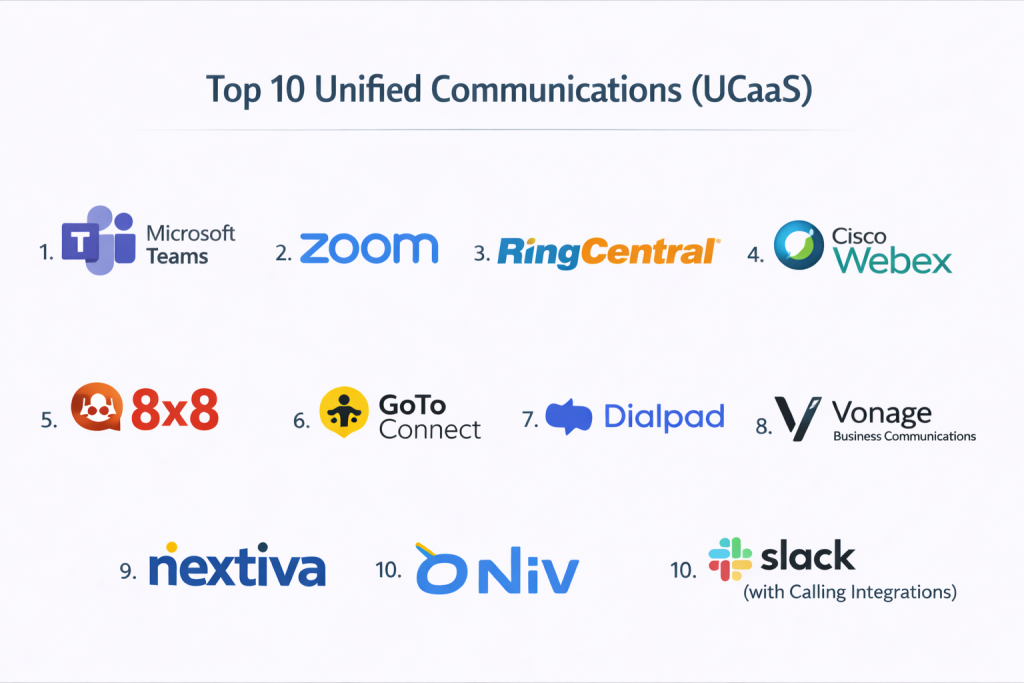
Top 10 Unified Communications (UCaaS)
#1 — Microsoft Teams
Short description: A comprehensive UCaaS platform integrating chat, video, and telephony within the Microsoft ecosystem.
Key Features
- Team messaging and channels
- Video conferencing
- VoIP and calling plans
- File sharing and collaboration
- AI-powered meeting tools
Pros
- Deep Microsoft integration
- Enterprise-ready
Cons
- Complex setup
- UI learning curve
Platforms / Deployment
Web / Mobile / Desktop / Cloud
Security & Compliance
SSO, MFA, encryption
Integrations & Ecosystem
- Microsoft 365
- APIs
Support & Community
Enterprise-grade support
#2 — Zoom
Short description: A leading video-first UCaaS platform with strong conferencing and communication features.
Key Features
- Video meetings and webinars
- Team chat
- VoIP calling
- Screen sharing
- AI meeting summaries
Pros
- High-quality video
- Easy to use
Cons
- Pricing tiers
- Limited deep collaboration
Platforms / Deployment
Web / Mobile / Desktop / Cloud
Security & Compliance
Encryption, SSO
Integrations & Ecosystem
- CRM tools
- Productivity apps
Support & Community
Strong global adoption
#3 — RingCentral
Short description: A full-featured UCaaS platform with strong telephony and enterprise communication tools.
Key Features
- Cloud telephony
- Video conferencing
- Messaging
- Call analytics
- Automation
Pros
- Strong VoIP capabilities
- Enterprise scalability
Cons
- Pricing
- Setup complexity
Platforms / Deployment
Web / Mobile / Desktop / Cloud
Security & Compliance
SSO, MFA
Integrations & Ecosystem
- CRM tools
- APIs
Support & Community
Enterprise support
#4 — Cisco Webex
Short description: An enterprise-grade communication platform with strong security and collaboration features.
Key Features
- Video conferencing
- Messaging
- VoIP calling
- AI meeting tools
- Screen sharing
Pros
- High security
- Reliable performance
Cons
- UI complexity
- Pricing
Platforms / Deployment
Web / Mobile / Desktop / Cloud
Security & Compliance
SSO, MFA, encryption
Integrations & Ecosystem
- Cisco ecosystem
- APIs
Support & Community
Enterprise support
#5 — 8×8
Short description: A UCaaS platform combining voice, video, messaging, and contact center features.
Key Features
- VoIP calling
- Video meetings
- Messaging
- Analytics
- Contact center integration
Pros
- All-in-one platform
- Global reach
Cons
- Learning curve
- Pricing
Platforms / Deployment
Web / Mobile / Desktop / Cloud
Security & Compliance
SSO, encryption
Integrations & Ecosystem
- CRM tools
- APIs
Support & Community
Enterprise support
#6 — GoTo Connect
Short description: A UCaaS solution focused on business communication and collaboration.
Key Features
- VoIP telephony
- Video conferencing
- Messaging
- Call routing
- Analytics
Pros
- Easy setup
- Reliable
Cons
- Limited advanced features
- UI improvements needed
Platforms / Deployment
Web / Mobile / Desktop / Cloud
Security & Compliance
Not publicly stated
Integrations & Ecosystem
- Business tools
- APIs
Support & Community
Strong SMB support
#7 — Dialpad
Short description: An AI-powered UCaaS platform focused on smart communication and analytics.
Key Features
- AI voice intelligence
- VoIP calling
- Messaging
- Video meetings
- Real-time transcription
Pros
- Strong AI features
- Modern UI
Cons
- Pricing
- Feature depth varies
Platforms / Deployment
Web / Mobile / Desktop / Cloud
Security & Compliance
SSO, encryption
Integrations & Ecosystem
- CRM tools
- APIs
Support & Community
Growing adoption
#8 — Vonage Business Communications
Short description: A flexible UCaaS platform with strong telephony and API capabilities.
Key Features
- VoIP calling
- Messaging
- Video meetings
- APIs
- Analytics
Pros
- Strong API capabilities
- Flexible
Cons
- Pricing
- Setup complexity
Platforms / Deployment
Web / Mobile / Desktop / Cloud
Security & Compliance
Not publicly stated
Integrations & Ecosystem
- APIs
- CRM tools
Support & Community
Strong enterprise adoption
#9 — Nextiva
Short description: A business communication platform focused on VoIP and customer experience.
Key Features
- VoIP calling
- Messaging
- Video conferencing
- Analytics
- CRM integration
Pros
- Reliable telephony
- Strong support
Cons
- Limited advanced AI features
- Pricing
Platforms / Deployment
Web / Mobile / Desktop / Cloud
Security & Compliance
Not publicly stated
Integrations & Ecosystem
- CRM tools
- APIs
Support & Community
Strong SMB support
#10 — Slack (with Calling Integrations)
Short description: A collaboration platform extended into UCaaS via integrations.
Key Features
- Team messaging
- Voice/video calls
- Integrations
- Workflow automation
- File sharing
Pros
- Strong integrations
- Easy collaboration
Cons
- Not a full UCaaS platform
- Requires add-ons
Platforms / Deployment
Web / Mobile / Desktop / Cloud
Security & Compliance
SSO, MFA
Integrations & Ecosystem
- 2000+ integrations
- APIs
Support & Community
Large global ecosystem
Comparison Table (Top 10)
| Tool Name | Best For | Platform(s) Supported | Deployment | Standout Feature | Public Rating |
|---|---|---|---|---|---|
| Microsoft Teams | Enterprise | Web, Mobile, Desktop | Cloud | Microsoft integration | N/A |
| Zoom | Video meetings | Web, Mobile, Desktop | Cloud | Video quality | N/A |
| RingCentral | Telephony | Web, Mobile, Desktop | Cloud | VoIP | N/A |
| Cisco Webex | Enterprise security | Web, Mobile, Desktop | Cloud | Security | N/A |
| 8×8 | All-in-one UC | Web, Mobile, Desktop | Cloud | Global reach | N/A |
| GoTo Connect | SMB | Web, Mobile, Desktop | Cloud | Ease of use | N/A |
| Dialpad | AI communication | Web, Mobile, Desktop | Cloud | AI insights | N/A |
| Vonage | APIs | Web, Mobile, Desktop | Cloud | Flexibility | N/A |
| Nextiva | VoIP CX | Web, Mobile, Desktop | Cloud | Reliability | N/A |
| Slack | Collaboration | Web, Mobile, Desktop | Cloud | Integrations | N/A |
Evaluation & Scoring of Unified Communications (UCaaS)
| Tool Name | Core | Ease | Integrations | Security | Performance | Support | Value | Weighted Total |
|---|---|---|---|---|---|---|---|---|
| Teams | 10 | 7 | 10 | 9 | 9 | 9 | 8 | 8.9 |
| Zoom | 9 | 9 | 9 | 8 | 9 | 8 | 8 | 8.6 |
| RingCentral | 10 | 7 | 9 | 9 | 9 | 9 | 7 | 8.7 |
| Webex | 10 | 7 | 9 | 10 | 9 | 9 | 7 | 8.8 |
| 8×8 | 9 | 7 | 9 | 8 | 8 | 8 | 8 | 8.2 |
| GoTo | 8 | 9 | 7 | 7 | 8 | 7 | 9 | 8.0 |
| Dialpad | 9 | 8 | 8 | 8 | 8 | 7 | 8 | 8.2 |
| Vonage | 9 | 7 | 9 | 7 | 8 | 7 | 8 | 8.0 |
| Nextiva | 9 | 8 | 8 | 7 | 8 | 8 | 8 | 8.1 |
| Slack | 8 | 9 | 10 | 8 | 8 | 8 | 8 | 8.3 |
How to interpret:
Enterprise platforms like Teams, Webex, and RingCentral score higher in scalability and security, while tools like Zoom and GoTo Connect excel in ease of use and accessibility. Use this table to shortlist tools based on your priorities.
Which Unified Communications (UCaaS) Tool Is Right for You?
Solo / Freelancer
Zoom and Slack are ideal for simple communication needs.
SMB
GoTo Connect, Nextiva, and Zoom provide affordability and ease.
Mid-Market
RingCentral, Dialpad, and 8×8 offer strong balance and scalability.
Enterprise
Microsoft Teams and Cisco Webex are best for large organizations.
Budget vs Premium
Zoom = budget-friendly, Webex = premium.
Feature Depth vs Ease of Use
Zoom = easiest, Teams = most advanced.
Integrations & Scalability
Teams and RingCentral excel.
Security & Compliance Needs
Webex and Teams are best suited.
Frequently Asked Questions (FAQs)
What is UCaaS?
It is a cloud-based platform combining voice, video, messaging, and collaboration tools. (nextiva.com)
How is UCaaS different from VoIP?
VoIP focuses on voice, while UCaaS includes voice, video, chat, and collaboration.
Who should use UCaaS?
Businesses of all sizes, especially remote and hybrid teams.
Is UCaaS secure?
Yes, most platforms include encryption and access controls.
Can UCaaS replace traditional phone systems?
Yes, it replaces on-prem PBX systems.
Does UCaaS support mobile devices?
Yes, most platforms are mobile-friendly.
Can it integrate with CRM?
Yes, integration is a core capability.
Is UCaaS expensive?
Pricing varies based on features and scale.
What industries use UCaaS?
All industries including IT, healthcare, and finance.
What mistakes should be avoided?
Choosing tools without scalability or integration support.
Conclusion
Unified Communications (UCaaS) platforms have become essential for modern businesses seeking to streamline communication and collaboration across distributed teams. By combining voice, video, messaging, and collaboration into a single cloud-based solution, UCaaS simplifies infrastructure, improves productivity, and enhances user experience. While tools like Zoom and GoTo Connect offer ease of use and accessibility, platforms like Microsoft Teams, Cisco Webex, and RingCentral deliver enterprise-grade capabilities with advanced integrations and security. The best choice depends on your organization’s size, communication needs, and existing ecosystem. Instead of selecting one tool immediately, shortlist a few platforms, test their features, and choose the solution that best aligns with your workflow and long-term growth strategy.
CloudCommunication