Introduction
Chat Apps are software platforms that enable real-time messaging, voice, and video communication between individuals and teams. These apps are widely used for personal communication, workplace collaboration, and community engagement—making them essential tools in today’s digital world.
Modern chat apps go far beyond simple messaging. They now include file sharing, video conferencing, AI-powered assistants, encryption, and integrations with productivity tools. From personal messaging apps like WhatsApp to enterprise platforms like Slack, chat apps are central to how people communicate and collaborate daily.
Common use cases include:
- Personal messaging and social communication
- Team collaboration and workplace communication
- Community and group discussions
- Customer support and engagement
- File sharing and remote work coordination
What buyers should evaluate:
- Messaging speed and reliability
- Security (end-to-end encryption, privacy)
- Group chat and collaboration features
- Voice/video calling capabilities
- Integration with other tools
- Cross-platform support
- Scalability for teams
- Ease of use
Best for: Individuals, teams, businesses, remote workers, and communities.
Not ideal for: Organizations needing highly specialized enterprise communication systems without customization.
Key Trends in Chat Apps
- AI-powered chat assistants and smart replies
- End-to-end encryption and privacy-first messaging
- Integration with productivity tools (Docs, CRM, APIs)
- Omnichannel messaging (chat + video + voice)
- Unified messaging platforms (multiple apps in one inbox)
- Real-time collaboration inside chats
- Cloud-based and cross-device synchronization
- Increased use of voice and video communication
- Automation and bots for workflows
- Focus on hybrid work communication
How We Selected These Tools (Methodology)
- Global popularity and user adoption
- Feature completeness (chat, calls, collaboration)
- Cross-platform availability
- Integration ecosystem
- Security and privacy features
- Performance and reliability
- Ease of use and onboarding
- Scalability for individuals and enterprises
- Innovation in AI and communication
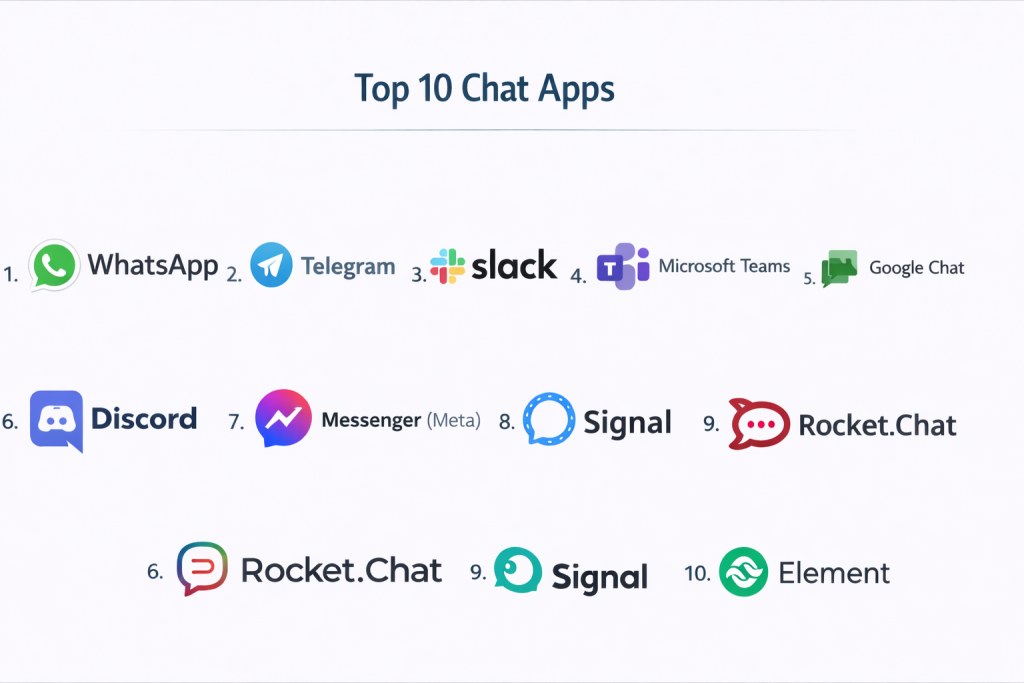
Top 10 Chat Apps
#1 — WhatsApp
Short description: A globally popular messaging app for personal and business communication.
Key Features
- End-to-end encrypted messaging
- Voice and video calls
- Group chats
- File sharing
- WhatsApp Business support
Pros
- Widely used globally
- Strong security
Cons
- Limited business collaboration features
- Dependency on phone number
Platforms / Deployment
Web / Mobile / Desktop / Cloud
Security & Compliance
End-to-end encryption
Integrations & Ecosystem
- Business APIs
- CRM integrations
Support & Community
Massive global user base
#2 — Telegram
Short description: A cloud-based messaging app known for speed, privacy, and large group support.
Key Features
- Cloud messaging
- Large group chats
- Bots and automation
- File sharing
- Channels
Pros
- Fast and scalable
- Strong customization
Cons
- Encryption not default in all chats
- Privacy concerns debated
Platforms / Deployment
Web / Mobile / Desktop / Cloud
Security & Compliance
Encryption
Integrations & Ecosystem
- Bots
- APIs
Support & Community
Large global community
#3 — Slack
Short description: A leading team collaboration platform for workplace communication.
Key Features
- Channels and threads
- File sharing
- Workflow automation
- App integrations
- Searchable history
Pros
- Excellent collaboration
- Rich integrations
Cons
- Expensive
- Notification overload
Platforms / Deployment
Web / Mobile / Desktop / Cloud
Security & Compliance
SSO, MFA
Integrations & Ecosystem
- 2000+ integrations
- APIs
Support & Community
Strong enterprise adoption
#4 — Microsoft Teams
Short description: A collaboration platform integrated with Microsoft ecosystem.
Key Features
- Chat and messaging
- Video conferencing
- File collaboration
- Team channels
- Integration with Office tools
Pros
- Deep Microsoft integration
- Strong enterprise features
Cons
- Complex UI
- Setup required
Platforms / Deployment
Web / Mobile / Desktop / Cloud
Security & Compliance
SSO, MFA
Integrations & Ecosystem
- Microsoft 365
- APIs
Support & Community
Enterprise-grade support
#5 — Google Chat
Short description: A messaging platform integrated with Google Workspace for team collaboration.
Key Features
- Team messaging
- Rooms and spaces
- File sharing
- AI-powered suggestions
- Integration with Google apps
Pros
- Easy for Google users
- Clean interface
Cons
- Limited advanced features
- Less popular outside Workspace
Platforms / Deployment
Web / Mobile / Cloud
Security & Compliance
Google security standards
Integrations & Ecosystem
- Google Workspace
- APIs
Support & Community
Strong enterprise adoption
#6 — Discord
Short description: A real-time communication platform for communities, gaming, and teams.
Key Features
- Voice and text channels
- Community servers
- Live streaming
- Bots and automation
- Role-based access
Pros
- Free and flexible
- Strong community features
Cons
- Can become unstructured
- Limited analytics
Platforms / Deployment
Web / Mobile / Desktop / Cloud
Security & Compliance
Not publicly stated
Integrations & Ecosystem
- Bots
- APIs
Support & Community
Massive global community
#7 — Messenger (Meta)
Short description: A social messaging app connected to Facebook ecosystem.
Key Features
- Instant messaging
- Voice/video calls
- Group chats
- Stickers and media
- Social integration
Pros
- Easy social connectivity
- Widely used
Cons
- Privacy concerns
- Ads and distractions
Platforms / Deployment
Web / Mobile / Cloud
Security & Compliance
Not publicly stated
Integrations & Ecosystem
- Facebook ecosystem
Support & Community
Large global user base
#8 — Signal
Short description: A privacy-focused messaging app with strong encryption.
Key Features
- End-to-end encryption
- Secure messaging
- Voice/video calls
- Minimal data collection
- Open-source
Pros
- High privacy
- Secure communication
Cons
- Smaller user base
- Limited integrations
Platforms / Deployment
Web / Mobile / Desktop
Security & Compliance
End-to-end encryption
Integrations & Ecosystem
- Limited APIs
Support & Community
Privacy-focused community
#9 — Rocket.Chat
Short description: An open-source chat platform for secure team collaboration.
Key Features
- Team messaging
- Self-hosted deployment
- File sharing
- Video calls
- Customization
Pros
- Open-source
- High control
Cons
- Requires setup
- Technical complexity
Platforms / Deployment
Web / Mobile / Desktop / Self-hosted / Cloud
Security & Compliance
RBAC, encryption
Integrations & Ecosystem
- APIs
- Plugins
Support & Community
Active developer community
#10 — Element
Short description: A secure messaging app built on the Matrix protocol for decentralized communication.
Key Features
- End-to-end encryption
- Decentralized communication
- Group chats
- File sharing
- Open-source
Pros
- High security
- Decentralized
Cons
- Complex setup
- Smaller ecosystem
Platforms / Deployment
Web / Mobile / Desktop / Self-hosted
Security & Compliance
End-to-end encryption
Integrations & Ecosystem
- Matrix protocol
- APIs
Support & Community
Growing open-source community
Comparison Table (Top 10)
| Tool Name | Best For | Platform(s) Supported | Deployment | Standout Feature | Public Rating |
|---|---|---|---|---|---|
| Personal messaging | Web, Mobile, Desktop | Cloud | Global reach | N/A | |
| Telegram | Large groups | Web, Mobile, Desktop | Cloud | Scalability | N/A |
| Slack | Teams | Web, Mobile, Desktop | Cloud | Integrations | N/A |
| Microsoft Teams | Enterprise | Web, Mobile, Desktop | Cloud | Office integration | N/A |
| Google Chat | Workspace users | Web, Mobile | Cloud | Google integration | N/A |
| Discord | Communities | Web, Mobile, Desktop | Cloud | Voice + chat | N/A |
| Messenger | Social chat | Web, Mobile | Cloud | Social integration | N/A |
| Signal | Privacy | Web, Mobile, Desktop | Cloud | Encryption | N/A |
| Rocket.Chat | Self-hosted teams | Web, Mobile, Desktop | Hybrid | Open-source | N/A |
| Element | Secure comms | Web, Mobile, Desktop | Hybrid | Decentralization | N/A |
Evaluation & Scoring of Chat Apps
| Tool Name | Core | Ease | Integrations | Security | Performance | Support | Value | Weighted Total |
|---|---|---|---|---|---|---|---|---|
| 9 | 10 | 7 | 9 | 9 | 8 | 10 | 9.1 | |
| Telegram | 9 | 9 | 8 | 7 | 9 | 8 | 10 | 8.9 |
| Slack | 10 | 8 | 10 | 8 | 9 | 9 | 7 | 8.8 |
| Teams | 10 | 7 | 10 | 9 | 9 | 9 | 7 | 8.8 |
| Google Chat | 8 | 9 | 9 | 8 | 8 | 8 | 9 | 8.5 |
| Discord | 9 | 9 | 7 | 6 | 9 | 8 | 10 | 8.6 |
| Messenger | 8 | 9 | 7 | 6 | 8 | 7 | 10 | 8.2 |
| Signal | 8 | 8 | 6 | 10 | 8 | 7 | 9 | 8.3 |
| Rocket.Chat | 9 | 6 | 9 | 9 | 8 | 7 | 8 | 8.1 |
| Element | 9 | 6 | 8 | 10 | 8 | 7 | 8 | 8.2 |
How to interpret:
Consumer apps like WhatsApp and Telegram score higher in ease and value, while enterprise tools like Slack and Teams excel in integrations and scalability. Security-focused tools like Signal and Element lead in privacy.
Which Chat App Is Right for You?
Solo / Freelancer
WhatsApp, Telegram, and Signal are ideal.
SMB
Slack, Discord, and Google Chat provide flexibility.
Mid-Market
Slack and Microsoft Teams offer strong collaboration.
Enterprise
Microsoft Teams and Slack are best for large organizations.
Budget vs Premium
WhatsApp = free, Slack = premium.
Feature Depth vs Ease of Use
WhatsApp = easiest, Slack = most advanced.
Integrations & Scalability
Slack and Teams excel.
Security & Compliance Needs
Signal and Element are best suited.
Frequently Asked Questions (FAQs)
What are chat apps?
They are applications that allow real-time messaging and communication between users.
Which chat app is most popular?
WhatsApp is among the most widely used globally.
Are chat apps secure?
Many offer encryption, but security varies by platform.
Do chat apps support video calls?
Yes, most modern apps include voice and video features.
Which chat app is best for business?
Slack and Microsoft Teams are top choices.
Are there free chat apps?
Yes, many apps like WhatsApp and Telegram are free.
Can chat apps integrate with tools?
Yes, especially enterprise apps like Slack and Teams.
What industries use chat apps?
All industries including IT, healthcare, and education.
Can chat apps improve productivity?
Yes, especially in team collaboration.
What mistakes should be avoided?
Choosing apps without security or scalability.
Conclusion
Chat Apps have become the backbone of modern communication, enabling seamless interaction across personal, professional, and community environments. These platforms not only facilitate real-time messaging but also integrate collaboration, automation, and multimedia communication into a single experience. While apps like WhatsApp and Telegram dominate personal communication, tools like Slack and Microsoft Teams lead in workplace collaboration, and platforms like Signal and Element prioritize privacy. The best choice depends on your specific needs—whether it’s ease of use, scalability, integrations, or security. Instead of choosing one blindly, evaluate a few options, test their features, and select the platform that aligns best with your communication goals and workflow.