Introduction
Digital Adoption Platforms (DAPs) are software solutions that sit on top of existing applications to help users learn, adopt, and use digital tools effectively. They provide in-app guidance, walkthroughs, tooltips, and analytics to ensure users complete tasks correctly and efficiently.
These platforms are critical for organizations undergoing digital transformation, where employees must quickly adapt to new software systems like CRM, ERP, or SaaS tools. Instead of traditional training, DAPs deliver contextual, real-time assistance directly inside applications—reducing learning curves and improving productivity.
Common use cases include:
- Employee onboarding for new software
- CRM and ERP adoption (Salesforce, SAP, etc.)
- Customer onboarding for SaaS products
- Change management during system rollouts
- Reducing support tickets and training costs
What buyers should evaluate:
- In-app guidance and walkthrough capabilities
- Analytics and adoption tracking
- No-code/low-code content creation
- Integration with enterprise apps
- Scalability across multiple tools
- Automation and AI features
- Security and governance controls
- Ease of deployment
Best for: Enterprises, IT teams, L&D teams, SaaS companies, and organizations managing complex software ecosystems.
Not ideal for: Small teams with minimal software complexity or basic onboarding needs.
Key Trends in Digital Adoption Platforms
- AI-powered contextual guidance and automation
- No-code content creation for non-technical teams
- Real-time adoption analytics and insights
- Integration with enterprise apps (SAP, Salesforce, Workday)
- Shift from training to “learning in the flow of work”
- Predictive analytics for user behavior
- Embedded support and self-service help centers
- Cross-application adoption tracking
- Automation of repetitive workflows
- Focus on ROI measurement and digital transformation outcomes
How We Selected These Tools (Methodology)
- Market adoption and enterprise usage
- Coverage of onboarding, guidance, and analytics
- Integration ecosystem with enterprise software
- Scalability for large organizations
- Security and governance capabilities
- Ease of use and deployment
- Reporting and analytics depth
- Vendor innovation in AI and automation
- Flexibility across industries
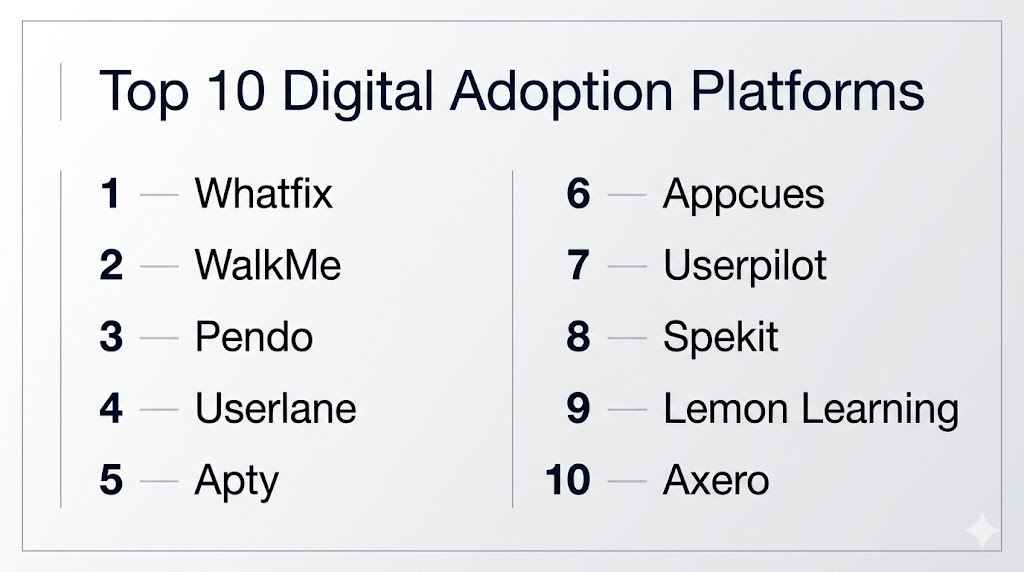
Top 10 Digital Adoption Platforms
#1 — Whatfix
Short description: A leading enterprise DAP offering end-to-end adoption, training, and analytics capabilities.
Key Features
- In-app guidance and walkthroughs
- Simulation-based training
- Adoption analytics
- AI-powered insights
- Self-help support
Pros
- Strong enterprise features
- End-to-end adoption lifecycle
Cons
- Pricing
- Setup complexity
Platforms / Deployment
Web / Cloud
Security & Compliance
SSO, encryption
Integrations & Ecosystem
Integrates with major enterprise apps and tools
- SAP
- Salesforce
- APIs
Support & Community
Enterprise-grade support
#2 — WalkMe
Short description: A widely adopted enterprise platform for large-scale digital adoption and change management.
Key Features
- In-app guidance
- Workflow automation
- AI-driven insights
- Analytics dashboards
- User onboarding
Pros
- Highly scalable
- Strong enterprise adoption
Cons
- Complex implementation
- Requires technical expertise
Platforms / Deployment
Web / Mobile / Cloud
Security & Compliance
SSO, MFA
Integrations & Ecosystem
- SAP
- Salesforce
- Workday
Support & Community
Strong enterprise ecosystem
#3 — Pendo
Short description: A product analytics-driven platform combining adoption insights with user guidance.
Key Features
- Product analytics
- In-app messaging
- User onboarding
- Feedback collection
- Segmentation
Pros
- Strong analytics
- Product-focused
Cons
- Limited deep workflow automation
- Pricing
Platforms / Deployment
Web / Cloud
Security & Compliance
Not publicly stated
Integrations & Ecosystem
- SaaS tools
- APIs
Support & Community
Strong product-led adoption community
#4 — Userlane
Short description: A no-code DAP focused on guided user onboarding and adoption tracking.
Key Features
- In-app guidance
- Process automation
- Analytics
- No-code editor
- Workflow tracking
Pros
- Easy to use
- Strong onboarding capabilities
Cons
- Limited advanced analytics
- Enterprise scaling considerations
Platforms / Deployment
Web / Cloud
Security & Compliance
Not publicly stated
Integrations & Ecosystem
- Web apps
- APIs
Support & Community
Growing enterprise adoption
#5 — Apty
Short description: A DAP focused on process compliance and workflow standardization.
Key Features
- Workflow guidance
- Compliance tracking
- Automation
- Analytics
- No-code editor
Pros
- Strong process control
- Good for compliance
Cons
- Limited UI flexibility
- Analytics depth varies
Platforms / Deployment
Web / Cloud
Security & Compliance
Not publicly stated
Integrations & Ecosystem
- Enterprise apps
- APIs
Support & Community
Enterprise-focused support
#6 — Appcues
Short description: A user onboarding platform focused on SaaS product adoption.
Key Features
- In-app onboarding
- Tooltips and walkthroughs
- User segmentation
- Analytics
- Surveys
Pros
- Easy to implement
- Great for SaaS onboarding
Cons
- Not enterprise-focused
- Limited workflow automation
Platforms / Deployment
Web / Cloud
Security & Compliance
Not publicly stated
Integrations & Ecosystem
- SaaS tools
- APIs
Support & Community
Strong startup ecosystem
#7 — Userpilot
Short description: A product adoption platform with strong onboarding and analytics features.
Key Features
- In-app guidance
- User analytics
- Segmentation
- Feedback tools
- Automation
Pros
- Strong UX
- Good analytics
Cons
- Limited enterprise features
- Pricing
Platforms / Deployment
Web / Cloud
Security & Compliance
Not publicly stated
Integrations & Ecosystem
- SaaS tools
- APIs
Support & Community
Growing adoption
#8 — Spekit
Short description: A microlearning-driven DAP focused on CRM and sales enablement.
Key Features
- Embedded learning
- CRM integration
- Knowledge base
- Analytics
- Automation
Pros
- Great for sales teams
- Fast content delivery
Cons
- Limited multi-app support
- Narrow use case
Platforms / Deployment
Web / Cloud
Security & Compliance
Not publicly stated
Integrations & Ecosystem
- Salesforce
- CRM tools
Support & Community
Strong niche adoption
#9 — Lemon Learning
Short description: A no-code DAP for ERP and CRM onboarding with multilingual support.
Key Features
- In-app guidance
- No-code editor
- Multilingual support
- Analytics
- Workflow automation
Pros
- Easy deployment
- Strong ERP support
Cons
- Limited advanced analytics
- Feature depth
Platforms / Deployment
Web / Cloud
Security & Compliance
Not publicly stated
Integrations & Ecosystem
- ERP systems
- CRM tools
Support & Community
Growing adoption
#10 — Axero
Short description: A digital workplace platform combining intranet and adoption features.
Key Features
- Intranet + adoption tools
- Knowledge management
- Analytics
- Communication tools
- Role-based content
Pros
- Unified platform
- Strong knowledge management
Cons
- Not pure DAP
- Limited deep guidance
Platforms / Deployment
Web / Cloud
Security & Compliance
Not publicly stated
Integrations & Ecosystem
- Workplace tools
- APIs
Support & Community
Strong enterprise support
Comparison Table (Top 10)
| Tool Name | Best For | Platform(s) Supported | Deployment | Standout Feature | Public Rating |
|---|---|---|---|---|---|
| Whatfix | Enterprise adoption | Web | Cloud | End-to-end DAP | N/A |
| WalkMe | Large enterprises | Web, Mobile | Cloud | AI + automation | N/A |
| Pendo | Product teams | Web | Cloud | Product analytics | N/A |
| Userlane | No-code onboarding | Web | Cloud | Guided workflows | N/A |
| Apty | Compliance | Web | Cloud | Process control | N/A |
| Appcues | SaaS onboarding | Web | Cloud | Easy onboarding | N/A |
| Userpilot | Product adoption | Web | Cloud | UX + analytics | N/A |
| Spekit | Sales enablement | Web | Cloud | CRM learning | N/A |
| Lemon Learning | ERP onboarding | Web | Cloud | Multilingual support | N/A |
| Axero | Digital workplace | Web | Cloud | Intranet + adoption | N/A |
Evaluation & Scoring of Digital Adoption Platforms
| Tool Name | Core | Ease | Integrations | Security | Performance | Support | Value | Weighted Total |
|---|---|---|---|---|---|---|---|---|
| Whatfix | 10 | 7 | 9 | 8 | 9 | 9 | 7 | 8.5 |
| WalkMe | 10 | 6 | 9 | 9 | 9 | 9 | 6 | 8.4 |
| Pendo | 9 | 8 | 8 | 7 | 8 | 8 | 7 | 8.0 |
| Userlane | 8 | 9 | 7 | 6 | 8 | 7 | 8 | 7.9 |
| Apty | 9 | 7 | 8 | 7 | 8 | 8 | 7 | 8.0 |
| Appcues | 8 | 9 | 7 | 6 | 8 | 7 | 8 | 7.9 |
| Userpilot | 8 | 9 | 7 | 6 | 8 | 7 | 8 | 7.9 |
| Spekit | 8 | 8 | 7 | 6 | 7 | 7 | 8 | 7.7 |
| Lemon Learning | 8 | 9 | 7 | 6 | 8 | 7 | 8 | 7.9 |
| Axero | 8 | 8 | 7 | 6 | 8 | 7 | 8 | 7.8 |
How to interpret:
Enterprise tools like Whatfix and WalkMe score higher in scalability and advanced features, while tools like Appcues and Userpilot excel in ease of use and quick deployment. Use this table to shortlist tools based on your needs rather than picking a single winner.
Which Digital Adoption Platform Is Right for You?
Solo / Freelancer
Not required; basic onboarding tools are sufficient.
SMB
Appcues, Userpilot, and Lemon Learning offer simplicity and quick setup.
Mid-Market
Userlane, Pendo, and Apty provide balanced features and scalability.
Enterprise
Whatfix and WalkMe are best for large-scale adoption and governance.
Budget vs Premium
Appcues and Userpilot are budget-friendly, while WalkMe and Whatfix are premium.
Feature Depth vs Ease of Use
Appcues = easiest, WalkMe = most advanced.
Integrations & Scalability
Whatfix and WalkMe excel.
Security & Compliance Needs
WalkMe and Apty are best suited.
Frequently Asked Questions (FAQs)
What is a Digital Adoption Platform?
It is a tool that helps users learn and use software through in-app guidance and analytics.
How do DAPs work?
They overlay on applications and provide walkthroughs, tips, and real-time support.
Who should use DAPs?
Enterprises, SaaS companies, and organizations managing multiple tools.
Do DAPs use AI?
Yes, many include AI for guidance and analytics.
Can they reduce support tickets?
Yes, by providing in-app help and guidance.
Are they expensive?
Pricing varies from SMB-friendly to enterprise-level.
Do they integrate with enterprise tools?
Yes, integration is a core capability.
What industries use DAPs?
IT, SaaS, finance, healthcare, and enterprise sectors.
Can DAPs improve productivity?
Yes, by reducing learning time and errors.
What mistakes should be avoided?
Choosing tools without scalability or ignoring user experience.
Conclusion
Digital Adoption Platforms have become essential for organizations navigating complex digital ecosystems and continuous software changes. These tools enable employees and users to learn applications directly within their workflows, improving efficiency, reducing errors, and accelerating adoption. While platforms like Appcues and Userpilot offer simplicity for SaaS onboarding, tools like Whatfix and WalkMe provide enterprise-grade capabilities with advanced analytics and governance. The right choice depends on your organization’s scale, software complexity, and integration needs. Instead of selecting one solution immediately, shortlist a few platforms, run pilot implementations, and evaluate how effectively they drive adoption and business outcomes.