Introduction
Medical Imaging PACS (Picture Archiving and Communication Systems) are specialized healthcare platforms used to store, manage, retrieve, and share medical images such as X-rays, CT scans, MRIs, and ultrasounds. Instead of relying on physical films, PACS enables healthcare providers to access imaging data digitally, improving speed, accuracy, and collaboration across departments.
In modern healthcare environments, PACS systems are essential due to increasing imaging volumes, remote diagnostics, and the need for secure data handling. With advancements in AI, cloud computing, and cybersecurity, PACS now integrates closely with Electronic Health Records (EHR), Radiology Information Systems (RIS), and zero-trust security frameworks to ensure safe and efficient workflows.
Common use cases include:
- Radiology image storage and retrieval
- Teleradiology and remote diagnostics
- Integration with hospital systems (EHR/RIS/HIS)
- AI-assisted image analysis
- Secure sharing of imaging data across institutions
Key evaluation criteria:
- Image performance and rendering speed
- DICOM compatibility and interoperability
- Integration with healthcare systems
- Security and compliance capabilities
- Scalability and storage architecture
- Workflow automation features
- Ease of use for radiologists
- Deployment flexibility (cloud/on-premise)
Best for: Hospitals, diagnostic imaging centers, radiology labs, telemedicine providers, and large healthcare networks.
Not ideal for: Small clinics with minimal imaging requirements or facilities without digital infrastructure.
Key Trends in Medical Imaging PACS Systems
- Cloud-native PACS adoption: Reduces infrastructure costs and enables scalability
- AI-assisted diagnostics: Automated image analysis and reporting support
- Zero-footprint viewers: Browser-based access without local installations
- Cybersecurity-first design: Encryption, MFA, and zero trust access models
- Vendor Neutral Archives (VNA): Separation of storage from applications
- Mobile access: Radiologists can view images on tablets and smartphones
- Interoperability standards: Stronger API and DICOM-based integrations
- Edge computing: Faster processing near imaging devices
- AI copilots for radiologists: Improving diagnostic speed and accuracy
- Data lifecycle management: Automated archiving and compliance tracking
How We Evaluated Medical Imaging PACS Systems (Methodology)
- Evaluated market adoption and healthcare usage
- Assessed image processing performance and reliability
- Reviewed DICOM compliance and interoperability
- Analyzed security posture and compliance readiness
- Measured integration with EHR/RIS systems
- Compared cloud vs on-premise deployment flexibility
- Examined AI and automation capabilities
- Evaluated ease of use for clinicians
- Considered vendor support and ecosystem strength
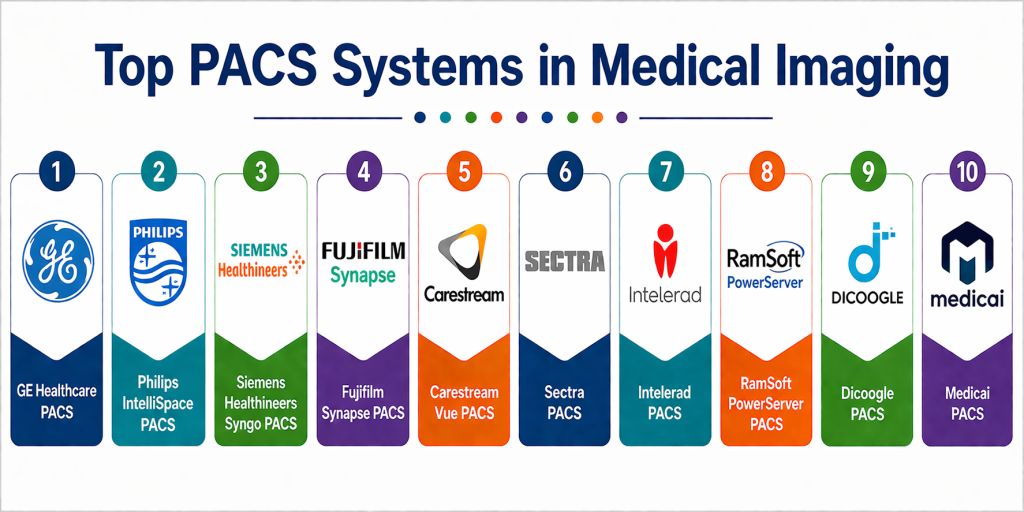
Top 10 Medical Imaging PACS Systems
#1 — GE Healthcare PACS
Short description: GE Healthcare PACS is a robust enterprise imaging platform designed for large hospitals and healthcare systems. It offers advanced visualization, workflow automation, and AI-driven insights. The system integrates deeply with GE imaging equipment and healthcare IT ecosystems. It is known for high performance and reliability. It supports large-scale imaging environments with complex workflows. Ideal for enterprise healthcare organizations requiring scalability and advanced analytics.
Key Features
- Advanced imaging visualization tools
- AI-assisted diagnostics
- Workflow automation
- Scalable architecture
- Integration with GE ecosystem
- Enterprise analytics
- Multi-site support
Pros
- Highly scalable for large hospitals
- Strong analytics and AI capabilities
Cons
- Expensive implementation
- Requires specialized training
Platforms / Deployment
Web / Windows
Cloud / On-premise / Hybrid
Security & Compliance
RBAC, encryption, audit logs
Supports enterprise compliance frameworks
Integrations & Ecosystem
GE Healthcare PACS integrates with major hospital systems and imaging devices.
- EHR and RIS systems
- Imaging modalities
- APIs for customization
- Healthcare analytics platforms
Support & Community
Strong enterprise support with global service network and healthcare partnerships.
#2 — Philips IntelliSpace PACS
Short description: Philips IntelliSpace PACS provides a unified imaging environment focused on workflow efficiency and clinical collaboration. It enables radiologists to access imaging data seamlessly across departments. The platform supports AI tools for diagnostics and integrates with hospital IT systems. It is designed for large healthcare organizations. Known for its intuitive interface and performance. Suitable for high-volume imaging environments.
Key Features
- Unified imaging workspace
- AI-enabled diagnostics
- Advanced visualization
- Workflow optimization
- Multi-modality support
- Collaboration tools
Pros
- Strong clinical workflow support
- High-performance imaging tools
Cons
- High cost
- Requires training
Platforms / Deployment
Web / Windows
Cloud / Hybrid
Security & Compliance
SSO, MFA, encryption
Supports GDPR and enterprise standards
Integrations & Ecosystem
Philips integrates with healthcare IT systems for seamless workflows.
- EHR and RIS
- Imaging devices
- APIs and interoperability standards
Support & Community
Comprehensive enterprise support and training programs.
#3 — Siemens Healthineers Syngo PACS
Short description: Siemens Syngo PACS is an enterprise imaging solution offering advanced analytics and imaging workflows. It supports multimodality imaging and integrates with Siemens healthcare systems. The platform is designed for large-scale healthcare environments. It provides strong performance and reliability. AI integration enhances diagnostics. Suitable for hospitals with complex imaging requirements.
Key Features
- Multimodality imaging support
- AI-driven analytics
- Workflow automation
- Advanced reporting
- Integration with Siemens ecosystem
- High-performance rendering
Pros
- Scalable and reliable
- Strong integration with Siemens tools
Cons
- Complex deployment
- High cost
Platforms / Deployment
Web / Windows
Cloud / Hybrid
Security & Compliance
RBAC, encryption, audit logs
Supports enterprise compliance frameworks
Integrations & Ecosystem
Strong integration with healthcare infrastructure.
- EHR/RIS systems
- Imaging hardware
- APIs
Support & Community
Enterprise-level support with strong vendor backing.
#4 — Fujifilm Synapse PACS
Short description: Fujifilm Synapse PACS is known for fast image processing and cloud capabilities. It offers a user-friendly interface and strong performance. The platform supports AI tools and advanced visualization. It is suitable for mid to large healthcare organizations. It provides scalable deployment options. Synapse is widely used for its speed and efficiency.
Key Features
- High-speed image rendering
- Cloud-enabled architecture
- AI integration
- Advanced visualization tools
- Workflow automation
- Scalable storage
Pros
- Fast performance
- User-friendly interface
Cons
- Limited customization
- Pricing varies
Platforms / Deployment
Web / Windows
Cloud / Hybrid
Security & Compliance
MFA, encryption
GDPR compliant
Integrations & Ecosystem
Integrates with healthcare systems and imaging tools.
- EHR/RIS
- APIs
- Imaging devices
Support & Community
Reliable support and vendor services.
#5 — Carestream Vue PACS
Short description: Carestream Vue PACS provides flexible imaging workflows and advanced visualization tools. It is designed for mid to large healthcare organizations. The platform supports integration with hospital systems and offers strong performance. It enables efficient image management and collaboration. Carestream focuses on usability and scalability.
Key Features
- Advanced visualization
- Workflow automation
- Image management
- Integration support
- Reporting tools
- Scalable architecture
Pros
- Flexible workflows
- Good performance
Cons
- UI complexity
- Moderate cost
Platforms / Deployment
Web / Windows
Cloud / Hybrid
Security & Compliance
Encryption, RBAC
Supports healthcare compliance frameworks
Integrations & Ecosystem
Carestream integrates with various healthcare systems.
- EHR/RIS
- APIs
- Imaging platforms
Support & Community
Strong vendor support with training resources.
#6 — Sectra PACS
Short description: Sectra PACS is known for its strong cybersecurity focus and high-performance imaging capabilities. It is widely used in enterprise healthcare environments. The platform supports secure data access and compliance requirements. It offers fast image retrieval and reliable performance. Suitable for organizations prioritizing security.
Key Features
- High-security architecture
- Fast image retrieval
- Vendor-neutral archive
- Workflow optimization
- Integration support
- Compliance tools
Pros
- Strong security features
- Reliable performance
Cons
- Higher pricing
- Limited SMB focus
Platforms / Deployment
Web / Windows
Cloud / Hybrid
Security & Compliance
MFA, encryption, RBAC
Supports enterprise compliance standards
Integrations & Ecosystem
Sectra integrates with healthcare IT systems securely.
- EHR/RIS
- APIs
- Imaging devices
Support & Community
Enterprise support with healthcare expertise.
#7 — Intelerad PACS
Short description: Intelerad PACS is a cloud-first imaging platform designed for teleradiology and distributed healthcare teams. It enables remote access to imaging data and supports scalable workflows. The platform includes AI tools and automation features. It is suitable for modern healthcare providers adopting cloud solutions.
Key Features
- Cloud-native architecture
- Remote access capabilities
- AI integration
- Workflow automation
- Image management
- Scalability
Pros
- Ideal for remote diagnostics
- Scalable cloud deployment
Cons
- Depends on internet connectivity
- Subscription-based pricing
Platforms / Deployment
Web
Cloud
Security & Compliance
MFA, encryption
Supports healthcare compliance frameworks
Integrations & Ecosystem
Strong integration capabilities for distributed environments.
- EHR/RIS
- APIs
- Cloud services
Support & Community
Good vendor support and onboarding.
#8 — RamSoft PowerServer PACS
Short description: RamSoft PowerServer PACS is a cloud-based imaging solution with AI workflow automation. It is designed for diagnostic imaging centers and radiology practices. The platform offers efficient workflows and easy deployment. It supports modern imaging needs. It is suitable for mid-sized healthcare organizations.
Key Features
- AI workflow automation
- Cloud deployment
- Image management
- Reporting tools
- Integration support
- Scalable architecture
Pros
- Easy deployment
- AI-driven workflows
Cons
- Limited enterprise features
- Vendor dependency
Platforms / Deployment
Web
Cloud
Security & Compliance
Encryption, MFA
GDPR compliant
Integrations & Ecosystem
Supports integration with healthcare systems.
- EHR/RIS
- APIs
- Imaging devices
Support & Community
Good support with vendor assistance.
#9 — Dicoogle PACS
Short description: Dicoogle is an open-source PACS platform designed for research and customization. It allows developers to build custom imaging solutions. The platform is flexible and extensible. It is suitable for academic institutions and experimental use cases. It requires technical expertise.
Key Features
- Open-source architecture
- Plugin-based system
- Customizable workflows
- DICOM support
- Scalable storage
Pros
- Highly flexible
- No licensing cost
Cons
- Requires technical expertise
- Limited support
Platforms / Deployment
Web / Linux
Self-hosted
Security & Compliance
Varies / Not publicly stated
Integrations & Ecosystem
Flexible integration capabilities via plugins.
- APIs
- Custom integrations
Support & Community
Community-driven support, limited formal documentation.
#10 — Medicai PACS
Short description: Medicai PACS is a modern cloud imaging platform focusing on interoperability and secure data sharing. It enables healthcare providers to access and share imaging data easily. The platform supports integration with healthcare systems. It is designed for modern workflows and remote access.
Key Features
- Cloud storage
- Secure image sharing
- API-based integration
- Mobile access
- Workflow automation
- Scalable architecture
Pros
- Modern and flexible
- Easy integration
Cons
- Newer platform
- Pricing varies
Platforms / Deployment
Web / Mobile
Cloud
Security & Compliance
Encryption, MFA
GDPR compliant
Integrations & Ecosystem
Designed for interoperability with modern healthcare systems.
- EHR/RIS
- APIs
- Cloud platforms
Support & Community
Growing support ecosystem with vendor assistance.
Comparison Table
| Tool Name | Best For | Platform(s) Supported | Deployment | Standout Feature | Public Rating |
|---|---|---|---|---|---|
| GE Healthcare PACS | Enterprise hospitals | Web, Windows | Hybrid | Enterprise scalability | N/A |
| Philips IntelliSpace | Large healthcare systems | Web, Windows | Hybrid | Unified imaging workspace | N/A |
| Siemens Syngo | Enterprise imaging | Web, Windows | Hybrid | Multimodality support | N/A |
| Fujifilm Synapse | Mid-large hospitals | Web, Windows | Hybrid | Fast image rendering | N/A |
| Carestream Vue | Mid-market hospitals | Web, Windows | Hybrid | Workflow flexibility | N/A |
| Sectra PACS | Security-focused orgs | Web, Windows | Hybrid | High security | N/A |
| Intelerad | Teleradiology | Web | Cloud | Remote access | N/A |
| RamSoft | Imaging centers | Web | Cloud | AI workflows | N/A |
| Dicoogle | Research | Web, Linux | Self-hosted | Open-source flexibility | N/A |
| Medicai | Modern healthcare | Web, Mobile | Cloud | Interoperability | N/A |
Evaluation & Scoring of Medical Imaging PACS Systems
| Tool Name | Core (25%) | Ease (15%) | Integrations (15%) | Security (10%) | Performance (10%) | Support (10%) | Value (15%) | Weighted Total |
|---|---|---|---|---|---|---|---|---|
| GE Healthcare | 10 | 7 | 9 | 9 | 10 | 9 | 7 | 8.9 |
| Philips IntelliSpace | 9 | 7 | 9 | 9 | 9 | 8 | 7 | 8.5 |
| Siemens Syngo | 9 | 7 | 9 | 9 | 9 | 8 | 7 | 8.5 |
| Fujifilm Synapse | 8 | 8 | 8 | 8 | 9 | 8 | 8 | 8.2 |
| Carestream Vue | 8 | 7 | 8 | 8 | 8 | 7 | 8 | 7.9 |
| Sectra PACS | 9 | 7 | 8 | 10 | 9 | 8 | 7 | 8.6 |
| Intelerad | 8 | 8 | 8 | 8 | 8 | 7 | 8 | 8.0 |
| RamSoft | 8 | 8 | 7 | 8 | 8 | 7 | 8 | 7.9 |
| Dicoogle | 7 | 6 | 7 | 6 | 7 | 6 | 9 | 7.1 |
| Medicai | 8 | 8 | 8 | 8 | 8 | 7 | 8 | 8.0 |
How to interpret scores:
- Scores are comparative, not absolute benchmarks.
- Enterprise platforms score higher in core features and security but may lose points on ease and value.
- Cloud-native tools balance usability and scalability.
- Open-source tools score higher in value but lower in support and ease.
- Choose based on your operational needs rather than total score alone.
Which Medical Imaging PACS System Is Right for You?
Solo / Small Clinic
Cloud-based solutions like Medicai or RamSoft are ideal. They are easy to deploy, cost-effective, and require minimal infrastructure.
SMB / Diagnostic Centers
Fujifilm Synapse and Carestream Vue offer a balance of performance, features, and usability without enterprise-level complexity.
Mid-Market Hospitals
Intelerad and Philips IntelliSpace provide scalability, integration, and workflow optimization for growing organizations.
Enterprise Hospitals
GE Healthcare, Siemens Syngo, and Sectra PACS deliver advanced features, high performance, and strong compliance capabilities.
Budget vs Premium
Budget-friendly: Dicoogle, Medicai
Premium: GE Healthcare, Philips, Siemens
Feature Depth vs Ease of Use
Feature-rich: GE, Siemens, Philips
User-friendly: Medicai, RamSoft
Integrations & Scalability
Best integrations: GE, Siemens, Philips
Moderate: Fujifilm, Carestream
Security & Compliance Needs
High compliance: Sectra, GE, Siemens
Moderate: Cloud-native platforms
Frequently Asked Questions (FAQs)
1. What is a PACS system in healthcare?
A PACS system is a medical imaging platform used to store, retrieve, and share digital images such as X-rays and MRIs. It replaces traditional film-based systems and allows instant access to imaging data. PACS improves efficiency and collaboration among healthcare professionals. It is a core component of modern radiology workflows. It also integrates with hospital systems for unified patient data.
2. How does PACS differ from RIS?
PACS manages medical images, while RIS (Radiology Information System) handles patient scheduling, reporting, and administrative tasks. Both systems work together to streamline radiology workflows. PACS focuses on imaging data, whereas RIS manages operational processes. Integration between the two is essential. Together, they improve efficiency and accuracy in healthcare.
3. Is PACS secure for patient data?
Yes, PACS systems include security features such as encryption, role-based access control, and audit logs. Many platforms support compliance frameworks like GDPR and HIPAA. Security depends on proper configuration and usage. Hospitals must implement strong access controls. Regular audits help maintain data protection.
4. What is cloud PACS?
Cloud PACS stores imaging data on cloud infrastructure instead of on-premise servers. It allows remote access to images from anywhere. Cloud PACS reduces infrastructure costs and improves scalability. It is ideal for distributed healthcare teams. However, it requires reliable internet connectivity.
5. Can PACS integrate with EHR systems?
Yes, PACS integrates with EHR, RIS, and HIS systems to provide a unified view of patient data. This integration improves workflow efficiency and reduces data silos. It allows clinicians to access imaging and patient records in one place. APIs and standards like DICOM enable interoperability. Integration is a key requirement when selecting a PACS system.
6. What is DICOM in PACS?
DICOM is the standard format used for storing and transmitting medical images. It ensures compatibility between imaging devices and PACS systems. DICOM allows images to be shared across different systems and vendors. It is essential for interoperability. Without DICOM, integration would be difficult.
7. How long does PACS implementation take?
Implementation time varies depending on system complexity. Cloud PACS can be deployed in weeks, while enterprise systems may take months. Data migration and integration add to the timeline. Training is also required for staff. Proper planning ensures a smooth deployment.
8. What are the benefits of PACS systems?
PACS systems improve efficiency, reduce costs, and enable faster diagnosis. They eliminate physical film storage and allow instant access to images. They support remote collaboration among doctors. They enhance patient care and outcomes. Overall, they modernize healthcare imaging workflows.
9. Are PACS systems expensive?
Costs vary depending on deployment and scale. Enterprise systems are more expensive but offer advanced features. Cloud PACS reduces upfront costs. Pricing depends on storage, users, and features. Organizations should evaluate long-term value.
10. What should you consider when choosing a PACS system?
Key factors include performance, integration, security, scalability, and cost. Ease of use is important for radiologists. Deployment options should match your infrastructure. Vendor support and compliance capabilities are critical. Always test the system before final selection.
Conclusion
Medical Imaging PACS systems are at the heart of modern healthcare imaging, enabling faster diagnostics, improved collaboration, and secure data management. As imaging volumes grow and healthcare becomes more digital, PACS platforms are evolving with cloud-native architectures, AI-driven diagnostics, and stronger cybersecurity frameworks. Enterprise solutions like GE Healthcare, Siemens, and Philips provide unmatched performance and scalability, while cloud-based platforms such as Intelerad, RamSoft, and Medicai offer flexibility and ease of deployment for modern healthcare providers. The right PACS system depends on your organization’s size, technical capabilities, and clinical requirements. Instead of choosing based solely on features, healthcare organizations should shortlist a few platforms, run pilot implementations, and evaluate integration, usability, and security in real-world scenarios. A well-selected PACS system can significantly enhance operational efficiency, reduce costs, and ultimately improve patient outcomes.