Introduction
Key Management Systems (KMS) are specialized platforms designed to create, store, manage, rotate, and protect cryptographic keys used in encryption processes. These systems ensure that sensitive data remains secure by controlling access to encryption keys and enforcing strict security policies. Without proper key management, even the strongest encryption becomes ineffective.
As organizations adopt cloud computing, distributed systems, and API-driven architectures, managing encryption keys at scale has become a critical challenge. Modern KMS solutions provide centralized control, automation, auditability, and compliance capabilities, helping organizations maintain security while simplifying operations.
Common Use Cases
- Managing encryption keys for cloud storage and databases
- Securing applications and APIs
- Data protection across multi-cloud environments
- Compliance with data security regulations
- Secrets management and credential protection
What Buyers Should Evaluate
- Key lifecycle management (creation, rotation, revocation)
- Integration with cloud and enterprise systems
- Security controls (access policies, encryption standards)
- Performance and scalability
- Audit logging and compliance reporting
- Ease of use and automation capabilities
- Support for hardware security modules (HSMs)
- Multi-cloud and hybrid support
Best for: Enterprises, fintech companies, SaaS platforms, and organizations handling sensitive or regulated data.
Not ideal for: Small teams with minimal encryption requirements or those relying on built-in basic encryption tools.
Key Trends in Key Management Systems
- Adoption of cloud-native KMS solutions
- Integration with DevSecOps pipelines
- Increased use of hardware-backed key storage (HSM)
- Automation of key rotation and lifecycle management
- API-first architecture for seamless integration
- Multi-cloud key management strategies
- Zero Trust security models influencing key access control
- Growth of secrets management alongside KMS
- Compliance-driven features and auditability
- Centralized key visibility across distributed systems
How We Selected These Tools (Methodology)
- Strong adoption across cloud and enterprise environments
- Proven reliability in managing cryptographic keys
- Depth of features including automation and policy controls
- Integration capabilities with cloud platforms and applications
- Security posture and compliance readiness
- Scalability for high-volume workloads
- Fit across SMB, mid-market, and enterprise use cases
- Innovation and product maturity
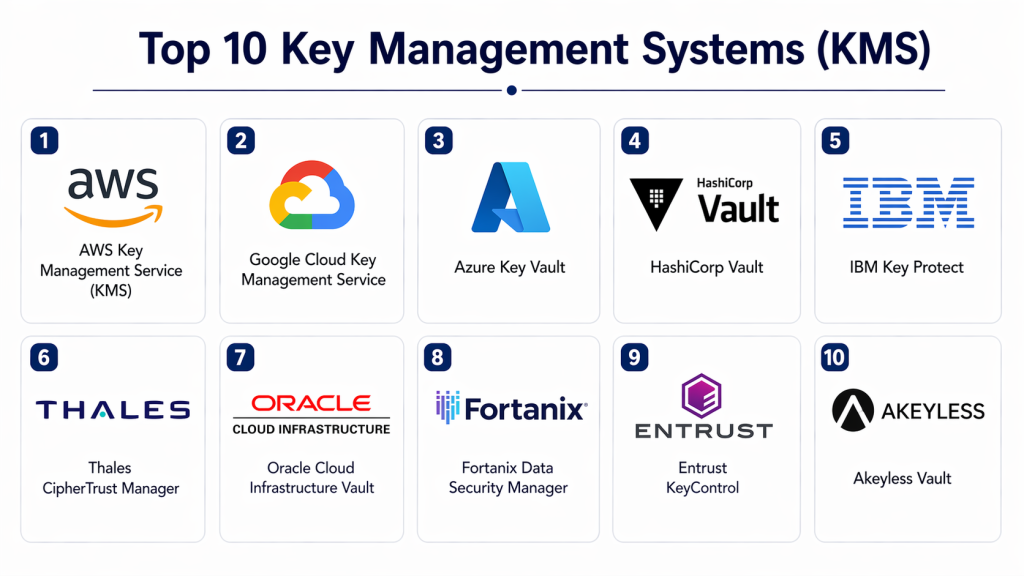
Top 10 Key Management Systems (KMS)
#1 — AWS Key Management Service
Short description: Cloud-based KMS designed to create and control encryption keys used across AWS services and applications.
Key Features
- Centralized key management
- Automatic key rotation
- Integration with AWS services
- Access control policies
- Audit logging
Pros
- Seamless AWS integration
- Highly scalable
Cons
- Limited outside AWS ecosystem
- Pricing based on usage
Platforms / Deployment
Cloud
Security & Compliance
Encryption, audit logs, access control (other details not publicly stated)
Integrations & Ecosystem
Deep integration with AWS services.
- Storage services
- Databases
- Compute resources
Support & Community
Strong enterprise support and documentation.
#2 — Google Cloud KMS
Short description: Cloud-based key management solution for securing data across Google Cloud environments.
Key Features
- Key lifecycle management
- Hardware-backed keys
- IAM-based access control
- Audit logging
- API-driven operations
Pros
- Strong security features
- Flexible APIs
Cons
- Limited outside Google Cloud
- Requires cloud expertise
Platforms / Deployment
Cloud
Security & Compliance
Not publicly stated
Integrations & Ecosystem
- Google Cloud services
- APIs
- DevOps tools
Support & Community
Enterprise support available.
#3 — Azure Key Vault
Short description: Microsoft’s cloud-based KMS for managing encryption keys, secrets, and certificates.
Key Features
- Key and secret management
- Certificate management
- Access policies
- Integration with Azure services
- Audit logging
Pros
- Strong Microsoft ecosystem integration
- Supports secrets and certificates
Cons
- Requires Azure environment
- Configuration complexity
Platforms / Deployment
Cloud
Security & Compliance
Not publicly stated
Integrations & Ecosystem
- Azure services
- Enterprise applications
- APIs
Support & Community
Microsoft enterprise support.
#4 — HashiCorp Vault
Short description: Popular secrets management and KMS platform for securing sensitive data and credentials.
Key Features
- Secrets management
- Dynamic credentials
- Key lifecycle management
- Encryption as a service
- API-driven architecture
Pros
- Highly flexible
- Works across environments
Cons
- Complex setup
- Requires expertise
Platforms / Deployment
Cloud / Self-hosted
Security & Compliance
Not publicly stated
Integrations & Ecosystem
- DevOps tools
- Cloud platforms
- APIs
Support & Community
Strong open-source and enterprise support.
#5 — IBM Key Protect
Short description: Cloud-based key management solution designed for securing IBM Cloud workloads.
Key Features
- Key lifecycle management
- Secure key storage
- Access control
- Integration with IBM services
- Audit logging
Pros
- Strong enterprise features
- Good IBM ecosystem support
Cons
- Limited outside IBM Cloud
- Complex pricing
Platforms / Deployment
Cloud
Security & Compliance
Not publicly stated
Integrations & Ecosystem
- IBM Cloud
- APIs
- Enterprise systems
Support & Community
Enterprise support.
#6 — Thales CipherTrust Manager
Short description: Enterprise KMS platform offering centralized key management and data protection.
Key Features
- Centralized key management
- Policy enforcement
- Data encryption integration
- Multi-cloud support
- Compliance tools
Pros
- Strong enterprise capabilities
- Multi-cloud support
Cons
- Expensive
- Complex deployment
Platforms / Deployment
Cloud / Hybrid
Security & Compliance
Not publicly stated
Integrations & Ecosystem
- Cloud platforms
- Enterprise systems
- APIs
Support & Community
Enterprise support and consulting.
#7 — Oracle Key Management
Short description: Key management solution for Oracle Cloud and enterprise databases.
Key Features
- Key lifecycle management
- Integration with Oracle services
- Access control
- Audit logging
- Encryption support
Pros
- Strong database integration
- Enterprise-ready
Cons
- Oracle ecosystem dependency
- Complex setup
Platforms / Deployment
Cloud
Security & Compliance
Not publicly stated
Integrations & Ecosystem
- Oracle Cloud
- Databases
- APIs
Support & Community
Enterprise support.
#8 — Fortanix Data Security Manager
Short description: Platform offering unified key management and encryption across cloud environments.
Key Features
- Centralized key management
- Hardware-backed security
- Multi-cloud support
- Policy enforcement
- Automation
Pros
- Strong security model
- Flexible deployment
Cons
- Requires expertise
- Premium pricing
Platforms / Deployment
Cloud / Hybrid
Security & Compliance
Not publicly stated
Integrations & Ecosystem
- Cloud providers
- APIs
- Enterprise systems
Support & Community
Enterprise support.
#9 — Entrust KeyControl
Short description: Enterprise KMS designed for centralized key control across hybrid environments.
Key Features
- Centralized key management
- Policy enforcement
- Multi-cloud support
- Automation
- Compliance features
Pros
- Strong governance
- Hybrid environment support
Cons
- Complex deployment
- Costly
Platforms / Deployment
Cloud / Hybrid
Security & Compliance
Not publicly stated
Integrations & Ecosystem
- Enterprise systems
- Cloud platforms
- APIs
Support & Community
Enterprise support.
#10 — Akeyless Vault
Short description: Cloud-native secrets management and KMS platform with strong automation capabilities.
Key Features
- Secrets and key management
- Dynamic credentials
- API-first architecture
- Automation
- Multi-cloud support
Pros
- Easy integration
- Flexible deployment
Cons
- Smaller ecosystem
- Limited enterprise adoption
Platforms / Deployment
Cloud
Security & Compliance
Not publicly stated
Integrations & Ecosystem
- DevOps tools
- APIs
- Cloud systems
Support & Community
Growing support and documentation.
Comparison Table (Top 10)
| Tool Name | Best For | Platform(s) Supported | Deployment | Standout Feature | Public Rating |
|---|---|---|---|---|---|
| AWS KMS | AWS users | Web | Cloud | Native cloud integration | N/A |
| Google Cloud KMS | GCP users | Web | Cloud | Hardware-backed keys | N/A |
| Azure Key Vault | Microsoft users | Web | Cloud | Key + secret management | N/A |
| HashiCorp Vault | DevOps teams | Multi-platform | Cloud/Self-hosted | Secrets + KMS | N/A |
| IBM Key Protect | IBM users | Web | Cloud | Enterprise integration | N/A |
| Thales CipherTrust | Enterprise | Web | Cloud/Hybrid | Multi-cloud control | N/A |
| Oracle KMS | Database security | Web | Cloud | DB integration | N/A |
| Fortanix DSM | Multi-cloud | Web | Cloud/Hybrid | Hardware-backed security | N/A |
| Entrust KeyControl | Hybrid env | Web | Cloud/Hybrid | Centralized governance | N/A |
| Akeyless Vault | DevOps | Web | Cloud | Automation | N/A |
Evaluation & Scoring of Key Management Systems
| Tool Name | Core (25%) | Ease (15%) | Integrations (15%) | Security (10%) | Performance (10%) | Support (10%) | Value (15%) | Weighted Total |
|---|---|---|---|---|---|---|---|---|
| AWS KMS | 9 | 8 | 9 | 9 | 9 | 9 | 8 | 8.8 |
| Google KMS | 9 | 8 | 9 | 9 | 9 | 8 | 8 | 8.7 |
| Azure Key Vault | 9 | 8 | 9 | 9 | 9 | 9 | 8 | 8.8 |
| HashiCorp Vault | 9 | 7 | 10 | 9 | 9 | 9 | 8 | 8.8 |
| IBM Key Protect | 8 | 7 | 8 | 9 | 8 | 8 | 7 | 8.0 |
| Thales CipherTrust | 9 | 6 | 9 | 9 | 9 | 9 | 7 | 8.4 |
| Oracle KMS | 8 | 7 | 8 | 9 | 8 | 8 | 7 | 8.0 |
| Fortanix DSM | 9 | 7 | 9 | 9 | 9 | 8 | 7 | 8.4 |
| Entrust KeyControl | 9 | 6 | 8 | 9 | 9 | 8 | 7 | 8.2 |
| Akeyless Vault | 8 | 8 | 9 | 8 | 8 | 7 | 8 | 8.2 |
How to interpret scores:
These scores provide a comparative overview across core capabilities, usability, and value. Higher scores indicate a more balanced platform, but the best choice depends on your cloud environment, compliance needs, and operational complexity.
Which Key Management System Is Right for You?
Solo / Freelancer
Basic cloud KMS solutions are sufficient if using cloud services.
SMB
Akeyless Vault or cloud-native KMS tools provide ease and flexibility.
Mid-Market
Azure Key Vault and Google Cloud KMS offer scalability and integration.
Enterprise
Thales, HashiCorp Vault, and AWS KMS provide advanced control and compliance.
Budget vs Premium
- Budget: Cloud-native KMS
- Premium: Thales, Fortanix
Feature Depth vs Ease of Use
- Easy: AWS KMS, Azure Key Vault
- Advanced: HashiCorp Vault, Thales
Integrations & Scalability
API-first platforms are ideal for scaling environments.
Security & Compliance Needs
Enterprise platforms provide stronger compliance and governance.
Frequently Asked Questions (FAQs)
What is a Key Management System?
It is a system that manages encryption keys used to secure data.
Why is KMS important?
It ensures encryption keys are securely stored and managed.
Can KMS integrate with cloud platforms?
Yes, most modern KMS tools integrate with cloud environments.
Is KMS required for compliance?
Yes, in many regulated industries.
How does key rotation work?
Keys are automatically updated to maintain security.
Can small businesses use KMS?
Yes, especially cloud-native solutions.
What is the difference between KMS and encryption tools?
KMS manages keys, while encryption tools protect data.
Are KMS tools secure?
Most offer strong security, but details vary.
Do KMS tools support automation?
Yes, many provide automated key lifecycle management.
Can KMS scale?
Yes, enterprise tools are built for scalability.
Conclusion
Key Management Systems are essential for ensuring that encryption remains effective and secure across modern digital environments. They provide centralized control over cryptographic keys, enabling organizations to enforce policies, automate key lifecycle management, and maintain compliance. The right KMS depends on your infrastructure, whether cloud-native, hybrid, or enterprise-scale, as well as your integration and security requirements. Instead of choosing a single universal solution, focus on aligning the tool with your operational workflows and risk posture. Start by evaluating a few options, testing their integration and performance, and ensuring they meet your long-term scalability and compliance needs.