Introduction
Runbook Automation Tools are platforms that help teams automate routine operational procedures (runbooks) such as incident response steps, system maintenance tasks, and troubleshooting workflows. Instead of relying on manual execution or static documentation, these tools convert runbooks into automated, repeatable, and auditable processes.
In modern DevOps and SRE environments, where systems are complex and incidents require rapid resolution, manual runbooks are no longer sufficient. Runbook automation reduces human error, speeds up response times, and ensures consistent execution across teams. As organizations adopt AIOps, cloud-native systems, and 24/7 operations, these tools play a critical role in improving reliability and operational efficiency.
Real-World Use Cases
- Automating incident response workflows
- Executing predefined troubleshooting steps
- Performing routine maintenance tasks
- Integrating with alerting and monitoring tools
- Standardizing operational procedures
What Buyers Should Evaluate
- Automation capabilities and workflow orchestration
- Integration with monitoring and incident tools
- Ease of creating and managing runbooks
- Role-based access control and security
- Scalability across environments
- Audit logs and compliance features
- API and scripting support
- Ease of deployment and usability
Best for: DevOps teams, SREs, IT operations teams, and enterprises managing complex infrastructure.
Not ideal for: Small teams with minimal operational workflows or manual-only processes.
Key Trends in Runbook Automation Tools
- Integration with AIOps and incident management platforms
- AI-driven automation and decision-making
- Shift toward event-driven automation
- Increased adoption of Infrastructure as Code (IaC)
- Integration with CI/CD pipelines
- ChatOps-enabled runbook execution
- Focus on reducing MTTR
- API-first and developer-friendly tools
- Multi-cloud and hybrid environment support
- Real-time monitoring and automation
How We Selected These Tools (Methodology)
- Strong adoption in DevOps and IT operations
- Comprehensive automation and orchestration capabilities
- Integration with monitoring and incident tools
- Scalability and reliability
- Security and compliance features
- Active community or vendor support
- Balance between open-source and enterprise tools
- Real-world usage across industries
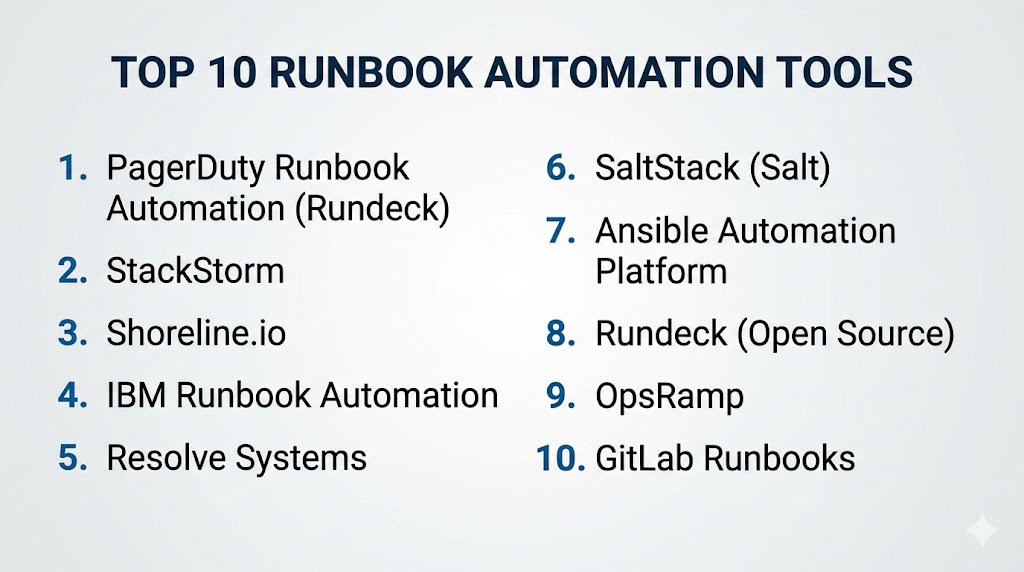
Top 10 Runbook Automation Tools
#1 — PagerDuty Runbook Automation (Rundeck)
Short description: A leading runbook automation platform for executing operational tasks and workflows.
Key Features
- Job scheduling and automation
- Role-based access control
- Workflow orchestration
- Integration with PagerDuty
- Audit logs
Pros
- Strong automation capabilities
- Enterprise-ready
Cons
- Complex setup
- Paid features
Platforms / Deployment
Linux
Cloud / Self-hosted
Security & Compliance
RBAC, audit logs
Not publicly stated
Integrations & Ecosystem
- PagerDuty
- DevOps tools
- Cloud platforms
Support & Community
Strong community and enterprise support.
#2 — StackStorm
Short description: An event-driven automation platform for DevOps workflows.
Key Features
- Event-driven automation
- Workflow orchestration
- Integration with monitoring tools
- Automation packs
- API support
Pros
- Highly flexible
- Open-source
Cons
- Requires expertise
- Setup complexity
Platforms / Deployment
Linux
Self-hosted
Security & Compliance
Not publicly stated
Integrations & Ecosystem
- Monitoring tools
- Cloud platforms
Support & Community
Active open-source community.
#3 — Shoreline.io
Short description: A modern automation platform focused on incident remediation.
Key Features
- Automated remediation
- Real-time monitoring
- Incident workflows
- Script automation
- Observability integration
Pros
- Fast incident resolution
- Easy automation
Cons
- Paid solution
- Limited ecosystem
Platforms / Deployment
Web
Cloud
Security & Compliance
Not publicly stated
Integrations & Ecosystem
- Observability tools
- DevOps platforms
Support & Community
Growing support.
#4 — IBM Runbook Automation
Short description: An enterprise tool for automating IT operations and incident response.
Key Features
- Workflow automation
- Integration with IBM tools
- Incident response automation
- Reporting
- Compliance tracking
Pros
- Enterprise-grade
- Strong compliance
Cons
- Expensive
- Complex setup
Platforms / Deployment
Web
Cloud / Hybrid
Security & Compliance
RBAC, audit logs
Not publicly stated
Integrations & Ecosystem
- IBM ecosystem
- Enterprise systems
Support & Community
Enterprise support.
#5 — Resolve Systems
Short description: A platform for automating IT operations and incident management workflows.
Key Features
- Automation workflows
- Incident response automation
- Integration with monitoring tools
- Analytics
- Reporting
Pros
- Strong automation
- Enterprise-ready
Cons
- Pricing
- Setup complexity
Platforms / Deployment
Web
Cloud
Security & Compliance
Not publicly stated
Integrations & Ecosystem
- Monitoring tools
- ITSM platforms
Support & Community
Enterprise support.
#6 — SaltStack (Salt)
Short description: A configuration management and automation tool for infrastructure operations.
Key Features
- Infrastructure automation
- Remote execution
- Configuration management
- Event-driven automation
- Scalability
Pros
- Powerful automation
- Scalable
Cons
- Complex setup
- Learning curve
Platforms / Deployment
Windows / Linux
Self-hosted
Security & Compliance
Not publicly stated
Integrations & Ecosystem
- Cloud platforms
- DevOps tools
Support & Community
Active community.
#7 — Ansible Automation Platform
Short description: A widely used automation platform for IT workflows and configuration management.
Key Features
- Playbook automation
- Agentless architecture
- Integration with DevOps tools
- Workflow orchestration
- Role-based access
Pros
- Easy to use
- Strong community
Cons
- Requires scripting
- Scaling complexity
Platforms / Deployment
Windows / Linux
Cloud / Self-hosted
Security & Compliance
RBAC
Not publicly stated
Integrations & Ecosystem
- Cloud platforms
- DevOps tools
Support & Community
Large community support.
#8 — Rundeck (Open Source)
Short description: An open-source tool for automating operational runbooks.
Key Features
- Job automation
- Workflow execution
- Role-based access
- Logging
- Scheduling
Pros
- Free and flexible
- Strong community
Cons
- Requires setup
- Limited enterprise features
Platforms / Deployment
Linux
Self-hosted
Security & Compliance
Not publicly stated
Integrations & Ecosystem
- DevOps tools
- Cloud platforms
Support & Community
Active community.
#9 — OpsRamp
Short description: A platform combining monitoring and automation for IT operations.
Key Features
- Runbook automation
- Incident management
- Monitoring integration
- Analytics
- Workflow automation
Pros
- Unified platform
- Strong automation
Cons
- Pricing
- Learning curve
Platforms / Deployment
Web
Cloud
Security & Compliance
Not publicly stated
Integrations & Ecosystem
- Monitoring tools
- ITSM systems
Support & Community
Enterprise support.
#10 — GitLab Runbooks
Short description: A DevOps-native approach to managing and automating runbooks within GitLab.
Key Features
- Runbook documentation
- CI/CD integration
- Automation workflows
- Version control
- Collaboration tools
Pros
- Developer-friendly
- Integrated with CI/CD
Cons
- Limited standalone features
- Requires GitLab ecosystem
Platforms / Deployment
Web
Cloud / Self-hosted
Security & Compliance
RBAC
Not publicly stated
Integrations & Ecosystem
- GitLab
- DevOps tools
Support & Community
Strong community.
Comparison Table (Top 10)
| Tool Name | Best For | Platform(s) Supported | Deployment | Standout Feature | Public Rating |
|---|---|---|---|---|---|
| PagerDuty | Enterprise | Linux | Hybrid | Workflow automation | N/A |
| StackStorm | DevOps | Linux | Self-hosted | Event-driven | N/A |
| Shoreline | Incident response | Web | Cloud | Automation | N/A |
| IBM | Enterprise | Web | Hybrid | Compliance | N/A |
| Resolve | IT ops | Web | Cloud | Automation | N/A |
| SaltStack | Infrastructure | Multi-OS | Self-hosted | Scalability | N/A |
| Ansible | DevOps | Multi-OS | Hybrid | Ease | N/A |
| Rundeck | Open-source | Linux | Self-hosted | Flexibility | N/A |
| OpsRamp | IT ops | Web | Cloud | Unified platform | N/A |
| GitLab | DevOps | Web | Hybrid | CI/CD integration | N/A |
Evaluation & Scoring of Runbook Automation Tools
| Tool Name | Core | Ease | Integrations | Security | Performance | Support | Value | Weighted Total |
|---|---|---|---|---|---|---|---|---|
| PagerDuty | 10 | 8 | 10 | 9 | 9 | 9 | 7 | 9.0 |
| StackStorm | 9 | 7 | 9 | 8 | 9 | 8 | 10 | 8.8 |
| Shoreline | 9 | 8 | 8 | 8 | 9 | 8 | 7 | 8.4 |
| IBM | 10 | 7 | 9 | 10 | 9 | 9 | 6 | 8.9 |
| Resolve | 9 | 7 | 8 | 9 | 9 | 8 | 7 | 8.4 |
| SaltStack | 9 | 6 | 8 | 8 | 9 | 8 | 10 | 8.3 |
| Ansible | 9 | 8 | 9 | 8 | 9 | 9 | 10 | 8.9 |
| Rundeck | 8 | 7 | 8 | 7 | 8 | 8 | 10 | 8.1 |
| OpsRamp | 9 | 7 | 8 | 8 | 9 | 8 | 7 | 8.3 |
| GitLab | 8 | 8 | 9 | 8 | 8 | 8 | 9 | 8.2 |
How to interpret scores:
These scores compare tools based on automation capabilities, usability, and value. Enterprise tools excel in compliance and scalability, while open-source tools provide flexibility and cost efficiency.
Which Runbook Automation Tool Is Right for You?
Solo / Freelancer
Rundeck (open-source) or GitLab Runbooks for simplicity.
SMB
Ansible and StackStorm for flexibility and cost efficiency.
Mid-Market
PagerDuty Runbook Automation and Shoreline for scalability.
Enterprise
IBM Runbook Automation and Resolve Systems for advanced workflows.
Budget vs Premium
- Budget: StackStorm, Rundeck
- Premium: PagerDuty, IBM
Feature Depth vs Ease of Use
- Feature-rich: IBM
- Easy-to-use: Ansible
Integrations & Scalability
- Best integrations: PagerDuty
- Scalable: SaltStack
Security & Compliance Needs
- Strong security: IBM
- Moderate: Rundeck
Frequently Asked Questions (FAQs)
What is runbook automation?
It automates operational procedures and workflows.
Why is it important?
It reduces manual effort and improves reliability.
Do these tools support automation?
Yes, automation is their core function.
Can they integrate with monitoring tools?
Yes, integration is essential.
Are they cloud-based?
Many tools support cloud and self-hosted deployments.
Can small teams use them?
Yes, especially open-source tools.
What is MTTR?
Mean Time to Resolution—key metric for incidents.
Are they secure?
Most include access control and audit features.
Do they support scripting?
Yes, scripting is commonly supported.
What is the best tool overall?
Depends on your infrastructure and needs.
Conclusion
Runbook Automation Tools are essential for modern IT operations, enabling teams to automate repetitive tasks, reduce errors, and accelerate incident resolution. By transforming manual processes into automated workflows, these tools improve efficiency and ensure consistent execution across environments. Whether you choose enterprise solutions like PagerDuty and IBM or open-source tools like StackStorm and Rundeck, the right choice depends on your team size, budget, and operational complexity. Start by evaluating your requirements, testing a few tools, and integrating them into your workflows to maximize reliability and performance.