Introduction
Network Analysis Tools are platforms that help organizations inspect, analyze, and troubleshoot network traffic to understand performance, security, and usage patterns. Unlike basic monitoring tools, network analysis focuses on deep packet inspection, traffic flows, and protocol-level visibility, enabling teams to diagnose complex issues and optimize network performance.
In modern IT environments driven by cloud infrastructure, remote work, high-bandwidth applications, and cybersecurity threats, network analysis has become essential. These tools allow engineers to detect anomalies, investigate slowdowns, and identify suspicious activity across networks in real time.
Real-World Use Cases
- Troubleshooting network latency and bottlenecks
- Analyzing traffic patterns and bandwidth usage
- Detecting security threats and anomalies
- Monitoring application performance over the network
- Debugging protocol-level issues
What Buyers Should Evaluate
- Packet capture and deep packet inspection capabilities
- Real-time traffic analysis
- Protocol support and decoding
- Visualization and reporting tools
- Integration with monitoring and security tools
- Scalability for high-volume traffic
- Ease of use and learning curve
- Cost and licensing
Best for: Network engineers, security analysts, IT operations teams, and enterprises managing complex networks.
Not ideal for: Basic monitoring needs where deep packet inspection is not required.
Key Trends in Network Analysis Tools
- AI-driven traffic analysis and anomaly detection
- Integration with security and SIEM platforms
- Cloud-native network visibility
- Real-time packet analysis at scale
- Increased focus on cybersecurity use cases
- Automation of network diagnostics
- Visualization of network flows and dependencies
- Integration with observability platforms
- Support for encrypted traffic analysis
- API-driven analytics and automation
How We Selected These Tools (Methodology)
- Strong adoption among network professionals
- Advanced packet analysis and traffic inspection capabilities
- Integration with modern IT and security ecosystems
- Scalability and performance
- Ease of use and user experience
- Security and compliance considerations
- Active community or vendor support
- Balance between open-source and enterprise tools
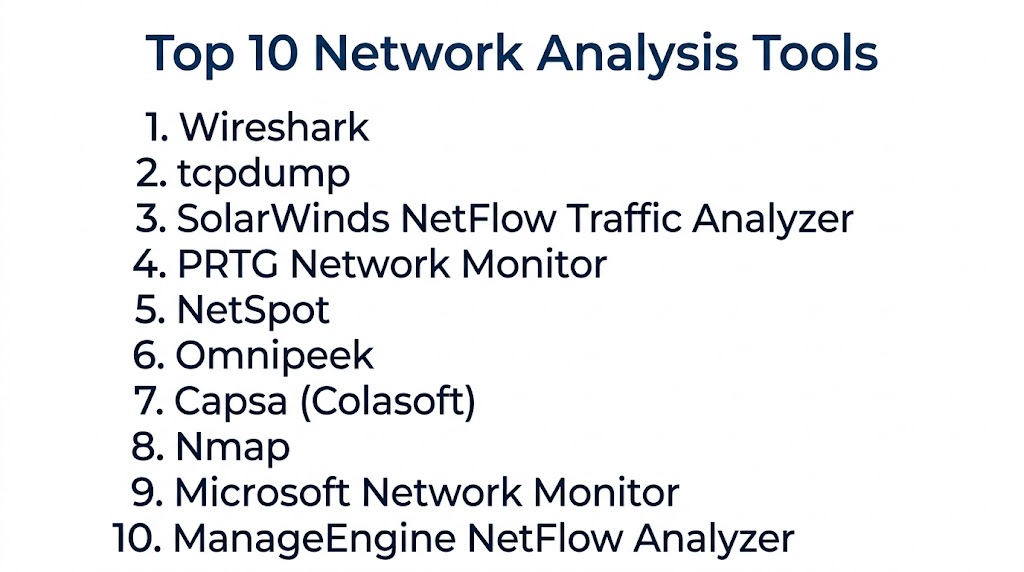
Top 10 Network Analysis Tools
#1 — Wireshark
Short description: The most widely used open-source network protocol analyzer for deep packet inspection.
Key Features
- Packet capture and analysis
- Protocol decoding
- Real-time traffic inspection
- Filtering and search
- Visualization tools
Pros
- Free and open-source
- Powerful analysis capabilities
Cons
- Steep learning curve
- Not ideal for large-scale monitoring
Platforms / Deployment
Windows / macOS / Linux
Self-hosted
Security & Compliance
Not publicly stated
Integrations & Ecosystem
- Network tools
- Security tools
Support & Community
Large global community
#2 — SolarWinds Network Traffic Analyzer
Short description: An enterprise tool for analyzing network traffic and bandwidth usage.
Key Features
- Traffic flow analysis
- Bandwidth monitoring
- Alerts
- Reporting
- Visualization dashboards
Pros
- Enterprise-ready
- Strong analytics
Cons
- Expensive
- Requires setup
Platforms / Deployment
Windows
Self-hosted
Security & Compliance
RBAC
Not publicly stated
Integrations & Ecosystem
- IT tools
- Monitoring platforms
Support & Community
Enterprise support
#3 — tcpdump
Short description: A command-line packet analyzer for capturing network traffic.
Key Features
- Packet capture
- Command-line interface
- Lightweight
- Protocol filtering
- Real-time analysis
Pros
- Lightweight
- Free
Cons
- No GUI
- Requires expertise
Platforms / Deployment
Linux / macOS
Self-hosted
Security & Compliance
Not publicly stated
Integrations & Ecosystem
- Network tools
- DevOps tools
Support & Community
Strong community
#4 — ManageEngine NetFlow Analyzer
Short description: A network traffic analysis tool focused on flow-based monitoring.
Key Features
- NetFlow analysis
- Bandwidth monitoring
- Traffic reports
- Alerts
- Visualization
Pros
- Easy to use
- Good reporting
Cons
- Limited deep packet inspection
- Paid plans
Platforms / Deployment
Windows / Linux
Cloud / Self-hosted
Security & Compliance
Not publicly stated
Integrations & Ecosystem
- IT tools
- Monitoring platforms
Support & Community
Vendor support
#5 — PRTG Network Monitor
Short description: A monitoring tool with strong network analysis capabilities.
Key Features
- Traffic analysis
- Packet sniffing
- Alerts
- Dashboards
- Sensor-based monitoring
Pros
- Easy setup
- All-in-one solution
Cons
- Sensor-based pricing
- Limited deep analysis
Platforms / Deployment
Windows
Cloud / Self-hosted
Security & Compliance
Not publicly stated
Integrations & Ecosystem
- APIs
- Network devices
Support & Community
Strong support
#6 — ntopng
Short description: A network traffic monitoring tool with real-time analytics.
Key Features
- Traffic analysis
- Real-time monitoring
- Flow analysis
- Dashboards
- Alerts
Pros
- Open-source option
- Real-time insights
Cons
- Setup complexity
- Limited enterprise features
Platforms / Deployment
Linux
Cloud / Self-hosted
Security & Compliance
Not publicly stated
Integrations & Ecosystem
- Network tools
- Monitoring systems
Support & Community
Active community
#7 — Capsa
Short description: A network analyzer tool for troubleshooting and performance monitoring.
Key Features
- Packet capture
- Traffic analysis
- Network diagnostics
- Reports
- Alerts
Pros
- User-friendly
- Good visualization
Cons
- Limited scalability
- Paid features
Platforms / Deployment
Windows
Self-hosted
Security & Compliance
Not publicly stated
Integrations & Ecosystem
- Network tools
Support & Community
Moderate support
#8 — Colasoft Capsa Enterprise
Short description: An advanced version of Capsa for enterprise-level network analysis.
Key Features
- Advanced packet analysis
- Network diagnostics
- Reports
- Alerts
- Visualization
Pros
- Enterprise features
- Detailed analysis
Cons
- Expensive
- Windows-only
Platforms / Deployment
Windows
Self-hosted
Security & Compliance
Not publicly stated
Integrations & Ecosystem
- Network tools
Support & Community
Vendor support
#9 — Omnipeek
Short description: A professional network analysis tool for deep packet inspection.
Key Features
- Packet capture
- Traffic analysis
- Protocol decoding
- Visualization
- Reporting
Pros
- Powerful analysis
- Enterprise-ready
Cons
- Expensive
- Learning curve
Platforms / Deployment
Windows
Self-hosted
Security & Compliance
Not publicly stated
Integrations & Ecosystem
- Network tools
Support & Community
Enterprise support
#10 — NetScout nGeniusONE
Short description: A high-end network performance analysis platform.
Key Features
- Deep packet inspection
- Real-time monitoring
- Analytics
- Alerts
- Reporting
Pros
- Enterprise-grade
- High performance
Cons
- Expensive
- Complex deployment
Platforms / Deployment
Web
Cloud / Self-hosted
Security & Compliance
Not publicly stated
Integrations & Ecosystem
- Enterprise systems
- Monitoring tools
Support & Community
Enterprise support
Comparison Table (Top 10)
| Tool Name | Best For | Platform(s) Supported | Deployment | Standout Feature | Public Rating |
|---|---|---|---|---|---|
| Wireshark | Packet analysis | Multi-OS | Self-hosted | Deep inspection | N/A |
| SolarWinds | Enterprise | Windows | Self-hosted | Traffic analytics | N/A |
| tcpdump | CLI users | Linux/macOS | Self-hosted | Lightweight | N/A |
| NetFlow Analyzer | SMB | Multi-OS | Hybrid | Flow monitoring | N/A |
| PRTG | SMB | Windows | Hybrid | Sensors | N/A |
| ntopng | Open-source | Linux | Hybrid | Real-time | N/A |
| Capsa | SMB | Windows | Self-hosted | Visualization | N/A |
| Capsa Enterprise | Enterprise | Windows | Self-hosted | Advanced features | N/A |
| Omnipeek | Professionals | Windows | Self-hosted | DPI | N/A |
| NetScout | Enterprise | Web | Hybrid | Performance | N/A |
Evaluation & Scoring of Network Analysis Tools
| Tool Name | Core | Ease | Integrations | Security | Performance | Support | Value | Weighted Total |
|---|---|---|---|---|---|---|---|---|
| Wireshark | 10 | 6 | 8 | 7 | 9 | 9 | 10 | 8.7 |
| SolarWinds | 10 | 7 | 9 | 9 | 9 | 9 | 6 | 8.9 |
| tcpdump | 8 | 6 | 7 | 7 | 9 | 8 | 10 | 8.0 |
| NetFlow Analyzer | 8 | 8 | 8 | 8 | 8 | 8 | 8 | 8.1 |
| PRTG | 8 | 9 | 8 | 8 | 8 | 8 | 8 | 8.3 |
| ntopng | 8 | 7 | 7 | 7 | 8 | 7 | 9 | 7.9 |
| Capsa | 7 | 8 | 7 | 7 | 8 | 7 | 8 | 7.7 |
| Capsa Enterprise | 9 | 7 | 8 | 8 | 9 | 8 | 6 | 8.1 |
| Omnipeek | 9 | 7 | 8 | 8 | 9 | 8 | 6 | 8.2 |
| NetScout | 10 | 6 | 9 | 9 | 10 | 9 | 6 | 9.0 |
How to interpret scores:
These scores compare tools based on analysis depth, usability, and value. Enterprise tools excel in performance and scalability, while open-source tools offer flexibility and cost efficiency.
Which Network Analysis Tool Is Right for You?
Solo / Freelancer
Wireshark or tcpdump for flexibility and cost.
SMB
PRTG and NetFlow Analyzer for ease of use.
Mid-Market
ntopng and Capsa for balance.
Enterprise
SolarWinds and NetScout for deep analytics.
Budget vs Premium
- Budget: Wireshark, tcpdump
- Premium: NetScout, SolarWinds
Feature Depth vs Ease of Use
- Feature-rich: NetScout
- Easy-to-use: PRTG
Integrations & Scalability
- Best integrations: SolarWinds
- Scalable: NetScout
Security & Compliance Needs
- Strong security: NetScout
- Moderate: Wireshark
Frequently Asked Questions (FAQs)
What is a network analysis tool?
It analyzes network traffic and performance.
Why is it important?
It helps troubleshoot issues and improve performance.
Do these tools support real-time analysis?
Yes, most tools provide real-time insights.
Are they open-source?
Some tools like Wireshark are open-source.
Can small teams use them?
Yes, many tools support SMB use cases.
Do they integrate with monitoring tools?
Yes, integration is common.
What data do they analyze?
Network packets, traffic flows, and protocols.
Are they secure?
Security features vary by tool.
What is deep packet inspection?
Detailed analysis of network packets.
What is the best tool overall?
Depends on your needs.
Conclusion
Network Analysis Tools are essential for diagnosing network issues, optimizing performance, and ensuring secure and reliable connectivity. By providing deep visibility into traffic and protocols, these tools enable teams to identify bottlenecks, detect anomalies, and troubleshoot complex problems efficiently. Whether you choose open-source solutions like Wireshark or enterprise platforms like NetScout, the right tool depends on your scale, expertise, and requirements. Start by shortlisting a few tools, testing them in your environment, and selecting the one that best fits your network analysis needs.