Introduction
Multi-Factor Authentication (MFA) tools are security solutions that require users to verify their identity using two or more authentication factors before accessing systems, applications, or data. These factors typically include something you know (password), something you have (mobile device or token), and something you are (biometrics).
As cyber threats like phishing, credential stuffing, and account takeovers continue to rise, relying on passwords alone is no longer sufficient. MFA adds an essential layer of protection by making unauthorized access significantly harder, even if credentials are compromised. Modern MFA tools now include adaptive authentication, passwordless login, and risk-based verification to enhance both security and user experience.
Real-world use cases include:
- Securing employee access to enterprise applications
- Protecting customer accounts in banking and e-commerce
- Enabling secure remote work access
- Preventing unauthorized access to cloud systems
- Strengthening API and admin access security
What buyers should evaluate:
- Supported authentication methods (OTP, push, biometrics, hardware tokens)
- Ease of deployment and user experience
- Integration with IAM and SSO platforms
- Adaptive and risk-based authentication capabilities
- Device compatibility and mobile support
- Scalability across users and applications
- Reporting and audit capabilities
- Compliance and security features
- Cost versus value
Best for: Enterprises, IT teams, SaaS platforms, financial services, and any organization handling sensitive data or user accounts.
Not ideal for: Very small setups with minimal security needs or offline systems without remote access risks.
Key Trends in Multi-Factor Authentication (MFA)
- Shift toward passwordless authentication
- AI-driven risk-based authentication
- Biometric authentication adoption
- Integration with Zero Trust frameworks
- Push-based authentication replacing OTP
- Increased focus on user experience
- Mobile-first authentication methods
- API-first MFA platforms
- Integration with DevSecOps workflows
- Compliance-driven security adoption
How We Selected These Tools (Methodology)
- Evaluated market adoption and vendor reputation
- Assessed variety of authentication methods supported
- Reviewed security and compliance features
- Considered integration with IAM and SSO ecosystems
- Compared ease of deployment and usability
- Included tools suitable for SMB and enterprise use cases
- Analyzed scalability and performance
- Evaluated adaptive authentication capabilities
- Focused on real-world usability and reliability
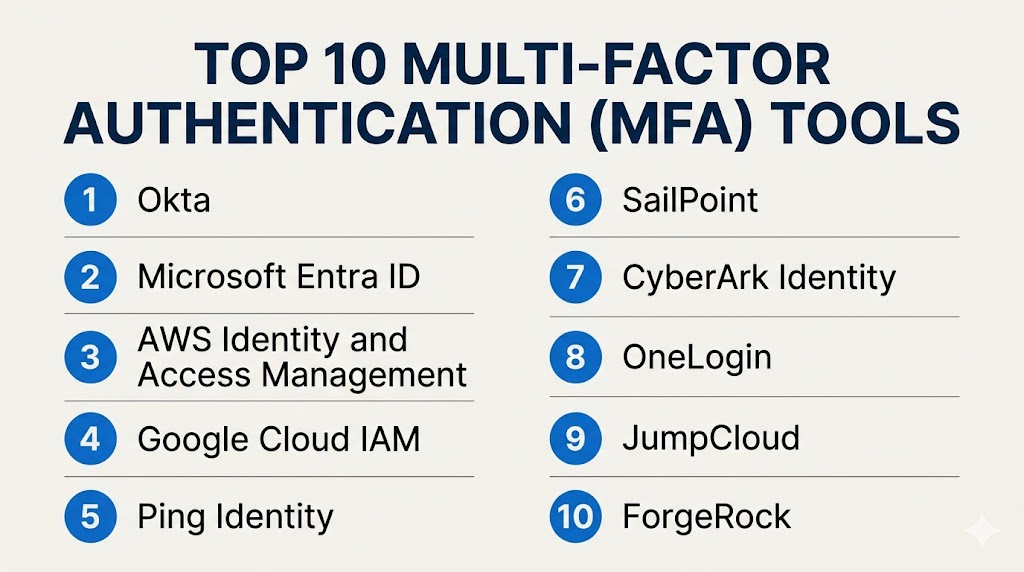
Top 10 Multi-Factor Authentication (MFA) Tools
#1 — Duo Security
Short description: A widely used MFA platform offering strong authentication and easy deployment for businesses of all sizes.
Key Features
- Push-based authentication
- Device trust verification
- Adaptive authentication
- Integration with SSO
- Mobile app support
- Real-time monitoring
Pros
- Easy to deploy
- Strong security features
Cons
- Limited advanced customization
- Best when combined with broader security tools
Platforms / Deployment
Web / Mobile
Cloud
Security & Compliance
MFA, RBAC, encryption (details not publicly stated)
Integrations & Ecosystem
Integrates with enterprise and cloud applications.
- APIs
- SaaS apps
- Security tools
Support & Community
Strong documentation and support.
#2 — Okta Verify
Short description: A cloud-based MFA solution integrated with Okta identity platform.
Key Features
- Push notifications
- Biometric authentication
- Adaptive authentication
- Device management
- SSO integration
Pros
- Seamless Okta integration
- User-friendly
Cons
- Best within Okta ecosystem
- Premium pricing
Platforms / Deployment
Web / Mobile
Cloud
Security & Compliance
MFA, RBAC (details not publicly stated)
Integrations & Ecosystem
Part of Okta ecosystem.
- APIs
- SaaS apps
Support & Community
Strong documentation and support.
#3 — Microsoft Authenticator
Short description: A widely used MFA app integrated with Microsoft identity services.
Key Features
- Push authentication
- OTP generation
- Passwordless login
- Biometric support
- Cloud integration
Pros
- Free and easy to use
- Strong Microsoft integration
Cons
- Limited outside Microsoft ecosystem
- Basic enterprise features
Platforms / Deployment
iOS / Android
Cloud
Security & Compliance
Not publicly stated
Integrations & Ecosystem
Works with Microsoft services and other apps.
- Azure
- Office apps
Support & Community
Large user base and strong support.
#4 — Google Authenticator
Short description: A simple and widely used MFA tool for generating one-time passwords.
Key Features
- OTP generation
- Offline functionality
- Multi-account support
- Simple setup
- Cross-platform
Pros
- Free
- Easy to use
Cons
- No push authentication
- Limited enterprise features
Platforms / Deployment
iOS / Android
Self-contained
Security & Compliance
Not publicly stated
Integrations & Ecosystem
Works with many online services.
- APIs
- Web apps
Support & Community
Large global user base.
#5 — Auth0 MFA
Short description: A developer-focused MFA solution with flexible authentication options.
Key Features
- Multi-factor authentication
- API-based integration
- Custom workflows
- Adaptive authentication
- SDK support
Pros
- Highly customizable
- Developer-friendly
Cons
- Requires technical expertise
- Pricing complexity
Platforms / Deployment
Web
Cloud
Security & Compliance
Not publicly stated
Integrations & Ecosystem
Strong developer ecosystem.
- APIs
- SDKs
Support & Community
Strong developer support.
#6 — Ping Identity MFA
Short description: An enterprise-grade MFA solution with advanced security and adaptive authentication.
Key Features
- Risk-based authentication
- Push notifications
- Biometric support
- Identity federation
- API security
Pros
- Strong enterprise capabilities
- Flexible deployment
Cons
- Complex setup
- Premium pricing
Platforms / Deployment
Cloud / On-premises
Hybrid
Security & Compliance
Not publicly stated
Integrations & Ecosystem
Integrates with enterprise systems.
- APIs
- Security tools
Support & Community
Enterprise-level support.
#7 — RSA SecurID
Short description: A traditional MFA solution offering hardware and software token-based authentication.
Key Features
- Hardware tokens
- Software tokens
- Risk-based authentication
- Access control
- Identity management
Pros
- Highly secure
- Trusted by enterprises
Cons
- Expensive
- Less modern UX
Platforms / Deployment
Hardware / Software
Hybrid
Security & Compliance
Not publicly stated
Integrations & Ecosystem
Supports enterprise integrations.
- APIs
- Security systems
Support & Community
Strong enterprise support.
#8 — LastPass MFA
Short description: An MFA solution integrated with password management for secure access.
Key Features
- Push authentication
- OTP generation
- Integration with password manager
- Mobile support
- Access control
Pros
- Easy to use
- Good for SMBs
Cons
- Limited enterprise features
- Smaller ecosystem
Platforms / Deployment
Web / Mobile
Cloud
Security & Compliance
Not publicly stated
Integrations & Ecosystem
Integrates with LastPass ecosystem.
- Password manager
- APIs
Support & Community
Good support and documentation.
#9 — JumpCloud MFA
Short description: A cloud-based MFA solution integrated with directory and device management.
Key Features
- Push authentication
- Device trust
- Directory integration
- User management
- Access control
Pros
- All-in-one platform
- Easy deployment
Cons
- Limited advanced customization
- Smaller ecosystem
Platforms / Deployment
Web
Cloud
Security & Compliance
Not publicly stated
Integrations & Ecosystem
Supports integration with cloud apps.
- APIs
- SaaS tools
Support & Community
Growing support ecosystem.
#10 — Yubico YubiKey
Short description: A hardware-based MFA solution offering strong authentication using physical security keys.
Key Features
- Hardware authentication
- FIDO2 support
- Passwordless login
- USB/NFC compatibility
- High security
Pros
- Extremely secure
- Phishing-resistant
Cons
- Requires physical device
- Higher upfront cost
Platforms / Deployment
Hardware
Varies
Security & Compliance
Not publicly stated
Integrations & Ecosystem
Supports wide range of platforms.
- APIs
- Security tools
Support & Community
Strong community and enterprise support.
Comparison Table (Top 10)
| Tool Name | Best For | Platform(s) Supported | Deployment | Standout Feature | Public Rating |
|---|---|---|---|---|---|
| Duo Security | SMB/Enterprise | Web/Mobile | Cloud | Push authentication | N/A |
| Okta Verify | Enterprise | Web/Mobile | Cloud | Okta integration | N/A |
| Microsoft Authenticator | SMB | Mobile | Cloud | Free usage | N/A |
| Google Authenticator | SMB | Mobile | Local | OTP simplicity | N/A |
| Auth0 MFA | Developers | Web | Cloud | Custom workflows | N/A |
| Ping Identity MFA | Enterprise | Hybrid | Hybrid | Risk-based auth | N/A |
| RSA SecurID | Enterprise | Hardware/Software | Hybrid | Token security | N/A |
| LastPass MFA | SMB | Web/Mobile | Cloud | Password integration | N/A |
| JumpCloud MFA | SMB | Web | Cloud | Directory integration | N/A |
| YubiKey | Enterprise | Hardware | Local | Physical security | N/A |
Evaluation & Scoring of MFA Tools
| Tool Name | Core (25%) | Ease (15%) | Integrations (15%) | Security (10%) | Performance (10%) | Support (10%) | Value (15%) | Weighted Total (0–10) |
|---|---|---|---|---|---|---|---|---|
| Duo Security | 9 | 9 | 8 | 9 | 8 | 8 | 8 | 8.6 |
| Okta Verify | 9 | 8 | 9 | 9 | 8 | 8 | 7 | 8.4 |
| Microsoft Authenticator | 8 | 9 | 8 | 8 | 8 | 8 | 9 | 8.3 |
| Google Authenticator | 7 | 9 | 7 | 7 | 7 | 7 | 10 | 7.9 |
| Auth0 MFA | 9 | 7 | 9 | 8 | 8 | 8 | 7 | 8.1 |
| Ping Identity MFA | 9 | 6 | 8 | 9 | 8 | 8 | 6 | 8.0 |
| RSA SecurID | 9 | 6 | 7 | 9 | 8 | 8 | 6 | 7.9 |
| LastPass MFA | 7 | 8 | 7 | 7 | 7 | 7 | 8 | 7.4 |
| JumpCloud MFA | 7 | 8 | 7 | 7 | 7 | 7 | 8 | 7.4 |
| YubiKey | 9 | 7 | 8 | 10 | 9 | 8 | 7 | 8.6 |
How to interpret these scores:
These scores are comparative and reflect typical use cases. Enterprise tools score higher in security and scalability, while simpler tools excel in usability and affordability. Choose based on your risk level and infrastructure.
Which MFA Tool Is Right for You?
Solo / Freelancer
Google Authenticator or Microsoft Authenticator are simple and free options.
SMB
Duo Security, LastPass, and JumpCloud offer easy deployment and strong value.
Mid-Market
Okta Verify and Auth0 provide scalability and integration flexibility.
Enterprise
Ping Identity, RSA SecurID, and YubiKey deliver advanced security and compliance.
Budget vs Premium
Budget tools offer basic protection, while premium tools provide advanced security features.
Feature Depth vs Ease of Use
Advanced tools require expertise, while simpler tools focus on usability.
Integrations & Scalability
Choose tools that integrate with your IAM and SSO systems.
Security & Compliance Needs
High-security environments should prioritize hardware-based or adaptive MFA.
Frequently Asked Questions (FAQs)
1. What is Multi-Factor Authentication?
It is a security method requiring multiple verification steps.
2. Why is MFA important?
It prevents unauthorized access even if passwords are compromised.
3. What are common MFA methods?
OTP, push notifications, biometrics, and hardware tokens.
4. Is MFA required for compliance?
Many security frameworks recommend or require MFA.
5. Does MFA affect user experience?
Modern MFA tools are designed to minimize friction.
6. Can MFA be used with SSO?
Yes, they are often integrated for stronger security.
7. What is passwordless authentication?
Login without passwords using biometrics or tokens.
8. Are hardware keys better?
They offer stronger protection but require physical devices.
9. Can MFA protect APIs?
Yes, many tools include API security features.
10. How do I choose the right MFA tool?
Evaluate based on security, usability, and integration needs.
Conclusion
Multi-Factor Authentication tools are a critical component of modern cybersecurity strategies, providing an essential layer of protection beyond passwords. As threats continue to evolve, relying solely on traditional authentication methods is no longer sufficient. MFA solutions help organizations secure access to applications, systems, and data while maintaining a balance between security and user experience. The best approach is to assess your security requirements, shortlist suitable tools, and test them in your environment to ensure they align with your infrastructure, user needs, and long-term security goals.