Introduction
Database Monitoring Tools are specialized solutions designed to track database performance, detect issues, optimize queries, and ensure system reliability. These tools provide real-time visibility into database health, helping teams identify bottlenecks, prevent downtime, and maintain optimal performance across applications.
As modern applications rely heavily on databases for storing and processing critical data, even minor performance issues can lead to significant business impact. Database monitoring tools help organizations proactively manage performance, ensure availability, and improve operational efficiency through alerting, analytics, and automation.
Common Use Cases
- Monitoring database performance and health
- Identifying slow queries and bottlenecks
- Detecting anomalies and performance issues
- Capacity planning and resource optimization
- Ensuring uptime and reliability
What Buyers Should Evaluate
- Real-time monitoring capabilities
- Query performance analysis
- Alerting and notification systems
- Integration with existing tools and platforms
- Scalability across multiple databases
- Ease of deployment and usability
- Reporting and analytics features
- Support for cloud and hybrid environments
Best for: DBAs, DevOps teams, IT administrators, and organizations running mission-critical applications.
Not ideal for: Small applications with minimal database load or environments with limited monitoring requirements.
Key Trends in Database Monitoring Tools
- Increased adoption of AI-driven performance insights
- Real-time monitoring with automated alerting
- Integration with observability and APM platforms
- Cloud-native database monitoring solutions
- Automated root cause analysis
- Unified monitoring across multiple database types
- DevOps integration for continuous performance tracking
- Visualization dashboards for better insights
- Predictive analytics for capacity planning
- Monitoring of distributed and microservices architectures
How We Selected These Tools (Methodology)
- Strong adoption across enterprise and cloud environments
- Proven performance monitoring capabilities
- Feature depth including query analysis and alerting
- Integration with major databases and platforms
- Scalability for large workloads
- Ease of use and deployment
- Security and reliability considerations
- Fit across SMB, mid-market, and enterprise segments
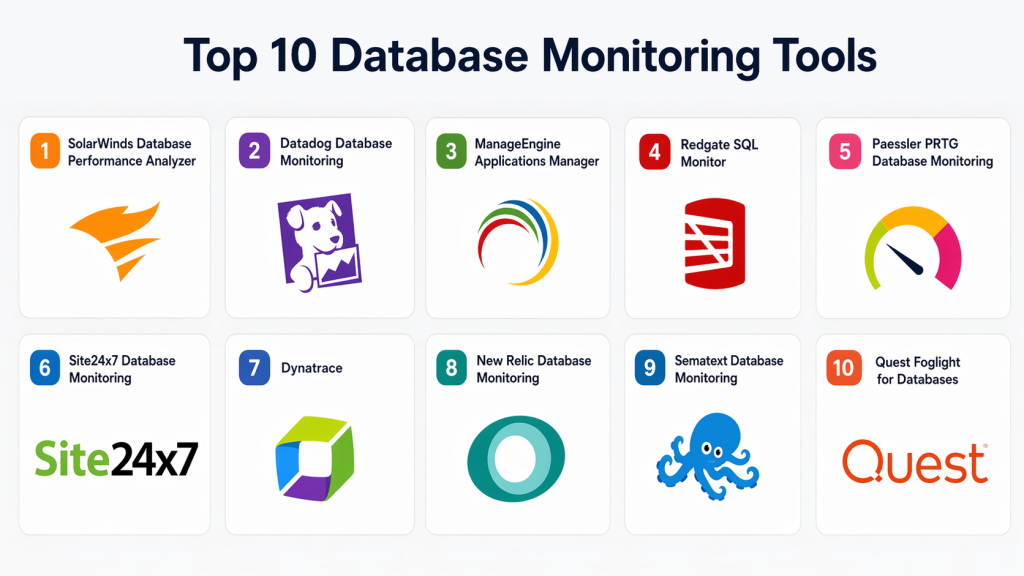
Top 10 Database Monitoring Tools
#1 — SolarWinds Database Performance Analyzer
Short description: Enterprise-grade database monitoring tool focused on performance analysis and query optimization.
Key Features
- Query performance analysis
- Real-time monitoring
- Wait-time analysis
- Custom alerts
- Historical performance data
Pros
- Deep performance insights
- Supports multiple databases
Cons
- Complex setup
- Premium pricing
Platforms / Deployment
Cloud / On-premises
Security & Compliance
Not publicly stated
Integrations & Ecosystem
- Databases
- APIs
- Monitoring tools
Support & Community
Enterprise support and documentation.
#2 — Datadog Database Monitoring
Short description: Cloud-based monitoring platform offering full visibility into database performance and metrics.
Key Features
- Real-time monitoring
- Query analytics
- Integration with APM
- Alerting system
- Visualization dashboards
Pros
- Easy cloud integration
- Strong visualization
Cons
- Pricing based on usage
- Requires configuration
Platforms / Deployment
Cloud
Security & Compliance
Not publicly stated
Integrations & Ecosystem
- Cloud services
- APIs
- DevOps tools
Support & Community
Strong documentation and support.
#3 — ManageEngine Applications Manager
Short description: Monitoring solution providing database performance tracking along with application monitoring.
Key Features
- Database monitoring
- Performance metrics
- Alerting system
- Reporting tools
- Multi-database support
Pros
- Easy to use
- Cost-effective
Cons
- Limited advanced features
- UI can feel outdated
Platforms / Deployment
Cloud / On-premises
Security & Compliance
Not publicly stated
Integrations & Ecosystem
- Enterprise tools
- APIs
- Monitoring platforms
Support & Community
Good support and documentation.
#4 — Redgate SQL Monitor
Short description: Tool designed for monitoring SQL Server environments with performance insights and alerts.
Key Features
- SQL Server monitoring
- Performance metrics
- Alerting
- Historical data analysis
- Dashboard visualization
Pros
- SQL Server specialization
- Easy setup
Cons
- Limited to SQL Server
- Limited cross-database support
Platforms / Deployment
Windows / On-premises
Security & Compliance
Not publicly stated
Integrations & Ecosystem
- SQL Server
- APIs
- Monitoring tools
Support & Community
Strong community and documentation.
#5 — Paessler PRTG Database Monitoring
Short description: Monitoring solution offering database monitoring along with network and infrastructure tracking.
Key Features
- Database monitoring sensors
- Real-time alerts
- Performance tracking
- Custom dashboards
- Multi-system monitoring
Pros
- All-in-one monitoring
- Easy deployment
Cons
- Limited deep database analytics
- Licensing complexity
Platforms / Deployment
Windows / Cloud
Security & Compliance
Not publicly stated
Integrations & Ecosystem
- Network tools
- APIs
- IT systems
Support & Community
Good support and documentation.
#6 — Site24x7 Database Monitoring
Short description: Cloud-based monitoring platform providing database performance insights and alerts.
Key Features
- Real-time monitoring
- Query analysis
- Alerts and notifications
- Performance dashboards
- Multi-database support
Pros
- Easy cloud setup
- Cost-effective
Cons
- Limited advanced analytics
- Requires tuning
Platforms / Deployment
Cloud
Security & Compliance
Not publicly stated
Integrations & Ecosystem
- Cloud services
- APIs
- Monitoring tools
Support & Community
Good support.
#7 — Dynatrace
Short description: Observability platform offering AI-driven database monitoring and performance insights.
Key Features
- AI-driven monitoring
- Automatic root cause analysis
- Performance tracking
- Real-time alerts
- Integration with APM
Pros
- Advanced AI insights
- Unified observability
Cons
- Expensive
- Complex setup
Platforms / Deployment
Cloud / Hybrid
Security & Compliance
Not publicly stated
Integrations & Ecosystem
- Cloud platforms
- APIs
- DevOps tools
Support & Community
Enterprise support.
#8 — New Relic Database Monitoring
Short description: Cloud-based monitoring solution providing performance insights and query analysis.
Key Features
- Query performance tracking
- Real-time metrics
- Alerts
- Visualization dashboards
- Integration with APM
Pros
- Easy to use
- Strong dashboards
Cons
- Pricing complexity
- Requires configuration
Platforms / Deployment
Cloud
Security & Compliance
Not publicly stated
Integrations & Ecosystem
- APIs
- DevOps tools
- Cloud platforms
Support & Community
Strong community and support.
#9 — Sematext Database Monitoring
Short description: Monitoring platform offering performance tracking and log analysis for databases.
Key Features
- Real-time monitoring
- Log analysis
- Alerting system
- Performance metrics
- Dashboard visualization
Pros
- Good log integration
- Affordable
Cons
- Limited enterprise features
- UI simplicity
Platforms / Deployment
Cloud
Security & Compliance
Not publicly stated
Integrations & Ecosystem
- APIs
- Logs
- Monitoring tools
Support & Community
Good documentation.
#10 — Quest Foglight for Databases
Short description: Enterprise monitoring solution providing deep insights into database performance.
Key Features
- Performance monitoring
- Query analysis
- Alerting system
- Capacity planning
- Multi-database support
Pros
- Strong enterprise features
- Detailed insights
Cons
- Complex deployment
- Expensive
Platforms / Deployment
Cloud / On-premises
Security & Compliance
Not publicly stated
Integrations & Ecosystem
- Databases
- APIs
- Enterprise tools
Support & Community
Enterprise support.
Comparison Table (Top 10)
| Tool Name | Best For | Platform(s) Supported | Deployment | Standout Feature | Public Rating |
|---|---|---|---|---|---|
| SolarWinds DPA | Enterprise DBAs | Web | Cloud/On-prem | Query analysis | N/A |
| Datadog | Cloud monitoring | Web | Cloud | Unified observability | N/A |
| ManageEngine | SMB | Web | Cloud/On-prem | Easy setup | N/A |
| Redgate SQL Monitor | SQL Server | Windows | On-prem | SQL specialization | N/A |
| PRTG | All-in-one monitoring | Windows | Cloud | Multi-system | N/A |
| Site24x7 | SMB cloud | Web | Cloud | Cost-effective | N/A |
| Dynatrace | Enterprise | Web | Cloud/Hybrid | AI insights | N/A |
| New Relic | DevOps | Web | Cloud | Dashboards | N/A |
| Sematext | SMB | Web | Cloud | Log monitoring | N/A |
| Foglight | Enterprise | Web | Cloud/On-prem | Deep analytics | N/A |
Evaluation & Scoring of Database Monitoring Tools
| Tool Name | Core (25%) | Ease (15%) | Integrations (15%) | Security (10%) | Performance (10%) | Support (10%) | Value (15%) | Weighted Total |
|---|---|---|---|---|---|---|---|---|
| SolarWinds | 9 | 7 | 8 | 8 | 9 | 8 | 7 | 8.3 |
| Datadog | 9 | 8 | 9 | 8 | 9 | 8 | 7 | 8.5 |
| ManageEngine | 8 | 8 | 7 | 7 | 8 | 7 | 8 | 7.9 |
| Redgate | 8 | 8 | 7 | 7 | 8 | 8 | 7 | 7.8 |
| PRTG | 7 | 9 | 7 | 7 | 8 | 7 | 8 | 7.7 |
| Site24x7 | 7 | 9 | 7 | 7 | 7 | 7 | 8 | 7.5 |
| Dynatrace | 9 | 7 | 9 | 8 | 9 | 9 | 6 | 8.4 |
| New Relic | 8 | 8 | 8 | 7 | 8 | 8 | 7 | 7.9 |
| Sematext | 7 | 8 | 7 | 7 | 7 | 7 | 8 | 7.4 |
| Foglight | 9 | 6 | 8 | 8 | 9 | 8 | 6 | 8.0 |
How to interpret scores:
These scores reflect a comparative analysis across key factors like performance, usability, and value. Higher scores indicate balanced capabilities, but the best tool depends on your specific environment and monitoring needs.
Which Database Monitoring Tool Is Right for You?
Solo / Freelancer
PRTG or Sematext provide simple and affordable monitoring.
SMB
ManageEngine and Site24x7 offer ease of use and cost-effectiveness.
Mid-Market
New Relic and Datadog provide scalability and integrations.
Enterprise
Dynatrace, SolarWinds, and Foglight offer deep insights and advanced analytics.
Budget vs Premium
- Budget: Sematext, Site24x7
- Premium: Dynatrace, SolarWinds
Feature Depth vs Ease of Use
- Easy: ManageEngine, Site24x7
- Advanced: Dynatrace, SolarWinds
Integrations & Scalability
Choose API-first platforms like Datadog.
Security & Compliance Needs
Enterprise tools offer stronger governance features.
Frequently Asked Questions (FAQs)
What is database monitoring?
It is the process of tracking database performance and health.
Why is database monitoring important?
It helps prevent downtime and optimize performance.
Can these tools detect issues?
Yes, most provide alerts and anomaly detection.
Are these tools scalable?
Yes, modern tools support large environments.
Do they support cloud databases?
Yes, most tools support cloud and hybrid setups.
What integrations are common?
APIs, DevOps tools, and cloud platforms.
Can small businesses use them?
Yes, many tools are SMB-friendly.
Do they impact performance?
Minimal impact depending on configuration.
Are they required?
Recommended for critical applications.
What are common mistakes?
Ignoring alerts and not tuning configurations.
Conclusion
Database Monitoring Tools are essential for maintaining the performance, reliability, and stability of modern data-driven applications. They provide visibility into database health, enabling teams to detect issues early and optimize system performance. The right tool depends on your infrastructure, scale, and operational requirements, with some solutions focusing on simplicity while others deliver deep analytics and enterprise-grade capabilities. Instead of selecting a single “best” option, focus on aligning the tool with your monitoring needs and integration environment. Start by evaluating a few platforms, testing their alerting and performance features, and ensuring they fit seamlessly into your workflow before making a final decision.