Introduction
Container Platforms help organizations build, deploy, run, and scale applications inside lightweight, portable containers. Instead of depending on traditional servers or virtual machines for every workload, containers package code, dependencies, and runtime components into consistent units that can run across laptops, data centers, and cloud environments.
These platforms are now essential for modern software delivery because businesses need faster releases, scalable infrastructure, efficient resource usage, and reliable DevOps workflows. Container platforms power microservices, CI/CD pipelines, cloud-native apps, hybrid infrastructure, and AI workloads.
Common use cases include:
- Application modernization
- Microservices deployment
- CI/CD automation
- Multi-cloud operations
- Dev/test environments
- Scalable web applications
Buyers should evaluate:
- Ease of deployment
- Orchestration capabilities
- Security controls
- Monitoring and observability
- Developer experience
- Multi-cloud support
- Networking flexibility
- Ecosystem integrations
- Cost efficiency
- Enterprise support
Best for: DevOps teams, platform engineers, startups, enterprises, SaaS companies, cloud-native teams, and businesses modernizing software delivery.
Not ideal for: Very small teams with simple static websites, businesses with no internal applications, or organizations lacking technical operations capacity.
Key Trends in Container Platforms
- AI-assisted operations and auto-remediation
- Platform engineering adoption increasing
- Kubernetes remaining the orchestration standard
- Stronger container supply chain security
- Serverless containers growing rapidly
- Cost optimization for cloud clusters
- Better multi-cluster management tools
- GitOps workflows becoming mainstream
- GPU container workloads increasing
- Unified VM + container platforms expanding
How We Selected These Tools (Methodology)
These tools were selected based on:
- Industry adoption and trust
- Container runtime and orchestration maturity
- Scalability and reliability
- Security features
- Ecosystem strength
- Developer productivity impact
- Multi-cloud readiness
- Enterprise support options
- Ease of operations
- Long-term market relevance
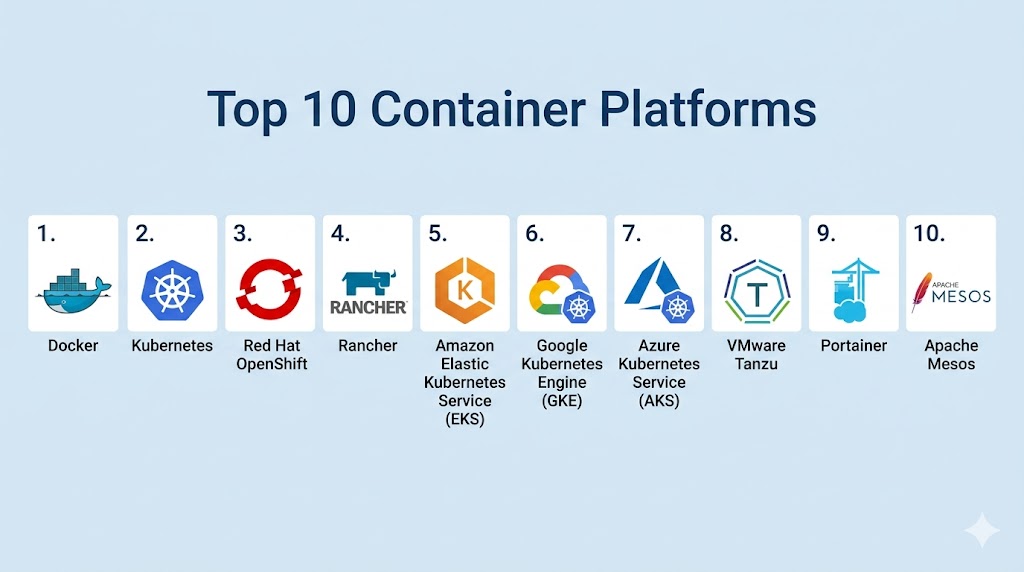
Top 10 Container Platforms
#1 — Docker
Short description:
The most recognized container platform for building, packaging, and running containers across developer and production environments.
Key Features
- Container image creation
- Local development workflows
- Registry ecosystem support
- Broad OS compatibility
- Developer-friendly tooling
- Compose workflows
- Large community ecosystem
Pros
- Industry-standard container experience
- Great developer onboarding
- Massive ecosystem
Cons
- Full orchestration needs additional tools
- Enterprise controls vary by edition
- Complex large-scale ops without orchestration layer
Platforms / Deployment
Windows / macOS / Linux
Cloud / Self-hosted / Hybrid
Security & Compliance
RBAC, image controls, identity integrations vary by plan.
Integrations & Ecosystem
Works with CI/CD, registries, cloud platforms, and DevOps tools.
Support & Community
Huge global community and strong commercial support options.
#2 — Kubernetes
Short description:
The leading open-source container orchestration platform for automating deployment, scaling, and management of containerized workloads.
Key Features
- Container orchestration
- Auto-scaling
- Self-healing workloads
- Service discovery
- Rolling updates
- Multi-cloud portability
- Massive extension ecosystem
Pros
- Industry standard for orchestration
- Highly scalable
- Strong ecosystem flexibility
Cons
- Steeper learning curve
- Operational complexity
- Requires skilled teams
Platforms / Deployment
Cloud / Self-hosted / Hybrid
Security & Compliance
RBAC, network policies, secrets management, audit logs.
Integrations & Ecosystem
Extensive integrations with nearly all cloud-native tooling.
Support & Community
One of the largest open-source communities.
#3 — Red Hat OpenShift
Short description:
Enterprise container platform built on Kubernetes with stronger governance, developer tools, and hybrid cloud capabilities.
Key Features
- Managed Kubernetes foundation
- Developer pipelines
- Built-in registry options
- Security policies
- Hybrid deployment support
- Monitoring stack
- Governance tools
Pros
- Strong enterprise readiness
- Good developer platform features
- Excellent hybrid flexibility
Cons
- Premium enterprise pricing
- Complexity for small teams
- Best value at scale
Platforms / Deployment
Cloud / Self-hosted / Hybrid
Security & Compliance
RBAC, policy enforcement, audit logs, enterprise security controls.
Integrations & Ecosystem
Strong ecosystem with enterprise and cloud tooling.
Support & Community
Excellent enterprise support reputation.
#4 — Rancher
Short description:
Popular multi-cluster management platform designed to simplify Kubernetes operations across environments.
Key Features
- Multi-cluster control plane
- Kubernetes lifecycle management
- Role management
- Central dashboards
- Policy controls
- Monitoring integrations
- Cluster provisioning tools
Pros
- Great for multi-cluster ops
- Flexible infrastructure support
- Strong admin experience
Cons
- Depends on Kubernetes adoption
- Less useful for simple single-cluster needs
- Advanced operations still need expertise
Platforms / Deployment
Cloud / Self-hosted / Hybrid
Security & Compliance
RBAC, identity integrations, policy controls.
Integrations & Ecosystem
Works with many Kubernetes distributions and DevOps tools.
Support & Community
Strong technical community and enterprise options.
#5 — Amazon Elastic Kubernetes Service (EKS)
Short description:
Managed Kubernetes service designed for scalable container operations within cloud ecosystems.
Key Features
- Managed control plane
- Auto-scaling support
- IAM integration
- Networking controls
- Managed upgrades
- Monitoring integrations
- Cloud-native services alignment
Pros
- Reduces ops overhead
- Strong scalability
- Great for cloud-native teams
Cons
- Best fit in same ecosystem
- Cost management required
- Kubernetes complexity still exists
Platforms / Deployment
Cloud
Security & Compliance
RBAC, IAM integration, logging, encryption options.
Integrations & Ecosystem
Strong integrations with cloud databases, storage, monitoring, and security tools.
Support & Community
Strong enterprise support availability.
#6 — Google Kubernetes Engine (GKE)
Short description:
Managed Kubernetes platform known for operational maturity and strong developer experience.
Key Features
- Managed clusters
- Auto-repair nodes
- Auto-scaling
- Release channels
- Security integrations
- Monitoring stack
- Developer-friendly workflows
Pros
- Strong Kubernetes heritage
- Great operational automation
- Good developer productivity
Cons
- Best fit in same ecosystem
- Cloud cost visibility needed
- Requires Kubernetes knowledge
Platforms / Deployment
Cloud
Security & Compliance
RBAC, workload controls, logging, identity integrations.
Integrations & Ecosystem
Strong compatibility with analytics, AI, and cloud services.
Support & Community
Strong technical ecosystem and support options.
#7 — Azure Kubernetes Service (AKS)
Short description:
Managed Kubernetes service ideal for organizations aligned with productivity and identity ecosystems.
Key Features
- Managed clusters
- Identity integration
- Auto-scaling
- Policy controls
- Monitoring support
- Windows container support
- Developer workflows
Pros
- Strong enterprise fit
- Good hybrid potential
- Identity advantages
Cons
- Cloud governance needed
- Kubernetes complexity remains
- Best fit in same ecosystem
Platforms / Deployment
Cloud
Security & Compliance
RBAC, identity controls, policies, logging.
Integrations & Ecosystem
Strong fit with productivity, identity, and DevOps services.
Support & Community
Large business user base.
#8 — VMware Tanzu
Short description:
Enterprise platform for running Kubernetes and modern applications across private and hybrid infrastructure.
Key Features
- Kubernetes operations
- Application modernization tools
- Multi-cloud management
- Security controls
- Lifecycle management
- Enterprise integrations
- Private cloud support
Pros
- Strong enterprise modernization path
- Great for private infrastructure teams
- Mature vendor support
Cons
- Premium positioning
- Complex product landscape
- Best for larger organizations
Platforms / Deployment
Cloud / Self-hosted / Hybrid
Security & Compliance
RBAC, policy tools, logging, enterprise controls.
Integrations & Ecosystem
Works well in enterprise infrastructure environments.
Support & Community
Strong enterprise support network.
#9 — Portainer
Short description:
Simple container management platform offering easier operations for Docker and Kubernetes environments.
Key Features
- Visual management UI
- Container lifecycle controls
- Access management
- Template deployments
- Kubernetes support
- Monitoring basics
- Lightweight deployment
Pros
- Easy to use
- Great for SMB teams
- Faster onboarding
Cons
- Less depth than enterprise suites
- Advanced governance varies
- Not built for every large-scale need
Platforms / Deployment
Cloud / Self-hosted / Hybrid
Security & Compliance
RBAC, access controls, admin tools.
Integrations & Ecosystem
Works with common container runtimes and clusters.
Support & Community
Strong community and commercial tiers.
#10 — Apache Mesos
Short description:
A distributed systems platform historically used for cluster resource management and containerized workloads.
Key Features
- Cluster resource sharing
- Multi-workload scheduling
- Scalable architecture
- High availability
- Framework support
- Resource isolation
- Large cluster management
Pros
- Strong large-scale architecture
- Flexible scheduling model
- Proven distributed design
Cons
- Lower mainstream momentum today
- Smaller modern ecosystem
- Higher complexity for new teams
Platforms / Deployment
Self-hosted / Hybrid
Security & Compliance
Access controls and cluster security options vary.
Integrations & Ecosystem
Useful in specialized infrastructure environments.
Support & Community
More niche community compared with modern leaders.
Comparison Table (Top 10)
| Tool Name | Best For | Platform(s) Supported | Deployment | Standout Feature | Public Rating |
|---|---|---|---|---|---|
| Docker | Developers | Multi-platform | Hybrid | Container packaging | N/A |
| Kubernetes | Scale ops | Multi-platform | Hybrid | Orchestration standard | N/A |
| OpenShift | Enterprise | Multi-platform | Hybrid | Governance | N/A |
| Rancher | Multi-cluster teams | Multi-platform | Hybrid | Cluster management | N/A |
| EKS | Cloud teams | Cloud | Cloud | Managed Kubernetes | N/A |
| GKE | Dev teams | Cloud | Cloud | Operational automation | N/A |
| AKS | Enterprise cloud | Cloud | Cloud | Identity alignment | N/A |
| Tanzu | Private cloud | Multi-platform | Hybrid | Modernization | N/A |
| Portainer | SMB / Simplicity | Multi-platform | Hybrid | Easy UI | N/A |
| Apache Mesos | Specialized scale | Self-hosted | Hybrid | Resource scheduling | N/A |
Evaluation & Scoring of Container Platforms
| Tool Name | Core | Ease | Integrations | Security | Performance | Support | Value | Weighted Total |
|---|---|---|---|---|---|---|---|---|
| Docker | 9 | 9 | 10 | 8 | 8 | 9 | 9 | 9.0 |
| Kubernetes | 10 | 6 | 10 | 9 | 10 | 9 | 8 | 8.8 |
| OpenShift | 9 | 7 | 9 | 10 | 9 | 9 | 7 | 8.5 |
| Rancher | 8 | 8 | 8 | 8 | 8 | 8 | 8 | 8.0 |
| EKS | 9 | 8 | 9 | 9 | 9 | 8 | 7 | 8.4 |
| GKE | 9 | 8 | 9 | 9 | 9 | 8 | 8 | 8.5 |
| AKS | 9 | 8 | 9 | 9 | 8 | 8 | 8 | 8.4 |
| Tanzu | 8 | 7 | 8 | 9 | 8 | 8 | 7 | 7.8 |
| Portainer | 7 | 9 | 7 | 7 | 7 | 7 | 9 | 7.8 |
| Apache Mesos | 7 | 5 | 7 | 7 | 8 | 6 | 7 | 6.7 |
These scores are comparative benchmarks. The best platform depends on team maturity, deployment scale, cloud strategy, and operational skill level.
Which Container Platform Is Right for You?
Solo / Freelancer
Choose Docker or Portainer.
SMB
Choose Docker, Portainer, or managed Kubernetes options.
Mid-Market
Choose Rancher, AKS, or GKE.
Enterprise
Choose Kubernetes, OpenShift, EKS, GKE, or Tanzu.
Budget vs Premium
Budget: Docker, Portainer
Premium: OpenShift, Tanzu
Feature Depth vs Ease of Use
Depth: Kubernetes, OpenShift
Ease: Docker, Portainer
Integrations & Scalability
Strong options: Kubernetes, Docker, EKS, GKE, AKS.
Security & Compliance Needs
Strong choices: OpenShift, Kubernetes, AKS, EKS.
Frequently Asked Questions (FAQs)
1. What is a container platform?
It helps build, deploy, and manage applications in containers.
2. Is Docker the same as Kubernetes?
No. Docker focuses on containers, Kubernetes focuses on orchestration.
3. Which platform is best for beginners?
Docker and Portainer are easier starting points.
4. Are containers better than VMs?
They are lighter and faster for many app workloads.
5. Which platform is best for enterprises?
Kubernetes, OpenShift, and managed cloud options are common choices.
6. Can containers run on-premises?
Yes, many platforms support self-hosted deployments.
7. Are containers secure?
Yes, with proper image scanning, policies, and access controls.
8. What is managed Kubernetes?
A provider handles much of the cluster operations.
9. Can I run AI workloads in containers?
Yes, especially GPU-enabled environments.
10. What should I test first?
Deployment ease, scaling, monitoring, and security workflows.
Conclusion
Container Platforms have become the foundation of modern software delivery by enabling portability, faster releases, and scalable infrastructure. The right choice depends on your technical maturity, cloud strategy, budget, and operational goals. Some teams need simple container tooling, while others require enterprise-grade orchestration and governance. Security, automation, and developer experience should guide your evaluation process. Shortlist two or three options, run real workloads, and compare operational efficiency before making a long-term platform decision.