Introduction
Virtual Desktop Infrastructure (VDI) is a technology that hosts user desktops on centralized servers or cloud platforms instead of running them locally on each laptop or desktop. Employees access their work environment remotely through secure connections, allowing organizations to manage systems, applications, and data from one place.
VDI has become increasingly important as businesses support hybrid work, distributed teams, contractor access, stronger cybersecurity needs, and simplified IT operations. Instead of relying on expensive endpoint hardware, companies can centralize computing resources and improve control.
Common use cases include:
- Remote employee workspaces
- Secure contractor or vendor access
- Call centers and support teams
- Healthcare and finance secure environments
- Temporary workforce onboarding
- Disaster recovery workspace continuity
Buyers should evaluate:
- Performance and latency
- Security controls
- Ease of management
- Scalability
- App compatibility
- Deployment flexibility
- Pricing model
- User experience
- Compliance readiness
- Integration options
Best for: Enterprises, SMBs, educational institutions, healthcare organizations, finance teams, BPOs, and remote-first companies needing secure centralized desktops.
Not ideal for: Very small teams using only browser-based SaaS tools, offline-heavy users, or businesses with no remote access requirements.
Key Trends in Virtual Desktop Infrastructure (VDI) for the Future
- AI-based resource optimization and auto-scaling
- Zero Trust security models becoming standard
- Browser-based desktop access replacing thick clients
- GPU-powered desktops for design and engineering workloads
- Hybrid cloud + on-prem deployments increasing
- Better cost monitoring and usage analytics
- Stronger support for BYOD environments
- Deeper identity provider integrations
- Improved remote collaboration performance
- More automation for provisioning and patching
How We Selected These Tools (Methodology)
These tools were selected based on:
- Market reputation and adoption
- Product maturity and reliability
- Core VDI capabilities
- Security and access controls
- Deployment flexibility
- Multi-device support
- Scalability across business sizes
- Ecosystem and integrations
- Admin experience and automation
- Overall business value
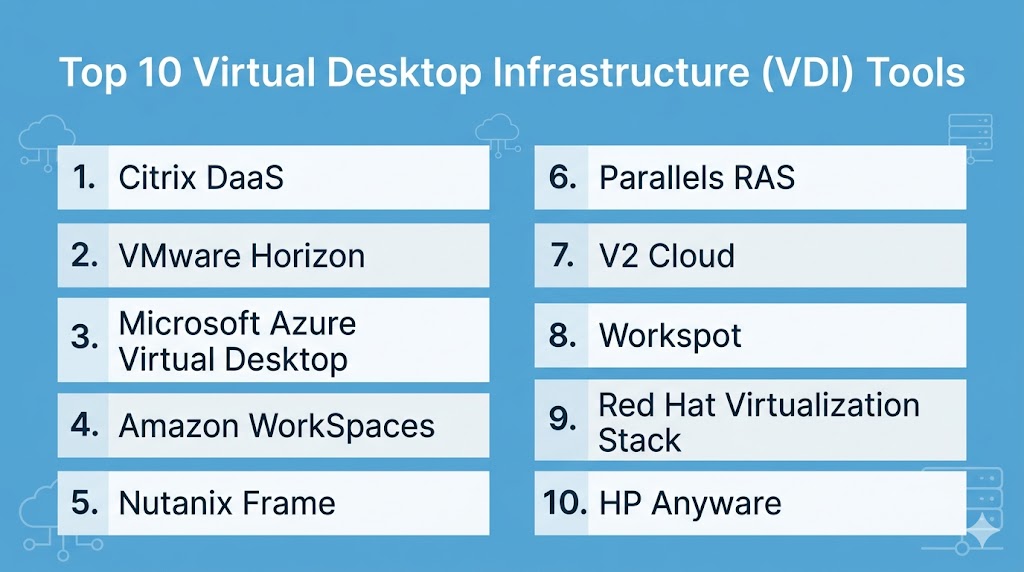
Top 10 Virtual Desktop Infrastructure (VDI) Tools
#1 — Citrix DaaS
Short description:
A leading enterprise VDI platform known for strong performance, deep controls, and large-scale deployments.
Key Features
- High-performance remote protocol
- Full desktop and app delivery
- Centralized policy management
- Hybrid deployment support
- Analytics and monitoring
- Secure browser access
- Advanced user experience controls
Pros
- Excellent enterprise scalability
- Strong security controls
- Mature management tools
Cons
- Can be complex to deploy
- Premium pricing in some cases
- Requires experienced admins
Platforms / Deployment
Web / Windows / macOS / Linux / iOS / Android
Cloud / Self-hosted / Hybrid
Security & Compliance
SSO/SAML, MFA, RBAC, encryption, audit logs.
Integrations & Ecosystem
Works with identity, networking, cloud, and endpoint ecosystems.
Support & Community
Strong enterprise support channels and broad partner network.
#2 — VMware Horizon
Short description:
A trusted VDI platform widely used by organizations already invested in virtualization infrastructure.
Key Features
- Desktop and application virtualization
- High-performance remote protocol
- Image lifecycle management
- Unified endpoint options
- Hybrid cloud support
- Granular admin controls
- Automation features
Pros
- Strong enterprise reputation
- Great for virtualization environments
- Reliable at scale
Cons
- Licensing may feel complex
- Can require broader infrastructure investment
- Less ideal for very small teams
Platforms / Deployment
Web / Windows / macOS / Linux / iOS / Android
Cloud / Self-hosted / Hybrid
Security & Compliance
SSO, MFA, RBAC, encryption, logging.
Integrations & Ecosystem
Strong compatibility with enterprise infrastructure stacks.
Support & Community
Large enterprise community with extensive documentation.
#3 — Azure Virtual Desktop
Short description:
Cloud-hosted desktop solution ideal for organizations using Microsoft productivity and identity ecosystems.
Key Features
- Multi-session desktop capability
- Elastic cloud scaling
- Centralized management
- Native identity controls
- Security integrations
- Global region availability
- Windows app compatibility
Pros
- Strong fit for Microsoft environments
- Flexible scaling model
- Good cloud-native experience
Cons
- Cloud cost management needed
- Best value inside same ecosystem
- Requires cloud administration skills
Platforms / Deployment
Web / Windows / macOS / iOS / Android
Cloud
Security & Compliance
SSO, MFA, RBAC, encryption, logging.
Integrations & Ecosystem
Strong productivity, identity, device, and security integrations.
Support & Community
Large global user base and strong documentation.
#4 — Amazon WorkSpaces
Short description:
Managed cloud desktops for businesses needing scalable remote workspaces with reduced infrastructure overhead.
Key Features
- Managed desktops
- Flexible billing models
- Persistent user sessions
- Directory integration
- Global infrastructure reach
- Centralized controls
- Monitoring tools
Pros
- Easy cloud deployment
- Strong scalability
- Reduced infrastructure burden
Cons
- Best fit for cloud-first buyers
- Customization limits compared to self-hosted setups
- Usage costs need monitoring
Platforms / Deployment
Windows / macOS / Web / iOS / Android
Cloud
Security & Compliance
Encryption, MFA, access controls, logging.
Integrations & Ecosystem
Works well with identity, storage, and cloud services.
Support & Community
Strong enterprise-grade support options.
#5 — Nutanix Frame
Short description:
A modern cloud desktop platform focused on simplified deployment and multi-cloud flexibility.
Key Features
- Browser-based access
- Multi-cloud support
- Fast provisioning
- Central admin console
- GPU options
- App streaming
- Usage analytics
Pros
- Easier deployment model
- Good flexibility across clouds
- Strong modern user experience
Cons
- Smaller mindshare than legacy leaders
- Some advanced features vary by plan
- Pricing depends on environment
Platforms / Deployment
Web / Windows / macOS / Linux
Cloud / Hybrid
Security & Compliance
SSO, MFA, encryption.
Integrations & Ecosystem
Compatible with major cloud and identity platforms.
Support & Community
Growing ecosystem with business support options.
#6 — Parallels RAS
Short description:
A cost-effective desktop and application delivery platform popular with mid-market businesses.
Key Features
- Virtual desktops
- App publishing
- HTML5 access
- Load balancing
- MFA support
- Reporting tools
- Central management
Pros
- Easier setup than many enterprise rivals
- Strong value for mid-sized teams
- Flexible deployment options
Cons
- Smaller enterprise ecosystem
- Less brand mindshare
- Advanced customization may vary
Platforms / Deployment
Windows / macOS / Web / iOS / Android
Self-hosted / Hybrid
Security & Compliance
Encryption, MFA, role controls.
Integrations & Ecosystem
Works with common business infrastructure tools.
Support & Community
Good reputation for responsive support.
#7 — V2 Cloud
Short description:
Simple cloud desktop platform designed for SMBs needing quick remote workspace deployment.
Key Features
- Fast setup
- Managed desktops
- Central controls
- Backup options
- Secure access
- Multi-user support
- Remote team enablement
Pros
- Very beginner-friendly
- Good SMB fit
- Low operational complexity
Cons
- Limited enterprise depth
- Fewer advanced controls
- Less suitable for massive scale
Platforms / Deployment
Windows / Web
Cloud
Security & Compliance
Encryption and admin controls.
Integrations & Ecosystem
Focused on common SMB workflows.
Support & Community
Strong onboarding support for smaller businesses.
#8 — Workspot
Short description:
Enterprise cloud desktop platform focused on scale, performance, and migration from legacy VDI systems.
Key Features
- Cloud-native architecture
- Performance monitoring
- Global deployments
- Security controls
- Disaster recovery support
- Automation tools
- Multi-cloud flexibility
Pros
- Strong for enterprise transformation
- Performance-focused platform
- Good migration use cases
Cons
- Enterprise-first positioning
- Pricing varies by deployment
- Requires planning resources
Platforms / Deployment
Windows / macOS / Web
Cloud / Hybrid
Security & Compliance
SSO, MFA, encryption, RBAC.
Integrations & Ecosystem
Supports cloud and identity ecosystems.
Support & Community
Enterprise onboarding and support focus.
#9 — Red Hat Virtualization Stack
Short description:
Suitable for Linux-heavy organizations needing control, customization, and open ecosystem flexibility.
Key Features
- Linux desktop support
- Open ecosystem compatibility
- API-driven management
- Hybrid infrastructure support
- Automation tools
- Custom deployment options
- Enterprise Linux alignment
Pros
- Great for Linux-first teams
- Highly customizable
- Strong open standards approach
Cons
- Higher technical complexity
- Smaller mainstream VDI footprint
- Needs skilled admins
Platforms / Deployment
Linux / Web
Self-hosted / Hybrid
Security & Compliance
Varies by deployment.
Integrations & Ecosystem
Strong compatibility with enterprise open platforms.
Support & Community
Strong enterprise support and open-source community.
#10 — HP Anyware
Short description:
High-performance remote workstation platform for creative, engineering, and graphics-intensive workloads.
Key Features
- Low-latency remote access
- GPU workstation support
- Secure remote sessions
- Cross-device connectivity
- High image quality streaming
- Centralized workstation access
- Collaboration support
Pros
- Excellent for designers and engineers
- Strong graphics performance
- Good workstation replacement option
Cons
- More niche than general VDI tools
- Premium use case pricing
- Less suited for basic office users
Platforms / Deployment
Windows / macOS / Linux
Cloud / Hybrid
Security & Compliance
Encryption, secure access controls.
Integrations & Ecosystem
Works with workstation and enterprise identity environments.
Support & Community
Reliable vendor-backed support.
Comparison Table (Top 10)
| Tool Name | Best For | Platform(s) Supported | Deployment | Standout Feature | Public Rating |
|---|---|---|---|---|---|
| Citrix DaaS | Enterprise | Multi-platform | Hybrid | Performance controls | N/A |
| VMware Horizon | Virtualized IT teams | Multi-platform | Hybrid | Infrastructure alignment | N/A |
| Azure Virtual Desktop | Productivity ecosystems | Multi-platform | Cloud | Multi-session desktops | N/A |
| Amazon WorkSpaces | Cloud-first teams | Multi-platform | Cloud | Managed desktops | N/A |
| Nutanix Frame | Flexible cloud teams | Multi-platform | Hybrid | Browser access | N/A |
| Parallels RAS | Mid-market | Multi-platform | Hybrid | Easy deployment | N/A |
| V2 Cloud | SMB | Windows/Web | Cloud | Simplicity | N/A |
| Workspot | Enterprise cloud | Multi-platform | Hybrid | Migration readiness | N/A |
| Red Hat Stack | Linux teams | Linux/Web | Hybrid | Open ecosystem | N/A |
| HP Anyware | GPU workloads | Multi-platform | Hybrid | Graphics performance | N/A |
Evaluation & Scoring of Virtual Desktop Infrastructure (VDI)
| Tool Name | Core | Ease | Integrations | Security | Performance | Support | Value | Weighted Total |
|---|---|---|---|---|---|---|---|---|
| Citrix DaaS | 10 | 7 | 9 | 9 | 10 | 9 | 7 | 8.8 |
| VMware Horizon | 9 | 7 | 9 | 9 | 9 | 9 | 7 | 8.5 |
| Azure Virtual Desktop | 9 | 8 | 10 | 9 | 8 | 9 | 8 | 8.8 |
| Amazon WorkSpaces | 8 | 8 | 8 | 8 | 8 | 8 | 8 | 8.0 |
| Nutanix Frame | 8 | 8 | 8 | 8 | 8 | 8 | 8 | 8.0 |
| Parallels RAS | 8 | 9 | 7 | 8 | 8 | 8 | 9 | 8.2 |
| V2 Cloud | 7 | 9 | 6 | 7 | 7 | 8 | 9 | 7.7 |
| Workspot | 8 | 7 | 8 | 8 | 9 | 8 | 7 | 7.9 |
| Red Hat Stack | 7 | 6 | 8 | 8 | 8 | 8 | 8 | 7.4 |
| HP Anyware | 8 | 7 | 7 | 8 | 10 | 8 | 7 | 7.9 |
These scores are comparative and meant to help shortlisting. The right choice depends on environment, skills, budget, security needs, and existing vendor ecosystem.
Which Virtual Desktop Infrastructure (VDI) Tool Is Right for You?
Solo / Freelancer
Choose V2 Cloud or HP Anyware.
SMB
Choose Parallels RAS, V2 Cloud, or Amazon WorkSpaces.
Mid-Market
Choose Nutanix Frame, Azure Virtual Desktop, or VMware Horizon.
Enterprise
Choose Citrix DaaS, VMware Horizon, Azure Virtual Desktop, or Workspot.
Budget vs Premium
Budget: V2 Cloud, Parallels RAS
Premium: Citrix DaaS, VMware Horizon
Feature Depth vs Ease of Use
Depth: Citrix DaaS, VMware Horizon
Ease: V2 Cloud, Amazon WorkSpaces
Integrations & Scalability
Best aligned: Azure Virtual Desktop, Citrix DaaS, VMware Horizon.
Security & Compliance Needs
Strong options: Citrix DaaS, VMware Horizon, Azure Virtual Desktop.
Frequently Asked Questions (FAQs)
1. What is VDI?
VDI hosts desktops centrally and lets users access them remotely.
2. Is VDI secure?
Yes, especially with MFA, encryption, and access policies.
3. Is VDI expensive?
Costs depend on licensing, infrastructure, and user scale.
4. Can small businesses use VDI?
Yes, cloud-based options make adoption easier.
5. Can VDI run heavy software?
Yes, especially GPU-backed solutions.
6. How long does setup take?
Cloud setups may take days, enterprise rollouts longer.
7. What is a common mistake?
Ignoring network quality and user testing.
8. Can I use personal laptops?
Yes, many platforms support BYOD securely.
9. Can I switch vendors later?
Yes, but migrations require planning.
10. What are alternatives to VDI?
DaaS, SaaS apps, app virtualization, and secure remote access tools.
Conclusion
Virtual Desktop Infrastructure remains a strong solution for secure remote work, centralized IT management, and scalable digital workspace delivery. The best tool depends on your business size, technical maturity, security requirements, and current infrastructure stack. Large enterprises may prefer deeper platforms, while SMBs often benefit from simpler cloud-first solutions. Specialized creative teams may need workstation-grade remote access instead of standard VDI. Shortlist two or three options, run a pilot, validate integrations, and compare total operating cost before making your final decision.