Introduction
Remote Access Software allows users to securely connect to computers, servers, mobile devices, or workstations from another location. These tools are widely used for IT support, remote work, system administration, training, and accessing office machines while traveling.
As hybrid work and distributed IT environments continue to grow, remote access platforms have become essential business tools. Modern solutions now offer unattended access, file transfer, multi-monitor support, mobile access, session recording, identity controls, and enterprise-grade security. They help reduce downtime, speed support response times, and keep teams productive from anywhere.
Common use cases include:
- Work-from-home PC access
- IT help desk support
- Managed service provider operations
- Server administration
- Remote training and demos
- Secure vendor support sessions
- Cross-location business continuity
What buyers should evaluate:
- Connection speed and stability
- Security and MFA support
- Unattended access features
- File transfer capabilities
- Cross-platform support
- Ease of deployment
- Admin controls and reporting
- Scalability
- Pricing model
- Integration ecosystem
Best for: SMBs, enterprises, MSPs, IT teams, remote employees, developers, consultants, and support teams.
Not ideal for: Users needing only occasional screen sharing with no device control.
Key Trends in Remote Access Software
- Zero-trust remote access controls increasing
- Browser-based support sessions growing rapidly
- AI-assisted remote support workflows emerging
- Better mobile-to-desktop remote control improving
- Integrated ticketing and ITSM workflows expanding
- Session recording and auditing becoming standard
- Multi-monitor and high-performance streaming improving
- Cloud-managed deployment replacing legacy VPN dependence
- Ransomware-safe privileged access controls increasing
- Unified remote work + IT support platforms rising
How We Selected These Tools (Methodology)
- Strong market reputation and adoption
- Reliable performance across networks
- Security maturity and enterprise controls
- Ease of use for end users and admins
- Cross-platform support depth
- IT support and unattended access strength
- Integration ecosystem quality
- Suitability across SMB to enterprise
- Support reputation
- Overall value for cost
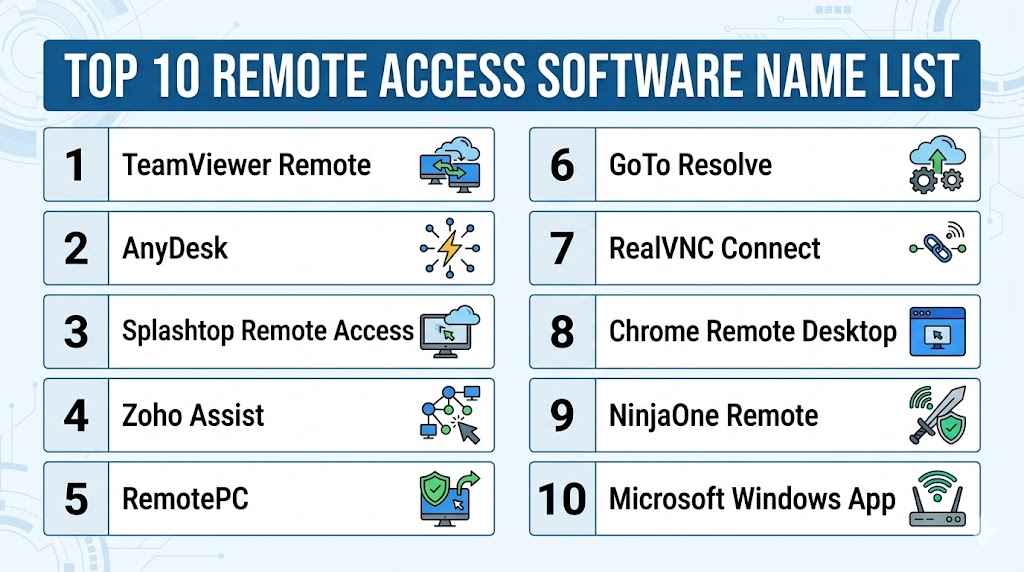
Top 10 Remote Access Software Tools
#1 — TeamViewer Remote
Short description: One of the most recognized remote access platforms for IT support, unattended access, and enterprise device management.
Key Features
- Unattended access
- File transfer
- Multi-platform support
- Session recording
- Remote printing
- Device management
- Enterprise admin console
Pros
- Excellent brand trust and reach
- Broad device compatibility
- Strong enterprise controls
Cons
- Premium pricing
- Licensing rules can feel strict
Platforms / Deployment
Cloud / Windows / macOS / Linux / iOS / Android
Security & Compliance
AES-256 encryption, MFA, SSO, enterprise controls.
Integrations & Ecosystem
- ITSM tools
- Enterprise identity systems
- APIs
- Monitoring platforms
Support & Community
Large global ecosystem.
#2 — AnyDesk
Short description: Fast remote desktop platform known for lightweight performance and strong cross-platform support.
Key Features
- Low-latency connections
- Unattended access
- File transfer
- Remote reboot
- Session permissions
- Mobile support
- Lightweight client
Pros
- Strong speed performance
- Easy deployment
- Good value options
Cons
- Some enterprise features require higher tiers
- UI preferences vary
Platforms / Deployment
Cloud / Windows / macOS / Linux / iOS / Android
Security & Compliance
Encryption, MFA, permission controls
Integrations & Ecosystem
- Business devices
- APIs
- Remote support workflows
Support & Community
Popular global user base.
#3 — Splashtop Remote Access
Short description: Strong choice for remote workers, creatives, IT teams, and performance-focused remote desktop access.
Key Features
- High-performance streaming
- File transfer
- Multi-monitor support
- Remote wake features
- Mobile access
- Security controls
- Business plans
Pros
- Excellent speed/value balance
- Strong creative workload support
- Good pricing options
Cons
- Advanced enterprise features tier-dependent
- Admin complexity can grow at scale
Platforms / Deployment
Cloud / Windows / macOS / Linux / iOS / Android
Security & Compliance
Encryption, MFA, device authentication
Integrations & Ecosystem
- Help desk tools
- MSP workflows
- APIs
Support & Community
Well-known business platform.
#4 — Zoho Assist
Short description: Popular remote support and unattended access platform with strong SMB and IT help desk appeal.
Key Features
- Browser-based sessions
- Unattended access
- File transfer
- Session notes
- Multi-monitor support
- Wake-on-LAN
- Zoho ecosystem integrations
Pros
- Strong SMB value
- Good browser-based support
- Useful Zoho integrations
Cons
- Best value inside Zoho ecosystem
- Enterprise scale features lighter than top-tier rivals
Platforms / Deployment
Cloud / Windows / macOS / Linux / iOS / Android
Security & Compliance
Encryption, MFA, access controls
Integrations & Ecosystem
- Zoho Desk
- CRM tools
- APIs
Support & Community
Strong SMB ecosystem.
#5 — RemotePC
Short description: Straightforward remote access platform ideal for small teams and affordable unattended access.
Key Features
- Always-on access
- File transfer
- Multi-device support
- Web access
- Chat tools
- Remote reboot
- Session management
Pros
- Strong value pricing
- Good small-team fit
- Easy to use
Cons
- Fewer enterprise workflows than premium rivals
- UI less polished than some competitors
Platforms / Deployment
Cloud / Windows / macOS / Linux / iOS / Android
Security & Compliance
Encryption, access controls
Integrations & Ecosystem
- Browser access
- Device workflows
Support & Community
Popular SMB choice.
#6 — GoTo Resolve
Short description: Unified remote support platform combining access tools with help desk workflows.
Key Features
- Remote control
- Ticketing options
- Background access
- File transfer
- Device monitoring
- Automation tools
- Browser support sessions
Pros
- Good IT support alignment
- Strong admin workflows
Cons
- Higher cost than simple tools
- May exceed basic user needs
Platforms / Deployment
Cloud / Windows / macOS / Mobile
Security & Compliance
Encryption, MFA, admin controls
Integrations & Ecosystem
- GoTo ecosystem
- Support workflows
- APIs
Support & Community
Established business vendor.
#7 — RealVNC Connect
Short description: Trusted remote desktop platform focused on secure direct access and business deployments.
Key Features
- Remote desktop control
- Cross-platform support
- File transfer
- Multi-factor auth
- Session management
- Scalable deployments
- Strong security posture
Pros
- Strong security reputation
- Good enterprise and technical use cases
Cons
- Less consumer simplicity than some rivals
- Pricing varies by tier
Platforms / Deployment
Cloud / Windows / macOS / Linux / iOS / Android
Security & Compliance
Encryption, MFA, enterprise controls
Integrations & Ecosystem
- IT environments
- APIs
Support & Community
Longstanding remote access vendor.
#8 — Chrome Remote Desktop
Short description: Free and simple browser-based remote access tool for individuals and small teams.
Key Features
- Browser access
- PIN-based remote control
- Cross-device support
- Easy setup
- Lightweight use
- Google account integration
- No-cost option
Pros
- Free and easy
- Minimal setup
- Good casual use case
Cons
- Lighter business controls
- Limited advanced features
Platforms / Deployment
Cloud / Web / Windows / macOS / Linux / Android / iOS
Security & Compliance
Encrypted sessions, Google account controls
Integrations & Ecosystem
- Chrome ecosystem
- Google accounts
Support & Community
Massive user familiarity.
#9 — NinjaOne Remote
Short description: Remote access tied closely to endpoint management and IT operations.
Key Features
- Remote support
- Endpoint management integration
- Patching workflows
- Device visibility
- Background tools
- Script automation
- IT admin controls
Pros
- Great MSP/IT ops fit
- Strong operational efficiency
Cons
- Best for managed IT teams
- Less consumer-focused simplicity
Platforms / Deployment
Cloud / Windows / macOS
Security & Compliance
Admin controls, encryption
Integrations & Ecosystem
- RMM
- Patch management
- IT workflows
Support & Community
Strong MSP reputation.
#10 — Microsoft Windows App
Short description: Microsoft’s unified client for connecting to Cloud PCs, Azure Virtual Desktop, Dev Box, and PCs.
Key Features
- Windows 365 access
- Azure Virtual Desktop
- Dev Box connectivity
- Multi-platform access
- Enterprise identity integration
- Unified Microsoft client
- Cross-device support
Pros
- Excellent Microsoft ecosystem fit
- Strong enterprise future direction
Cons
- Best for Microsoft environments
- Generic branding may confuse some users
Platforms / Deployment
Cloud / Windows / macOS / iOS / Android / Web
Security & Compliance
Microsoft identity and enterprise controls
Integrations & Ecosystem
- Microsoft 365
- Azure
- Windows 365
- Entra ID
Support & Community
Large enterprise ecosystem.
Comparison Table (Top 10)
| Tool Name | Best For | Platform(s) Supported | Deployment | Standout Feature | Public Rating |
|---|---|---|---|---|---|
| TeamViewer | Enterprises | All major OS | Cloud | Global support scale | N/A |
| AnyDesk | Fast access | All major OS | Cloud | Low latency | N/A |
| Splashtop | Performance users | All major OS | Cloud | Speed/value | N/A |
| Zoho Assist | SMB support teams | Multi-platform | Cloud | Browser sessions | N/A |
| RemotePC | Small teams | Multi-platform | Cloud | Affordable unattended access | N/A |
| GoTo Resolve | IT help desks | Multi-platform | Cloud | Support workflows | N/A |
| RealVNC Connect | Secure access | Multi-platform | Cloud | Security focus | N/A |
| Chrome Remote Desktop | Individuals | Web/Mobile/Desktop | Cloud | Free simplicity | N/A |
| NinjaOne Remote | MSP/IT ops | Desktop | Cloud | Endpoint integration | N/A |
| Microsoft Windows App | Microsoft shops | Multi-platform | Cloud | Cloud PC access | N/A |
Evaluation & Scoring of Remote Access Software
| Tool Name | Core (25%) | Ease (15%) | Integrations (15%) | Security (10%) | Performance (10%) | Support (10%) | Value (15%) | Weighted Total |
|---|---|---|---|---|---|---|---|---|
| TeamViewer | 9 | 8 | 9 | 9 | 8 | 9 | 6 | 8.20 |
| AnyDesk | 8 | 9 | 7 | 8 | 9 | 8 | 8 | 8.10 |
| Splashtop | 8 | 8 | 8 | 8 | 9 | 8 | 9 | 8.30 |
| Zoho Assist | 8 | 8 | 8 | 8 | 8 | 8 | 9 | 8.15 |
| RemotePC | 7 | 9 | 6 | 8 | 8 | 7 | 9 | 7.85 |
| GoTo Resolve | 8 | 7 | 8 | 8 | 8 | 8 | 7 | 7.75 |
| RealVNC Connect | 8 | 7 | 7 | 9 | 8 | 8 | 7 | 7.70 |
| Chrome Remote Desktop | 6 | 10 | 5 | 7 | 7 | 7 | 10 | 7.45 |
| NinjaOne Remote | 8 | 7 | 9 | 8 | 8 | 8 | 7 | 7.90 |
| Microsoft Windows App | 8 | 7 | 9 | 8 | 8 | 8 | 8 | 8.00 |
These scores are comparative benchmarks. SMB buyers often prioritize value and simplicity, while enterprises prioritize controls, integrations, and security.
Which Remote Access Software Is Right for You?
Solo / Freelancer
Chrome Remote Desktop, AnyDesk, or RemotePC are practical low-friction options.
SMB
Zoho Assist, Splashtop, and RemotePC offer strong value.
Mid-Market
TeamViewer, AnyDesk, GoTo Resolve, and NinjaOne are strong fits.
Enterprise
TeamViewer, Microsoft Windows App, RealVNC, and NinjaOne suit larger environments.
Budget vs Premium
- Budget: Chrome Remote Desktop, RemotePC, Zoho Assist
- Premium: TeamViewer, GoTo Resolve, RealVNC
Feature Depth vs Ease of Use
- Deep features: TeamViewer, NinjaOne, Microsoft Windows App
- Easy to use: Chrome Remote Desktop, AnyDesk, Splashtop
Integrations & Scalability
- Best integrations: Microsoft Windows App, TeamViewer, NinjaOne
- Best scalability: TeamViewer, AnyDesk, Splashtop
Security & Compliance Needs
- High-security environments: TeamViewer, RealVNC, Microsoft Windows App
- General business needs: RemotePC, Zoho Assist, Splashtop
Frequently Asked Questions (FAQs)
1. What is remote access software?
It lets you control another computer or device securely from a different location.
2. Is it different from screen sharing?
Yes. Remote access allows active control, not just viewing.
3. Is remote access secure?
Leading tools use encryption, MFA, and access permissions.
4. Can employees work from home with it?
Yes. It is widely used for remote work access.
5. Can IT teams fix computers remotely?
Yes. Many tools are built specifically for support workflows.
6. Is free software enough?
For light use, yes. Businesses often need paid admin controls.
7. Does it work on mobile?
Most major tools support iOS and Android apps.
8. What internet speed is needed?
Basic office use works on moderate connections; media-heavy work needs faster links.
9. How is pricing structured?
Usually by technician, user, device count, or feature tier.
10. How should I choose one?
Start with use case, device count, security needs, and budget. Then pilot 2–3 tools.
Conclusion
Remote Access Software has become essential because modern teams need secure connectivity beyond office walls. The right platform can improve productivity, accelerate IT support, and reduce downtime across distributed environments. Enterprises often prioritize governance, scalability, and integrations, while SMBs focus more on ease of use and pricing. Some buyers need simple unattended access, while others need full IT operations workflows. There is no universal best option—only the best fit for your workforce and support model. Shortlist a few strong vendors, test performance on real networks, and validate security controls before making a final decision.