Introduction
Secure File Transfer Clients (SFTP/FTPS) are desktop or cloud-enabled applications that allow users to securely upload, download, synchronize, and manage files over encrypted transfer protocols. Unlike standard FTP, these tools use secure methods such as SFTP (SSH File Transfer Protocol) and FTPS (FTP over SSL/TLS) to protect credentials and data in transit.
As businesses exchange sensitive files across remote teams, hosting providers, cloud servers, developers, vendors, and clients, secure transfer clients remain essential. They are widely used for website deployment, server administration, backups, data exchange, and regulated file transfers.
Modern SFTP/FTPS clients now include automation, cloud integrations, folder sync, scripting, tabbed interfaces, drag-and-drop workflows, and advanced permission controls.
Common use cases include:
- Secure website file deployment
- Server file management
- Remote backup transfers
- Vendor/client document exchange
- Automated file sync workflows
- Secure enterprise file movement
- DevOps and infrastructure operations
What buyers should evaluate:
- SFTP / FTPS protocol support
- Ease of use
- Automation and scripting
- Multi-platform support
- Sync capabilities
- Security features
- Large file handling
- Cloud storage integrations
- Licensing cost
- Support quality
Best for: IT teams, developers, web admins, MSPs, agencies, SMBs, and enterprises transferring files regularly.
Not ideal for: Users who only need occasional casual file sharing through consumer cloud drives.
Key Trends in Secure File Transfer Clients (SFTP/FTPS)
- Passwordless SSH key workflows increasing
- Built-in cloud storage integrations expanding
- Folder sync replacing manual transfers
- Stronger encryption defaults becoming standard
- Multi-tab productivity interfaces improving
- Automation scripts for scheduled transfers growing
- Hybrid cloud + local workflows increasing
- Audit logging features becoming more important
- Large-file acceleration demand rising
- Cross-platform compatibility improving
How We Selected These Tools (Methodology)
- Strong market reputation
- Reliable secure transfer performance
- Broad protocol support
- Ease of use
- Security maturity
- Automation and sync features
- Multi-platform availability
- Support reputation
- Value for cost
- Suitability for personal to enterprise use
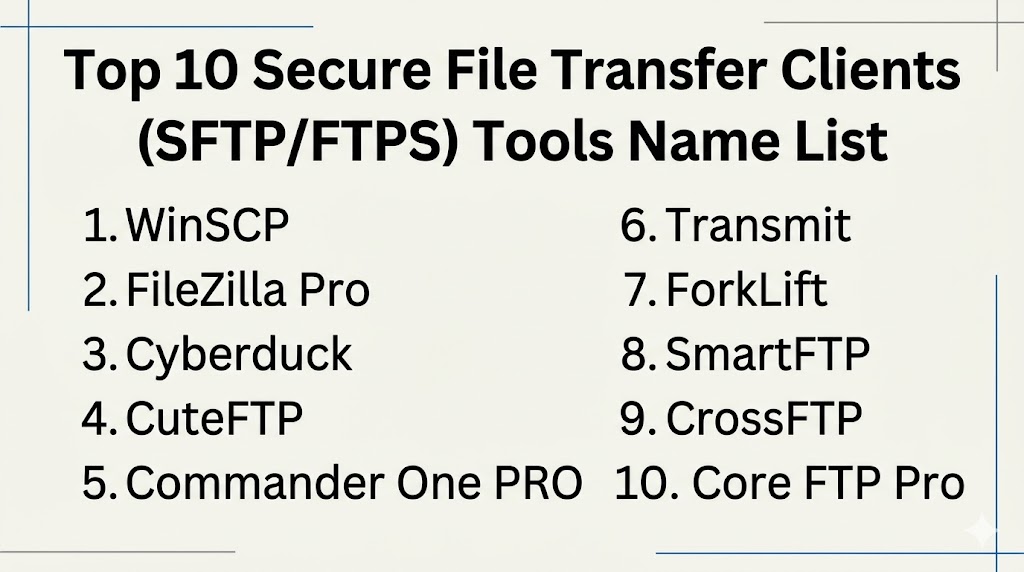
Top 10 Secure File Transfer Clients (SFTP/FTPS) Tools
#1 — WinSCP
Short description: One of the most popular Windows secure transfer clients known for reliability, scripting, and strong SFTP support.
Key Features
- SFTP / SCP / FTP / FTPS support
- Dual-pane interface
- Automation scripting
- Directory sync
- Integrated editor
- Session management
- SSH key support
Pros
- Excellent Windows choice
- Free and powerful
- Strong automation options
Cons
- Windows-focused only
- UI looks functional rather than modern
Platforms / Deployment
Windows Desktop
Security & Compliance
SSH keys, encryption, secure credential storage
Integrations & Ecosystem
- Windows environments
- Scripts
- Automation workflows
Support & Community
Large global community.
#2 — FileZilla Pro
Short description: Widely used transfer client offering secure protocols and cloud storage connectors.
Key Features
- SFTP / FTPS / FTP support
- Tabbed transfers
- Site manager
- Resume transfers
- Cloud connectors
- Drag-and-drop interface
- Cross-platform support
Pros
- Easy to use
- Strong multi-platform availability
- Broad protocol support
Cons
- Free edition lacks some advanced features
- Interface preferences vary
Platforms / Deployment
Windows / macOS / Linux
Security & Compliance
TLS/SSL, SSH support, encrypted transfers
Integrations & Ecosystem
- AWS
- Google Cloud
- Azure
- Web hosting platforms
Support & Community
Very large user base.
#3 — Cyberduck
Short description: A clean and modern client popular for secure transfers and cloud storage access.
Key Features
- SFTP / WebDAV / FTPS
- Cloud storage support
- Bookmark manager
- External editor integration
- Transfer queue
- Keychain support
- Simple UI
Pros
- Excellent UI design
- Great cloud integrations
- Strong macOS experience
Cons
- Power-user automation lighter than some rivals
- Some advanced users prefer dual-pane tools
Platforms / Deployment
Windows / macOS
Security & Compliance
Encryption, SSH keys, credential vault support
Integrations & Ecosystem
- AWS S3
- Google Cloud
- Azure
- OpenStack
Support & Community
Strong loyal user community.
#4 — CuteFTP
Short description: Longstanding professional transfer client with automation and enterprise-friendly features.
Key Features
- SFTP / FTPS support
- Scheduled transfers
- Scripting automation
- Backup transfers
- Multi-part transfers
- Secure credentials
- Reporting tools
Pros
- Strong automation
- Good business use case fit
Cons
- Windows-focused
- Older interface feel
Platforms / Deployment
Windows Desktop
Security & Compliance
Encryption, password security, secure protocols
Integrations & Ecosystem
- Servers
- Scripts
- Enterprise workflows
Support & Community
Established business presence.
#5 — Commander One PRO
Short description: A macOS file manager with secure transfer capabilities and dual-pane productivity workflows.
Key Features
- SFTP / FTPS support
- Dual-pane manager
- Cloud mounting
- Archive handling
- Search tools
- Queue management
- macOS optimization
Pros
- Excellent Mac workflow tool
- Strong productivity features
Cons
- Mac-only
- Less enterprise standardization
Platforms / Deployment
macOS Desktop
Security & Compliance
Secure protocols, encrypted transfers
Integrations & Ecosystem
- macOS workflows
- Cloud drives
- External storage
Support & Community
Popular among Mac power users.
#6 — Transmit
Short description: Premium macOS transfer client known for polished design and speed.
Key Features
- SFTP / FTPS support
- Sync tools
- Cloud drive support
- Batch rename
- Favorites manager
- Fast transfer engine
- Native macOS design
Pros
- Excellent Mac user experience
- Strong performance
Cons
- Paid software
- Mac-only
Platforms / Deployment
macOS Desktop
Security & Compliance
Encrypted transfers, secure credential storage
Integrations & Ecosystem
- AWS
- Google Drive
- SFTP servers
Support & Community
Highly regarded Mac software vendor.
#7 — ForkLift
Short description: A fast dual-pane macOS file manager with secure transfer and sync features.
Key Features
- SFTP / FTP / WebDAV
- Dual-pane UI
- Sync workflows
- Batch rename
- Search tools
- Archive support
- Remote mounts
Pros
- Strong productivity
- Great for power users
Cons
- Mac-only
- Smaller enterprise mindshare
Platforms / Deployment
macOS Desktop
Security & Compliance
Encrypted transfer support
Integrations & Ecosystem
- Remote servers
- Cloud storage
- macOS workflows
Support & Community
Strong Mac user community.
#8 — SmartFTP
Short description: Windows transfer client focused on business-grade secure file movement and cloud access.
Key Features
- SFTP / FTPS support
- Cloud storage connectors
- Backup workflows
- Scheduling
- Multi-connection transfers
- Terminal integration
- Favorites manager
Pros
- Strong Windows business fit
- Broad feature set
Cons
- Paid licensing
- UI can feel dense
Platforms / Deployment
Windows Desktop
Security & Compliance
Encrypted protocols, secure credentials
Integrations & Ecosystem
- AWS
- Google Drive
- Servers
Support & Community
Longstanding Windows user base.
#9 — CrossFTP
Short description: Java-based cross-platform transfer client with sync and secure transfer support.
Key Features
- SFTP / FTPS support
- Multi-platform compatibility
- Site manager
- Queue management
- Folder sync
- Batch transfers
- Tabbed UI
Pros
- Cross-platform flexibility
- Good sync options
Cons
- UI less polished than premium rivals
- Smaller ecosystem
Platforms / Deployment
Windows / macOS / Linux
Security & Compliance
Encrypted transfer protocols
Integrations & Ecosystem
- Standard servers
- Cloud workflows
Support & Community
Niche but useful tool base.
#10 — Core FTP Pro
Short description: Lightweight Windows transfer client with strong secure protocol support and scripting options.
Key Features
- SFTP / FTPS support
- Lightweight install
- Site manager
- Scheduling
- Sync tools
- Script automation
- Resume transfers
Pros
- Strong value
- Efficient Windows option
Cons
- Windows-only
- Interface less modern
Platforms / Deployment
Windows Desktop
Security & Compliance
SSH, SSL/TLS encrypted transfers
Integrations & Ecosystem
- Windows systems
- Server workflows
Support & Community
Longstanding practical user base.
Comparison Table (Top 10)
| Tool Name | Best For | Platform(s) Supported | Deployment | Standout Feature | Public Rating |
|---|---|---|---|---|---|
| WinSCP | Windows admins | Windows | Desktop | Free automation | N/A |
| FileZilla Pro | Cross-platform teams | Win/Mac/Linux | Desktop | Broad compatibility | N/A |
| Cyberduck | Cloud + Mac users | Win/Mac | Desktop | Cloud integrations | N/A |
| CuteFTP | Business Windows users | Windows | Desktop | Scheduling tools | N/A |
| Commander One PRO | Mac productivity | macOS | Desktop | Dual-pane manager | N/A |
| Transmit | Premium Mac users | macOS | Desktop | Speed + design | N/A |
| ForkLift | Mac power users | macOS | Desktop | Productivity workflows | N/A |
| SmartFTP | Windows business teams | Windows | Desktop | Cloud connectors | N/A |
| CrossFTP | Mixed OS teams | Win/Mac/Linux | Desktop | Cross-platform sync | N/A |
| Core FTP Pro | Lightweight Windows use | Windows | Desktop | Efficient value | N/A |
Evaluation & Scoring of Secure File Transfer Clients (SFTP/FTPS)
| Tool Name | Core (25%) | Ease (15%) | Integrations (15%) | Security (10%) | Performance (10%) | Support (10%) | Value (15%) | Weighted Total |
|---|---|---|---|---|---|---|---|---|
| WinSCP | 9 | 8 | 7 | 9 | 8 | 8 | 10 | 8.55 |
| FileZilla Pro | 8 | 9 | 8 | 8 | 8 | 8 | 8 | 8.15 |
| Cyberduck | 8 | 9 | 8 | 8 | 8 | 8 | 8 | 8.15 |
| CuteFTP | 8 | 7 | 7 | 8 | 8 | 7 | 7 | 7.45 |
| Commander One PRO | 7 | 8 | 7 | 8 | 8 | 7 | 7 | 7.45 |
| Transmit | 8 | 9 | 7 | 8 | 9 | 8 | 7 | 8.00 |
| ForkLift | 8 | 8 | 7 | 8 | 8 | 7 | 7 | 7.65 |
| SmartFTP | 8 | 7 | 8 | 8 | 8 | 7 | 7 | 7.55 |
| CrossFTP | 7 | 7 | 7 | 8 | 7 | 7 | 8 | 7.30 |
| Core FTP Pro | 7 | 8 | 6 | 8 | 7 | 7 | 9 | 7.45 |
These scores are comparative benchmarks. Windows users may prioritize WinSCP or FileZilla, while Mac users often prefer Transmit, Cyberduck, or ForkLift.
Which Secure File Transfer Client Is Right for You?
Solo / Freelancer
WinSCP, FileZilla Pro, or Cyberduck are practical and affordable.
SMB
FileZilla Pro, SmartFTP, and CuteFTP fit common business workflows.
Mid-Market
WinSCP, FileZilla Pro, and SmartFTP balance cost and capability.
Enterprise
WinSCP, SmartFTP, CuteFTP, and managed enterprise standards are common.
Budget vs Premium
- Budget: WinSCP, Core FTP Pro, Cyberduck
- Premium: Transmit, SmartFTP, CuteFTP
Feature Depth vs Ease of Use
- Deep features: WinSCP, SmartFTP, CuteFTP
- Easy to use: Cyberduck, FileZilla Pro, Transmit
Integrations & Scalability
- Best integrations: FileZilla Pro, Cyberduck, SmartFTP
- Best scalability: WinSCP, FileZilla Pro, SmartFTP
Security & Compliance Needs
- High-security environments: WinSCP, FileZilla Pro, SmartFTP
- General business needs: Cyberduck, Core FTP Pro, Transmit
Frequently Asked Questions (FAQs)
1. What is an SFTP client?
It is software used to securely transfer files using SSH-based protocols.
2. How is FTPS different from SFTP?
FTPS uses SSL/TLS with FTP. SFTP uses SSH and is a separate protocol.
3. Are these tools safe?
Yes, when configured correctly with encryption and strong credentials.
4. Which tool is best for Windows?
WinSCP and FileZilla Pro are popular choices.
5. Which tool is best for Mac?
Transmit, Cyberduck, and ForkLift are strong options.
6. Do these tools support automation?
Many clients support scripts, sync, or scheduled transfers.
7. Can they connect to cloud storage?
Some tools include AWS, Azure, or cloud drive integrations.
8. Are free tools enough?
Often yes for common workflows, depending on feature needs.
9. How is pricing structured?
Usually free, one-time license, or subscription tiers.
10. How should I choose one?
Start with your OS, workflow complexity, security needs, and budget.
Conclusion
Secure File Transfer Clients remain essential for teams that regularly move files to servers, partners, and cloud systems. The right tool can improve productivity, strengthen security, and reduce manual transfer errors. Windows users often prioritize automation and value, while Mac users may focus on polished workflows and native design. Enterprises may standardize around auditability and reliability, while freelancers often need simplicity and affordability. There is no universal best client—only the best fit for your platform and workflow. Shortlist a few tools, test connection reliability, and validate security features before choosing your long-term standard.