Introduction
File Sync & Share Tools help businesses securely store, synchronize, access, and share files across devices, teams, and locations. These platforms ensure that the latest file versions remain available everywhere while supporting collaboration, permissions, mobile access, and version recovery.
As hybrid work, distributed teams, and digital collaboration continue to expand, file sync and share platforms have become essential business tools. They reduce email attachments, prevent version confusion, simplify remote work, and strengthen governance over company data. Modern solutions now include AI search, secure external sharing, ransomware rollback, compliance controls, and workflow automation.
Common use cases include:
- Team collaboration
- Remote work file access
- Secure client file sharing
- Document version control
- Cross-device sync
- Centralized business storage
- External partner collaboration
What buyers should evaluate:
- Sync reliability
- Security and encryption
- Sharing permissions
- Version history
- Collaboration tools
- Admin controls
- Integration ecosystem
- Scalability
- Compliance readiness
- Pricing model
Best for: SMBs, enterprises, agencies, legal teams, finance teams, healthcare organizations, and remote-first companies.
Not ideal for: Organizations working fully offline or teams with very limited sharing needs.
Key Trends in File Sync & Share Tools
- AI-powered search and summaries expanding
- Zero-trust file sharing controls growing
- End-to-end encrypted business storage demand rising
- Hybrid cloud + self-hosted adoption increasing
- Real-time co-editing now standard
- Secure external portals improving
- Ransomware recovery/version rollback features growing
- Data residency controls becoming more important
- Workflow automation around files expanding
- Multi-device sync expectations increasing
How We Selected These Tools (Methodology)
- Strong market reputation and adoption
- Reliable sync performance
- Secure sharing capabilities
- Collaboration quality
- Admin and governance depth
- Cross-platform support
- Integration ecosystem strength
- SMB to enterprise suitability
- Support reputation
- Overall value for cost
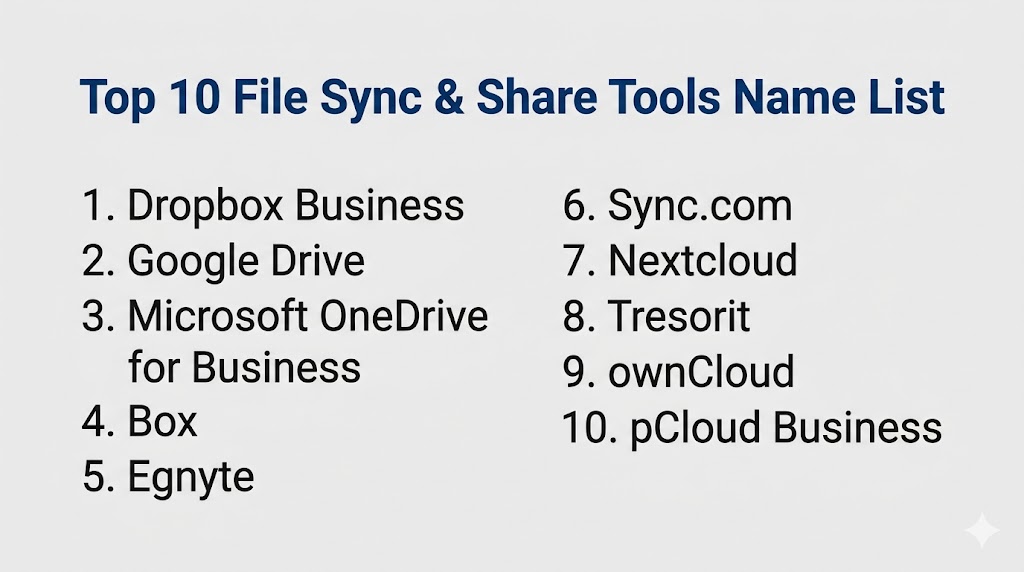
Top 10 File Sync & Share Tools
#1 — Dropbox Business
Short description: One of the most recognized sync and share platforms, known for simplicity, fast sync, and strong external collaboration.
Key Features
- Fast file sync
- Shared folders
- Smart Sync
- Version history
- Secure link sharing
- Admin controls
- Cross-platform apps
Pros
- Very easy to use
- Excellent external sharing
- Strong device support
Cons
- Premium pricing possible
- Advanced governance on higher tiers
Platforms / Deployment
Cloud / Web / Windows / macOS / iOS / Android
Security & Compliance
Encryption, MFA, SSO, admin controls
Integrations & Ecosystem
- Microsoft tools
- Google Workspace
- Creative tools
- APIs
Support & Community
Large business ecosystem.
#2 — Google Drive
Short description: A leading collaboration-first storage platform ideal for Google Workspace users.
Key Features
- Shared drives
- Real-time collaboration
- Smart search
- Version history
- Mobile sync
- Permission controls
- Large ecosystem
Pros
- Excellent collaboration
- Easy adoption
- Strong search experience
Cons
- Best value inside Google ecosystem
- Governance varies by tier
Platforms / Deployment
Cloud / Web / Windows / macOS / iOS / Android
Security & Compliance
Encryption, MFA, admin controls
Integrations & Ecosystem
- Docs
- Sheets
- Meet
- APIs
Support & Community
Massive global ecosystem.
#3 — Microsoft OneDrive for Business
Short description: Strong enterprise sync platform for Microsoft 365 organizations needing file access and Office collaboration.
Key Features
- Office collaboration
- File sync
- Sharing controls
- Versioning
- Windows integration
- Governance tools
- Mobile apps
Pros
- Excellent Microsoft fit
- Familiar user experience
- Strong enterprise controls
Cons
- Best in Microsoft environments
- Sync conflicts can occur in complex libraries
Platforms / Deployment
Cloud / Web / Windows / macOS / iOS / Android
Security & Compliance
SSO, MFA, encryption, RBAC
Integrations & Ecosystem
- Microsoft 365
- Teams
- SharePoint
- APIs
Support & Community
Large enterprise ecosystem.
#4 — Box
Short description: Enterprise content platform focused on governance, workflow automation, and secure collaboration.
Key Features
- Secure file sharing
- Workflow automation
- Governance controls
- Metadata tools
- Admin analytics
- Version history
- eSignature support
Pros
- Strong compliance focus
- Excellent enterprise controls
Cons
- Premium pricing possible
- More enterprise than SMB focused
Platforms / Deployment
Cloud / Web / Desktop / Mobile
Security & Compliance
SSO, MFA, encryption, DLP options
Integrations & Ecosystem
- Microsoft 365
- Google Workspace
- Salesforce
- APIs
Support & Community
Strong enterprise support.
#5 — Egnyte
Short description: Hybrid file platform blending cloud collaboration with on-prem control.
Key Features
- Hybrid storage model
- Secure sharing
- Governance controls
- Sync and mobile access
- Admin reporting
- Ransomware recovery tools
- External collaboration
Pros
- Great hybrid fit
- Strong security posture
Cons
- Premium pricing possible
- Less consumer familiarity
Platforms / Deployment
Cloud / Hybrid / Web / Desktop / Mobile
Security & Compliance
Encryption, MFA, governance controls
Integrations & Ecosystem
- Microsoft 365
- Google Workspace
- Security tools
- APIs
Support & Community
Strong business support reputation.
#6 — Sync.com
Short description: Privacy-focused cloud storage platform known for secure sync and encrypted sharing.
Key Features
- Secure sharing
- Encrypted storage
- Team folders
- Version history
- Remote wipe
- Mobile access
- File recovery
Pros
- Strong privacy stance
- Good SMB value
Cons
- Smaller ecosystem
- Collaboration depth lighter than major suites
Platforms / Deployment
Cloud / Web / Windows / macOS / iOS / Android
Security & Compliance
Encryption-focused platform
Integrations & Ecosystem
- Basic productivity tools
- APIs limited by tier
Support & Community
Growing business user base.
#7 — Nextcloud
Short description: Open-source sync and share platform for organizations wanting data control.
Key Features
- Self-hosted or cloud
- File sync
- Sharing controls
- Collaboration add-ons
- Mobile apps
- Admin controls
- Extensible ecosystem
Pros
- Strong sovereignty benefits
- Highly customizable
Cons
- Requires administration
- UX depends on deployment quality
Platforms / Deployment
Self-hosted / Hybrid / Web / Desktop / Mobile
Security & Compliance
Encryption options, access controls
Integrations & Ecosystem
- Office tools
- APIs
- Open-source apps
Support & Community
Strong open-source community.
#8 — Tresorit
Short description: Security-first sync and share platform for sensitive files and regulated teams.
Key Features
- End-to-end encryption
- Secure sharing links
- Activity logs
- File sync
- Remote wipe
- Admin tools
- Compliance workflows
Pros
- Excellent security
- Strong regulated-industry fit
Cons
- Premium pricing
- Smaller ecosystem than hyperscalers
Platforms / Deployment
Cloud / Web / Windows / macOS / iOS / Android
Security & Compliance
End-to-end encryption, admin controls
Integrations & Ecosystem
- Business apps
- Secure workflows
- APIs
Support & Community
Security-focused support.
#9 — ownCloud
Short description: Enterprise file sync platform with private cloud and self-hosted deployment options.
Key Features
- Self-hosted storage
- Secure sharing
- File sync
- Data sovereignty
- Mobile access
- Admin controls
- Enterprise extensions
Pros
- Strong data control
- Good private cloud option
Cons
- Requires IT management
- Less turnkey than SaaS rivals
Platforms / Deployment
Self-hosted / Hybrid / Web / Desktop / Mobile
Security & Compliance
Enterprise access controls
Integrations & Ecosystem
- APIs
- Enterprise systems
- Custom deployments
Support & Community
Strong enterprise/open ecosystem.
#10 — pCloud Business
Short description: Easy-to-use storage platform with sync, sharing, and flexible pricing options.
Key Features
- File sync
- Sharing links
- Offline access
- Versioning
- Team management
- File requests
- Media previews
Pros
- Good storage value
- Easy to use
Cons
- Lighter enterprise governance
- Collaboration depth varies
Platforms / Deployment
Cloud / Web / Desktop / Mobile
Security & Compliance
Encryption options available
Integrations & Ecosystem
- Cross-device apps
- Sharing workflows
Support & Community
Popular global user base.
Comparison Table (Top 10)
| Tool Name | Best For | Platform(s) Supported | Deployment | Standout Feature | Public Rating |
|---|---|---|---|---|---|
| Dropbox Business | External sharing | Web/Desktop/Mobile | Cloud | Fast sync | N/A |
| Google Drive | Collaboration teams | Web/Desktop/Mobile | Cloud | Real-time editing | N/A |
| OneDrive | Microsoft users | Web/Desktop/Mobile | Cloud | Office integration | N/A |
| Box | Enterprise governance | Web/Desktop/Mobile | Cloud | Workflow controls | N/A |
| Egnyte | Hybrid environments | Web/Desktop/Mobile | Hybrid | Cloud + on-prem | N/A |
| Sync.com | Privacy SMBs | Web/Desktop/Mobile | Cloud | Secure sharing | N/A |
| Nextcloud | Data control | Web/Desktop/Mobile | Hybrid | Open-source flexibility | N/A |
| Tresorit | Security-first orgs | Web/Desktop/Mobile | Cloud | End-to-end encryption | N/A |
| ownCloud | Private cloud | Web/Desktop/Mobile | Self-hosted | Sovereignty | N/A |
| pCloud | Storage value | Web/Desktop/Mobile | Cloud | Flexible plans | N/A |
Evaluation & Scoring of File Sync & Share Tools
| Tool Name | Core (25%) | Ease (15%) | Integrations (15%) | Security (10%) | Performance (10%) | Support (10%) | Value (15%) | Weighted Total |
|---|---|---|---|---|---|---|---|---|
| Dropbox Business | 8 | 9 | 8 | 8 | 9 | 8 | 7 | 8.10 |
| Google Drive | 9 | 9 | 9 | 8 | 8 | 8 | 8 | 8.55 |
| OneDrive | 9 | 8 | 9 | 8 | 8 | 8 | 8 | 8.40 |
| Box | 8 | 7 | 9 | 9 | 8 | 8 | 7 | 8.00 |
| Egnyte | 8 | 8 | 8 | 9 | 8 | 8 | 7 | 8.00 |
| Sync.com | 7 | 8 | 6 | 9 | 8 | 7 | 9 | 7.80 |
| Nextcloud | 8 | 6 | 8 | 8 | 8 | 8 | 9 | 7.95 |
| Tresorit | 8 | 7 | 7 | 10 | 8 | 8 | 6 | 7.80 |
| ownCloud | 8 | 6 | 8 | 8 | 8 | 7 | 8 | 7.65 |
| pCloud | 7 | 8 | 6 | 8 | 8 | 7 | 9 | 7.65 |
These scores are comparative benchmarks. Enterprise buyers often prioritize governance and security, while SMB teams usually value ease of use and pricing.
Which File Sync & Share Tool Is Right for You?
Solo / Freelancer
Google Drive, Dropbox, or pCloud are practical and easy.
SMB
Google Drive, Dropbox, Sync.com, and OneDrive offer strong value.
Mid-Market
Egnyte, Box, and OneDrive balance controls and usability.
Enterprise
Box, Google Drive, OneDrive, Egnyte, and Tresorit are strong choices.
Budget vs Premium
- Budget: pCloud, Sync.com, Google Drive
- Premium: Box, Egnyte, Tresorit
Feature Depth vs Ease of Use
- Deep features: Box, Egnyte, Nextcloud
- Easy to use: Google Drive, Dropbox, OneDrive
Integrations & Scalability
- Best integrations: Google Drive, OneDrive, Box
- Best scalability: Box, Egnyte, Google Drive
Security & Compliance Needs
- High-security environments: Tresorit, Box, Egnyte
- General business needs: Google Drive, Dropbox, OneDrive
Frequently Asked Questions (FAQs)
1. What is a File Sync & Share tool?
It securely stores, synchronizes, and shares files across devices and users.
2. How is it different from backup?
Backup focuses on recovery. Sync & share focuses on access and collaboration.
3. Are these tools secure?
Most leading vendors provide encryption, MFA, permissions, and logs.
4. Can teams edit files together?
Yes, many platforms support real-time collaboration.
5. Do SMBs need them?
Yes, especially for hybrid work and client collaboration.
6. What is version history?
It allows restoring earlier file versions after mistakes.
7. Can clients access shared files?
Yes, via secure links or guest permissions.
8. Is self-hosted better?
It offers more control but needs technical management.
9. How is pricing structured?
Usually by users, storage, or business tier.
10. How should I choose one?
Start with your collaboration stack, security needs, file volume, and budget.
Conclusion
File Sync & Share tools are now foundational to modern work because teams need secure access to files from anywhere. The right platform can improve collaboration, simplify sharing, and strengthen governance across distributed environments. Enterprise buyers often prioritize compliance and policy controls, while SMBs usually focus on usability and value. Ecosystem-native tools can streamline workflows, while self-hosted options provide stronger control. There is no universal best choice—only the best fit for your workflow and risk profile. Shortlist a few strong options, test sharing workflows, and validate admin controls before making a final decision.