Introduction
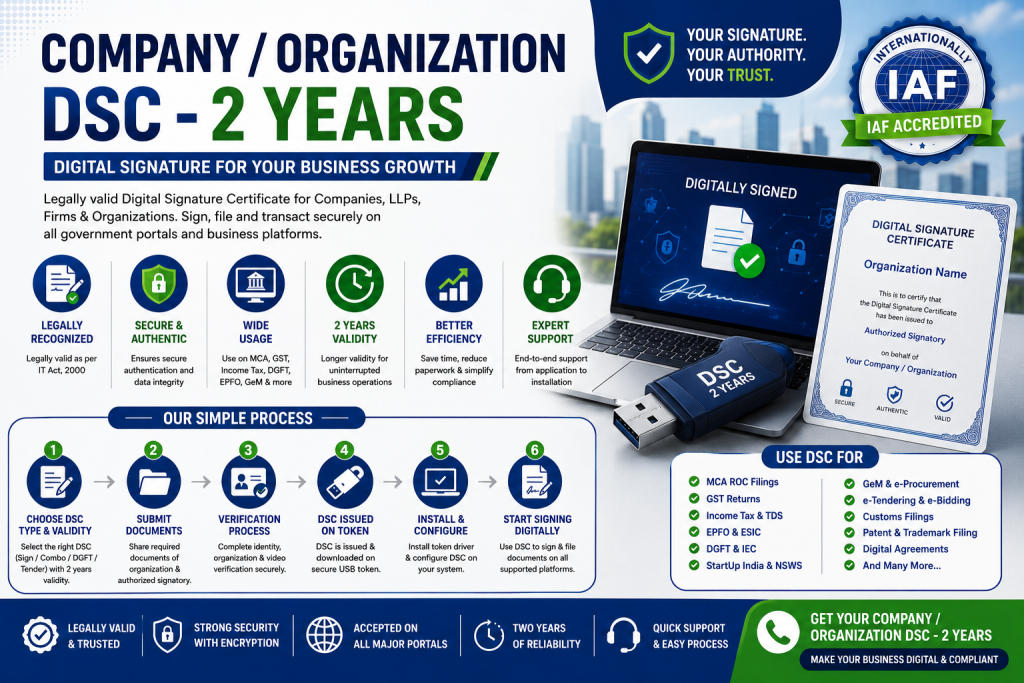
Company / Organization DSC – 2 Years is an important digital certificate for businesses that need secure online signing, government portal filing, tender submission, tax filing, company compliance, and business verification. DSC stands for Digital Signature Certificate. It works like a digital identity proof for signing documents and completing online transactions in a legally accepted digital format.
For companies, LLPs, partnership firms, proprietorship firms, trusts, societies, and other registered organizations, an Organization DSC is very useful because it represents the business entity along with the authorized signatory. It helps prove that the person signing digitally is authorized to sign on behalf of the organization.
A 2-year Organization DSC is commonly preferred because it gives longer validity than a 1-year DSC and helps reduce frequent renewal work. It is suitable for businesses that regularly use government portals, tender platforms, MCA, GST, income tax, EPFO, DGFT, Startup India, NSWS, GeM, e-procurement, and other online compliance systems.
This blog explains Company / Organization DSC – 2 Years in a simple and practical way. It covers meaning, uses, benefits, documents, process, validity, renewal, common mistakes, and FAQs.
What Is Company / Organization DSC?
Company / Organization DSC is a Digital Signature Certificate issued for business use. It includes the details of the organization and the authorized person who is permitted to use the DSC on behalf of that organization.
It is used to digitally sign documents, forms, applications, tenders, returns, agreements, and online filings.
In simple words, Organization DSC proves two things:
- The identity of the authorized signatory
- The link between the authorized signatory and the organization
This makes it different from an Individual DSC, which is issued only in the name of a person.
What Is a 2-Year Organization DSC?
A 2-Year Organization DSC is a Digital Signature Certificate that remains valid for 2 years from the date of issuance. During this period, the authorized person can use the DSC for online signing and authentication on different government and business portals.
After 2 years, the DSC must be renewed or a new DSC must be issued to continue using digital signing services.
A 2-year DSC is useful for businesses because it gives a longer validity period and reduces the need for yearly renewal.
Why Company / Organization DSC Is Important
Company / Organization DSC is important because most business filings and government portal activities are now completed online. Physical signatures are not enough for many digital filings. A DSC helps businesses sign and submit documents securely.
Key Importance
- Helps digitally sign business documents
- Required for many government portals
- Supports secure online filing
- Saves time in compliance work
- Builds trust in digital transactions
- Helps in tender participation
- Useful for MCA and GST filings
- Helps in Startup India and NSWS verification
- Supports import-export and DGFT filings
- Reduces paperwork and manual signing
For any business that deals with online compliance or government applications, Organization DSC is a practical requirement.
Difference Between Individual DSC and Organization DSC
Many people get confused between Individual DSC and Organization DSC. Both are digital signatures, but their use is different.
Simple Difference
| Point | Individual DSC | Organization DSC |
|---|---|---|
| Issued To | Individual person | Organization with authorized signatory |
| Represents | Person only | Company, LLP, firm, or organization |
| Used For | Personal or professional signing | Business and entity-level signing |
| Details Included | Person details | Organization details and person details |
| Best For | Directors, professionals, individuals | Companies, LLPs, firms, startups, entities |
| Common Use | Income tax, personal signing, basic filing | MCA, GST, tenders, DGFT, NSWS, company work |
If the filing is related to a registered business entity, Organization DSC is usually more suitable.
Who Needs Company / Organization DSC?
Company / Organization DSC is suitable for any business or organization that needs digital signing for official work.
Suitable For
- Private Limited Companies
- Public Limited Companies
- LLPs
- Partnership Firms
- Proprietorship Firms
- Trusts
- Societies
- NGOs
- Startups
- MSMEs
- Government contractors
- Import-export businesses
- Tender participants
- Consultants and agencies
- Manufacturing businesses
- Service providers
- E-commerce businesses
- Educational institutions
- Hospitals and healthcare organizations
If your organization submits online forms, bids, returns, applications, or compliance documents, a Company / Organization DSC can be useful.
Common Uses of Organization DSC
Organization DSC can be used on many platforms and for many business activities.
Common Uses Include
- MCA filing
- Company annual filing
- LLP filing
- GST registration and returns
- Income tax filing
- TDS filing
- EPFO filing
- ESIC filing
- DGFT and IEC work
- Import-export documentation
- e-Tendering
- e-Procurement
- GeM portal
- Startup India application
- NSWS verification
- Patent and trademark filing
- Customs filing
- Vendor registration
- Digital document signing
- Online agreements and business forms
The actual use depends on the portal requirement and the type of DSC issued.
Types of DSC for Organizations
There are different types of DSC based on usage. Businesses should choose the right type depending on their need.
1. Sign DSC
Sign DSC is used to digitally sign documents and forms. It proves the identity of the signer and confirms that the document has not been changed after signing.
2. Encryption DSC
Encryption DSC is used to encrypt documents or data. It helps keep sensitive information secure.
3. Combo DSC
Combo DSC includes both signing and encryption features. It is useful for organizations that need both document signing and data encryption.
4. DGFT DSC
DGFT DSC is commonly used for import-export related work on the DGFT portal. Businesses involved in international trade may need it for IEC and foreign trade filings.
5. Tender DSC
Tender DSC is used for e-tendering, e-procurement, e-bidding, and online government or private tender submissions.
Why Choose 2-Year Organization DSC?
A 2-year Organization DSC is a good option for businesses that want longer validity and fewer renewals.
Benefits of 2-Year Validity
- Valid for 2 years
- Reduces renewal frequency
- Useful for regular compliance
- Better for long-term business use
- Saves time compared to 1-year validity
- Suitable for tenders and recurring filings
- Useful for companies and LLPs with ongoing compliance
- Convenient for startups and growing businesses
A 1-year DSC may be suitable for short-term use, but a 2-year DSC is usually more practical for active businesses.
Documents Required for Company / Organization DSC
Documents may vary depending on the certifying authority, applicant type, and verification method. However, some common documents are usually required.
Basic Documents Required
- PAN card of authorized signatory
- Aadhaar card or identity proof of authorized signatory
- Address proof of authorized signatory
- Passport-size photo of authorized signatory, if required
- Organization PAN
- Certificate of Incorporation or registration proof
- GST certificate, if available
- Authorization letter
- Board resolution, if applicable
- Partnership deed, if applicable
- LLP agreement, if applicable
- Trust deed or society registration certificate, if applicable
- Mobile number and email ID
- Video verification, if required
- USB token, if required
The documents should be clear, valid, and match the organization and authorized person details.
Documents for Private Limited Company
For a Private Limited Company, the following documents are commonly required:
- Company PAN card
- Certificate of Incorporation
- Director PAN card
- Director Aadhaar or address proof
- Authorization letter or board resolution
- GST certificate, if available
- Company address proof
- Email ID and mobile number
- Passport-size photo, if required
The authorized person is usually a director or an authorized signatory.
Documents for LLP
For an LLP, the following documents are commonly required:
- LLP PAN card
- Certificate of Incorporation
- LLP agreement, if required
- Designated partner PAN card
- Designated partner address proof
- Authorization letter
- LLP address proof
- GST certificate, if available
- Email ID and mobile number
The DSC may be issued in the name of the authorized designated partner on behalf of the LLP.
Documents for Partnership Firm
For a partnership firm, the following documents are commonly required:
- Firm PAN card
- Partnership deed
- Partner PAN card
- Partner identity proof
- Partner address proof
- Authorization letter
- Firm address proof
- GST certificate, if available
- Email ID and mobile number
The authorized partner should be clearly mentioned in the authorization document.
Documents for Proprietorship Firm
For a proprietorship firm, the following documents are commonly required:
- Proprietor PAN card
- Aadhaar card or address proof
- Proprietorship proof, if available
- GST certificate, if available
- Shop Act licence, if available
- Udyam registration, if available
- Bank proof, if required
- Email ID and mobile number
In a proprietorship, the business and proprietor are legally connected, so the DSC may be based on proprietor and business details.
Step-by-Step Process to Get Company / Organization DSC – 2 Years
The Organization DSC application process is usually completed online through a licensed certifying authority or authorized DSC service provider.
Step 1: Choose DSC Type
First, decide which DSC you need:
- Sign DSC
- Encryption DSC
- Combo DSC
- Tender DSC
- DGFT DSC
For most business filings, Sign DSC may be enough. For tenders or special requirements, Combo or Tender DSC may be needed.
Step 2: Select Validity
Choose the validity period. For this blog topic, select 2-year validity.
A 2-year DSC is useful for companies and organizations that need regular digital signing.
Step 3: Collect Documents
Prepare all required documents based on the organization type. Make sure documents are clear and updated.
Step 4: Fill DSC Application Form
Fill the DSC application form with correct details such as:
- Organization name
- Authorized signatory name
- PAN details
- Email ID
- Mobile number
- Address
- Type of DSC
- Validity period
- Purpose of DSC
All details should match official documents.
Step 5: Complete Identity Verification
The authorized signatory must complete identity verification. This may include Aadhaar-based verification, PAN verification, document verification, or video verification depending on the certifying authority process.
Step 6: Complete Organization Verification
The organization details are verified using company documents, PAN, GST, registration certificate, or other supporting documents.
Step 7: Complete Video Verification
Many certifying authorities require video verification of the applicant. During video verification, the applicant may need to show identity proof and confirm application details.
Step 8: DSC Approval
After verification, the application is reviewed. If all details and documents are correct, the DSC is approved.
Step 9: DSC Download on USB Token
The DSC is usually downloaded into a secure USB token. The USB token is used to store the digital signature securely.
The user should keep the token safe because it contains the private key used for signing.
Step 10: Install Token Driver
Install the required USB token driver on the computer. Without the driver, the system may not detect the DSC.
Step 11: Use DSC on Required Portal
After installation, the DSC can be used on portals such as MCA, GST, Income Tax, EPFO, DGFT, NSWS, GeM, e-Tender, and other platforms.
How to Use Organization DSC
Using DSC usually requires a USB token, token driver, and sometimes portal-specific software.
Basic Usage Steps
- Insert USB token into the computer
- Install token driver
- Install portal-required utility, if needed
- Open the required government portal
- Select digital signature option
- Choose certificate from token
- Enter token password
- Sign and submit the document or form
The exact steps may vary from portal to portal.
Organization DSC for MCA
Organization DSC is commonly used for MCA filings. Directors, authorized signatories, and professionals use DSC for company and LLP-related forms.
MCA Uses Include
- Company incorporation
- LLP incorporation
- Annual filing
- Director forms
- Company compliance forms
- Change of director
- Change of address
- Charge forms
- Other ROC filings
For MCA work, the DSC should be valid and properly registered on the MCA portal.
Organization DSC for GST
DSC can be used for GST registration, GST return filing, and other GST portal activities. For companies and LLPs, DSC may be required or preferred for signing GST applications and returns.
GST Uses Include
- GST registration
- GST return filing
- GST amendment
- GST refund application
- GST notices and replies
- Business verification
The authorized signatory’s DSC should be registered on the GST portal before use.
Organization DSC for Tenders
Businesses that participate in government or private tenders often need DSC for e-tendering and e-procurement portals.
Tender Uses Include
- Vendor registration
- Bid submission
- Technical bid signing
- Financial bid signing
- e-Auction
- e-Bidding
- Tender document encryption
- Tender document submission
For tenders, many portals require Class 3 DSC and sometimes Combo DSC.
Organization DSC for DGFT and IEC
Import-export businesses may need DSC for DGFT portal activities and IEC-related work.
DGFT Uses Include
- IEC application
- IEC modification
- Import-export filings
- Foreign trade documentation
- Export promotion applications
- Licence-related work
A DGFT-specific DSC may be required depending on the purpose and portal requirement.
Organization DSC for Startup India and NSWS
Startup India and NSWS-related business approvals may require digital verification. Organization DSC helps complete entity verification and authorized signatory authentication.
Uses Include
- Startup recognition support
- DPIIT certification process
- NSWS business approvals
- PAN-based entity verification
- Application signing
- Business registration support
For registered companies and LLPs, Organization DSC is useful for smoother application processing.
Benefits of Company / Organization DSC – 2 Years
A 2-year Organization DSC gives many practical benefits to businesses.
1. Secure Digital Signing
It helps sign documents securely in digital format.
2. Legal Recognition
Digital signatures are legally recognized for many online filings and transactions.
3. Time Saving
It reduces the need for physical signatures and courier-based document submission.
4. Business Convenience
The same DSC can be used on multiple applicable portals during its validity.
5. Better Compliance
It helps complete GST, MCA, tax, EPFO, DGFT, and tender filings smoothly.
6. Longer Validity
A 2-year DSC reduces renewal frequency compared to a 1-year DSC.
7. Useful for Tenders
It helps businesses participate in online tenders and procurement platforms.
8. Supports Digital Business
It supports paperless filing, digital documentation, and online approvals.
9. Improves Security
The DSC is stored in a secure token, which helps protect the private key.
10. Suitable for Growing Businesses
It is useful for startups, MSMEs, companies, and organizations with regular filing requirements.
Company / Organization DSC Cost
The cost of a Company / Organization DSC – 2 Years depends on several factors.
Cost Depends On
- Certifying authority
- DSC type
- Validity period
- USB token cost
- Service provider charges
- Verification method
- Urgency of delivery
- Sign or combo certificate
- DGFT or tender requirement
- Renewal or fresh application
A 2-year Organization DSC usually costs more than a 1-year DSC but saves renewal effort for a longer period.
Renewal of Company / Organization DSC
A DSC must be renewed before expiry if the organization wants continuous usage.
Renewal Is Needed When
- DSC validity is about to expire
- Token certificate has expired
- Authorized person changes
- Organization details change
- Old DSC is not working
- Portal requires valid certificate
It is better to renew the DSC before expiry to avoid delays in filing, tenders, or submissions.
Common Problems While Using DSC
Sometimes users face technical issues while using DSC.
Common Issues Include
- USB token not detected
- Token driver not installed
- Wrong token password
- DSC expired
- Certificate not registered on portal
- Browser compatibility issue
- Java or utility issue
- Portal signer utility not installed
- DSC not mapped with PAN
- Organization name mismatch
- Authorized signatory mismatch
Most issues can be solved by checking token driver, certificate validity, portal registration, and correct user details.
Common Mistakes to Avoid
Avoid these mistakes while applying for or using Organization DSC:
- Choosing Individual DSC instead of Organization DSC
- Selecting wrong validity period
- Giving incorrect organization name
- Mismatch in PAN details
- Uploading unclear documents
- Using wrong authorized signatory details
- Not completing video verification
- Not installing token driver
- Forgetting token password
- Sharing DSC token with others
- Not renewing before expiry
- Using DSC on unsafe systems
- Not checking portal compatibility
- Buying non-required DSC type
A DSC should be handled carefully because it is used for legally important digital signing.
Safety Tips for Using Organization DSC
A DSC should be used safely because it represents the organization in digital filings.
Important Safety Tips
- Keep USB token safe
- Do not share token password
- Use DSC only on trusted systems
- Avoid public computers
- Change token password if needed
- Keep backup of important filings
- Track DSC expiry date
- Use only authorized person for signing
- Do not allow unauthorized staff to sign
- Report loss or misuse immediately
- Renew before expiry
- Use licensed and trusted service providers
A DSC should be treated like an official signing authority.
Company / Organization DSC Service Includes
Professional DSC assistance may include:
- DSC type consultation
- Validity selection guidance
- Document checklist
- Application form filling support
- Organization document verification
- Authorized signatory verification support
- Video verification guidance
- USB token support
- DSC download assistance
- Token driver installation guidance
- Portal registration guidance
- Renewal reminder support
Professional support helps businesses avoid mistakes and complete DSC issuance smoothly.
Important Points Before Applying
Before applying for Company / Organization DSC – 2 Years, keep these points in mind:
- Choose the correct DSC type.
- Use accurate organization details.
- Keep authorized signatory documents ready.
- Keep organization PAN and registration documents ready.
- Select 2-year validity if you need longer use.
- Keep mobile number and email active.
- Complete video verification properly.
- Keep USB token safe.
- Do not share DSC password.
- Renew DSC before expiry.
- Check portal-specific requirements before buying DSC.
FAQs
1. What is Company / Organization DSC?
Company / Organization DSC is a Digital Signature Certificate issued for business use. It includes organization details and authorized signatory details.
2. What is a 2-year Organization DSC?
A 2-year Organization DSC is valid for 2 years from the date of issuance and can be used for digital signing during that period.
3. Who can apply for Organization DSC?
Companies, LLPs, partnership firms, proprietorship firms, trusts, societies, startups, MSMEs, and other organizations can apply through an authorized signatory.
4. Where is Organization DSC used?
It is used for MCA, GST, Income Tax, EPFO, DGFT, tenders, GeM, Startup India, NSWS, patent, trademark, and other online filings.
5. Is Organization DSC different from Individual DSC?
Yes. Individual DSC represents a person, while Organization DSC represents an organization along with the authorized signatory.
6. Is USB token required for DSC?
Yes, DSC is generally stored in a secure USB token for safe digital signing.
7. Can the same DSC be used for multiple portals?
Yes, the same valid DSC can be used on many applicable portals, depending on portal requirements and certificate type.
8. What documents are required for Organization DSC?
Common documents include organization PAN, registration certificate, authorized signatory PAN, identity proof, address proof, authorization letter, and mobile/email details.
9. Can Organization DSC be renewed?
Yes, Organization DSC can be renewed before or after expiry, depending on the certifying authority process.
10. What happens after 2 years?
After 2 years, the DSC expires and must be renewed or newly issued to continue digital signing.
11. Is Organization DSC useful for tenders?
Yes, Organization DSC is commonly used for e-tendering, e-procurement, e-bidding, and vendor registration.
12. Is Company / Organization DSC legally valid?
Yes, DSC is legally valid for many types of online filings and digital signing when issued by a licensed certifying authority and used properly.
Conclusion
Company / Organization DSC – 2 Years is an important digital tool for businesses that need secure and legally accepted online signing. It helps companies, LLPs, firms, startups, MSMEs, trusts, societies, and other organizations complete digital filings, tenders, compliance work, tax filing, MCA filing, GST filing, DGFT work, NSWS verification, and many other online activities.
A 2-year Organization DSC is useful because it provides longer validity and reduces the need for yearly renewal. It is especially helpful for businesses that regularly use government portals or participate in online tenders.
To apply successfully, the organization should choose the right DSC type, prepare correct documents, provide accurate authorized signatory details, complete verification, and keep the USB token safe. Proper use and timely renewal of DSC can help a business complete online compliance smoothly and securely.
One practical challenge with company digital signatures is managing ownership and access over time. As employees change roles or leave the organization, outdated permissions, expired certificates, and unclear responsibility can create operational risks. A proper lifecycle process for issuing, renewing, revoking, and auditing DSC access is important for maintaining secure business operations.