Introduction
Language Learning Apps help learners build speaking, listening, reading, writing, vocabulary, grammar, and pronunciation skills through mobile or web-based lessons. These apps are used by students, travelers, professionals, immigrants, remote workers, exam learners, and anyone who wants to learn a new language at their own pace.
Modern language apps now include bite-sized lessons, speech recognition, AI conversation practice, native-speaker videos, community corrections, live classes, audio-first learning, spaced repetition, progress tracking, and personalized review. Duolingo highlights quick, science-based lessons; Rosetta Stone emphasizes speech recognition through TruAccent; Busuu combines expert-designed lessons with native-speaker community feedback; and Memrise focuses on real native-speaker video exposure.
Real-world use cases include:
- Learning a new language for travel or relocation
- Improving pronunciation and speaking confidence
- Preparing for school, work, or language exams
- Practicing vocabulary and grammar daily
- Learning through native-speaker videos, audio, or conversations
- Building professional language skills for global communication
Buyer evaluation criteria should include:
- Language coverage
- Lesson quality and structure
- Speaking and pronunciation practice
- Grammar and vocabulary depth
- AI conversation or chatbot support
- Native-speaker content
- Live tutor or community feedback
- Offline access and mobile experience
- Progress tracking and review system
- Pricing, support, and long-term learning value
Best for: Students, travelers, professionals, language beginners, intermediate learners, remote workers, global teams, exam learners, and anyone who wants structured language practice on mobile or desktop.
Not ideal for: Learners who need full academic fluency without outside practice, users who want only human tutoring, or advanced speakers who need deep literature, professional translation, or immersion-only coaching.
Key Trends in Language Learning Apps
- AI conversation practice is growing: Apps increasingly use AI chatbots, roleplay, and smart review to help learners practice speaking without waiting for a human tutor.
- Speech recognition is becoming standard: Rosetta Stone and Mondly both emphasize pronunciation feedback through speech recognition features.
- Native-speaker content is more important: Memrise uses videos of native speakers so learners can hear real-world accents, rhythm, and casual speech.
- Community feedback still matters: Busuu connects learners with native speakers for feedback and learning support.
- Audio-first learning remains valuable: Pimsleur focuses on listening and speaking lessons that can be used while commuting, walking, or multitasking.
- Personalized review is becoming more common: Apps now use spaced repetition, adaptive practice, streaks, and progress tracking to keep learners consistent.
- Live classes are expanding: Babbel offers Babbel Live classes for learners who want teacher-led speaking practice alongside app lessons.
- Content-based learning is rising: LingQ helps learners study through real content such as shows, songs, transcripts, translations, and audio.
- Mobile-first learning is expected: Learners want short lessons, reminders, progress tracking, and flexible practice from any device.
- Practical conversation is a major focus: Many apps now prioritize phrases, travel scenarios, real-life dialogues, and speaking confidence over memorizing isolated words.
How We Selected These Tools
The tools in this list were selected using practical buyer-focused evaluation logic:
- Strong recognition in language learning, mobile education, tutoring, or self-study workflows
- Clear value for beginners, casual learners, travelers, professionals, or serious learners
- Coverage across vocabulary, grammar, listening, speaking, reading, writing, and pronunciation
- Availability across web, iOS, Android, or desktop where relevant
- Practical learning features such as speech recognition, native content, live classes, or community feedback
- Fit across different learning styles such as gamified, audio-first, tutor-led, content-based, and structured coursework
- Progress tracking, review systems, streaks, reminders, and practice consistency
- Pricing flexibility across free, freemium, subscription, and premium options
- Ease of use for non-technical learners
- Overall value based on learning depth, usability, language coverage, engagement, and support
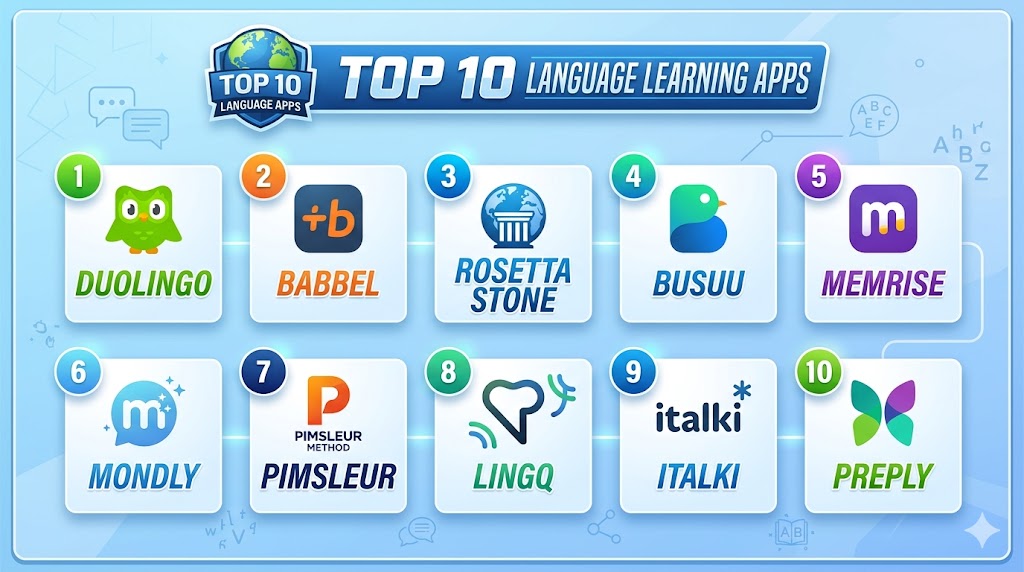
Top 10 Language Learning Apps
#1 — Duolingo
Short description: Duolingo is a popular language learning app known for short, gamified lessons that help learners practice reading, writing, listening, and speaking. It is useful for beginners and casual learners who want daily practice with streaks, rewards, and bite-sized lessons. Duolingo describes its courses as free, fun, and science-based, with personalized lessons.
Key Features
- Bite-sized daily lessons
- Gamified learning paths
- Listening, reading, writing, and speaking practice
- Progress tracking and streaks
- Personalized review
- Broad language course availability
- Free learning model with paid upgrades
Pros
- Easy and fun for beginners
- Strong habit-building through streaks and reminders
- Good free access compared with many paid-only apps
Cons
- Advanced fluency usually requires outside practice
- Speaking practice may not replace real conversation
- Some learners may find gamification repetitive over time
Platforms / Deployment
Web / iOS / Android
Cloud-based learning platform
Security & Compliance
Not publicly stated for all business compliance needs. Learners should review account privacy, data handling, and family or classroom usage settings directly.
Integrations & Ecosystem
Duolingo works well as a daily learning habit tool for individual learners, classrooms, and casual study routines.
- Mobile learning
- Web learning
- Daily streak practice
- Beginner language study
- Classroom support workflows
- Personalized review
Support & Community
Duolingo provides help resources, product support, learning explanations, and a large global learner community. Support depth may vary by account type.
#2 — Babbel
Short description: Babbel is a structured language learning app focused on real-life conversations, grammar explanations, vocabulary, and practical speaking confidence. It is useful for learners who prefer a more guided course structure than pure gamification. Babbel also offers live online classes through Babbel Live for learners who want teacher-led speaking practice.
Key Features
- Structured lessons by level
- Real-life dialogue practice
- Grammar explanations
- Speech recognition support
- Progress tracking
- Babbel Live class option
- Practical vocabulary for everyday use
Pros
- Stronger structure than many casual apps
- Good for real conversation preparation
- Live class option adds human speaking practice
Cons
- Free access is limited compared with fully free apps
- Language selection may be narrower than some competitors
- Best results require consistent paid usage
Platforms / Deployment
Web / iOS / Android
Cloud-based learning platform
Security & Compliance
Not publicly stated for all enterprise or education compliance requirements. Buyers should validate privacy, account controls, data handling, and classroom or business use policies directly.
Integrations & Ecosystem
Babbel fits learners who want guided study, grammar clarity, and real-world conversation preparation.
- Mobile lessons
- Web lessons
- Live online classes
- Speech practice
- Grammar learning
- Progress tracking
Support & Community
Babbel provides help resources, customer support, learning content, and structured course guidance. Live class support may vary by subscription.
#3 — Rosetta Stone
Short description: Rosetta Stone is a language learning platform known for immersive lessons and pronunciation practice. It is useful for learners who prefer context-based learning with speech recognition rather than heavy translation. Rosetta Stone highlights its TruAccent speech recognition, which compares pronunciation with native speakers and gives instant feedback.
Key Features
- Immersive language learning method
- TruAccent speech recognition
- Pronunciation feedback
- Phrasebook and stories
- Reading, listening, and speaking practice
- Structured courses
- Mobile and web access
Pros
- Strong pronunciation practice
- Good for learners who like immersion
- Structured and polished learning experience
Cons
- Less gamified than Duolingo-style apps
- Some learners may prefer more explicit grammar explanations
- Pricing should be reviewed before long-term use
Platforms / Deployment
Web / iOS / Android
Cloud-based learning platform
Security & Compliance
Not publicly stated for all enterprise compliance needs. Buyers should validate privacy, account management, data handling, and education or business deployment requirements.
Integrations & Ecosystem
Rosetta Stone fits learners who want structured immersion and pronunciation practice.
- Mobile lessons
- Web lessons
- Speech recognition
- Travel phrase practice
- Reading and listening content
- Personal language study
Support & Community
Rosetta Stone provides help resources, support, learning materials, and customer guidance. Support depth may vary by plan.
#4 — Busuu
Short description: Busuu is a language learning app that combines expert-designed lessons with feedback from a community of native speakers. It is useful for learners who want structured practice plus real human correction. Busuu says learners can access compact expert lessons and connect with native speakers to improve faster.
Key Features
- Expert-designed lessons
- Native-speaker community feedback
- Vocabulary and grammar practice
- Study plans and progress tracking
- Speaking and writing practice
- Mobile and web learning
- Free and premium learning options
Pros
- Strong community feedback model
- Good for learners who want practical correction
- Structured enough for steady progress
Cons
- Community feedback quality can vary
- Some features may require premium access
- Less ideal for learners who want only live tutoring
Platforms / Deployment
Web / iOS / Android
Cloud-based learning platform
Security & Compliance
Not publicly stated for all compliance needs. Buyers should validate account privacy, community interaction controls, user data policies, and education or business use requirements.
Integrations & Ecosystem
Busuu fits learners who want guided lessons with human feedback and practical improvement.
- Mobile learning
- Web learning
- Native-speaker feedback
- Writing correction
- Speaking practice
- Study planning
Support & Community
Busuu provides support resources, help documentation, and a large learner community. Community feedback is a core part of the platform experience.
#5 — Memrise
Short description: Memrise is a language learning app focused on real-life phrases, native-speaker videos, listening practice, and AI-powered speaking practice. It is useful for learners who want to hear how people actually speak in everyday settings. Memrise highlights real native-speaker videos, smart review, and private AI practice.
Key Features
- Native-speaker video clips
- Real-world vocabulary and phrases
- AI practice features
- Listening and speaking practice
- Smart review
- Scenario-based lessons
- Mobile and web access
Pros
- Strong for real-life listening exposure
- Useful for natural phrases and accents
- Good for learners who dislike textbook-only content
Cons
- Grammar depth may vary by language and course
- Advanced fluency requires broader practice
- AI practice should not replace human conversation entirely
Platforms / Deployment
Web / iOS / Android
Cloud-based learning platform
Security & Compliance
Not publicly stated for all enterprise requirements. Buyers should validate privacy, account settings, AI data handling, and content policies directly.
Integrations & Ecosystem
Memrise fits learners who want natural language exposure, speaking confidence, and video-based practice.
- Native speaker videos
- AI speaking practice
- Vocabulary building
- Listening practice
- Mobile lessons
- Real-life phrases
Support & Community
Memrise provides help resources, product guidance, and learner support. Community and content availability may vary by language.
#6 — Mondly
Short description: Mondly is a language learning app that offers short lessons, practical topics, speech recognition, conversations, vocabulary, grammar, and pronunciation practice. It is useful for beginners who want a visually guided and interactive app experience. Mondly describes its app as including practical topics, dictionary, verb conjugator, and speech recognition technology.
Key Features
- Short interactive lessons
- Speech recognition
- Real-life conversation practice
- Dictionary and verb conjugator
- Vocabulary and grammar practice
- Mobile and web learning
- Multi-language course support
Pros
- Beginner-friendly interface
- Good pronunciation practice features
- Practical conversation-focused lessons
Cons
- Advanced learners may need deeper content
- Some features may depend on subscription level
- Conversation practice may feel guided rather than fully natural
Platforms / Deployment
Web / iOS / Android
Cloud-based learning platform
Security & Compliance
Not publicly stated for all business or education compliance needs. Buyers should validate privacy, account controls, and data handling policies directly.
Integrations & Ecosystem
Mondly fits beginner learners, travelers, casual learners, and users who want visual and speech-supported lessons.
- Mobile learning
- Web learning
- Speech recognition
- Conversation practice
- Vocabulary review
- Grammar tools
Support & Community
Mondly provides help resources, app support, and learner guidance. Support depth may vary by subscription and platform.
#7 — Pimsleur
Short description: Pimsleur is an audio-first language learning app built around listening and speaking practice. It is useful for learners who want to practice while walking, commuting, driving, or doing daily tasks. Pimsleur describes its programs as audio speaking lessons where learners actively listen and speak while learning core vocabulary.
Key Features
- Audio-first language lessons
- Speaking and listening focus
- Core vocabulary practice
- App-based progress tracking
- Reading lessons may be available
- Offline-friendly learning style
- Strong travel and conversation focus
Pros
- Excellent for audio learners
- Good for pronunciation and speaking confidence
- Useful for hands-free practice
Cons
- Less visual than other apps
- Writing and grammar depth may need supplementing
- Paid access is usually required for full use
Platforms / Deployment
Web / iOS / Android
Cloud-based app with audio lesson workflows
Security & Compliance
Not publicly stated for all enterprise compliance requirements. Buyers should validate privacy, account access, subscription terms, and data handling directly.
Integrations & Ecosystem
Pimsleur fits audio learners, travelers, commuters, and users focused on speaking from the start.
- Audio lessons
- Mobile learning
- Reading lessons
- Travel language practice
- Speaking drills
- Progress tracking
Support & Community
Pimsleur provides help resources, app support, learning guidance, and customer service options.
#8 — LingQ
Short description: LingQ is a content-based language learning platform that helps learners read, listen, import content, build vocabulary, and learn from real materials. It is useful for intermediate learners and self-directed learners who enjoy podcasts, articles, books, shows, and authentic content. LingQ says users can turn content into lessons with AI tools, transcripts, translations, and audio.
Key Features
- Real content-based learning
- Reading and listening practice
- Vocabulary tracking
- AI-assisted lesson creation
- Transcripts and translations
- Import content workflows
- Large language support
Pros
- Strong for learners who like real content
- Good for reading and listening immersion
- Useful for vocabulary growth through context
Cons
- Beginners may need more guided lessons
- Speaking practice is not the main strength
- Self-directed learners benefit most
Platforms / Deployment
Web / iOS / Android
Cloud-based learning platform
Security & Compliance
Not publicly stated for all enterprise compliance needs. Buyers should validate account privacy, imported content handling, and data policies directly.
Integrations & Ecosystem
LingQ fits immersion-style learning, reading practice, podcast learning, vocabulary building, and independent study.
- Imported content
- Audio lessons
- Reading workflows
- Vocabulary tracking
- Translation support
- AI lesson tools
Support & Community
LingQ provides support resources, learner community features, and platform guidance. Community and content depth may vary by language.
#9 — italki
Short description: italki is a language learning marketplace that connects learners with human tutors and community teachers for online lessons. It is useful for learners who want personalized speaking practice, feedback, and conversation coaching. italki is especially valuable when app-based self-study is not enough and learners need real human interaction.
Key Features
- Online language tutor marketplace
- One-on-one lessons
- Professional teachers and community tutors
- Speaking practice
- Flexible scheduling
- Learner reviews and teacher profiles
- Personalized lesson goals
Pros
- Strong for real conversation practice
- Personalized feedback from human tutors
- Useful for intermediate and advanced learners
Cons
- Quality depends on teacher selection
- More expensive than self-study apps for regular lessons
- Requires scheduling and active participation
Platforms / Deployment
Web / iOS / Android
Cloud-based tutoring marketplace
Security & Compliance
Not publicly stated for all education or business compliance needs. Learners should review payment security, account privacy, lesson policies, and tutor communication rules.
Integrations & Ecosystem
italki fits learners who want human feedback, conversation practice, exam preparation, and customized language coaching.
- Online tutoring
- Speaking practice
- Teacher-led lessons
- Exam coaching
- Conversation classes
- Personalized feedback
Support & Community
italki provides support resources, tutor profiles, learner reviews, and marketplace guidance. Support depth may vary by issue and region.
#10 — Preply
Short description: Preply is an online tutoring platform that connects learners with language tutors for personalized lessons. It is useful for learners who want structured speaking practice, test preparation, business language coaching, or conversation support. Preply works well for users who prefer live instruction instead of only app-based exercises.
Key Features
- Online language tutor marketplace
- Personalized one-on-one lessons
- Tutor search and filtering
- Trial lessons may be available
- Speaking and conversation practice
- Business and exam preparation support
- Flexible scheduling
Pros
- Strong for live human instruction
- Useful for business language and speaking confidence
- Flexible tutor choice and scheduling
Cons
- Cost varies by tutor and frequency
- Learning quality depends on tutor fit
- Less gamified than self-study apps
Platforms / Deployment
Web / iOS / Android
Cloud-based tutoring marketplace
Security & Compliance
Not publicly stated for all business or education compliance needs. Buyers should validate payment handling, account controls, privacy, lesson recording policies, and data handling directly.
Integrations & Ecosystem
Preply fits learners who want live speaking practice, tutor feedback, business language coaching, and personalized study paths.
- Online lessons
- Tutor matching
- Speaking practice
- Business language learning
- Test preparation
- Personalized coaching
Support & Community
Preply provides support resources, tutor profiles, reviews, and learner assistance. Support level may vary by plan, tutor, and region.
Comparison Table
| Tool Name | Best For | Platform Supported | Deployment | Standout Feature | Public Rating |
|---|---|---|---|---|---|
| Duolingo | Beginners and daily habit building | Web, iOS, Android | Cloud | Gamified bite-sized lessons | N/A |
| Babbel | Structured conversation learning | Web, iOS, Android | Cloud | Real-life lessons plus live classes | N/A |
| Rosetta Stone | Pronunciation and immersion | Web, iOS, Android | Cloud | TruAccent speech recognition | N/A |
| Busuu | Community feedback and guided lessons | Web, iOS, Android | Cloud | Native-speaker feedback | N/A |
| Memrise | Native-speaker video exposure | Web, iOS, Android | Cloud | Real native-speaker videos | N/A |
| Mondly | Beginner conversation practice | Web, iOS, Android | Cloud | Speech recognition and practical topics | N/A |
| Pimsleur | Audio-first speaking practice | Web, iOS, Android | Cloud | Audio speaking lessons | N/A |
| LingQ | Learning through real content | Web, iOS, Android | Cloud | AI-assisted content lessons | N/A |
| italki | Human tutor conversation practice | Web, iOS, Android | Cloud | One-on-one language tutors | N/A |
| Preply | Personalized tutor-led learning | Web, iOS, Android | Cloud | Flexible tutor marketplace | N/A |
Evaluation & Scoring of Language Learning Apps
| Tool Name | Core 25% | Ease 15% | Integrations 15% | Security 10% | Performance 10% | Support 10% | Value 15% | Weighted Total |
|---|---|---|---|---|---|---|---|---|
| Duolingo | 8 | 10 | 7 | 8 | 9 | 8 | 10 | 8.65 |
| Babbel | 9 | 9 | 7 | 8 | 8 | 8 | 8 | 8.25 |
| Rosetta Stone | 8 | 8 | 7 | 8 | 8 | 8 | 7 | 7.75 |
| Busuu | 8 | 9 | 7 | 8 | 8 | 8 | 8 | 8.00 |
| Memrise | 8 | 9 | 7 | 7 | 8 | 8 | 8 | 7.90 |
| Mondly | 8 | 9 | 7 | 7 | 8 | 8 | 8 | 7.90 |
| Pimsleur | 8 | 8 | 6 | 8 | 8 | 8 | 7 | 7.55 |
| LingQ | 8 | 7 | 7 | 7 | 8 | 8 | 8 | 7.60 |
| italki | 9 | 8 | 7 | 8 | 8 | 8 | 7 | 8.00 |
| Preply | 9 | 8 | 7 | 8 | 8 | 8 | 7 | 8.00 |
These scores are comparative and should be used as a shortlist guide. Gamified apps score higher for daily consistency and beginner engagement. Tutor platforms score higher for speaking practice and personal feedback. Audio-first apps score higher for listening and pronunciation habits. Content-based apps are stronger for immersion and independent learners. The best choice depends on your goal, language level, learning style, budget, and need for human conversation.
Which Language Learning App Is Right for You?
Solo / Freelancer
Solo learners should choose based on learning style and consistency. Duolingo is useful for building a daily habit. Babbel is better for structured lessons. Memrise is strong for native-speaker exposure. Pimsleur is best if you prefer audio practice. LingQ is useful if you enjoy learning from podcasts, shows, articles, and real content.
SMB
Small businesses that need basic language upskilling should choose apps that are easy to adopt and track. Babbel, Busuu, Rosetta Stone, and Duolingo can support structured learning for employees. If speaking practice is important, italki or Preply can be added for live lessons. SMBs should focus on practical business phrases, customer communication, and consistency.
Mid-Market
Mid-market teams may need learning paths, speaking practice, progress tracking, and a mix of app-based and human-led learning. Babbel, Busuu, Rosetta Stone, Preply, and italki are strong options depending on goals. For global teams, structured app learning plus live tutor sessions can create better outcomes than app-only practice.
Enterprise
Enterprises should prioritize user management, reporting, security, privacy, language coverage, and scalable training workflows. Rosetta Stone, Babbel-style structured learning, Busuu, Preply, and italki may be considered depending on employee needs. Enterprises should validate data handling, reporting, support, and training administration before rollout.
Budget vs Premium
Budget-focused learners can start with Duolingo, Busuu free access, Memrise free access, or trial lessons on tutor marketplaces. Premium buyers should evaluate Babbel, Rosetta Stone, Pimsleur, Preply, italki, and paid tiers of Duolingo, Busuu, Memrise, Mondly, or LingQ. Paid tools are most valuable when they improve consistency, speaking practice, or structured progress.
Feature Depth vs Ease of Use
If ease of use matters most, Duolingo, Memrise, Mondly, and Busuu are practical choices. If feature depth matters more, Babbel, Rosetta Stone, LingQ, Pimsleur, italki, and Preply provide stronger structure, immersion, pronunciation, audio learning, or tutor-led support. The best app is usually the one you can use consistently.
Integrations & Scalability
Language Learning Apps should fit into mobile habits, classroom routines, employee learning programs, tutoring schedules, and personal study systems. Businesses should evaluate admin controls, reporting, user access, privacy policies, and learner support. Individual learners should look for reminders, progress tracking, offline access, and review systems.
Security & Compliance Needs
Language apps may collect personal data, learning history, speech recordings, account activity, and payment information. Buyers should validate privacy settings, data retention, account security, family controls, business administration, and recording policies. Organizations should review data handling before using language apps for employee learning programs.
Frequently Asked Questions
1. What are Language Learning Apps?
Language Learning Apps are mobile or web tools that help users learn new languages through lessons, exercises, audio, speech practice, and review.
They usually include vocabulary, grammar, listening, speaking, reading, and progress tracking.
Some apps also offer live tutors, native-speaker feedback, or AI conversation practice.
2. Which Language Learning App is best for beginners?
Duolingo, Babbel, Busuu, Mondly, and Rosetta Stone are strong beginner-friendly options.
Duolingo is best for habit building, while Babbel and Busuu offer more structured lessons.
Rosetta Stone is useful for learners who prefer immersive learning and pronunciation practice.
3. Which app is best for speaking practice?
Pimsleur, italki, Preply, Rosetta Stone, Babbel, and Busuu are useful for speaking practice.
Pimsleur focuses on audio speaking habits, while italki and Preply provide live tutor conversations.
Speech recognition apps help, but real conversation practice is still valuable.
4. Are free language apps enough?
Free apps can be enough for basic vocabulary, beginner lessons, and daily practice.
However, learners may need paid tools, tutors, grammar resources, or immersion to reach stronger fluency.
Free apps work best when combined with listening, speaking, reading, and real-world practice.
5. How long does it take to learn a language with an app?
Learning time depends on the language, your native language, study time, consistency, and goals.
Apps can help build a foundation, but fluency requires regular practice and real communication.
Daily short practice is usually better than occasional long sessions.
6. Which app is best for travel language learning?
Duolingo, Babbel, Rosetta Stone, Mondly, and Pimsleur are practical for travel.
Pimsleur is especially useful for speaking and listening while on the go.
Babbel and Mondly are good for practical phrases and everyday travel situations.
7. Which app is best for advanced learners?
LingQ, italki, Preply, Busuu, and content-based learning tools are better for advanced learners.
Advanced learners often need real content, conversation practice, correction, and deeper vocabulary.
Tutor sessions and authentic media are usually more useful than beginner-style drills.
8. Do Language Learning Apps improve pronunciation?
Yes, many apps include speech recognition, audio models, or speaking practice to help pronunciation.
Rosetta Stone, Mondly, Babbel, and Pimsleur are especially relevant for pronunciation and speaking habits.
Still, feedback from native speakers or tutors can improve accuracy faster.
9. What mistakes should learners avoid?
A common mistake is using only one app and never practicing real speaking.
Another mistake is focusing only on streaks instead of comprehension, pronunciation, and conversation.
Learners should combine app lessons with listening, reading, writing, speaking, and review.
10. What are alternatives to Language Learning Apps?
Alternatives include private tutors, group classes, textbooks, podcasts, YouTube lessons, language exchanges, immersion programs, and online communities.
These can be more effective for speaking, grammar depth, and cultural understanding.
The best approach often combines an app with real conversation and authentic content.
Conclusion
Language Learning Apps make it easier to start and maintain a language learning routine through short lessons, reminders, audio, speech practice, and progress tracking. Duolingo is a strong choice for beginners who need motivation and daily habit-building. Babbel and Busuu are practical for structured lessons and real-world communication. Rosetta Stone and Mondly are useful for pronunciation-focused learners who want speech recognition. Memrise and LingQ are strong choices for learners who want native-speaker content and real-world exposure. Pimsleur is best for audio-first learners who want listening and speaking practice. italki and Preply are better when real human conversation, correction, and personalized coaching matter most. The best app depends on your language goal, learning style, budget, time commitment, and need for speaking practice.
Easy to understand guide explaining features, pros, and cons of language learning apps for beginners and professionals