Introduction
GPU Cluster Scheduling Tools help organizations efficiently allocate, manage, monitor, and optimize GPU resources across AI, machine learning, high-performance computing, deep learning, scientific computing, rendering, and large-scale data processing environments. These tools are essential for enterprises and research organizations running distributed GPU workloads across Kubernetes clusters, AI infrastructure, cloud GPU environments, and on-premises data centers.
As AI adoption accelerates across industries, GPU infrastructure has become one of the most valuable and expensive computing resources in modern IT environments. GPU Cluster Scheduling Tools improve resource utilization, workload prioritization, queue management, multi-tenant isolation, cost optimization, and operational scalability for GPU-intensive applications.
Real-world use cases include:
- Scheduling distributed AI model training jobs
- Managing shared GPU infrastructure for data science teams
- Optimizing GPU utilization across Kubernetes clusters
- Allocating GPUs for rendering and simulation workloads
- Supporting multi-tenant AI research environments
Buyers evaluating GPU Cluster Scheduling Tools should consider:
- Kubernetes and container orchestration compatibility
- GPU utilization optimization
- Multi-tenant workload scheduling
- AI and ML framework integration
- Resource isolation and quota management
- Scalability across distributed clusters
- Observability and monitoring capabilities
- Hybrid and multi-cloud deployment support
- Security and RBAC controls
- Cost optimization and workload prioritization
Best for: AI infrastructure teams, MLOps engineers, cloud architects, HPC administrators, research organizations, GPU cloud providers, large enterprises, and organizations operating shared AI compute environments.
Not ideal for: Small teams with only a few standalone GPUs or environments without distributed AI and GPU scheduling requirements.
Key Trends in GPU Cluster Scheduling Tools
- GPU sharing and fractional GPU allocation are becoming more common.
- AI workload orchestration is increasingly integrated with Kubernetes ecosystems.
- GPU observability and utilization analytics are improving rapidly.
- Multi-cluster and hybrid-cloud GPU scheduling are expanding.
- AI infrastructure cost optimization is becoming a major operational priority.
- GPU virtualization and partitioning technologies are evolving quickly.
- MLOps platforms are integrating native GPU scheduling support.
- AI model training queues are becoming more intelligent and policy-driven.
- Dynamic workload prioritization is improving GPU utilization efficiency.
- AI accelerator support beyond GPUs is growing in modern schedulers.
How We Selected These Tools
The tools in this list were selected based on GPU orchestration depth, Kubernetes integration, scalability, AI workload optimization, ecosystem maturity, and operational flexibility.
Selection criteria included:
- GPU scheduling and orchestration capabilities
- Kubernetes and container compatibility
- AI and ML workload optimization
- Multi-tenant support
- Scalability across GPU clusters
- Monitoring and observability functionality
- Security and workload isolation
- Hybrid and cloud deployment flexibility
- Ecosystem maturity and adoption
- Suitability for enterprise AI infrastructure operations
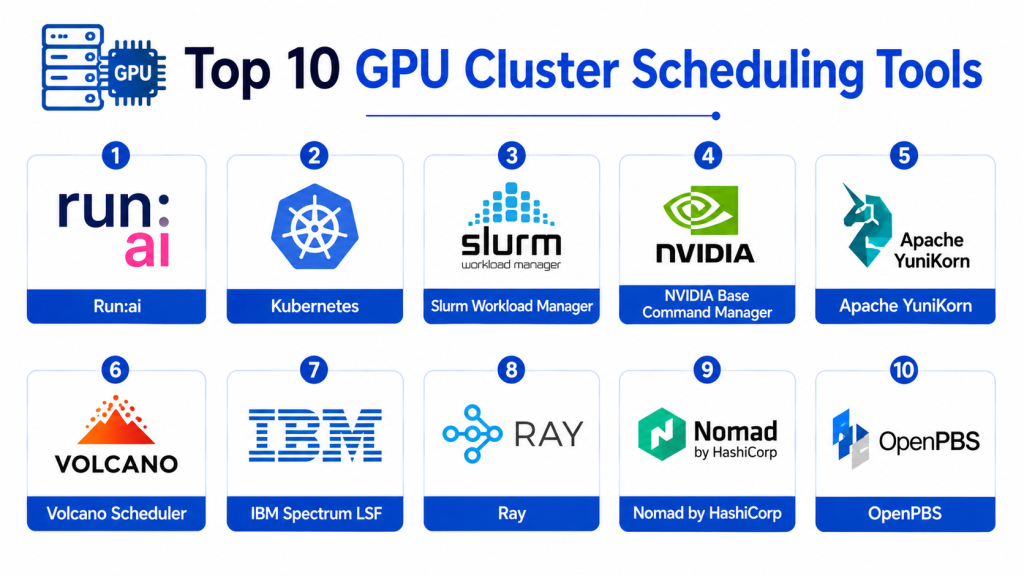
Top 10 GPU Cluster Scheduling Tools
1- Kubernetes with NVIDIA GPU Operator
Short description: Kubernetes combined with NVIDIA GPU Operator provides scalable GPU orchestration, scheduling, monitoring, and lifecycle management for AI, ML, and high-performance computing workloads.
Key Features
- GPU-aware Kubernetes scheduling
- Automated GPU driver management
- GPU monitoring and telemetry
- Multi-node GPU orchestration
- Containerized AI workload support
- GPU resource isolation
- AI infrastructure automation
Pros
- Strong Kubernetes ecosystem support
- Excellent GPU workload scalability
- Good enterprise AI infrastructure compatibility
Cons
- Requires Kubernetes expertise
- Complex large-scale deployments
- Best optimized for NVIDIA ecosystems
Platforms / Deployment
- Linux / Kubernetes / GPU clusters
- Cloud / Self-hosted / Hybrid
Security & Compliance
- RBAC
- Namespace isolation
- Encryption support
- Audit logging
- Kubernetes security integration
- Container isolation
Integrations & Ecosystem
Kubernetes integrates with AI infrastructure, observability, and cloud-native ecosystems.
- NVIDIA GPUs
- Prometheus
- Kubeflow
- Docker
- AI frameworks
- Cloud providers
Support & Community
Very large open-source ecosystem, enterprise Kubernetes support options, and strong AI infrastructure community adoption.
2- Slurm Workload Manager
Short description: Slurm is a widely used open-source workload manager and job scheduler for high-performance computing and GPU-intensive AI environments.
Key Features
- Distributed workload scheduling
- GPU resource management
- Multi-user job queues
- HPC workload orchestration
- Resource allocation policies
- Cluster monitoring
- Job prioritization controls
Pros
- Strong HPC ecosystem adoption
- Highly scalable architecture
- Good GPU scheduling flexibility
Cons
- Steeper learning curve
- Less cloud-native than Kubernetes-first platforms
- Advanced configurations require expertise
Platforms / Deployment
- Linux / HPC clusters / GPU infrastructure
- Self-hosted / Hybrid
Security & Compliance
- RBAC support
- User isolation
- Audit logging
- Authentication integration
- Workload isolation
Integrations & Ecosystem
Slurm integrates with HPC environments, AI frameworks, and scientific computing systems.
- NVIDIA GPUs
- HPC infrastructure
- AI frameworks
- Monitoring systems
- MPI environments
- Research computing tools
Support & Community
Strong HPC community adoption, extensive documentation, and enterprise support providers are available.
3- Run AI
Short description: Run AI is an AI infrastructure orchestration platform that optimizes GPU utilization, workload scheduling, and AI resource management across Kubernetes-based GPU clusters.
Key Features
- GPU virtualization
- Fractional GPU allocation
- AI workload prioritization
- GPU utilization analytics
- Multi-tenant scheduling
- AI resource quotas
- Kubernetes-native orchestration
Pros
- Excellent GPU utilization optimization
- Strong AI-focused scheduling features
- Good enterprise multi-team support
Cons
- Premium enterprise pricing
- Kubernetes expertise required
- Best value in large GPU environments
Platforms / Deployment
- Kubernetes / Linux / GPU clusters
- Cloud / Self-hosted / Hybrid
Security & Compliance
- RBAC
- Namespace isolation
- Audit logs
- Workload controls
- Secure multi-tenancy
Integrations & Ecosystem
Run AI integrates with AI infrastructure and Kubernetes ecosystems.
- Kubernetes
- NVIDIA GPUs
- Kubeflow
- AI frameworks
- Monitoring platforms
- Cloud environments
Support & Community
Enterprise support, AI infrastructure consulting, and operational guidance are available.
4- Volcano Scheduler
Short description: Volcano is a Kubernetes-native batch scheduling platform optimized for AI, machine learning, big data, and GPU-intensive workloads.
Key Features
- GPU-aware scheduling
- Batch workload orchestration
- Queue management
- AI workload prioritization
- Resource quotas
- Kubernetes-native scheduling
- Elastic workload support
Pros
- Strong Kubernetes integration
- Good batch AI workload management
- Open-source flexibility
Cons
- Requires Kubernetes expertise
- Enterprise tooling ecosystem smaller than Kubernetes core
- Advanced operational visibility may require integrations
Platforms / Deployment
- Linux / Kubernetes / GPU clusters
- Cloud / Self-hosted / Hybrid
Security & Compliance
- Kubernetes RBAC
- Namespace isolation
- Audit logging
- Secure workload scheduling
Integrations & Ecosystem
Volcano integrates with Kubernetes and cloud-native AI infrastructure.
- Kubernetes
- AI frameworks
- Prometheus
- Monitoring systems
- Cloud-native infrastructure
- GPU environments
Support & Community
Growing open-source community and CNCF ecosystem support are available.
5- Apache YuniKorn
Short description: Apache YuniKorn is a universal resource scheduler designed for cloud-native and big data environments supporting distributed AI and GPU workloads.
Key Features
- Multi-tenant scheduling
- Kubernetes integration
- Resource quota management
- Queue-based workload orchestration
- Elastic scheduling
- GPU workload support
- Hierarchical resource management
Pros
- Flexible scheduling architecture
- Good multi-tenant support
- Open-source cloud-native design
Cons
- Smaller ecosystem maturity
- Advanced AI integrations may require customization
- Enterprise adoption still growing
Platforms / Deployment
- Kubernetes / Linux / Cloud infrastructure
- Cloud / Self-hosted / Hybrid
Security & Compliance
- RBAC
- Namespace isolation
- Authentication integration
- Audit logging support
Integrations & Ecosystem
YuniKorn integrates with cloud-native scheduling and distributed workload environments.
- Kubernetes
- Big data frameworks
- AI workloads
- Monitoring tools
- Cloud infrastructure
- Resource managers
Support & Community
Active open-source development community and growing cloud-native ecosystem adoption.
6- Kubeflow
Short description: Kubeflow is an open-source machine learning platform built on Kubernetes that supports distributed AI workloads, GPU scheduling, and MLOps orchestration.
Key Features
- Distributed AI workload orchestration
- GPU-aware training pipelines
- Kubernetes-native AI workflows
- ML lifecycle management
- Multi-user notebook environments
- Pipeline automation
- AI infrastructure scalability
Pros
- Strong MLOps ecosystem integration
- Good distributed training support
- Open-source flexibility
Cons
- Complex deployments
- Requires Kubernetes and MLOps expertise
- Operational management overhead
Platforms / Deployment
- Kubernetes / Linux / GPU clusters
- Cloud / Self-hosted / Hybrid
Security & Compliance
- RBAC
- Namespace isolation
- Authentication integration
- Audit logging
- Secure workload controls
Integrations & Ecosystem
Kubeflow integrates with AI infrastructure and Kubernetes ecosystems.
- TensorFlow
- PyTorch
- NVIDIA GPUs
- MLflow
- Kubernetes
- Monitoring platforms
Support & Community
Large MLOps community, open-source ecosystem, and enterprise support providers are available.
7- Ray
Short description: Ray is a distributed computing framework optimized for scalable AI, reinforcement learning, distributed inference, and GPU-intensive machine learning workloads.
Key Features
- Distributed AI execution
- GPU-aware scheduling
- Scalable model training
- Reinforcement learning support
- Distributed inference
- Python-native APIs
- Elastic compute scaling
Pros
- Excellent distributed AI flexibility
- Good Python ecosystem support
- Strong AI scalability capabilities
Cons
- Requires distributed systems expertise
- Enterprise orchestration may require integrations
- Operational monitoring can become complex
Platforms / Deployment
- Linux / Kubernetes / GPU clusters
- Cloud / Self-hosted / Hybrid
Security & Compliance
- RBAC integration varies
- Secure workload controls
- Encryption support
- Container compatibility
Integrations & Ecosystem
Ray integrates with distributed AI, MLOps, and cloud-native ecosystems.
- Kubernetes
- PyTorch
- TensorFlow
- MLflow
- Cloud infrastructure
- Distributed computing systems
Support & Community
Strong AI engineering community, active open-source ecosystem, and growing enterprise adoption.
8- Nomad by HashiCorp
Short description: Nomad is a lightweight workload orchestrator supporting containerized, GPU-intensive, and distributed compute workloads across hybrid infrastructure environments.
Key Features
- GPU workload orchestration
- Multi-region scheduling
- Lightweight cluster management
- Hybrid infrastructure support
- Resource allocation controls
- Batch job scheduling
- Container orchestration
Pros
- Simpler than Kubernetes for some deployments
- Good hybrid infrastructure flexibility
- Lightweight operational model
Cons
- Smaller AI ecosystem than Kubernetes
- Advanced GPU workflows may require customization
- Limited AI-native tooling compared to competitors
Platforms / Deployment
- Linux / GPU clusters / Cloud infrastructure
- Cloud / Self-hosted / Hybrid
Security & Compliance
- ACL controls
- Encryption
- Workload isolation
- Audit logging
- Secure service communication
Integrations & Ecosystem
Nomad integrates with cloud infrastructure and distributed compute environments.
- Docker
- NVIDIA GPUs
- Consul
- Vault
- Monitoring systems
- Hybrid cloud infrastructure
Support & Community
Strong HashiCorp ecosystem support and growing infrastructure automation community adoption.
9- IBM Spectrum LSF
Short description: IBM Spectrum LSF is an enterprise workload scheduler for AI, GPU-intensive computing, and high-performance distributed infrastructure environments.
Key Features
- Enterprise GPU scheduling
- AI workload prioritization
- Distributed job orchestration
- Multi-cluster support
- Resource optimization
- Workload policy controls
- HPC scheduling support
Pros
- Strong enterprise scalability
- Good HPC and AI workload support
- Mature workload scheduling ecosystem
Cons
- Enterprise licensing complexity
- Requires operational expertise
- Less cloud-native than Kubernetes-first tools
Platforms / Deployment
- Linux / HPC clusters / GPU infrastructure
- Self-hosted / Hybrid
Security & Compliance
- RBAC
- Authentication integration
- Audit logging
- Workload isolation
- Secure cluster controls
Integrations & Ecosystem
IBM Spectrum LSF integrates with HPC and enterprise AI infrastructure environments.
- NVIDIA GPUs
- HPC systems
- AI frameworks
- Monitoring tools
- Hybrid infrastructure
- Enterprise schedulers
Support & Community
Enterprise support, HPC expertise, and operational consulting services are available.
10- Google Kubernetes Engine with GPU Scheduling
Short description: Google Kubernetes Engine provides managed Kubernetes infrastructure with GPU scheduling, AI workload orchestration, and scalable distributed compute support.
Key Features
- Managed GPU orchestration
- Kubernetes-native scheduling
- AI workload scalability
- GPU autoscaling
- Containerized AI deployment
- Hybrid cloud support
- Operational monitoring
Pros
- Strong managed Kubernetes experience
- Good cloud scalability
- Useful GPU autoscaling capabilities
Cons
- Best suited for Google Cloud environments
- Requires Kubernetes operational expertise
- Enterprise cost management required
Platforms / Deployment
- Kubernetes / Linux / GPU infrastructure
- Cloud / Hybrid
Security & Compliance
- RBAC
- Encryption
- Audit logs
- Identity integration
- Secure container orchestration
Integrations & Ecosystem
GKE integrates with cloud-native AI and Kubernetes ecosystems.
- Kubernetes
- NVIDIA GPUs
- Vertex AI
- Cloud monitoring
- AI frameworks
- DevOps pipelines
Support & Community
Google Cloud provides enterprise support, Kubernetes expertise, and AI infrastructure documentation.
Comparison Table
| Tool Name | Best For | Platforms Supported | Deployment | Standout Feature | Public Rating |
|---|---|---|---|---|---|
| Kubernetes with NVIDIA GPU Operator | Enterprise AI infrastructure | Kubernetes / GPU clusters | Cloud / Self-hosted / Hybrid | GPU-native Kubernetes orchestration | N/A |
| Slurm Workload Manager | HPC and research computing | Linux / HPC clusters | Self-hosted / Hybrid | Mature HPC scheduling | N/A |
| Run AI | AI infrastructure optimization | Kubernetes / GPU clusters | Cloud / Self-hosted / Hybrid | Fractional GPU allocation | N/A |
| Volcano Scheduler | Kubernetes batch AI workloads | Kubernetes / GPU clusters | Cloud / Self-hosted / Hybrid | Batch scheduling optimization | N/A |
| Apache YuniKorn | Multi-tenant cloud-native scheduling | Kubernetes / Cloud infrastructure | Cloud / Self-hosted / Hybrid | Hierarchical resource management | N/A |
| Kubeflow | MLOps and AI pipelines | Kubernetes / GPU clusters | Cloud / Self-hosted / Hybrid | ML lifecycle orchestration | N/A |
| Ray | Distributed AI computing | Linux / Kubernetes / GPU clusters | Cloud / Self-hosted / Hybrid | Distributed AI execution | N/A |
| Nomad by HashiCorp | Lightweight hybrid orchestration | Linux / GPU infrastructure | Cloud / Self-hosted / Hybrid | Lightweight workload orchestration | N/A |
| IBM Spectrum LSF | Enterprise HPC scheduling | Linux / HPC clusters | Self-hosted / Hybrid | Enterprise workload optimization | N/A |
| Google Kubernetes Engine with GPU Scheduling | Managed cloud GPU orchestration | Kubernetes / GPU infrastructure | Cloud / Hybrid | Managed GPU autoscaling | N/A |
Evaluation & Scoring of GPU Cluster Scheduling Tools
| Tool Name | Core 25% | Ease 15% | Integrations 15% | Security 10% | Performance 10% | Support 10% | Value 15% | Weighted Total |
|---|---|---|---|---|---|---|---|---|
| Kubernetes with NVIDIA GPU Operator | 9.5 | 7.8 | 9.4 | 9.1 | 9.5 | 9.0 | 8.2 | 9.01 |
| Slurm Workload Manager | 9.2 | 7.0 | 8.6 | 8.8 | 9.4 | 8.8 | 9.0 | 8.76 |
| Run AI | 9.3 | 7.8 | 9.0 | 9.0 | 9.3 | 8.9 | 7.8 | 8.88 |
| Volcano Scheduler | 8.8 | 7.5 | 8.7 | 8.7 | 8.9 | 8.4 | 8.9 | 8.56 |
| Apache YuniKorn | 8.5 | 7.3 | 8.5 | 8.5 | 8.7 | 8.2 | 9.0 | 8.41 |
| Kubeflow | 9.0 | 7.2 | 9.1 | 8.9 | 9.0 | 8.8 | 8.5 | 8.74 |
| Ray | 8.9 | 7.4 | 8.8 | 8.4 | 9.2 | 8.5 | 8.8 | 8.61 |
| Nomad by HashiCorp | 8.4 | 8.0 | 8.3 | 8.8 | 8.5 | 8.4 | 8.9 | 8.43 |
| IBM Spectrum LSF | 9.1 | 7.0 | 8.5 | 8.9 | 9.3 | 8.8 | 7.9 | 8.60 |
| Google Kubernetes Engine with GPU Scheduling | 9.0 | 8.0 | 9.2 | 9.0 | 9.1 | 8.8 | 8.1 | 8.83 |
These scores are comparative and intended to help organizations evaluate operational fit rather than identify a universal winner. Kubernetes-native tools score highly for cloud scalability and AI ecosystem integration, while HPC schedulers provide stronger traditional distributed workload management. Buyers should align platform selection with infrastructure maturity, AI workload complexity, cloud strategy, and operational expertise.
Which GPU Cluster Scheduling Tool Is Right for You?
Solo / Freelancer
Independent AI researchers and small engineering teams often prioritize open-source flexibility and manageable deployment complexity. Slurm, Ray, and lightweight Kubernetes environments are practical choices for smaller GPU clusters.
SMB
SMBs usually need scalable GPU orchestration, workload visibility, and manageable operational overhead. Google Kubernetes Engine with GPU Scheduling, Volcano Scheduler, and Kubeflow provide practical cloud-native AI infrastructure capabilities.
Mid-Market
Mid-sized organizations often require stronger AI orchestration, multi-team GPU sharing, and utilization optimization. Run AI, Kubeflow, and Kubernetes with NVIDIA GPU Operator are strong options for growing AI infrastructure environments.
Enterprise
Large enterprises and research organizations usually require high-scale distributed scheduling, policy controls, multi-cluster orchestration, observability, and advanced workload governance. Kubernetes with NVIDIA GPU Operator, Slurm, IBM Spectrum LSF, and Run AI are strong enterprise-focused choices.
Budget vs Premium
Open-source platforms such as Slurm, Kubeflow, Volcano, Ray, and Kubernetes-based schedulers reduce licensing costs but require operational expertise. Enterprise AI infrastructure platforms such as Run AI and IBM Spectrum LSF provide advanced optimization and governance with higher operational investment.
Feature Depth vs Ease of Use
Managed cloud-native schedulers simplify deployment and scaling, while HPC-focused platforms provide deeper workload policy control and distributed compute optimization. AI-native platforms improve GPU utilization but may introduce operational complexity.
Integrations & Scalability
Organizations already invested in Kubernetes, NVIDIA, Google Cloud, IBM HPC environments, or cloud-native AI workflows should prioritize schedulers aligned with existing infrastructure ecosystems.
Security & Compliance Needs
Security-focused AI infrastructure environments should prioritize RBAC, workload isolation, namespace segmentation, audit logging, encryption, secure multi-tenancy, and policy-driven resource allocation. Kubernetes-native platforms, Run AI, and enterprise HPC schedulers provide stronger operational governance controls.
Frequently Asked Questions
1. What is a GPU Cluster Scheduling Tool?
A GPU Cluster Scheduling Tool manages the allocation, prioritization, monitoring, and orchestration of GPU resources across distributed AI, machine learning, and high-performance computing environments.
2. Why are GPU schedulers important?
GPU hardware is expensive and often shared across multiple teams and workloads. Scheduling tools improve utilization, reduce idle resources, optimize workloads, and improve operational efficiency.
3. What workloads commonly use GPU scheduling?
AI model training, distributed inference, deep learning, scientific simulations, rendering, HPC workloads, data analytics, and reinforcement learning commonly rely on GPU scheduling systems.
4. What is fractional GPU allocation?
Fractional GPU allocation allows multiple workloads to share portions of a single GPU, improving utilization efficiency and reducing resource waste.
5. What is the difference between Kubernetes schedulers and HPC schedulers?
Kubernetes schedulers are optimized for containerized cloud-native workloads, while HPC schedulers traditionally focus on scientific computing and tightly coupled distributed compute environments.
6. What are common implementation mistakes?
Common mistakes include poor GPU quota management, weak observability, insufficient workload isolation, overprovisioning resources, and deploying schedulers without clear workload policies.
7. Can GPU schedulers improve AI infrastructure costs?
Yes. Efficient scheduling reduces idle GPUs, improves utilization rates, enables workload prioritization, and optimizes resource allocation across teams and projects.
8. What integrations are most important?
Important integrations include Kubernetes, AI frameworks, observability platforms, cloud providers, monitoring systems, MLOps platforms, and GPU telemetry tools.
9. Should organizations choose cloud-native or HPC-focused schedulers?
Cloud-native schedulers are better for containerized AI and Kubernetes workloads, while HPC-focused schedulers provide deeper scientific computing and distributed workload management capabilities.
10. What should buyers evaluate before selecting a GPU scheduling platform?
Buyers should evaluate scalability, GPU utilization optimization, Kubernetes support, multi-tenant capabilities, observability, workload isolation, deployment complexity, ecosystem compatibility, and operational cost efficiency.
Conclusion
GPU Cluster Scheduling Tools are becoming essential for organizations operating AI infrastructure, distributed machine learning environments, and large-scale GPU compute platforms. The right scheduler can improve GPU utilization, reduce operational costs, optimize AI workload performance, and simplify distributed infrastructure management. Kubernetes with NVIDIA GPU Operator delivers powerful cloud-native GPU orchestration, while Slurm remains a strong choice for HPC and research computing environments. Run AI provides advanced AI infrastructure optimization, Volcano and Kubeflow strengthen Kubernetes-native AI workflows, and Ray enables scalable distributed AI execution. Nomad, IBM Spectrum LSF, Apache YuniKorn, and Google Kubernetes Engine further expand orchestration flexibility across hybrid, enterprise, and cloud-native environments. The best choice depends on workload type, Kubernetes maturity, AI infrastructure scale, operational expertise, and cloud strategy. Shortlist two or three platforms, validate workload scheduling and GPU utilization efficiency in real environments, test monitoring and quota controls carefully, and ensure the chosen solution can scale effectively with long-term AI infrastructure growth.