Introduction
PLC Programming Tools are specialized software platforms used to develop, configure, and maintain programs for Programmable Logic Controllers (PLCs). These tools enable engineers to design control logic, automate industrial processes, and manage machine operations in real time. They support programming languages such as Ladder Logic, Structured Text, Function Block Diagram, and more, following industrial standards.
As industrial automation evolves, PLC programming tools are becoming more advanced with integrated simulation, cloud connectivity, and support for Industry 4.0 initiatives. Modern platforms now combine engineering, visualization, diagnostics, and analytics into unified environments, improving productivity and system reliability.
Common use cases include:
- Industrial process automation
- Machine control system development
- Manufacturing line optimization
- Robotics and motion control programming
- Energy and utility system automation
Key evaluation criteria:
- Supported programming languages (IEC 61131-3)
- Integration with PLC hardware and HMIs
- Debugging and simulation capabilities
- Ease of use and engineering workflow
- Scalability for large systems
- Vendor ecosystem compatibility
- Security and access control
- Integration with SCADA and MES systems
Best for: Automation engineers, control system designers, manufacturing industries, and enterprises implementing industrial automation solutions.
Not ideal for: Non-industrial software projects or environments that do not involve PLC-based control systems.
Key Trends in PLC Programming Tools for 2026 and Beyond
- Integration with cloud-based automation platforms
- Digital twin and simulation-driven development
- Support for AI-assisted programming and diagnostics
- Unified engineering environments for PLC, HMI, and SCADA
- Increased cybersecurity features for industrial control systems
- Real-time data analytics and monitoring integration
- Open standards and interoperability (OPC UA)
- Edge computing support for faster processing
- Modular and reusable code development
- Enhanced visualization and debugging tools
How We Selected These Tools (Methodology)
- Evaluated adoption across industrial automation sectors
- Assessed support for IEC 61131-3 programming standards
- Compared integration with PLC hardware and ecosystems
- Reviewed simulation and debugging capabilities
- Analyzed scalability for enterprise deployments
- Considered usability and engineering workflow efficiency
- Included both vendor-specific and open platforms
- Focused on real-world industrial applications
- Balanced innovation with reliability
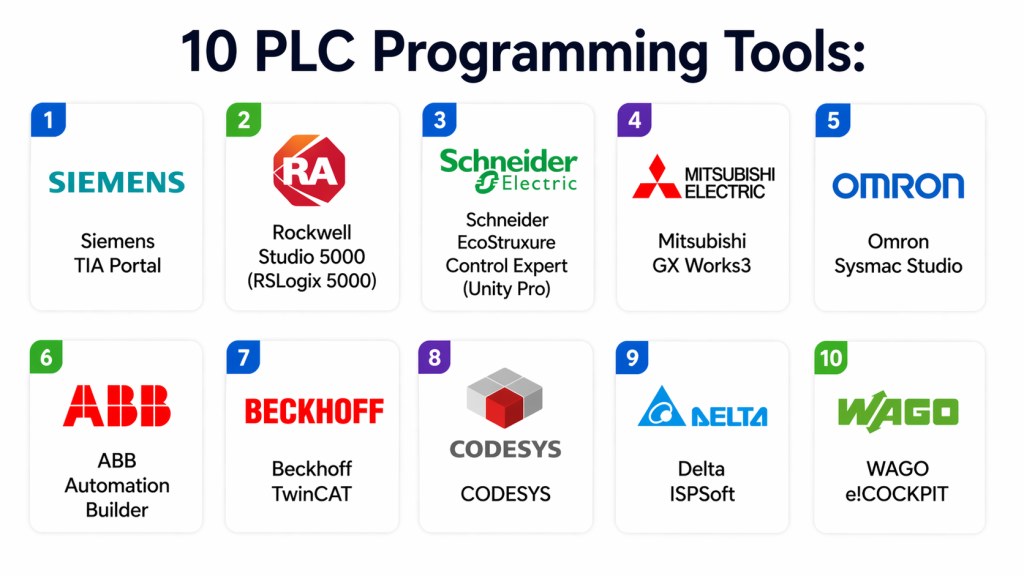
Top 10 PLC Programming Tools
#1 — Siemens TIA Portal
Short description:
TIA Portal is an integrated engineering platform for Siemens PLCs, offering programming, simulation, and diagnostics in a unified environment.
Key Features
- Unified engineering environment
- Ladder Logic and Structured Text support
- Integrated simulation (PLCSIM)
- HMI and SCADA integration
- Advanced diagnostics
Pros
- Comprehensive toolset
- Strong Siemens ecosystem
Cons
- Vendor lock-in
- Resource-intensive
Platforms / Deployment
Windows
Security & Compliance
RBAC, encryption
Integrations & Ecosystem
Deep integration with Siemens automation ecosystem for seamless engineering workflows.
- PLCs
- HMI
- SCADA
Support & Community
Extensive global support and documentation.
#2 — Rockwell Studio 5000 (RSLogix 5000)
Short description:
Studio 5000 is a widely used PLC programming tool for Rockwell Automation systems, offering robust control and integration capabilities.
Key Features
- IEC 61131-3 language support
- Integrated motion control
- Debugging tools
- Real-time monitoring
- Advanced diagnostics
Pros
- Reliable and widely used
- Strong ecosystem
Cons
- Expensive licensing
- Vendor dependency
Platforms / Deployment
Windows
Security & Compliance
RBAC
Integrations & Ecosystem
Works within Rockwell ecosystem and integrates with industrial automation systems.
- PLCs
- SCADA
Support & Community
Strong enterprise support.
#3 — Schneider EcoStruxure Control Expert (Unity Pro)
Short description:
Control Expert is a PLC programming platform designed for Schneider Electric systems with advanced automation capabilities.
Key Features
- Multi-language programming
- Simulation tools
- Real-time debugging
- System integration
- Automation control
Pros
- Scalable
- Reliable
Cons
- Complex interface
- Vendor lock-in
Platforms / Deployment
Windows
Security & Compliance
RBAC
Integrations & Ecosystem
Integrates with Schneider Electric automation ecosystem and industrial systems.
- PLCs
- SCADA
Support & Community
Enterprise support.
#4 — Mitsubishi GX Works3
Short description:
GX Works3 is a PLC programming tool for Mitsubishi Electric controllers, offering modern UI and advanced programming features.
Key Features
- Ladder Logic and Structured Text
- Simulation support
- Debugging tools
- System configuration
- Visualization tools
Pros
- Modern interface
- Efficient performance
Cons
- Limited outside Mitsubishi ecosystem
- Learning curve
Platforms / Deployment
Windows
Security & Compliance
Varies / N/A
Integrations & Ecosystem
Supports integration with Mitsubishi automation systems.
- PLCs
- HMI
Support & Community
Strong vendor support.
#5 — Omron Sysmac Studio
Short description:
Sysmac Studio is a unified platform for programming Omron PLCs, motion control, and robotics systems.
Key Features
- Unified development environment
- Motion control programming
- Simulation tools
- Real-time monitoring
- Debugging
Pros
- Integrated robotics support
- High performance
Cons
- Vendor-specific
- Limited flexibility
Platforms / Deployment
Windows
Security & Compliance
RBAC
Integrations & Ecosystem
Integrates with Omron ecosystem and industrial automation systems.
- PLCs
- Robotics
Support & Community
Enterprise support.
#6 — ABB Automation Builder
Short description:
Automation Builder is a PLC programming tool from ABB that combines programming, configuration, and diagnostics.
Key Features
- IEC 61131-3 support
- Visualization tools
- Simulation
- Diagnostics
- Modular design
Pros
- Flexible
- Scalable
Cons
- Complex setup
- Smaller ecosystem
Platforms / Deployment
Windows
Security & Compliance
RBAC
Integrations & Ecosystem
Supports integration with ABB automation systems.
- PLCs
- Industrial tools
Support & Community
Enterprise support.
#7 — Beckhoff TwinCAT
Short description:
TwinCAT is a powerful PLC programming platform that runs on PC-based control systems with real-time capabilities.
Key Features
- PC-based control
- Real-time execution
- Multi-language support
- Motion control
- Integration with Windows
Pros
- High performance
- Flexible architecture
Cons
- Requires technical expertise
- Complex configuration
Platforms / Deployment
Windows
Security & Compliance
RBAC
Integrations & Ecosystem
Integrates with PC-based automation systems and industrial tools.
- APIs
- Automation platforms
Support & Community
Active community.
#8 — CODESYS
Short description:
CODESYS is an open and widely used PLC programming platform supporting multiple hardware vendors.
Key Features
- IEC 61131-3 support
- Multi-vendor compatibility
- Simulation tools
- Visualization
- Open architecture
Pros
- Vendor-independent
- Flexible
Cons
- Requires configuration
- Performance depends on hardware
Platforms / Deployment
Windows / Linux
Security & Compliance
RBAC
Integrations & Ecosystem
Supports integration with various PLC hardware and automation systems.
- PLCs
- APIs
Support & Community
Large developer community.
#9 — Delta ISPSoft
Short description:
ISPSoft is a PLC programming tool for Delta automation systems with user-friendly design and efficient programming capabilities.
Key Features
- Ladder Logic programming
- Debugging tools
- Simulation
- System configuration
- Monitoring
Pros
- Easy to use
- Cost-effective
Cons
- Limited features
- Smaller ecosystem
Platforms / Deployment
Windows
Security & Compliance
Varies / N/A
Integrations & Ecosystem
Integrates with Delta PLC systems and automation tools.
- PLCs
- HMI
Support & Community
Moderate support.
#10 — WAGO e!COCKPIT
Short description:
e!COCKPIT is a modern PLC programming platform based on CODESYS, offering advanced engineering and visualization tools.
Key Features
- IEC 61131-3 support
- Modern UI
- Visualization tools
- Simulation
- Integration capabilities
Pros
- User-friendly
- Flexible
Cons
- Limited ecosystem
- Learning curve
Platforms / Deployment
Windows
Security & Compliance
RBAC
Integrations & Ecosystem
Integrates with WAGO automation systems and industrial tools.
- PLCs
- APIs
Support & Community
Growing community.
Comparison Table (Top 10)
| Tool Name | Best For | Platform(s) Supported | Deployment | Standout Feature | Public Rating |
|---|---|---|---|---|---|
| TIA Portal | Siemens users | Windows | Local | Unified platform | N/A |
| Studio 5000 | Rockwell users | Windows | Local | Motion control | N/A |
| Control Expert | Schneider users | Windows | Local | Scalability | N/A |
| GX Works3 | Mitsubishi | Windows | Local | Modern UI | N/A |
| Sysmac Studio | Omron users | Windows | Local | Robotics integration | N/A |
| ABB Builder | ABB users | Windows | Local | Modular design | N/A |
| TwinCAT | PC-based control | Windows | Local | Real-time execution | N/A |
| CODESYS | Multi-vendor | Windows/Linux | Local | Open platform | N/A |
| ISPSoft | Delta users | Windows | Local | Simplicity | N/A |
| e!COCKPIT | WAGO users | Windows | Local | Modern UI | N/A |
Evaluation & Scoring of PLC Programming Tools
| Tool Name | Core (25%) | Ease (15%) | Integrations (15%) | Security (10%) | Performance (10%) | Support (10%) | Value (15%) | Weighted Total (0–10) |
|---|---|---|---|---|---|---|---|---|
| TIA Portal | 9 | 7 | 9 | 9 | 9 | 9 | 7 | 8.6 |
| Studio 5000 | 9 | 7 | 9 | 8 | 9 | 9 | 7 | 8.5 |
| Control Expert | 8 | 7 | 8 | 8 | 8 | 8 | 7 | 7.9 |
| GX Works3 | 8 | 8 | 7 | 7 | 8 | 8 | 8 | 7.9 |
| Sysmac Studio | 8 | 7 | 8 | 8 | 8 | 8 | 7 | 7.9 |
| ABB Builder | 8 | 7 | 7 | 8 | 8 | 8 | 7 | 7.8 |
| TwinCAT | 9 | 6 | 8 | 8 | 9 | 8 | 8 | 8.2 |
| CODESYS | 9 | 8 | 9 | 7 | 8 | 8 | 9 | 8.5 |
| ISPSoft | 7 | 9 | 6 | 6 | 7 | 7 | 9 | 7.4 |
| e!COCKPIT | 8 | 8 | 7 | 7 | 8 | 7 | 8 | 7.8 |
How to interpret scores:
These scores reflect a comparative view of each tool’s capabilities across core features, usability, and ecosystem support. Higher scores indicate enterprise-ready solutions, while lower scores may still be suitable for smaller or specialized applications.
Which PLC Programming Tool Is Right for You?
Solo / Freelancer
CODESYS or ISPSoft are ideal due to flexibility and cost-effectiveness.
SMB
GX Works3 and e!COCKPIT provide a balance of usability and functionality.
Mid-Market
Sysmac Studio and TwinCAT offer scalability and advanced features.
Enterprise
TIA Portal, Studio 5000, and Control Expert are best for large-scale automation.
Budget vs Premium
- Budget: CODESYS, ISPSoft
- Premium: Siemens, Rockwell
Feature Depth vs Ease of Use
- Deep features: TIA Portal, TwinCAT
- Easy to use: ISPSoft, GX Works3
Integrations & Scalability
Choose tools that integrate well with your PLC hardware and automation systems.
Security & Compliance Needs
Enterprises should prioritize tools with strong access control and security features.
Frequently Asked Questions (FAQs)
What is a PLC programming tool?
It is software used to create and manage programs for PLCs controlling industrial processes.
Which languages are used?
Common languages include Ladder Logic, Structured Text, and Function Block Diagram.
Are these tools vendor-specific?
Many tools are vendor-specific, though some like CODESYS are multi-vendor.
Do these tools support simulation?
Yes, most modern tools include simulation features.
Can beginners learn PLC programming?
Yes, but it requires understanding industrial automation concepts.
Are these tools cloud-based?
Most are local, but cloud integration is increasing.
What industries use PLC tools?
Manufacturing, energy, utilities, and automation sectors.
How scalable are PLC tools?
Enterprise tools can scale to large industrial systems.
Is PLC programming secure?
Security depends on implementation and access control.
Can I switch tools later?
Yes, but it may require reprogramming and migration.
Conclusion
PLC Programming Tools are at the core of industrial automation, enabling engineers to design, control, and optimize complex processes with precision and reliability. As industries move toward smart manufacturing and Industry 4.0, these tools are evolving to support cloud integration, real-time analytics, and advanced simulation capabilities. The platforms covered in this guide range from vendor-specific solutions like Siemens TIA Portal and Rockwell Studio 5000 to flexible, multi-vendor options like CODESYS. Each tool offers unique strengths depending on the scale, complexity, and hardware ecosystem of your automation environment. Choosing the right PLC programming tool requires careful consideration of compatibility, scalability, and long-term maintainability. Organizations should evaluate their current infrastructure, test tools through pilot projects, and ensure alignment with future automation goals. As automation continues to advance, PLC programming tools will play an even more critical role in driving efficiency and innovation. Investing in the right platform today can significantly improve productivity, reduce downtime, and future-proof your industrial systems. Start by shortlisting a few tools, testing them in real scenarios, and scaling based on performance and integration needs.