Introduction
VFX compositing software is used to combine multiple visual elements—such as live-action footage, CGI, matte paintings, and effects—into a single cohesive scene. It is a critical part of the post-production pipeline in filmmaking, gaming, advertising, and digital content creation.
These tools enable artists to create realistic illusions by layering visuals, applying effects, and ensuring lighting, color, and motion match seamlessly across elements. Modern compositing tools now include node-based workflows, real-time previews, AI-assisted masking, and deep integration with production pipelines.
Common use cases include:
- Film and TV visual effects compositing
- Game cinematics and cutscenes
- YouTube and content creator visual effects
- Virtual production and green screen workflows
- Advertising and product visualization
Key evaluation criteria buyers should consider:
- Node-based vs layer-based workflows
- Keying, rotoscoping, and tracking capabilities
- Real-time preview and rendering performance
- Integration with 3D tools and pipelines
- Color grading and multi-pass compositing support
- AI-assisted tools (masking, cleanup, automation)
- Collaboration and pipeline support
- Hardware requirements and scalability
- Ease of use and learning curve
Best for: VFX artists, compositors, studios, content creators, and post-production teams working on complex visual storytelling.
Not ideal for: Basic video editing tasks or simple effects. Lightweight video editors may be more suitable for those needs.
Key Trends in VFX Compositing Software
- AI-powered compositing: Automated rotoscoping, object isolation, and cleanup tools are becoming standard
- Node-based dominance: Node workflows are preferred for complex VFX pipelines
- Real-time rendering: Faster previews and iteration cycles
- Cloud collaboration: Remote workflows for distributed teams
- Integration with full pipelines: Seamless connection with 3D, editing, and color tools
- Deep compositing workflows: Handling multi-layer EXR data for advanced compositing
- GPU acceleration: Improved performance for heavy scenes
- Hybrid workflows: Combining 2D and 3D compositing in one environment
- AI-generated VFX elements: Emerging tools generate effects directly from prompts
- Cross-industry adoption: Use in gaming, AR/VR, and simulation
How We Selected These Tools (Methodology)
- Evaluated industry usage across film, TV, and content creation
- Assessed core compositing capabilities and flexibility
- Reviewed performance and scalability for large projects
- Considered integration with VFX and editing pipelines
- Included tools for both beginners and professionals
- Analyzed community support and learning resources
- Evaluated workflow types (node vs layer-based)
- Prioritized tools with active development and relevance
- Balanced free, open-source, and commercial tools
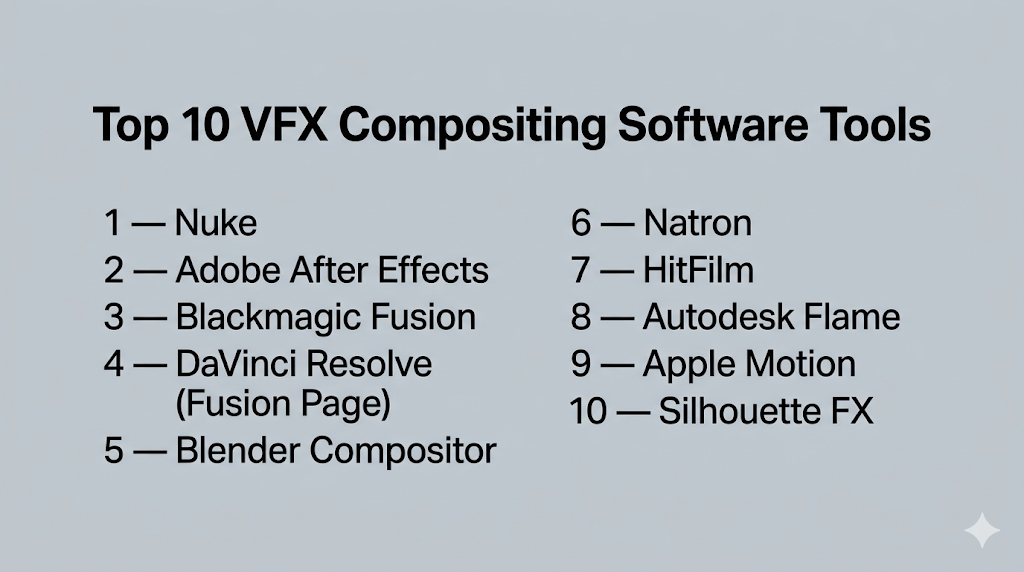
Top 10 VFX Compositing Software Tools
#1 — Nuke
Short description: A high-end node-based compositing software widely used in film and TV production for complex VFX work.
Key Features
- Node-based compositing workflow
- 3D compositing and camera tracking
- Advanced rotoscoping and keying
- Deep compositing support
- Python scripting for automation
- GPU acceleration
Pros
- Industry-standard for high-end VFX
- Highly flexible and scalable
Cons
- Expensive licensing
- Steep learning curve
Platforms / Deployment
Windows / macOS / Linux
Self-hosted
Security & Compliance
Not publicly stated
Integrations & Ecosystem
Central to VFX pipelines with strong interoperability.
- Maya, Houdini
- Render farms
- OpenEXR workflows
- Python-based tools
Support & Community
Extensive professional community and training ecosystem.
#2 — Adobe After Effects
Short description: A widely used layer-based compositing and motion graphics tool popular among creators and studios.
Key Features
- Layer-based compositing
- Motion graphics tools
- Keying and masking
- Integration with editing tools
- Plugin ecosystem
- Template workflows
Pros
- Beginner-friendly compared to node tools
- Massive plugin ecosystem
Cons
- Less efficient for complex VFX
- Performance limitations with large projects
Platforms / Deployment
Windows / macOS
Cloud / Local
Security & Compliance
Not publicly stated
Integrations & Ecosystem
Strong ecosystem within creative workflows.
- Premiere Pro
- Photoshop
- Third-party plugins
Support & Community
Huge global community with tutorials and resources.
#3 — Blackmagic Fusion
Short description: A node-based compositing tool offering high-end capabilities, integrated with DaVinci Resolve.
Key Features
- Node-based workflow
- 3D compositing
- VR and stereoscopic support
- Real-time playback
- GPU acceleration
Pros
- Free version available
- Professional-grade features
Cons
- Steeper learning curve
- UI can feel complex
Platforms / Deployment
Windows / macOS / Linux
Local
Security & Compliance
Not publicly stated
Integrations & Ecosystem
Integrated into DaVinci Resolve ecosystem.
- Editing and color grading tools
- Render pipelines
Support & Community
Strong community and growing adoption.
#4 — DaVinci Resolve (Fusion Page)
Short description: An all-in-one post-production tool combining editing, color grading, and compositing.
Key Features
- Built-in Fusion compositing
- Editing and color grading
- Real-time collaboration
- Node-based workflow
- Multi-user projects
Pros
- Complete post-production suite
- Free version available
Cons
- Resource-heavy
- Complex interface
Platforms / Deployment
Windows / macOS / Linux
Local
Security & Compliance
Not publicly stated
Integrations & Ecosystem
Unified workflow environment.
- Editing tools
- Color pipelines
- Audio tools
Support & Community
Large and active user base.
#5 — Blender Compositor
Short description: A free, open-source compositing tool integrated within Blender.
Key Features
- Node-based compositing
- Real-time preview
- Integration with 3D workflows
- Multi-pass rendering
- Open-source flexibility
Pros
- Free and powerful
- Integrated 3D workflow
Cons
- Not specialized for compositing
- UI complexity
Platforms / Deployment
Windows / macOS / Linux
Local
Security & Compliance
Not publicly stated
Integrations & Ecosystem
Works with Blender ecosystem.
- 3D rendering
- Animation tools
Support & Community
Large open-source community.
#6 — Natron
Short description: An open-source node-based compositor inspired by Nuke.
Key Features
- Node-based workflow
- OpenFX plugin support
- Multi-platform support
- Rotoscoping tools
- Keying and tracking
Pros
- Free alternative to Nuke
- Flexible and customizable
Cons
- Smaller ecosystem
- Limited updates
Platforms / Deployment
Windows / macOS / Linux
Self-hosted
Security & Compliance
Not publicly stated
Integrations & Ecosystem
Supports plugins and pipelines.
- OpenFX plugins
- Custom workflows
Support & Community
Small but dedicated community.
#7 — HitFilm
Short description: A beginner-friendly compositing and editing tool for creators and YouTubers.
Key Features
- Layer-based compositing
- Built-in VFX effects
- Video editing tools
- Real-time preview
- Presets and templates
Pros
- Easy to learn
- All-in-one tool
Cons
- Limited advanced features
- Not ideal for large productions
Platforms / Deployment
Windows / macOS
Local
Security & Compliance
Not publicly stated
Integrations & Ecosystem
Focused on content creators.
- Export tools
- Plugin support
Support & Community
Strong beginner community.
#8 — Autodesk Flame
Short description: A high-end VFX finishing and compositing tool used in professional studios.
Key Features
- 2D and 3D compositing
- Timeline-based workflows
- AI-assisted segmentation
- Color grading tools
- Camera tracking
Pros
- Powerful finishing tool
- Advanced compositing features
Cons
- Expensive
- Requires expertise
Platforms / Deployment
Linux
Local
Security & Compliance
Not publicly stated
Integrations & Ecosystem
Used in studio pipelines.
- Production tracking tools
- Rendering systems
Support & Community
Enterprise-level support.
#9 — Apple Motion
Short description: A motion graphics and compositing tool designed for macOS users.
Key Features
- Real-time compositing
- Motion graphics tools
- Template-based workflows
- Integration with editing tools
- GPU acceleration
Pros
- Easy to use
- Optimized for macOS
Cons
- Limited advanced compositing
- macOS-only
Platforms / Deployment
macOS
Local
Security & Compliance
Not publicly stated
Integrations & Ecosystem
Works within Apple ecosystem.
- Final Cut Pro
- macOS tools
Support & Community
Moderate community support.
#10 — Silhouette FX
Short description: A specialized compositing tool focused on rotoscoping and paint.
Key Features
- Advanced rotoscoping
- Paint and cleanup tools
- Tracking systems
- Node-based workflow
- High-quality output
Pros
- Best-in-class roto tools
- Used in professional pipelines
Cons
- Limited general compositing
- Specialized use
Platforms / Deployment
Windows / macOS / Linux
Local
Security & Compliance
Not publicly stated
Integrations & Ecosystem
Integrates with VFX workflows.
- Nuke
- Render pipelines
Support & Community
Professional niche community.
Comparison Table (Top 10)
| Tool Name | Best For | Platform(s) Supported | Deployment | Standout Feature | Public Rating |
|---|---|---|---|---|---|
| Nuke | High-end VFX | Windows/macOS/Linux | Self-hosted | Node-based pipeline | N/A |
| After Effects | Motion graphics | Windows/macOS | Hybrid | Layer workflow | N/A |
| Fusion | Professional compositing | Windows/macOS/Linux | Local | Free pro features | N/A |
| DaVinci Resolve | All-in-one workflows | Windows/macOS/Linux | Local | Unified pipeline | N/A |
| Blender | Open-source workflows | Windows/macOS/Linux | Local | Integrated 3D + comp | N/A |
| Natron | Free node compositing | Windows/macOS/Linux | Self-hosted | OpenFX support | N/A |
| HitFilm | Beginners | Windows/macOS | Local | Ease of use | N/A |
| Flame | Studio finishing | Linux | Local | AI compositing tools | N/A |
| Apple Motion | macOS users | macOS | Local | Real-time rendering | N/A |
| Silhouette FX | Rotoscoping | Windows/macOS/Linux | Local | Advanced roto tools | N/A |
Evaluation & Scoring of VFX Compositing Software
| Tool Name | Core (25%) | Ease (15%) | Integrations (15%) | Security (10%) | Performance (10%) | Support (10%) | Value (15%) | Weighted Total |
|---|---|---|---|---|---|---|---|---|
| Nuke | 10 | 5 | 10 | 6 | 10 | 9 | 7 | 8.6 |
| After Effects | 8 | 9 | 9 | 6 | 7 | 10 | 8 | 8.3 |
| Fusion | 9 | 6 | 8 | 6 | 9 | 8 | 9 | 8.4 |
| DaVinci Resolve | 9 | 7 | 9 | 6 | 9 | 9 | 9 | 8.7 |
| Blender | 8 | 6 | 8 | 5 | 7 | 10 | 10 | 8.3 |
| Natron | 7 | 7 | 6 | 5 | 7 | 6 | 10 | 7.2 |
| HitFilm | 7 | 9 | 6 | 5 | 7 | 7 | 9 | 7.5 |
| Flame | 10 | 5 | 9 | 6 | 10 | 8 | 6 | 8.2 |
| Apple Motion | 7 | 9 | 7 | 5 | 8 | 7 | 8 | 7.6 |
| Silhouette FX | 8 | 6 | 7 | 5 | 8 | 7 | 7 | 7.4 |
How to interpret the scores:
- Scores are comparative across tools and workflows
- Higher totals indicate balanced performance
- Choose based on project complexity and pipeline needs
- Beginners should prioritize ease of use
- Studios should prioritize integration and scalability
Which VFX Compositing Software Tool Is Right for You?
Solo / Freelancer
- Best options: HitFilm, Blender, DaVinci Resolve
- Focus on affordability and ease
SMB
- Best options: After Effects, Fusion
- Balance between usability and features
Mid-Market
- Best options: Fusion, DaVinci Resolve
- Require scalable workflows
Enterprise
- Best options: Nuke, Flame
- Need high-end pipelines and performance
Budget vs Premium
- Budget: Blender, Natron, Fusion
- Premium: Nuke, Flame
Feature Depth vs Ease of Use
- Advanced: Nuke, Flame
- Easy: HitFilm, After Effects
Integrations & Scalability
- Strong: Nuke, Resolve
- Limited: HitFilm, Natron
Security & Compliance Needs
- Most tools: Not publicly stated
- Enterprises should validate internally
Frequently Asked Questions (FAQs)
What is VFX compositing software?
It is software used to combine multiple visual elements into a single scene.
What is node-based compositing?
A workflow where effects are connected visually through nodes instead of layers.
Which tool is best for beginners?
HitFilm and After Effects are easier to learn.
Is Nuke industry standard?
Yes, it is widely used in film and TV production.
Are there free compositing tools?
Yes, Blender, Natron, and Fusion offer free options.
Do I need powerful hardware?
Yes, especially for high-resolution and complex scenes.
Can I use these tools for YouTube?
Yes, tools like After Effects and HitFilm are popular among creators.
What is rotoscoping?
It is the process of manually isolating objects frame-by-frame.
Can I integrate with 3D software?
Yes, most tools integrate with 3D pipelines.
Is AI used in compositing?
Yes, for masking, tracking, and automation.
Conclusion
VFX compositing software is the backbone of modern visual storytelling, enabling creators to merge imagination with reality. From beginner-friendly tools to high-end industry solutions, the ecosystem offers options for every skill level and production scale.