Introduction
Motion capture software (often called mocap software) is used to record and translate real-world human or object movement into digital data. This data is then applied to 3D characters, animations, simulations, or virtual environments to create realistic motion.
As digital production pipelines become more advanced, motion capture is no longer limited to large studios. Modern tools now include AI-based markerless capture, real-time processing, and cloud workflows, making motion capture accessible to indie developers, creators, and even solo users.
Common use cases include:
- Character animation for games and films
- Virtual production and real-time cinematics
- Sports performance analysis and biomechanics
- AR/VR interactive experiences
- AI training and robotics simulation
Key evaluation criteria buyers should consider:
- Marker-based vs markerless capture
- Real-time vs offline processing
- Accuracy and fidelity of motion data
- Hardware requirements (cameras, suits, sensors)
- Integration with game engines and animation tools
- Ease of setup and usability
- AI-assisted motion generation
- Scalability for team workflows
- Cost and licensing model
Best for: Game developers, animators, VFX studios, simulation engineers, and content creators working on realistic motion-based experiences.
Not ideal for: Static animation projects or simple keyframe-based workflows where motion realism is not critical.
Key Trends in Motion Capture Software
- Markerless motion capture: AI-based tools eliminate the need for suits and markers
- Real-time processing: Immediate feedback during capture sessions
- AI-generated animation: Tools can generate motion without physical capture
- Cloud-based mocap pipelines: Remote capture and processing workflows
- Affordable hardware ecosystems: Lower-cost solutions expanding accessibility
- Integration with engines: Seamless workflows with Unity, Unreal, and 3D tools
- Facial and finger capture advancements: More detailed performance capture
- Cross-industry adoption: Growth in healthcare, sports, and robotics
- Data cleanup automation: AI-assisted retargeting and refinement
- Hybrid systems: Combining marker-based and markerless approaches
How We Selected These Tools (Methodology)
- Evaluated industry adoption across gaming, film, and simulation
- Assessed accuracy and fidelity of motion capture data
- Reviewed real-time capabilities and performance
- Considered hardware compatibility and flexibility
- Included both marker-based and markerless solutions
- Analyzed integration with animation pipelines
- Evaluated ease of use and onboarding
- Reviewed community support and documentation
- Balanced enterprise-grade and indie-friendly tools
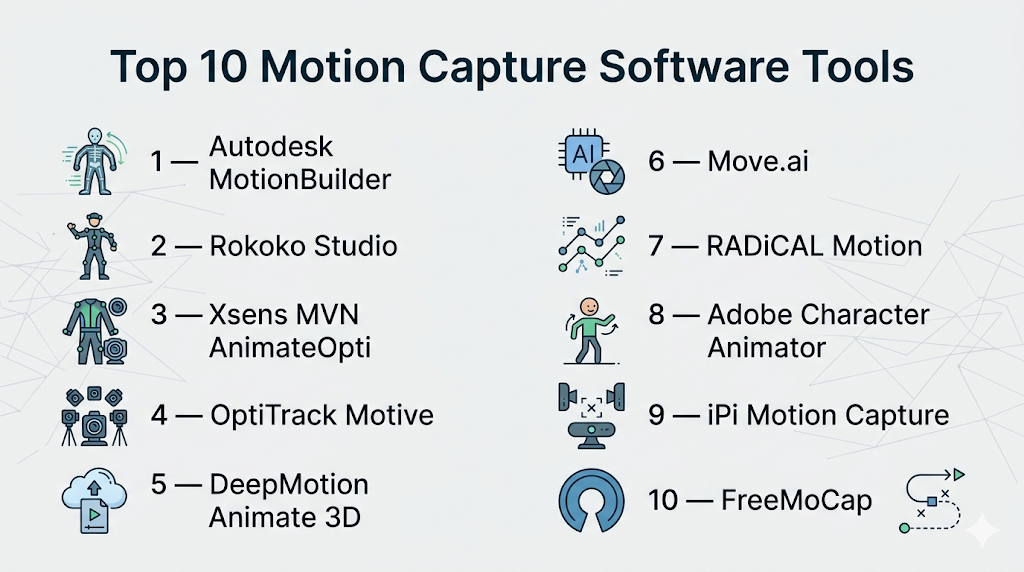
Top 10 Motion Capture Software Tools
#1 — Autodesk MotionBuilder
Short description: A professional-grade motion capture and animation tool widely used in film, games, and virtual production.
Key Features
- Real-time motion capture processing
- Advanced retargeting tools
- Character animation editing
- Virtual cinematography tools
- Integration with major 3D software
- High-performance playback
Pros
- Industry-standard workflow
- High-quality animation control
Cons
- Steep learning curve
- Requires professional setup
Platforms / Deployment
Windows / Linux
Local
Security & Compliance
Not publicly stated
Integrations & Ecosystem
Strong integration with production pipelines.
- Maya, 3ds Max
- Game engines
- FBX workflows
Support & Community
Extensive documentation and strong professional community.
#2 — Rokoko Studio
Short description: A modern motion capture platform designed for real-time capture using suits, gloves, and AI tools.
Key Features
- Real-time motion capture
- Markerless capture options
- Facial and hand tracking
- Cloud-based workflows
- Motion library access
Pros
- Affordable compared to traditional systems
- Easy setup
Cons
- Requires hardware for full capability
- Limited advanced customization
Platforms / Deployment
Windows / macOS
Cloud / Local
Security & Compliance
Not publicly stated
Integrations & Ecosystem
Supports popular creative tools.
- Unreal Engine
- Unity
- Blender
Support & Community
Growing community and good documentation.
#3 — Xsens MVN Animate
Short description: A high-end motion capture system using inertial sensors for precise tracking.
Key Features
- Full-body motion tracking
- Wireless sensor-based capture
- Real-time data streaming
- High accuracy
- Outdoor capture support
Pros
- Highly accurate
- No camera setup required
Cons
- Expensive
- Requires specialized hardware
Platforms / Deployment
Windows
Local
Security & Compliance
Not publicly stated
Integrations & Ecosystem
Used in professional pipelines.
- Unreal Engine
- Unity
- Maya
Support & Community
Strong enterprise support.
#4 — OptiTrack Motive
Short description: A professional motion capture software for high-precision tracking using optical systems.
Key Features
- Marker-based tracking
- Real-time streaming
- High-speed capture
- Multi-camera systems
- Precision tracking
Pros
- Extremely accurate
- Industry-grade performance
Cons
- Expensive setup
- Complex installation
Platforms / Deployment
Windows
Local
Security & Compliance
Not publicly stated
Integrations & Ecosystem
Widely integrated with tools.
- Unity
- Unreal Engine
- Robotics frameworks
Support & Community
Professional support with enterprise focus.
#5 — DeepMotion Animate 3D
Short description: An AI-powered tool that converts video into motion capture animation.
Key Features
- Video-to-animation conversion
- AI motion capture
- Cloud processing
- No hardware required
- Export to 3D formats
Pros
- No equipment needed
- Fast and accessible
Cons
- Less precise than hardware systems
- Cloud dependency
Platforms / Deployment
Web / Cloud
Security & Compliance
Not publicly stated
Integrations & Ecosystem
Supports animation workflows.
- Unity
- Unreal
- Blender
Support & Community
Growing AI-focused community.
#6 — Move.ai
Short description: A markerless motion capture platform that uses multiple cameras and AI.
Key Features
- Markerless capture
- Multi-camera support
- Real-time processing
- Cloud-based workflows
- High-quality outputs
Pros
- No suits required
- High-quality capture
Cons
- Requires multiple cameras
- Subscription-based
Platforms / Deployment
Cloud
Security & Compliance
Not publicly stated
Integrations & Ecosystem
Supports production pipelines.
- Game engines
- 3D software
Support & Community
Active development and growing adoption.
#7 — RADiCAL Motion
Short description: A cloud-based motion capture tool using AI and video input.
Key Features
- Video-based capture
- AI motion processing
- No hardware required
- Browser-based interface
- Quick export
Pros
- Very accessible
- Fast setup
Cons
- Limited precision
- Internet dependency
Platforms / Deployment
Web / Cloud
Security & Compliance
Not publicly stated
Integrations & Ecosystem
Supports animation export.
- Game engines
- 3D tools
Support & Community
Moderate support and documentation.
#8 — Adobe Character Animator
Short description: A tool for real-time 2D motion capture animation using webcam and audio input.
Key Features
- Facial tracking
- Voice-driven animation
- Real-time puppeteering
- Integration with Adobe tools
- Multi-track recording
Pros
- Easy to use
- Great for 2D animation
Cons
- Limited to 2D
- Not for full-body capture
Platforms / Deployment
Windows / macOS
Cloud / Local
Security & Compliance
Not publicly stated
Integrations & Ecosystem
Works within Adobe ecosystem.
- After Effects
- Photoshop
- Illustrator
Support & Community
Strong ecosystem and learning resources.
#9 — iPi Motion Capture
Short description: A software-based motion capture solution using depth sensors or cameras.
Key Features
- Markerless capture
- Multi-camera support
- Real-time preview
- Affordable setup
- Export capabilities
Pros
- Cost-effective
- Flexible hardware options
Cons
- Lower accuracy than high-end systems
- Setup complexity
Platforms / Deployment
Windows
Local
Security & Compliance
Not publicly stated
Integrations & Ecosystem
Supports standard pipelines.
- Unity
- Unreal
- 3D tools
Support & Community
Moderate community support.
#10 — FreeMoCap
Short description: An open-source motion capture system using cameras and computer vision.
Key Features
- Markerless capture
- Open-source framework
- Multi-camera support
- Local processing
- Customizable workflows
Pros
- Free to use
- Highly flexible
Cons
- Requires setup and technical knowledge
- Less polished
Platforms / Deployment
Windows / macOS / Linux
Self-hosted
Security & Compliance
Not publicly stated
Integrations & Ecosystem
Flexible integration options.
- Blender
- Custom pipelines
Support & Community
Active open-source community.
Comparison Table (Top 10)
| Tool Name | Best For | Platform(s) Supported | Deployment | Standout Feature | Public Rating |
|---|---|---|---|---|---|
| MotionBuilder | Professional animation | Windows/Linux | Local | Advanced retargeting | N/A |
| Rokoko Studio | Indie creators | Windows/macOS | Hybrid | Real-time capture | N/A |
| Xsens MVN | High-end capture | Windows | Local | Sensor-based tracking | N/A |
| OptiTrack Motive | Studio setups | Windows | Local | Precision tracking | N/A |
| DeepMotion | AI workflows | Web | Cloud | Video-to-animation | N/A |
| Move.ai | Markerless capture | Cloud | Cloud | Multi-camera AI | N/A |
| RADiCAL | Quick capture | Web | Cloud | Browser-based mocap | N/A |
| Character Animator | 2D animation | Windows/macOS | Hybrid | Facial capture | N/A |
| iPi Motion Capture | Budget setups | Windows | Local | Affordable mocap | N/A |
| FreeMoCap | Open-source | Windows/macOS/Linux | Self-hosted | Free markerless capture | N/A |
Evaluation & Scoring of Motion Capture Software
| Tool Name | Core (25%) | Ease (15%) | Integrations (15%) | Security (10%) | Performance (10%) | Support (10%) | Value (15%) | Weighted Total |
|---|---|---|---|---|---|---|---|---|
| MotionBuilder | 10 | 6 | 9 | 6 | 10 | 9 | 7 | 8.5 |
| Rokoko Studio | 8 | 9 | 8 | 5 | 8 | 8 | 9 | 8.3 |
| Xsens MVN | 10 | 6 | 8 | 6 | 10 | 8 | 6 | 8.2 |
| OptiTrack Motive | 10 | 5 | 8 | 6 | 10 | 8 | 6 | 8.1 |
| DeepMotion | 7 | 9 | 7 | 5 | 7 | 7 | 9 | 7.7 |
| Move.ai | 8 | 8 | 7 | 5 | 8 | 7 | 8 | 7.8 |
| RADiCAL | 7 | 9 | 6 | 5 | 7 | 6 | 9 | 7.5 |
| Character Animator | 7 | 9 | 8 | 5 | 7 | 9 | 8 | 7.9 |
| iPi Motion Capture | 7 | 7 | 7 | 5 | 7 | 6 | 8 | 7.1 |
| FreeMoCap | 6 | 6 | 6 | 5 | 6 | 7 | 10 | 6.8 |
How to interpret the scores:
- Scores reflect relative strengths across multiple factors
- Higher totals indicate balanced performance
- Choose based on your workflow (AI vs hardware vs hybrid)
- Beginners should prioritize ease of use and value
- Professionals should focus on accuracy and performance
Which Motion Capture Software Tool Is Right for You?
Solo / Freelancer
- Best options: DeepMotion, RADiCAL, FreeMoCap
- Focus on affordability and minimal setup
SMB
- Best options: Rokoko Studio, iPi Motion Capture
- Balance between cost and performance
Mid-Market
- Best options: Move.ai, Rokoko Studio
- Require scalable workflows
Enterprise
- Best options: MotionBuilder, Xsens, OptiTrack
- Need high precision and production pipelines
Budget vs Premium
- Budget: FreeMoCap, RADiCAL
- Premium: Xsens, OptiTrack
Feature Depth vs Ease of Use
- Advanced: MotionBuilder, OptiTrack
- Easy: DeepMotion, RADiCAL
Integrations & Scalability
- Strong: MotionBuilder, Rokoko
- Limited: FreeMoCap
Security & Compliance Needs
- Most tools: Not publicly stated
- Enterprises should validate internally
Frequently Asked Questions (FAQs)
What is motion capture software?
Software that records and converts real-world motion into digital animation data.
Do I need special hardware?
Some tools require suits or cameras, while others use AI and video.
Is motion capture expensive?
High-end systems are expensive, but affordable and free options exist.
What is markerless motion capture?
It uses AI and cameras instead of physical markers or suits.
Can I use motion capture for games?
Yes, it is widely used in game development.
Which tool is best for beginners?
DeepMotion and RADiCAL are easy to start with.
Is motion capture real-time?
Many tools support real-time processing.
Can I capture facial expressions?
Yes, some tools support facial and finger tracking.
Are there free tools?
Yes, open-source tools like FreeMoCap are available.
Can I switch tools later?
Yes, but data formats and pipelines may require adjustments.
Conclusion
Motion capture software has evolved from expensive studio setups to accessible, AI-powered tools that anyone can use. Whether you need high-end precision or quick video-based capture, there are solutions tailored to every workflow.