Introduction
Digital Experience Monitoring DEM tools help organizations measure, analyze, and improve the performance and user experience of applications, endpoints, networks, and digital services. These platforms provide visibility into how employees and customers interact with digital systems across web applications, SaaS platforms, cloud infrastructure, remote work environments, and enterprise devices.
As businesses increasingly rely on cloud services, hybrid work, SaaS applications, and globally distributed infrastructure, maintaining a consistent digital experience has become critical for productivity, customer satisfaction, and operational efficiency. DEM platforms help IT and operations teams identify performance bottlenecks, application slowdowns, connectivity issues, and user experience problems before they impact business operations.
Real-world use cases include:
- Monitoring employee experience across remote devices
- Measuring SaaS application performance
- Identifying slow network or endpoint issues
- Tracking customer digital experience quality
- Improving application reliability and uptime
Buyers evaluating DEM tools should consider:
- Real-time monitoring capabilities
- Endpoint and application visibility
- Synthetic and real-user monitoring support
- AI-assisted analytics
- Scalability across distributed environments
- Integration with observability and ITSM platforms
- Network and cloud visibility
- Automation and alerting workflows
- Reporting and dashboard quality
- Ease of deployment and management
Best for: Enterprise IT operations teams, digital workplace teams, SaaS providers, customer experience teams, managed service providers, cloud operations teams, and organizations supporting hybrid work environments.
Not ideal for: Very small businesses with limited infrastructure or organizations only needing basic uptime monitoring instead of full digital experience analytics.
Key Trends in Digital Experience Monitoring DEM Tools
- AI-driven root cause analysis is becoming increasingly common.
- Real-user monitoring and endpoint telemetry are converging.
- DEM platforms are expanding into employee experience analytics.
- Cloud-native monitoring architectures continue growing rapidly.
- Unified observability platforms are integrating DEM functionality.
- Synthetic monitoring is becoming more advanced and automated.
- SaaS application visibility is becoming a major operational priority.
- Endpoint performance analytics are improving hybrid work visibility.
- Automation and predictive issue detection are reducing manual troubleshooting.
- DEM tools are increasingly integrated with AIOps and ITSM workflows.
How We Selected These Tools
The platforms in this list were selected based on monitoring depth, operational visibility, analytics capabilities, scalability, and enterprise adoption.
Selection criteria included:
- Market reputation and adoption
- Real-user and synthetic monitoring capabilities
- Endpoint and application visibility
- AI-assisted analytics functionality
- Scalability across distributed environments
- Integration ecosystem maturity
- Reporting and dashboard flexibility
- Security and compliance support
- Ease of deployment and operational management
- Customer fit across SMB, mid-market, and enterprise organizations
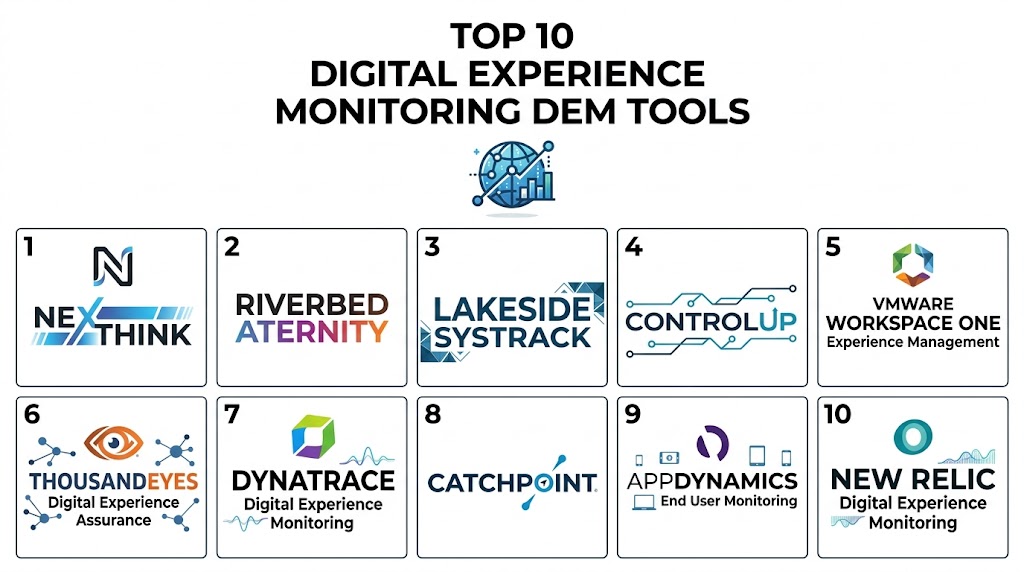
Top 10 Digital Experience Monitoring DEM Tools
1- Nexthink
Short description: Nexthink is one of the leading Digital Experience Monitoring platforms focused on employee experience visibility, endpoint analytics, and operational intelligence across enterprise environments.
Key Features
- Real-time endpoint experience monitoring
- Employee experience analytics
- Application performance visibility
- Automated remediation workflows
- Digital experience scoring
- Device health analytics
- Hybrid workforce monitoring
Pros
- Strong employee experience visibility
- Excellent endpoint analytics
- Advanced automation capabilities
Cons
- Enterprise-focused pricing
- Complex implementation for large environments
- Advanced analytics may require tuning
Platforms / Deployment
- Windows / macOS / Web
- Cloud / Hybrid
Security & Compliance
- MFA
- RBAC
- Audit logs
- Encryption
- SSO/SAML
Integrations & Ecosystem
Nexthink integrates with ITSM, observability, and enterprise operations platforms.
- ServiceNow
- Microsoft Teams
- Splunk
- Azure
- VMware
- REST APIs
Support & Community
Strong enterprise support ecosystem with detailed onboarding and operational guidance.
2- ThousandEyes
Short description: ThousandEyes provides end-to-end digital experience visibility across networks, cloud services, internet infrastructure, and SaaS applications.
Key Features
- Network path monitoring
- Internet performance visibility
- SaaS application monitoring
- Synthetic transaction testing
- Real-user monitoring
- Cloud infrastructure analytics
- Endpoint visibility
Pros
- Excellent network visibility
- Strong cloud and internet monitoring
- Advanced topology analytics
Cons
- Premium pricing structure
- Enterprise-focused complexity
- Advanced deployment planning required
Platforms / Deployment
- Web / Windows / macOS
- Cloud
Security & Compliance
- MFA
- RBAC
- Audit logs
- Encryption
- SSO/SAML
Integrations & Ecosystem
ThousandEyes integrates deeply with observability, networking, and operational ecosystems.
- Cisco environments
- AWS
- Azure
- Splunk
- ServiceNow
- Webex
Support & Community
Strong enterprise support and extensive technical documentation.
3- Dynatrace
Short description: Dynatrace combines observability, DEM, AIOps, and application performance monitoring into a unified analytics platform.
Key Features
- Real-user monitoring
- Synthetic monitoring
- AI-assisted root cause analysis
- Endpoint visibility
- Application performance analytics
- Cloud-native observability
- Automated anomaly detection
Pros
- Strong AI analytics
- Unified observability platform
- Excellent cloud-native support
Cons
- Premium enterprise pricing
- Learning curve for advanced features
- Large deployments may require optimization
Platforms / Deployment
- Windows / Linux / macOS / Web
- Cloud / Hybrid
Security & Compliance
- MFA
- RBAC
- Encryption
- Audit logs
- SOC 2
Integrations & Ecosystem
Dynatrace integrates across observability, cloud, DevOps, and operational ecosystems.
- Kubernetes
- AWS
- Azure
- Google Cloud
- ServiceNow
- Jira
Support & Community
Large enterprise user community with strong technical support resources.
4- Riverbed Aternity
Short description: Riverbed Aternity focuses on end-user experience monitoring with visibility into applications, devices, network performance, and productivity analytics.
Key Features
- End-user experience analytics
- Device performance monitoring
- Application visibility
- Productivity tracking
- Real-time issue detection
- SaaS monitoring
- Endpoint telemetry collection
Pros
- Strong endpoint experience analytics
- Good productivity visibility
- Detailed application insights
Cons
- Enterprise pricing model
- Reporting customization may vary
- Deployment complexity for large infrastructures
Platforms / Deployment
- Windows / macOS / Mobile / Web
- Cloud / Hybrid
Security & Compliance
- MFA
- RBAC
- Encryption
- Audit logs
Integrations & Ecosystem
Aternity integrates with enterprise monitoring and ITSM ecosystems.
- ServiceNow
- Splunk
- Microsoft environments
- VMware
- REST APIs
Support & Community
Enterprise-focused onboarding and operational support services.
5- Datadog Digital Experience Monitoring
Short description: Datadog DEM extends observability into user experience monitoring with synthetic testing, real-user analytics, and cloud-native operational visibility.
Key Features
- Real-user monitoring
- Synthetic monitoring
- Session replay
- Performance analytics
- Endpoint visibility
- Cloud infrastructure integration
- Alert automation
Pros
- Excellent cloud-native integration
- Unified observability workflows
- Strong dashboard customization
Cons
- Pricing can grow rapidly at scale
- Large data volumes may require tuning
- Advanced configurations may be complex
Platforms / Deployment
- Web / Windows / macOS / Linux
- Cloud
Security & Compliance
- MFA
- RBAC
- Audit logs
- Encryption
- SOC 2
Integrations & Ecosystem
Datadog supports broad integrations across cloud, DevOps, and operational ecosystems.
- Kubernetes
- AWS
- Azure
- Google Cloud
- Slack
- Jira
Support & Community
Large observability community with strong documentation and onboarding support.
6- AppDynamics
Short description: AppDynamics provides application performance monitoring and digital experience analytics for enterprise infrastructure and customer-facing services.
Key Features
- Real-user monitoring
- Application analytics
- Synthetic transaction monitoring
- AI-powered anomaly detection
- Business transaction tracking
- Infrastructure monitoring
- Performance baselining
Pros
- Strong enterprise application visibility
- Good business transaction analytics
- Mature observability functionality
Cons
- Enterprise licensing costs
- Configuration complexity
- Interface learning curve
Platforms / Deployment
- Windows / Linux / Web
- Cloud / Hybrid
Security & Compliance
- MFA
- RBAC
- Audit logs
- Encryption
Integrations & Ecosystem
AppDynamics integrates across enterprise observability and cloud ecosystems.
- Cisco environments
- AWS
- Azure
- Kubernetes
- ServiceNow
- Splunk
Support & Community
Strong enterprise support and mature customer ecosystem.
7- Catchpoint
Short description: Catchpoint specializes in internet performance monitoring and digital experience visibility across SaaS applications, networks, and customer-facing services.
Key Features
- Internet performance monitoring
- Synthetic testing
- Real-user monitoring
- SaaS visibility
- Global monitoring locations
- Network analytics
- Endpoint performance tracking
Pros
- Strong internet visibility
- Excellent global monitoring coverage
- Detailed synthetic analytics
Cons
- Enterprise-focused pricing
- Complex analytics configuration
- Smaller ecosystem compared to larger vendors
Platforms / Deployment
- Web / Windows / macOS
- Cloud
Security & Compliance
- MFA
- RBAC
- Audit logs
- Encryption
Integrations & Ecosystem
Catchpoint integrates with observability and IT operations platforms.
- Splunk
- ServiceNow
- Slack
- AWS
- Azure
- REST APIs
Support & Community
Good technical support with detailed operational guidance.
8- New Relic
Short description: New Relic combines observability, application monitoring, and digital experience visibility within a cloud-native analytics platform.
Key Features
- Real-user monitoring
- Synthetic monitoring
- Full-stack observability
- Application analytics
- Browser monitoring
- Session replay
- AI-assisted alerting
Pros
- Strong observability ecosystem
- Flexible cloud-native analytics
- Good developer workflows
Cons
- Pricing complexity at scale
- Large environments may require tuning
- Advanced customization can be technical
Platforms / Deployment
- Windows / Linux / macOS / Web
- Cloud
Security & Compliance
- MFA
- RBAC
- Audit logs
- Encryption
- SOC 2
Integrations & Ecosystem
New Relic integrates across cloud, DevOps, and observability ecosystems.
- AWS
- Azure
- Kubernetes
- GitHub
- Jira
- Slack
Support & Community
Large observability and developer-focused community ecosystem.
9- Splunk Observability Cloud
Short description: Splunk Observability Cloud provides unified observability and DEM functionality for enterprise-scale operational analytics and performance monitoring.
Key Features
- Real-user monitoring
- Infrastructure observability
- AI-assisted analytics
- Application performance monitoring
- Alert automation
- Service mapping
- Performance dashboards
Pros
- Strong analytics capabilities
- Scalable telemetry processing
- Unified observability workflows
Cons
- Enterprise pricing model
- Operational complexity
- Requires skilled administrators
Platforms / Deployment
- Windows / Linux / Web
- Cloud
Security & Compliance
- MFA
- RBAC
- Audit logs
- Encryption
Integrations & Ecosystem
Splunk integrates with extensive cloud, observability, and operational ecosystems.
- AWS
- Azure
- Kubernetes
- ServiceNow
- PagerDuty
- SIEM platforms
Support & Community
Large enterprise support ecosystem with mature technical resources.
10- ControlUp
Short description: ControlUp focuses on endpoint performance monitoring and digital employee experience visibility for remote and hybrid work environments.
Key Features
- Endpoint performance analytics
- Real-time monitoring
- Digital employee experience scoring
- Automated remediation
- Remote workforce monitoring
- Virtual desktop visibility
- Alert automation
Pros
- Strong endpoint performance visibility
- Good remote workforce analytics
- Fast operational troubleshooting
Cons
- Primarily endpoint-focused
- Limited broader observability depth
- Enterprise scaling may require planning
Platforms / Deployment
- Windows / Web
- Cloud / Hybrid
Security & Compliance
- MFA
- RBAC
- Audit logs
- Encryption
Integrations & Ecosystem
ControlUp integrates with virtual desktop, cloud, and IT operations ecosystems.
- Citrix
- VMware
- Microsoft Azure
- ServiceNow
- Teams
Support & Community
Strong customer support with growing operational community resources.
Comparison Table
| Tool Name | Best For | Platforms Supported | Deployment | Standout Feature | Public Rating |
|---|---|---|---|---|---|
| Nexthink | Employee experience analytics | Windows / macOS / Web | Cloud / Hybrid | Endpoint experience visibility | N/A |
| ThousandEyes | Internet and SaaS visibility | Web / Windows / macOS | Cloud | Network path analytics | N/A |
| Dynatrace | Unified observability and DEM | Windows / Linux / macOS / Web | Cloud / Hybrid | AI-powered analytics | N/A |
| Riverbed Aternity | End-user productivity visibility | Windows / macOS / Mobile | Cloud / Hybrid | Digital employee experience analytics | N/A |
| Datadog DEM | Cloud-native monitoring | Web / Windows / Linux | Cloud | Unified observability workflows | N/A |
| AppDynamics | Enterprise application visibility | Windows / Linux / Web | Cloud / Hybrid | Business transaction monitoring | N/A |
| Catchpoint | Internet performance monitoring | Web / Windows / macOS | Cloud | Global synthetic monitoring | N/A |
| New Relic | Developer-focused observability | Windows / Linux / macOS / Web | Cloud | Full-stack observability | N/A |
| Splunk Observability Cloud | Enterprise analytics | Windows / Linux / Web | Cloud | Scalable telemetry analytics | N/A |
| ControlUp | Hybrid workforce monitoring | Windows / Web | Cloud / Hybrid | Endpoint troubleshooting visibility | N/A |
Evaluation & Scoring of Digital Experience Monitoring DEM Tools
| Tool Name | Core 25% | Ease 15% | Integrations 15% | Security 10% | Performance 10% | Support 10% | Value 15% | Weighted Total |
|---|---|---|---|---|---|---|---|---|
| Nexthink | 9.3 | 8.0 | 8.8 | 9.0 | 9.1 | 8.7 | 7.8 | 8.67 |
| ThousandEyes | 9.2 | 7.6 | 9.0 | 8.9 | 9.2 | 8.6 | 7.5 | 8.57 |
| Dynatrace | 9.5 | 7.8 | 9.4 | 9.2 | 9.3 | 8.8 | 7.6 | 8.83 |
| Riverbed Aternity | 8.8 | 7.9 | 8.2 | 8.6 | 8.7 | 8.2 | 7.8 | 8.24 |
| Datadog DEM | 9.0 | 8.5 | 9.3 | 8.8 | 9.1 | 8.7 | 7.7 | 8.68 |
| AppDynamics | 8.9 | 7.5 | 8.7 | 8.8 | 9.0 | 8.4 | 7.4 | 8.31 |
| Catchpoint | 8.7 | 7.8 | 8.1 | 8.5 | 8.9 | 8.2 | 7.6 | 8.16 |
| New Relic | 8.9 | 8.4 | 9.1 | 8.7 | 8.9 | 8.5 | 8.0 | 8.58 |
| Splunk Observability Cloud | 9.1 | 7.0 | 9.4 | 9.0 | 9.2 | 8.8 | 7.2 | 8.48 |
| ControlUp | 8.4 | 8.7 | 7.9 | 8.4 | 8.5 | 8.3 | 8.3 | 8.29 |
These scores are comparative and designed to help buyers evaluate operational fit rather than identify a universal winner. Enterprise-focused platforms generally provide stronger analytics depth and scalability, while SMB-focused solutions often prioritize usability and faster deployment. Buyers should align platform selection with operational complexity, workforce requirements, and observability goals.
Which Digital Experience Monitoring DEM Tool Is Right for You?
Solo / Freelancer
Solo users and small IT teams often prioritize simplicity and affordability. ControlUp and New Relic provide easier onboarding and practical visibility for smaller operational environments.
SMB
SMBs typically require balanced monitoring visibility, automation, and usability. Datadog DEM and New Relic are strong choices for growing organizations.
Mid-Market
Mid-market organizations often require stronger analytics, endpoint visibility, and scalability. Nexthink and Riverbed Aternity provide deeper digital employee experience insights.
Enterprise
Large enterprises generally prioritize scalability, AI-assisted analytics, and hybrid infrastructure visibility. Dynatrace, ThousandEyes, and Splunk Observability Cloud remain strong enterprise-focused platforms.
Budget vs Premium
New Relic and Datadog provide flexible cloud-native deployment options for organizations prioritizing operational agility. Enterprise-focused platforms like Dynatrace and Nexthink provide broader operational intelligence and automation depth.
Feature Depth vs Ease of Use
Dynatrace and Splunk provide deeper observability analytics but may require experienced administrators. Datadog and ControlUp prioritize usability and operational simplicity.
Integrations & Scalability
Organizations with large cloud, DevOps, and ITSM ecosystems should prioritize platforms with mature APIs and integration ecosystems such as Dynatrace, Datadog, and Splunk.
Security & Compliance Needs
Highly regulated industries should prioritize platforms with strong audit logging, encryption, RBAC, compliance reporting, and operational governance capabilities.
Frequently Asked Questions
1. What is a Digital Experience Monitoring DEM tool?
A DEM tool monitors and analyzes the performance and user experience of applications, endpoints, networks, and digital services across enterprise environments.
2. Why is DEM important?
DEM helps organizations identify performance bottlenecks, improve employee productivity, enhance customer experience, and reduce operational downtime.
3. What is the difference between DEM and application monitoring?
Application monitoring focuses mainly on application performance, while DEM includes endpoint, network, user experience, and service performance visibility.
4. Can DEM tools support hybrid work environments?
Yes. Modern DEM platforms are designed to monitor remote devices, cloud services, SaaS applications, and distributed infrastructure environments.
5. What are synthetic monitoring and real-user monitoring?
Synthetic monitoring uses simulated transactions to test application performance, while real-user monitoring analyzes actual user interactions and experiences.
6. Are DEM tools only for enterprises?
No. Many vendors offer SMB-friendly deployment models with scalable monitoring capabilities and simplified operational workflows.
7. What integrations are most important?
Important integrations include ITSM platforms, observability tools, cloud providers, SIEM systems, collaboration platforms, and DevOps environments.
8. What are common implementation challenges?
Common challenges include data volume management, dashboard customization, alert tuning, integration complexity, and operational scaling.
9. Can DEM improve cybersecurity operations?
Yes. DEM platforms can help identify suspicious behavior, endpoint anomalies, and operational disruptions that may indicate security or infrastructure issues.
10. What should buyers evaluate first?
Buyers should prioritize visibility depth, analytics capabilities, deployment flexibility, scalability, automation features, and integration ecosystem maturity.
Conclusion
Digital Experience Monitoring DEM tools have become essential for organizations managing modern digital workplaces, cloud-native applications, hybrid infrastructure, and distributed workforces. As businesses increasingly depend on SaaS platforms, remote collaboration, and real-time digital services, maintaining consistent user experience and operational visibility is now a critical business priority. Enterprise organizations may benefit most from platforms like Dynatrace, ThousandEyes, and Splunk Observability Cloud because of their advanced analytics and large-scale operational visibility, while SMB and mid-market teams may achieve faster operational value with Datadog DEM, New Relic, or ControlUp. The right solution ultimately depends on infrastructure complexity, operational maturity, workforce distribution, observability requirements, and budget priorities. Organizations should shortlist a few platforms, validate monitoring visibility in real-world environments, test integrations with existing ITSM and observability systems, and ensure the chosen solution can scale alongside future digital experience and operational requirements.