Introduction
Email archiving tools are software solutions designed to capture, store, index, and retrieve email communications securely over long periods. Unlike regular email storage, these tools ensure that emails are preserved in tamper-proof formats for compliance, legal discovery, and business continuity.
With growing regulatory pressure and increasing cyber risks, organizations must retain email data in a structured and searchable way. Email archiving tools help reduce mailbox sizes, improve server performance, and ensure that critical communication is always accessible. They are widely used in industries such as finance, healthcare, legal, and government where compliance is essential.
Common use cases include compliance audits, legal eDiscovery, long-term storage, data governance, backup and recovery, and internal investigations.
Best for: Compliance teams, IT administrators, legal teams, enterprises, and organizations handling sensitive or regulated communication.
Not ideal for: Individuals or small teams without regulatory requirements or long-term retention needs.
Key Trends in Email Archiving Tools
- Cloud-based archiving replacing on-premise systems
- Integration with Microsoft 365 and Google Workspace
- Strong focus on compliance and legal hold capabilities
- Advanced search and eDiscovery features
- Encryption and access control improvements
- Multi-channel archiving beyond email
- AI-assisted classification and tagging
- Hybrid deployment models
- Automated retention policy management
- Increased demand for audit logs and reporting
How We Selected These Tools
- Industry adoption and enterprise usage
- Compliance and retention capabilities
- Search and eDiscovery performance
- Security and encryption features
- Integration with major email platforms
- Scalability for large organizations
- Ease of deployment and management
- Vendor reliability and ecosystem
- Support for cloud and hybrid environments
- Community and documentation quality
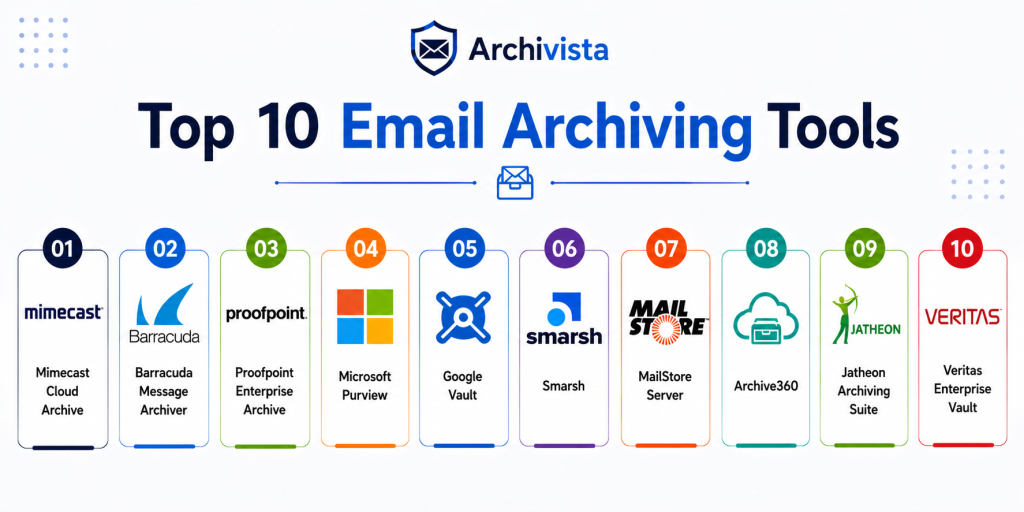
Top 10 Email Archiving Tools
1. Mimecast Cloud Archive
Short description:
Mimecast Cloud Archive is an enterprise-grade email archiving solution designed for compliance, security, and data retention. It provides cloud-based storage with strong search and legal hold capabilities. The platform is widely used in regulated industries. It is best suited for large organizations needing scalable archiving.
Key Features
- Policy-based retention
- Legal hold and eDiscovery
- Immutable cloud storage
- Advanced search
- Audit logs
- Role-based access
- Integrated email security
Pros
- Strong compliance features
- Scalable cloud architecture
- Powerful search capabilities
Cons
- Higher cost
- Complex setup
- Enterprise-focused
Platforms / Deployment
Cloud
Deployment: SaaS
Security & Compliance
Supports encryption and access controls. Formal certifications not publicly stated.
Integrations & Ecosystem
Mimecast integrates with enterprise email and security systems.
- Microsoft 365
- Exchange
- Security platforms
- Compliance tools
- Cloud systems
- Data governance tools
Support & Community
Enterprise-grade support and strong documentation
2. Barracuda Message Archiver
Short description:
Barracuda Message Archiver is a user-friendly archiving solution designed for SMBs and enterprises. It provides secure email storage and fast retrieval capabilities. It is known for simplicity and cost-effectiveness. It is ideal for organizations needing reliable archiving without complexity.
Key Features
- Email retention policies
- Full-text search
- Legal hold
- Secure storage
- Cloud and appliance options
- Easy deployment
- Audit trails
Pros
- Easy to use
- Affordable for SMBs
- Reliable performance
Cons
- Limited advanced analytics
- Fewer customization options
- Basic interface
Platforms / Deployment
Cloud / Appliance
Deployment: Hybrid
Security & Compliance
Includes retention and audit features. Certifications not publicly stated.
Integrations & Ecosystem
Works with common enterprise email systems.
- Microsoft 365
- Exchange
- Gmail
- Cloud environments
- Compliance tools
- Backup systems
Support & Community
Good support and documentation
3. Proofpoint Enterprise Archive
Short description:
Proofpoint Enterprise Archive is a scalable archiving platform focused on compliance and security. It supports large organizations with advanced eDiscovery and data protection features. It integrates with broader security ecosystems. It is best for enterprises with strict compliance requirements.
Key Features
- Advanced search
- Legal hold
- Data classification
- Compliance tools
- Scalable storage
- Audit logs
- Integration with security systems
Pros
- Enterprise-grade compliance
- Strong integrations
- High scalability
Cons
- Expensive
- Complex deployment
- Overkill for small teams
Platforms / Deployment
Cloud
Deployment: SaaS
Security & Compliance
Includes advanced compliance controls. Certifications not publicly stated.
Integrations & Ecosystem
Integrates with enterprise security and email systems.
- Microsoft 365
- Gmail
- Security platforms
- DLP tools
- Compliance systems
- Cloud environments
Support & Community
Strong enterprise support
4. Microsoft Purview
Short description:
Microsoft Purview is a native archiving and compliance solution for Microsoft environments. It provides in-place archiving, retention policies, and eDiscovery tools. It is deeply integrated with Microsoft 365. It is ideal for organizations already using Microsoft services.
Key Features
- In-place archiving
- Retention policies
- eDiscovery
- Audit logs
- Data lifecycle management
- Compliance tools
- Microsoft integration
Pros
- Seamless Microsoft integration
- No external tool needed
- Strong compliance features
Cons
- Licensing complexity
- Limited outside Microsoft ecosystem
- Requires configuration
Platforms / Deployment
Cloud
Deployment: SaaS
Security & Compliance
Enterprise security features included. Certifications vary by Microsoft services.
Integrations & Ecosystem
Deep integration with Microsoft ecosystem.
- Microsoft 365
- Exchange
- Teams
- SharePoint
- Compliance tools
- Security systems
Support & Community
Enterprise support and large ecosystem
5. Google Vault
Short description:
Google Vault is an email archiving and retention tool for Google Workspace users. It provides search, retention, and legal hold features for Gmail data. It is simple and integrated into Google environments. It is ideal for organizations using Google Workspace.
Key Features
- Gmail archiving
- Retention rules
- Legal hold
- Search and export
- Admin controls
- Data retention policies
- Integration with Workspace
Pros
- Easy to use
- Native integration
- Good search performance
Cons
- Limited outside Google ecosystem
- Fewer advanced features
- Basic compliance tools
Platforms / Deployment
Cloud
Deployment: SaaS
Security & Compliance
Includes data retention and access control. Certifications not publicly stated.
Integrations & Ecosystem
Works within Google ecosystem.
- Gmail
- Google Workspace
- Admin tools
- Cloud storage
- Compliance tools
- Data management
Support & Community
Strong support within Google ecosystem
6. Smarsh
Short description:
Smarsh is a comprehensive compliance and archiving platform designed for regulated industries. It supports multiple communication channels including email. It provides strong governance and supervision capabilities. It is best for financial and legal sectors.
Key Features
- Multi-channel archiving
- Compliance supervision
- Data export
- Retention policies
- Audit logs
- Search tools
- Reporting
Pros
- Strong compliance focus
- Multi-channel support
- Enterprise-grade
Cons
- Expensive
- Complex setup
- Enterprise-focused
Platforms / Deployment
Cloud
Deployment: SaaS
Security & Compliance
Designed for regulated environments. Certifications not publicly stated.
Integrations & Ecosystem
Integrates with compliance and communication systems.
- Email platforms
- Messaging tools
- Compliance systems
- Security tools
- Data platforms
- Analytics tools
Support & Community
Enterprise support and documentation
7. MailStore Server
Short description:
MailStore Server is an email archiving solution designed for SMBs and mid-sized organizations. It provides secure storage and fast search capabilities. It is easy to deploy and manage. It is best for businesses looking for cost-effective archiving.
Key Features
- Secure email storage
- Fast search
- Backup and restore
- Multi-account support
- Central archive
- Data export
- Compliance support
Pros
- Easy to deploy
- Cost-effective
- Good performance
Cons
- Limited enterprise features
- Smaller ecosystem
- Less scalability
Platforms / Deployment
Windows / Server
Deployment: On-premise
Security & Compliance
Security-focused storage. Certifications not publicly stated.
Integrations & Ecosystem
Works with common email systems.
- Outlook
- Exchange
- Gmail
- Mail servers
- Backup systems
- Data tools
Support & Community
Strong SMB support and documentation
8. Archive360
Short description:
Archive360 is a modern archiving solution focused on compliance, migration, and cloud data management. It supports enterprise environments with advanced analytics. It is designed for organizations moving to cloud systems. It is best for data governance teams.
Key Features
- Cloud archiving
- Data migration
- Compliance tools
- Analytics
- Search capabilities
- Retention policies
- Security features
Pros
- Strong cloud support
- Good analytics
- Enterprise-ready
Cons
- Complex setup
- High cost
- Enterprise-focused
Platforms / Deployment
Cloud
Deployment: SaaS
Security & Compliance
Compliance features available. Certifications not publicly stated.
Integrations & Ecosystem
Integrates with enterprise systems.
- Cloud platforms
- Email systems
- Data tools
- Compliance systems
- Security tools
- Migration tools
Support & Community
Enterprise support
9. Jatheon Archiving Suite
Short description:
Jatheon Archiving Suite is a flexible archiving solution supporting email and other communication channels. It offers cloud and on-premise deployment options. It is suitable for regulated industries. It is best for organizations needing flexible deployment.
Key Features
- Email archiving
- Multi-channel support
- Retention policies
- Search tools
- Compliance features
- Audit logs
- Flexible deployment
Pros
- Flexible deployment
- Good compliance features
- Multi-channel support
Cons
- Smaller ecosystem
- Complex configuration
- Limited brand recognition
Platforms / Deployment
Cloud / On-premise
Deployment: Hybrid
Security & Compliance
Compliance-focused features available. Certifications not publicly stated.
Integrations & Ecosystem
Supports integration with enterprise tools.
- Email systems
- Compliance tools
- Security platforms
- Data systems
- Cloud services
- Monitoring tools
Support & Community
Moderate support and documentation
10. Veritas Enterprise Vault
Short description:
Veritas Enterprise Vault is a long-established enterprise archiving solution designed for large-scale data retention and compliance. It supports email, files, and other data types. It is widely used in large enterprises. It is best for complex environments.
Key Features
- Email archiving
- Data classification
- Retention policies
- eDiscovery
- Hybrid storage
- Indexing
- Compliance tools
Pros
- Mature platform
- Strong compliance
- Scalable
Cons
- Complex deployment
- High cost
- Requires expertise
Platforms / Deployment
Windows / Cloud / Hybrid
Deployment: Hybrid
Security & Compliance
Supports compliance features. Certifications not publicly stated.
Integrations & Ecosystem
Integrates with enterprise systems.
- Exchange
- SharePoint
- Cloud platforms
- Data tools
- Compliance systems
- Storage systems
Support & Community
Strong enterprise support
Comparison Table
| Tool Name | Best For | Platform Supported | Deployment | Standout Feature | Public Rating |
|---|---|---|---|---|---|
| Mimecast | Enterprise compliance | Cloud | SaaS | Immutable archive | N/A |
| Barracuda | SMBs | Multi-platform | Hybrid | Easy deployment | N/A |
| Proofpoint | Enterprise security | Cloud | SaaS | Advanced compliance | N/A |
| Microsoft Purview | Microsoft users | Cloud | SaaS | Native integration | N/A |
| Google Vault | Google users | Cloud | SaaS | Workspace integration | N/A |
| Smarsh | Regulated industries | Cloud | SaaS | Multi-channel archiving | N/A |
| MailStore Server | SMB | Windows | On-premise | Fast search | N/A |
| Archive360 | Cloud migration | Cloud | SaaS | Data governance | N/A |
| Jatheon | Flexible deployment | Multi-platform | Hybrid | Multi-channel | N/A |
| Veritas Enterprise Vault | Large enterprise | Hybrid | Hybrid | Mature platform | N/A |
Evaluation & Scoring of Email Archiving Tools
| Tool Name | Core | Ease | Integrations | Security | Performance | Support | Value | Weighted Total |
|---|---|---|---|---|---|---|---|---|
| Mimecast | 9 | 7 | 9 | 9 | 9 | 9 | 8 | 8.8 |
| Barracuda | 8 | 9 | 7 | 8 | 8 | 8 | 9 | 8.3 |
| Proofpoint | 9 | 6 | 9 | 9 | 9 | 9 | 7 | 8.6 |
| Microsoft Purview | 8 | 8 | 10 | 9 | 8 | 9 | 8 | 8.7 |
| Google Vault | 7 | 9 | 8 | 8 | 8 | 8 | 9 | 8.2 |
| Smarsh | 9 | 7 | 9 | 9 | 8 | 9 | 7 | 8.5 |
| MailStore | 7 | 9 | 7 | 8 | 8 | 8 | 9 | 8.0 |
| Archive360 | 8 | 7 | 8 | 9 | 8 | 8 | 7 | 8.0 |
| Jatheon | 8 | 7 | 7 | 8 | 8 | 7 | 8 | 7.8 |
| Veritas | 9 | 6 | 9 | 9 | 9 | 9 | 7 | 8.6 |
Scores are comparative and based on functionality, usability, and enterprise readiness. A higher score indicates better balance, but the best tool depends on your specific compliance and infrastructure needs.
Which Email Archiving Tool Is Right for You
Solo / Freelancer
Most individuals do not need dedicated archiving tools unless handling sensitive or legal communications.
SMB
MailStore Server and Barracuda provide cost-effective and easy-to-use solutions.
Mid-Market
Microsoft Purview and Google Vault work well within their ecosystems.
Enterprise
Mimecast, Proofpoint, Smarsh, and Veritas are ideal for large-scale compliance needs.
Budget vs Premium
Free or low-cost tools suit small teams, while enterprise tools offer advanced compliance features.
Feature Depth vs Ease of Use
Enterprise tools provide depth, while Google Vault and Barracuda offer simplicity.
Integrations & Scalability
Cloud-native tools scale better for growing organizations.
Security & Compliance Needs
Choose tools with encryption, audit logs, and retention policies for regulated industries.
Frequently Asked Questions
1. What is email archiving software
Email archiving software stores emails securely for long-term retention and compliance. It allows organizations to search, retrieve, and manage email data efficiently. These tools are essential for legal and regulatory requirements. They also help improve data organization.
2. Why is email archiving important
It ensures compliance with regulations and helps during audits or legal cases. It also protects important communication data. Organizations use it to reduce risk and improve data management.
3. How is archiving different from backup
Backup is for recovery after data loss, while archiving is for long-term storage and retrieval. Archiving focuses on compliance and searchability. Both serve different purposes.
4. Do small businesses need email archiving
Only if they have compliance requirements or large volumes of email. Otherwise, basic storage may be enough. Growing businesses may benefit from archiving later.
5. Is cloud archiving better than on-premise
Cloud archiving is easier to manage and scale. On-premise offers more control but requires maintenance. The choice depends on infrastructure and compliance needs.
6. Can archived emails be modified
No, most archiving tools store emails in immutable formats. This ensures data integrity. It is important for compliance and legal use.
7. Are email archiving tools secure
Yes, most tools use encryption and access controls. Security depends on the vendor and deployment. Always review security features before choosing.
8. Can I search archived emails easily
Yes, these tools provide advanced search capabilities. Users can search by keywords, dates, and other filters. This makes retrieval fast and efficient.
9. Do these tools support multiple email systems
Yes, most tools integrate with major email providers. This allows seamless archiving across platforms. Compatibility should be checked before deployment.
10. How do I choose the right tool
Consider your compliance needs, budget, and infrastructure. Evaluate features, scalability, and ease of use. Testing a few tools is recommended.
Conclusion
Email archiving tools are essential for organizations that need to manage communication securely and meet compliance requirements. They provide long-term storage, fast retrieval, and strong governance over email data. From simple solutions for SMBs to advanced enterprise platforms, there is a wide range of options available. The right tool depends on your organization size, regulatory needs, and existing infrastructure. Cloud-based solutions offer scalability and ease of use, while on-premise tools provide control and customization. Enterprise tools deliver advanced compliance and security features. There is no universal solution for all organizations. The best approach is to shortlist a few tools, test them in your environment, and evaluate their performance. Focus on integration, security, and usability before making a final decision.
Easy to understand guide explaining features, pros, and limitations of popular email archiving software platforms clearly.
This article explains email archiving tools in simple language and helps businesses manage email storage, compliance, and security effectively.