Introduction
Database Administration Tools are essential software solutions used by DBAs, developers, and IT teams to manage, monitor, optimize, and secure databases. These tools simplify complex database operations such as query execution, performance tuning, backup management, user access control, and schema design.
As modern applications rely heavily on structured and unstructured data, database environments have become more complex—spanning on-premises systems, cloud platforms, and hybrid architectures. Database administration tools help teams maintain data integrity, performance, and availability while reducing manual effort through automation and centralized control.
Common Use Cases
- Database creation, management, and configuration
- Query execution and optimization
- Backup and recovery operations
- User access and permission management
- Performance tuning and monitoring
What Buyers Should Evaluate
- Multi-database support (MySQL, PostgreSQL, Oracle, SQL Server, etc.)
- Query editor and performance optimization features
- Ease of use and UI/UX
- Automation capabilities (backups, scheduling)
- Integration with cloud and DevOps tools
- Security and access control features
- Scalability for enterprise environments
- Cost and licensing model
Best for: Database administrators, developers, DevOps teams, and enterprises managing multiple databases.
Not ideal for: Small applications with minimal database complexity or users relying only on basic command-line tools.
Key Trends in Database Administration Tools
- Increased adoption of cloud-native database management tools
- Integration with DevOps and CI/CD pipelines
- Automation of routine DBA tasks
- Unified interfaces for multi-database environments
- AI-assisted query optimization
- Improved visualization dashboards
- Role-based access control and security features
- Support for distributed and microservices architectures
- Web-based database management interfaces
- Cross-platform database compatibility
How We Selected These Tools (Methodology)
- Strong adoption among DBAs and developers
- Support for multiple database systems
- Feature depth including query tools and performance optimization
- Ease of use and interface design
- Integration capabilities with modern platforms
- Performance and scalability
- Security and access management features
- Suitability across SMB, mid-market, and enterprise environments
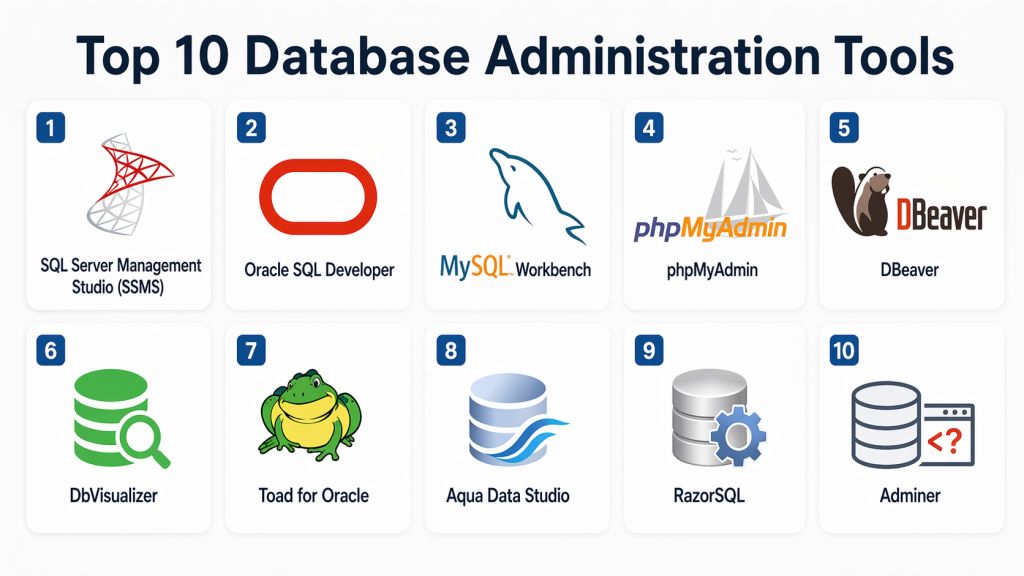
Top 10 Database Administration Tools
#1 — SQL Server Management Studio (SSMS)
Short description: Microsoft’s official tool for managing SQL Server databases with comprehensive administrative capabilities.
Key Features
- Query editor and execution
- Database design tools
- Backup and restore
- Performance monitoring
- Security management
Pros
- Powerful and feature-rich
- Free to use
Cons
- Limited to SQL Server
- Windows-only
Platforms / Deployment
Windows
Security & Compliance
Not publicly stated
Integrations & Ecosystem
- SQL Server
- Azure services
- Microsoft ecosystem
Support & Community
Strong community and documentation.
#2 — Oracle SQL Developer
Short description: Free database tool for managing Oracle databases with strong development and administration features.
Key Features
- SQL worksheet
- Database administration
- Data modeling
- Performance monitoring
- Reporting tools
Pros
- Free and powerful
- Strong Oracle integration
Cons
- Oracle-focused
- UI complexity
Platforms / Deployment
Windows / macOS / Linux
Security & Compliance
Not publicly stated
Integrations & Ecosystem
- Oracle databases
- APIs
- Enterprise systems
Support & Community
Strong documentation and support.
#3 — MySQL Workbench
Short description: Official MySQL tool for database design, development, and administration.
Key Features
- Data modeling
- Query execution
- Server configuration
- Backup and restore
- Performance tuning
Pros
- Native MySQL support
- Easy to use
Cons
- Limited for other databases
- Performance issues with large datasets
Platforms / Deployment
Windows / macOS / Linux
Security & Compliance
Not publicly stated
Integrations & Ecosystem
- MySQL ecosystem
- APIs
- Dev tools
Support & Community
Strong community support.
#4 — phpMyAdmin
Short description: Web-based tool for managing MySQL databases through a browser interface.
Key Features
- Web-based interface
- Query execution
- Database management
- Import/export
- User management
Pros
- Easy to use
- No installation required
Cons
- Limited advanced features
- Security considerations
Platforms / Deployment
Web
Security & Compliance
Not publicly stated
Integrations & Ecosystem
- Web servers
- MySQL databases
Support & Community
Large open-source community.
#5 — DBeaver
Short description: Multi-database administration tool supporting a wide range of database systems.
Key Features
- Multi-database support
- SQL editor
- Data visualization
- ER diagrams
- Plugin support
Pros
- Supports many databases
- Open-source version available
Cons
- UI complexity
- Performance issues at scale
Platforms / Deployment
Windows / macOS / Linux
Security & Compliance
Not publicly stated
Integrations & Ecosystem
- Multiple databases
- APIs
- Plugins
Support & Community
Active community and documentation.
#6 — DbVisualizer
Short description: Database tool offering universal database support and visualization features.
Key Features
- SQL editor
- Data visualization
- Multi-database support
- Query builder
- Export/import tools
Pros
- Easy to use
- Strong visualization
Cons
- Limited free version
- Some advanced features locked
Platforms / Deployment
Windows / macOS / Linux
Security & Compliance
Not publicly stated
Integrations & Ecosystem
- Multiple databases
- APIs
- Developer tools
Support & Community
Good support and documentation.
#7 — Toad for Oracle
Short description: Professional tool for Oracle database administration and development.
Key Features
- SQL optimization
- Performance monitoring
- Automation tools
- Database management
- Reporting
Pros
- Advanced Oracle features
- Strong performance tools
Cons
- Expensive
- Oracle-focused
Platforms / Deployment
Windows
Security & Compliance
Not publicly stated
Integrations & Ecosystem
- Oracle ecosystem
- APIs
- Enterprise tools
Support & Community
Enterprise support.
#8 — Aqua Data Studio
Short description: Multi-database IDE for database administration and development.
Key Features
- SQL editor
- Database visualization
- Multi-platform support
- Query tools
- Data analytics
Pros
- Wide database support
- Powerful features
Cons
- Expensive
- Learning curve
Platforms / Deployment
Windows / macOS / Linux
Security & Compliance
Not publicly stated
Integrations & Ecosystem
- Multiple databases
- APIs
- Dev tools
Support & Community
Commercial support available.
#9 — RazorSQL
Short description: Lightweight database tool for query execution and database management.
Key Features
- SQL editor
- Database browsing
- Query builder
- Data import/export
- Multi-database support
Pros
- Lightweight
- Easy to use
Cons
- Limited advanced features
- UI simplicity
Platforms / Deployment
Windows / macOS / Linux
Security & Compliance
Not publicly stated
Integrations & Ecosystem
- Databases
- APIs
- Developer tools
Support & Community
Good documentation.
#10 — Adminer
Short description: Lightweight web-based database management tool supporting multiple databases.
Key Features
- Single-file deployment
- Database management
- Query execution
- Import/export
- Multi-database support
Pros
- Lightweight
- Easy deployment
Cons
- Limited features
- Basic UI
Platforms / Deployment
Web
Security & Compliance
Not publicly stated
Integrations & Ecosystem
- Web servers
- Databases
Support & Community
Open-source community support.
Comparison Table (Top 10)
| Tool Name | Best For | Platform(s) Supported | Deployment | Standout Feature | Public Rating |
|---|---|---|---|---|---|
| SSMS | SQL Server | Windows | Local | Full SQL Server control | N/A |
| Oracle SQL Developer | Oracle DB | Multi | Local | Oracle integration | N/A |
| MySQL Workbench | MySQL | Multi | Local | Native MySQL tool | N/A |
| phpMyAdmin | Web users | Web | Cloud | Browser-based | N/A |
| DBeaver | Multi-DB | Multi | Local | Multi-database support | N/A |
| DbVisualizer | Visualization | Multi | Local | Data visualization | N/A |
| Toad | Oracle | Windows | Local | Performance tuning | N/A |
| Aqua Data Studio | Enterprise | Multi | Local | Advanced features | N/A |
| RazorSQL | Lightweight | Multi | Local | Simple interface | N/A |
| Adminer | Web DB mgmt | Web | Cloud | Lightweight tool | N/A |
Evaluation & Scoring of Database Administration Tools
| Tool Name | Core (25%) | Ease (15%) | Integrations (15%) | Security (10%) | Performance (10%) | Support (10%) | Value (15%) | Weighted Total |
|---|---|---|---|---|---|---|---|---|
| SSMS | 9 | 8 | 8 | 8 | 9 | 9 | 9 | 8.7 |
| Oracle SQL Dev | 9 | 7 | 8 | 8 | 8 | 8 | 9 | 8.3 |
| MySQL Workbench | 8 | 8 | 7 | 7 | 8 | 8 | 9 | 8.0 |
| phpMyAdmin | 7 | 9 | 7 | 7 | 7 | 7 | 9 | 7.8 |
| DBeaver | 9 | 7 | 9 | 8 | 8 | 8 | 8 | 8.4 |
| DbVisualizer | 8 | 8 | 8 | 7 | 8 | 7 | 8 | 8.0 |
| Toad | 9 | 7 | 8 | 8 | 9 | 8 | 6 | 8.1 |
| Aqua Data Studio | 9 | 7 | 9 | 8 | 9 | 8 | 6 | 8.2 |
| RazorSQL | 7 | 8 | 7 | 7 | 7 | 7 | 8 | 7.5 |
| Adminer | 6 | 9 | 6 | 6 | 7 | 6 | 9 | 7.2 |
How to interpret scores:
These scores provide a comparative overview across usability, features, and value. Higher scores indicate balanced tools, but the best choice depends on your database type and operational needs.
Which Database Administration Tool Is Right for You?
Solo / Freelancer
Adminer or RazorSQL are lightweight and easy to use.
SMB
MySQL Workbench and DBeaver provide flexibility and ease.
Mid-Market
DbVisualizer and Aqua Data Studio offer scalability and features.
Enterprise
SSMS, Toad, and Oracle SQL Developer provide advanced capabilities.
Budget vs Premium
- Budget: Adminer, DBeaver
- Premium: Toad, Aqua
Feature Depth vs Ease of Use
- Easy: phpMyAdmin, MySQL Workbench
- Advanced: Toad, Aqua
Integrations & Scalability
Choose multi-database tools for growth.
Security & Compliance Needs
Enterprise tools provide stronger control and governance.
Frequently Asked Questions (FAQs)
What is a database administration tool?
It helps manage, monitor, and optimize databases.
Why are DBA tools important?
They simplify complex database operations.
Can these tools support multiple databases?
Some tools support multiple database types.
Are they suitable for beginners?
Yes, many tools offer user-friendly interfaces.
Do they support cloud databases?
Yes, many modern tools support cloud environments.
Can they automate tasks?
Yes, many tools support automation.
Are they secure?
Security features vary by tool.
Do they impact performance?
Minimal impact depending on usage.
Can small businesses use them?
Yes, many tools are SMB-friendly.
What are common mistakes?
Ignoring performance tuning and backups.
Conclusion
Database Administration Tools are essential for managing and optimizing modern database environments efficiently. They help simplify complex tasks, improve performance, and ensure data reliability across systems. The right tool depends on your database type, scale, and operational requirements, with some tools focusing on simplicity and others offering advanced enterprise capabilities. Instead of choosing a single “best” option, focus on aligning the tool with your workflow, integrations, and scalability needs. Start by testing a few tools, evaluating their usability and performance features, and ensuring they fit seamlessly into your environment before making a final decision.