Introduction
Computer-Aided Engineering (CAE) simulation software is used to analyze and test product designs using virtual simulations. These tools allow engineers to evaluate performance, stress, thermal behavior, fluid dynamics, and other physical properties without building physical prototypes.
As product development cycles become faster and more complex, CAE tools play a critical role in reducing costs, improving safety, and accelerating innovation. Modern platforms now include AI-assisted simulations, cloud-based processing, and digital twin capabilities to enhance accuracy and scalability.
Common use cases include:
- Structural analysis and stress testing
- Fluid dynamics (CFD) simulations
- Thermal and heat transfer analysis
- Product performance validation
- Automotive, aerospace, and industrial engineering
Key evaluation criteria:
- Simulation accuracy and reliability
- Range of simulation types (FEA, CFD, multiphysics)
- Ease of setup and use
- Performance and scalability
- Integration with CAD tools
- Automation and scripting capabilities
- Visualization and reporting
- Cloud and HPC (high-performance computing) support
- Security and data management
- Pricing and licensing flexibility
Best for: Mechanical engineers, simulation specialists, R&D teams, and manufacturers focused on product validation and optimization.
Not ideal for: Users who only need basic design tools without simulation requirements.
Key Trends in CAE Simulation Software
- AI-assisted simulation setup and optimization
- Cloud-based simulation and HPC scalability
- Integration with digital twin platforms
- Real-time simulation feedback during design
- Automation of repetitive simulation workflows
- Multiphysics simulation capabilities
- Increased GPU acceleration
- Integration with IoT and smart systems
- Subscription-based licensing models
How We Selected These Tools (Methodology)
- Evaluated adoption across engineering industries
- Assessed simulation accuracy and capabilities
- Considered performance and scalability
- Reviewed integration with CAD and PLM systems
- Examined usability and learning curve
- Included tools for SMB to enterprise users
- Analyzed support and community strength
- Prioritized actively maintained platforms
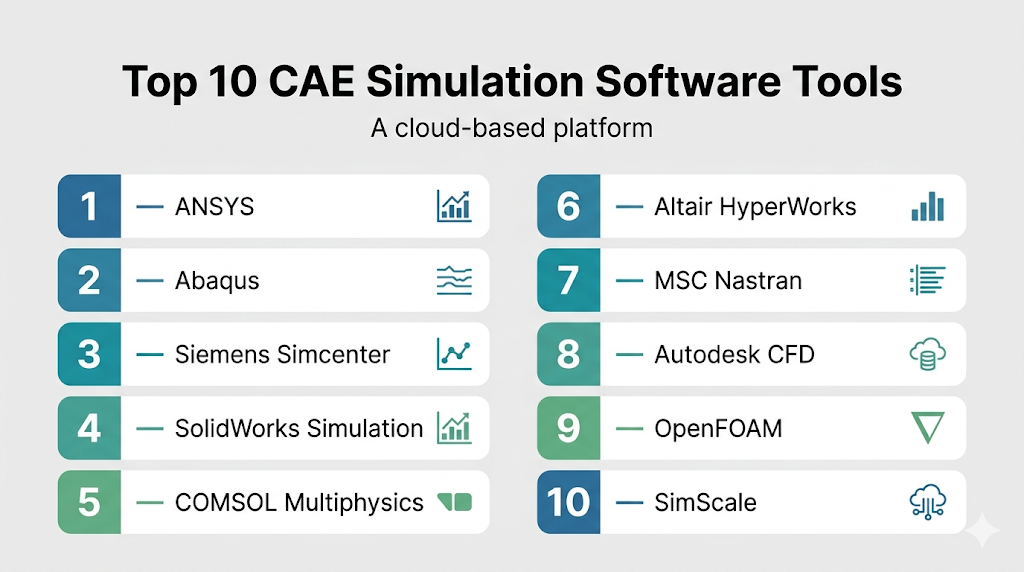
Top 10 CAE Simulation Software Tools
#1 — ANSYS
Short description: A leading CAE platform offering advanced simulation across multiple physics domains.
Key Features
- Multiphysics simulation
- Structural, thermal, and CFD analysis
- High-performance computing support
- Digital twin capabilities
- Advanced visualization
Pros
- Industry-leading accuracy
- Wide range of simulations
Cons
- Expensive
- Complex learning curve
Platforms / Deployment
Windows / Linux
Security & Compliance
Not publicly stated
Integrations & Ecosystem
Deep integration with engineering workflows.
- CAD integration
- APIs
- HPC systems
Support & Community
Extensive documentation and professional support.
#2 — Abaqus
Short description: A powerful simulation tool for finite element analysis used in complex engineering applications.
Key Features
- Advanced FEA capabilities
- Nonlinear analysis
- Material modeling
- Simulation automation
Pros
- Highly accurate
- Suitable for complex problems
Cons
- Steep learning curve
- High cost
Platforms / Deployment
Windows / Linux
Security & Compliance
Not publicly stated
Integrations & Ecosystem
Strong integration in engineering workflows.
- CAD tools
- APIs
Support & Community
Professional engineering community.
#3 — Siemens Simcenter
Short description: An integrated CAE platform for simulation and testing across industries.
Key Features
- Multiphysics simulation
- System simulation
- Data analytics
- Integration with PLM
Pros
- Comprehensive platform
- Scalable
Cons
- Complex
- Expensive
Platforms / Deployment
Windows / Linux
Security & Compliance
Not publicly stated
Integrations & Ecosystem
Enterprise-level integrations.
- PLM systems
- APIs
Support & Community
Strong enterprise support.
#4 — SolidWorks Simulation
Short description: A simulation tool integrated within SolidWorks for design validation.
Key Features
- Structural analysis
- Thermal simulation
- Motion analysis
- Integrated workflow
Pros
- Easy integration
- User-friendly
Cons
- Limited advanced features
- Requires SolidWorks
Platforms / Deployment
Windows
Security & Compliance
Not publicly stated
Integrations & Ecosystem
Works within SolidWorks ecosystem.
- CAD integration
- APIs
Support & Community
Strong user base.
#5 — COMSOL Multiphysics
Short description: A flexible simulation tool for multiphysics modeling and analysis.
Key Features
- Multiphysics simulation
- Custom modeling
- Visualization tools
- Application builder
Pros
- Highly flexible
- Customizable
Cons
- Complex
- Expensive
Platforms / Deployment
Windows / macOS / Linux
Security & Compliance
Not publicly stated
Integrations & Ecosystem
Supports custom workflows.
- APIs
- File compatibility
Support & Community
Active research and engineering community.
#6 — Altair HyperWorks
Short description: A CAE platform focused on simulation, optimization, and data analytics.
Key Features
- Simulation tools
- Optimization algorithms
- Data analytics
- Multiphysics support
Pros
- Strong optimization features
- Scalable
Cons
- Learning curve
- Cost
Platforms / Deployment
Windows / Linux
Security & Compliance
Not publicly stated
Integrations & Ecosystem
Engineering-focused integrations.
- APIs
- CAD tools
Support & Community
Professional support.
#7 — MSC Nastran
Short description: A well-established FEA tool for structural analysis.
Key Features
- Structural simulation
- Linear and nonlinear analysis
- Aerospace applications
- High accuracy
Pros
- Proven reliability
- Industry usage
Cons
- Older interface
- Complex
Platforms / Deployment
Windows / Linux
Security & Compliance
Not publicly stated
Integrations & Ecosystem
Works within engineering workflows.
- APIs
- CAD compatibility
Support & Community
Established community.
#8 — Autodesk CFD
Short description: A simulation tool focused on fluid dynamics and thermal analysis.
Key Features
- CFD simulation
- Thermal analysis
- Visualization tools
- Integration with design tools
Pros
- Easy to use
- Good for CFD
Cons
- Limited multiphysics
- Subscription model
Platforms / Deployment
Windows
Security & Compliance
Not publicly stated
Integrations & Ecosystem
Works with design tools.
- CAD integration
- APIs
Support & Community
Moderate support.
#9 — OpenFOAM
Short description: An open-source CFD tool for advanced simulation and customization.
Key Features
- CFD simulation
- Open-source flexibility
- Custom solvers
- Parallel computing
Pros
- Free
- Highly customizable
Cons
- Requires expertise
- No GUI by default
Platforms / Deployment
Linux / Windows
Security & Compliance
Not publicly stated
Integrations & Ecosystem
Developer-focused ecosystem.
- APIs
- Custom workflows
Support & Community
Active open-source community.
#10 — SimScale
Short description: A cloud-based CAE platform for simulation without heavy hardware requirements.
Key Features
- Cloud simulation
- CFD and FEA
- Collaboration tools
- Scalable computing
Pros
- No local hardware needed
- Easy access
Cons
- Internet dependency
- Limited offline use
Platforms / Deployment
Web / Cloud
Security & Compliance
Not publicly stated
Integrations & Ecosystem
Cloud-based integrations.
- APIs
- CAD imports
Support & Community
Growing user community.
Comparison Table (Top 10)
| Tool Name | Best For | Platform(s) Supported | Deployment | Standout Feature | Public Rating |
|---|---|---|---|---|---|
| ANSYS | Enterprise | Win/Linux | Self-hosted | Multiphysics | N/A |
| Abaqus | Advanced FEA | Win/Linux | Self-hosted | Nonlinear analysis | N/A |
| Simcenter | Enterprise | Win/Linux | Self-hosted | Integrated platform | N/A |
| SolidWorks Simulation | Designers | Windows | Self-hosted | Integration | N/A |
| COMSOL | Research | Win/macOS/Linux | Self-hosted | Custom modeling | N/A |
| HyperWorks | Optimization | Win/Linux | Self-hosted | Analytics | N/A |
| Nastran | Aerospace | Win/Linux | Self-hosted | Structural accuracy | N/A |
| Autodesk CFD | CFD users | Windows | Self-hosted | Fluid simulation | N/A |
| OpenFOAM | Developers | Win/Linux | Self-hosted | Open-source | N/A |
| SimScale | Cloud users | Web | Cloud | Cloud simulation | N/A |
Evaluation & Scoring of CAE Simulation Software
| Tool Name | Core (25%) | Ease (15%) | Integrations (15%) | Security (10%) | Performance (10%) | Support (10%) | Value (15%) | Weighted Total |
|---|---|---|---|---|---|---|---|---|
| ANSYS | 10 | 6 | 9 | 7 | 10 | 9 | 6 | 8.6 |
| Abaqus | 10 | 5 | 8 | 7 | 10 | 8 | 6 | 8.3 |
| Simcenter | 9 | 6 | 9 | 7 | 9 | 9 | 6 | 8.3 |
| SolidWorks Simulation | 8 | 8 | 9 | 6 | 8 | 8 | 7 | 8.0 |
| COMSOL | 9 | 6 | 8 | 7 | 9 | 8 | 6 | 8.0 |
| HyperWorks | 9 | 6 | 8 | 6 | 9 | 8 | 6 | 7.9 |
| Nastran | 9 | 5 | 7 | 6 | 9 | 7 | 6 | 7.6 |
| Autodesk CFD | 8 | 8 | 8 | 6 | 8 | 7 | 7 | 7.8 |
| OpenFOAM | 9 | 4 | 7 | 5 | 9 | 7 | 10 | 7.6 |
| SimScale | 8 | 9 | 8 | 6 | 8 | 7 | 8 | 8.1 |
How to interpret scores:
- Scores are comparative across tools
- Higher totals indicate balanced performance
- Some tools excel in specific simulation domains
- Choose based on your engineering needs
Which CAE Simulation Software Is Right for You?
Solo / Freelancer
SimScale and OpenFOAM are cost-effective options.
SMB
SolidWorks Simulation and Autodesk CFD offer balanced usability.
Mid-Market
COMSOL and HyperWorks provide strong capabilities.
Enterprise
ANSYS, Abaqus, and Simcenter are best for complex simulations.
Budget vs Premium
- Budget: OpenFOAM
- Premium: ANSYS, Abaqus
Feature Depth vs Ease of Use
- Feature depth: ANSYS, Abaqus
- Ease of use: SimScale, SolidWorks Simulation
Integrations & Scalability
- Strong: Simcenter, ANSYS
- Moderate: COMSOL, Autodesk CFD
Security & Compliance Needs
Organizations should evaluate data security and access controls.
Frequently Asked Questions (FAQs)
What is CAE software?
It is used for engineering simulation and analysis.
Is CAE required for product design?
It is highly beneficial for validation and testing.
Are there free CAE tools?
Yes, OpenFOAM is a popular open-source option.
Can I run simulations in the cloud?
Yes, tools like SimScale support cloud simulation.
What industries use CAE?
Automotive, aerospace, manufacturing, and engineering.
How accurate are simulations?
Accuracy depends on setup and input data.
Do I need high-end hardware?
Yes, for complex simulations.
Can I integrate with CAD tools?
Most CAE tools support CAD integration.
How long does simulation take?
It depends on complexity and computing power.
What are common mistakes?
Incorrect boundary conditions and assumptions.
Conclusion
CAE simulation software is essential for modern engineering workflows, enabling virtual testing and optimization before physical production. From open-source tools to enterprise-grade platforms, the available options cater to a wide range of users.