Introduction
Static Code Analysis Tools are software solutions that analyze source code without executing it to detect bugs, security vulnerabilities, code smells, and compliance issues. These tools help developers catch problems early in the development lifecycle, improving code quality and reducing the cost of fixing defects later.
In modern development environments driven by DevOps, CI/CD pipelines, and security-first practices, static analysis has become a critical component of “shift-left” strategies. Teams now rely on these tools not just for linting, but for deep security analysis, regulatory compliance, and automated code quality enforcement. With AI-assisted development increasing code volume, static analysis tools are essential to maintain consistency and reliability.
Real-World Use Cases
- Detecting vulnerabilities and security flaws early
- Enforcing coding standards and best practices
- Identifying bugs and performance issues
- Integrating automated checks into CI/CD pipelines
- Supporting compliance and audit requirements
What Buyers Should Evaluate
- Language and framework support
- Depth of analysis (security, performance, quality)
- Integration with CI/CD and SCM tools
- Ease of configuration and customization
- Reporting and visualization capabilities
- Performance and scalability
- False positive rate
- Deployment model (cloud/self-hosted)
- Compliance and governance features
Best for: Development teams, security engineers, DevOps professionals, and enterprises focused on improving code quality and security.
Not ideal for: Very small projects or teams that do not require formal code quality or security checks.
Key Trends in Static Code Analysis Tools
- AI-driven analysis reducing false positives
- Integration with DevSecOps pipelines
- Real-time feedback within IDEs
- Expansion of security-focused scanning
- Policy-as-code for compliance automation
- Cloud-native analysis platforms
- Support for multi-language and polyglot environments
- Automation of code quality enforcement
- Continuous monitoring of code health
- Integration with developer workflows
How We Selected These Tools (Methodology)
- Strong adoption across industries
- Comprehensive code analysis capabilities
- Integration with modern development workflows
- Proven reliability and scalability
- Security and compliance features
- Multi-language support
- Active community or enterprise backing
- Balance between open-source and enterprise tools
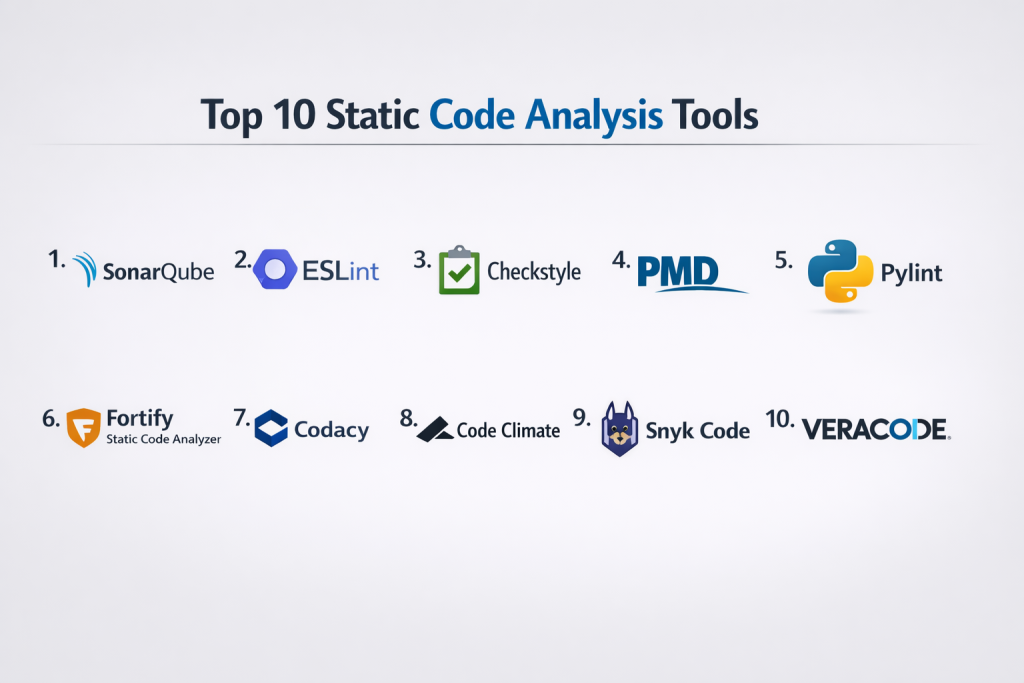
Top 10 Static Code Analysis Tools
#1 — SonarQube
Short description: A leading platform for continuous code quality and security analysis across multiple languages.
Key Features
- Static code analysis for bugs and vulnerabilities
- Code quality metrics and dashboards
- Multi-language support
- CI/CD integration
- Code smell detection
Pros
- Comprehensive analysis capabilities
- Strong reporting and visualization
Cons
- Setup complexity
- Requires tuning to reduce false positives
Platforms / Deployment
Web / Linux
Cloud / Self-hosted
Security & Compliance
Security scanning features
Not publicly stated
Integrations & Ecosystem
- Jenkins
- GitHub
- GitLab
- CI/CD tools
Support & Community
Strong enterprise and community support.
#2 — ESLint
Short description: A popular JavaScript linting tool used for enforcing coding standards and detecting issues.
Key Features
- Customizable linting rules
- Plugin ecosystem
- Real-time feedback
- Integration with editors
- Automatic fixes
Pros
- Highly customizable
- Widely adopted
Cons
- Limited to JavaScript ecosystem
- Requires configuration
Platforms / Deployment
Windows / macOS / Linux
Local / CI integration
Security & Compliance
Not publicly stated
Integrations & Ecosystem
- VS Code
- Node.js
- Build tools
Support & Community
Large open-source community.
#3 — Checkstyle
Short description: A tool focused on enforcing coding standards in Java projects.
Key Features
- Code style enforcement
- Custom rules
- Integration with build tools
- Reporting capabilities
- Plugin support
Pros
- Strong Java support
- Easy integration
Cons
- Limited beyond Java
- Basic UI
Platforms / Deployment
Windows / macOS / Linux
Local / CI integration
Security & Compliance
Not publicly stated
Integrations & Ecosystem
- Maven
- Gradle
- IDE plugins
Support & Community
Active community.
#4 — PMD
Short description: A static analysis tool that detects common programming flaws in multiple languages.
Key Features
- Bug detection
- Code smell identification
- Rule customization
- Multi-language support
- Integration with CI/CD
Pros
- Flexible and extensible
- Good for code quality
Cons
- Limited security analysis
- Requires tuning
Platforms / Deployment
Windows / macOS / Linux
Local / CI integration
Security & Compliance
Not publicly stated
Integrations & Ecosystem
- Maven
- Jenkins
- IDEs
Support & Community
Open-source community support.
#5 — Pylint
Short description: A Python-focused static analysis tool for detecting errors and enforcing coding standards.
Key Features
- Code quality checks
- Error detection
- Style enforcement
- Plugin support
- Integration with editors
Pros
- Strong Python support
- Detailed reports
Cons
- Can be strict
- Configuration required
Platforms / Deployment
Windows / macOS / Linux
Local / CI integration
Security & Compliance
Not publicly stated
Integrations & Ecosystem
- Python IDEs
- CI/CD tools
Support & Community
Active Python community.
#6 — Fortify Static Code Analyzer
Short description: An enterprise-grade security-focused static analysis tool.
Key Features
- Deep security analysis
- Vulnerability detection
- Compliance reporting
- Multi-language support
- Integration with DevOps tools
Pros
- Strong security capabilities
- Enterprise-grade features
Cons
- Expensive
- Complex setup
Platforms / Deployment
Windows / Linux
Cloud / Self-hosted
Security & Compliance
Security scanning and compliance features
Not publicly stated
Integrations & Ecosystem
- CI/CD tools
- Security platforms
Support & Community
Enterprise support.
#7 — Codacy
Short description: A cloud-based code quality platform with automated analysis features.
Key Features
- Automated code reviews
- Multi-language support
- Security checks
- Code coverage tracking
- CI/CD integration
Pros
- Easy to use
- Cloud-based
Cons
- Limited customization
- Paid features
Platforms / Deployment
Web
Cloud
Security & Compliance
Not publicly stated
Integrations & Ecosystem
- GitHub
- GitLab
- Bitbucket
Support & Community
Good documentation.
#8 — Code Climate
Short description: A platform focused on maintainability and code quality insights.
Key Features
- Code quality analysis
- Maintainability metrics
- Automated checks
- Test coverage
- CI integration
Pros
- Strong analytics
- Easy integration
Cons
- Limited security focus
- Subscription cost
Platforms / Deployment
Web
Cloud
Security & Compliance
Not publicly stated
Integrations & Ecosystem
- CI/CD tools
- Git platforms
Support & Community
Reliable support.
#9 — Snyk Code
Short description: A developer-first security analysis tool focusing on vulnerability detection.
Key Features
- Security scanning
- AI-powered analysis
- Real-time feedback
- Integration with IDEs
- CI/CD integration
Pros
- Strong security focus
- Developer-friendly
Cons
- Limited general code quality features
- Paid plans
Platforms / Deployment
Web / IDE plugins
Cloud
Security & Compliance
Security scanning capabilities
Not publicly stated
Integrations & Ecosystem
- Git platforms
- CI/CD tools
- IDEs
Support & Community
Strong developer support.
#10 — Veracode
Short description: An enterprise-grade application security testing platform.
Key Features
- Static analysis for vulnerabilities
- Compliance reporting
- Risk management
- Multi-language support
- DevSecOps integration
Pros
- Strong security capabilities
- Enterprise-grade
Cons
- Expensive
- Complex onboarding
Platforms / Deployment
Web
Cloud
Security & Compliance
Security and compliance features
Not publicly stated
Integrations & Ecosystem
- DevOps tools
- CI/CD pipelines
Support & Community
Enterprise support available.
Comparison Table (Top 10)
| Tool Name | Best For | Platform(s) Supported | Deployment | Standout Feature | Public Rating |
|---|---|---|---|---|---|
| SonarQube | All teams | Web/Linux | Hybrid | Code quality dashboards | N/A |
| ESLint | JS devs | Multi-OS | Local/CI | Custom rules | N/A |
| Checkstyle | Java devs | Multi-OS | Local/CI | Style enforcement | N/A |
| PMD | Multi-language | Multi-OS | Local/CI | Code smells | N/A |
| Pylint | Python devs | Multi-OS | Local/CI | Python analysis | N/A |
| Fortify | Enterprises | Multi-OS | Hybrid | Security scanning | N/A |
| Codacy | SMB teams | Web | Cloud | Automation | N/A |
| Code Climate | Analytics | Web | Cloud | Insights | N/A |
| Snyk Code | Security | Web | Cloud | AI scanning | N/A |
| Veracode | Enterprise security | Web | Cloud | Compliance | N/A |
Evaluation & Scoring of Static Code Analysis Tools
| Tool Name | Core | Ease | Integrations | Security | Performance | Support | Value | Weighted Total |
|---|---|---|---|---|---|---|---|---|
| SonarQube | 10 | 8 | 9 | 9 | 9 | 9 | 8 | 9.1 |
| ESLint | 8 | 8 | 8 | 6 | 9 | 9 | 10 | 8.4 |
| Checkstyle | 7 | 8 | 7 | 6 | 8 | 8 | 9 | 7.8 |
| PMD | 8 | 7 | 7 | 6 | 8 | 7 | 9 | 7.9 |
| Pylint | 8 | 7 | 7 | 6 | 8 | 8 | 9 | 8.0 |
| Fortify | 9 | 6 | 8 | 10 | 9 | 8 | 6 | 8.5 |
| Codacy | 8 | 8 | 8 | 7 | 8 | 8 | 8 | 8.1 |
| Code Climate | 8 | 8 | 8 | 7 | 8 | 8 | 8 | 8.0 |
| Snyk Code | 8 | 8 | 8 | 9 | 8 | 8 | 7 | 8.2 |
| Veracode | 9 | 7 | 8 | 10 | 9 | 8 | 6 | 8.6 |
How to interpret scores:
These scores provide a comparative view of each tool’s strengths. Higher scores indicate a strong balance across capabilities, but the best tool depends on your needs. Security-focused tools may score higher in compliance but lower in ease of use, while lightweight tools may excel in value and simplicity.
Which Static Code Analysis Tools Tool Is Right for You?
Solo / Freelancer
ESLint, Pylint, and PMD are lightweight and easy to use.
SMB
Codacy and Code Climate offer automation and ease of deployment.
Mid-Market
SonarQube provides scalability and deep analysis.
Enterprise
Fortify and Veracode offer strong security and compliance.
Budget vs Premium
- Budget: ESLint, PMD
- Premium: Fortify, Veracode
Feature Depth vs Ease of Use
- Feature-rich: SonarQube
- Easy-to-use: ESLint
Integrations & Scalability
- Best integrations: SonarQube
- Scalable: Fortify
Security & Compliance Needs
- Strong security: Veracode, Fortify
- Moderate: Codacy
Frequently Asked Questions (FAQs)
What is static code analysis?
It is the process of analyzing code without executing it to find issues.
Why is static analysis important?
It helps detect bugs and vulnerabilities early.
Are these tools language-specific?
Some are, while others support multiple languages.
Do static analysis tools replace code reviews?
No, they complement manual reviews.
Are these tools free?
Some are open-source; others are paid.
Can they detect security issues?
Yes, especially enterprise tools.
Do they integrate with CI/CD?
Most modern tools do.
Are they difficult to set up?
Some require configuration, especially enterprise tools.
What is the best tool overall?
Depends on your needs—SonarQube is widely used.
Can small teams benefit from them?
Yes, even small teams can improve code quality.
Conclusion
Static Code Analysis Tools play a vital role in modern software development by ensuring code quality, security, and maintainability from the earliest stages. Whether you choose lightweight tools like ESLint for quick feedback or enterprise platforms like Fortify and Veracode for deep security analysis, the right tool depends on your project complexity and team requirements. These tools not only reduce bugs and vulnerabilities but also help maintain consistent coding standards across teams. To get the most value, shortlist a few tools, integrate them into your CI/CD pipeline, and evaluate their effectiveness in real-world scenarios before making a final decision.