Introduction
Mail Merge Tools help organizations automate the creation and distribution of personalized emails, letters, invoices, labels, contracts, certificates, and marketing communications at scale. These platforms combine templates with structured data sources to generate customized communications efficiently while reducing manual work and improving consistency.
Modern mail merge platforms are widely used across sales, marketing, HR, education, legal, healthcare, finance, and customer support environments. As businesses increasingly prioritize personalization, workflow automation, and scalable communications, mail merge tools now include AI-powered content personalization, CRM integrations, analytics tracking, document automation, approval workflows, cloud collaboration, and multi-channel delivery support.
Real-world use cases include:
- Personalized email campaigns
- Bulk invoice and statement generation
- HR onboarding communications
- Contract and proposal automation
- Educational certificates and notices
Buyers should evaluate:
- Template customization capabilities
- Data source integrations
- Email and document automation support
- Personalization flexibility
- Workflow automation features
- Security and compliance controls
- Scalability for large campaigns
- Reporting and analytics functionality
- Ease of use and onboarding
- Multi-channel communication support
Best for: marketing teams, HR departments, sales teams, educational institutions, enterprises, legal firms, financial organizations, and businesses managing high-volume personalized communications.
Not ideal for: organizations with minimal communication automation needs or businesses sending only small volumes of standardized messages.
Key Trends in Mail Merge Tools
- AI-powered personalization is becoming more advanced.
- Cloud-based collaboration workflows are expanding rapidly.
- CRM and marketing automation integrations are improving.
- Multi-channel communication automation is increasing.
- Document automation and e-signature support are growing.
- Real-time analytics and delivery tracking are becoming standard.
- Workflow approvals and governance controls are evolving.
- API-driven automation is expanding across enterprise environments.
- Compliance-focused email and document workflows are increasing.
- Hybrid document and communication workflows are becoming more common.
How We Selected These Tools
The platforms in this list were selected based on personalization capabilities, automation depth, integrations, usability, and operational scalability.
- Market adoption and vendor reputation
- Mail merge and personalization functionality
- Integration ecosystem maturity
- Workflow automation capabilities
- Security and compliance readiness
- Reporting and analytics functionality
- Scalability across enterprise operations
- Ease of deployment and onboarding
- Multi-channel communication support
- Vendor support and platform reliability
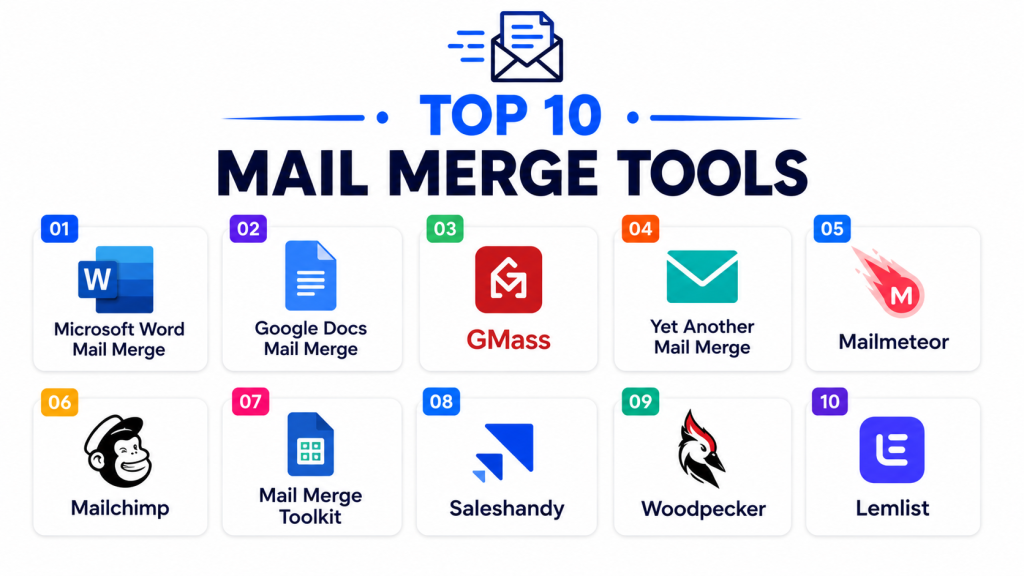
Top 10 Mail Merge Tools
#1 — Microsoft Word Mail Merge
Short description: Microsoft Word Mail Merge is one of the most widely used mail merge solutions for generating personalized documents, letters, labels, and emails using Microsoft Office data sources.
Key Features
- Document mail merge automation
- Label and envelope generation
- Excel and Outlook integration
- Personalized email workflows
- Bulk document generation
- Template customization
- Multi-format export support
Pros
- Familiar Microsoft Office environment
- Strong document formatting support
- Easy for general business users
Cons
- Limited advanced workflow automation
- Enterprise analytics are minimal
- Large-scale campaigns may require additional tools
Platforms / Deployment
- Windows / macOS / Web
- Cloud / Desktop
Security & Compliance
Supports encryption, MFA, RBAC, Microsoft security controls, and governance administration.
Integrations & Ecosystem
Microsoft Word integrates deeply into Microsoft productivity ecosystems.
- Excel
- Outlook
- SharePoint
- Microsoft 365
- OneDrive
- APIs
Support & Community
Large global user community and extensive documentation resources.
#2 — GMass
Short description: GMass is a Gmail-based mail merge and email automation platform designed for sales outreach, marketing campaigns, and personalized email workflows.
Key Features
- Gmail mail merge automation
- Personalized email campaigns
- Automated follow-ups
- Campaign analytics
- Spreadsheet integration
- Scheduling workflows
- Email tracking
Pros
- Strong Gmail integration
- Easy campaign setup
- Good email automation flexibility
Cons
- Best suited for Google environments
- Limited broader document automation
- Enterprise governance features are lighter
Platforms / Deployment
- Web / Chrome Extension
- Cloud
Security & Compliance
Supports encryption, Google authentication controls, and governance administration workflows.
Integrations & Ecosystem
GMass integrates with Google productivity and sales workflows.
- Gmail
- Google Sheets
- CRM systems
- Sales platforms
- Analytics tools
- APIs
Support & Community
Strong onboarding guidance and active email marketing community.
#3 — Mailchimp Mail Merge
Short description: Mailchimp provides mail merge and email personalization capabilities designed for marketing campaigns, customer communications, and audience engagement workflows.
Key Features
- Email personalization
- Audience segmentation
- Automated campaign workflows
- Template management
- Delivery analytics
- CRM integrations
- Marketing automation
Pros
- Strong marketing ecosystem
- Good analytics and reporting
- Easy campaign management
Cons
- Primarily marketing-focused
- Advanced automation may increase pricing
- Less document-oriented than dedicated merge platforms
Platforms / Deployment
- Web
- Cloud
Security & Compliance
Supports MFA, encryption, RBAC, audit controls, and governance administration.
Integrations & Ecosystem
Mailchimp integrates with marketing and business productivity environments.
- Shopify
- Salesforce
- HubSpot
- Google Analytics
- CRM platforms
- APIs
Support & Community
Large marketing ecosystem and broad training resources.
#4 — Yet Another Mail Merge
Short description: Yet Another Mail Merge is a Google Workspace mail merge tool focused on personalized Gmail campaigns and spreadsheet-driven communication workflows.
Key Features
- Gmail-based mail merge
- Spreadsheet integration
- Email personalization
- Delivery tracking
- Scheduling workflows
- Campaign analytics
- Bulk email automation
Pros
- Simple Google Workspace usability
- Easy spreadsheet workflows
- Good SMB affordability
Cons
- Limited enterprise workflow depth
- Smaller analytics ecosystem
- Less suited for document-heavy workflows
Platforms / Deployment
- Web / Google Workspace
- Cloud
Security & Compliance
Supports Google authentication, encryption, and governance controls.
Integrations & Ecosystem
YAMM integrates with Google productivity environments.
- Gmail
- Google Sheets
- Google Drive
- CRM tools
- Analytics platforms
- APIs
Support & Community
Good onboarding support and accessible documentation.
#5 — DocuPilot
Short description: DocuPilot is a document automation and mail merge platform focused on generating personalized PDFs, contracts, invoices, and reports.
Key Features
- Document generation automation
- PDF personalization
- Workflow automation
- API integrations
- Bulk document generation
- Template management
- Cloud document delivery
Pros
- Strong document automation capabilities
- Good API flexibility
- Efficient bulk document workflows
Cons
- Requires setup for advanced workflows
- Smaller ecosystem than enterprise vendors
- Limited broader marketing automation support
Platforms / Deployment
- Web / APIs
- Cloud
Security & Compliance
Supports encryption, RBAC, audit logging, and governance administration controls.
Integrations & Ecosystem
DocuPilot integrates with workflow and business productivity environments.
- Zapier
- CRM systems
- ERP platforms
- Cloud storage systems
- Workflow automation tools
- APIs
Support & Community
Strong developer onboarding and workflow guidance.
#6 — Salesforce Mail Merge
Short description: Salesforce Mail Merge capabilities help organizations generate personalized customer communications directly from CRM workflows and sales operations.
Key Features
- CRM-based personalization
- Sales communication automation
- Template workflows
- Customer segmentation
- Workflow approvals
- Analytics dashboards
- Multi-channel communications
Pros
- Deep CRM integration
- Strong enterprise scalability
- Excellent customer workflow support
Cons
- Salesforce ecosystem dependency
- Enterprise pricing complexity
- Requires administrative configuration
Platforms / Deployment
- Web / Mobile
- Cloud
Security & Compliance
Supports MFA, SSO, encryption, RBAC, audit logging, and governance administration.
Integrations & Ecosystem
Salesforce integrates deeply into enterprise business ecosystems.
- Marketing automation platforms
- CRM workflows
- ERP systems
- Analytics tools
- Customer support systems
- APIs
Support & Community
Large enterprise ecosystem and strong implementation support.
#7 — Mailsuite
Short description: Mailsuite is a Gmail productivity and mail merge platform focused on email tracking, personalized outreach, and communication automation.
Key Features
- Gmail mail merge
- Email tracking
- Automated follow-ups
- Personalized outreach
- Campaign scheduling
- Analytics reporting
- Workflow automation
Pros
- Strong Gmail productivity support
- Easy onboarding experience
- Good outreach automation workflows
Cons
- Limited advanced enterprise governance
- Primarily email-focused functionality
- Less document automation support
Platforms / Deployment
- Web / Chrome Extension
- Cloud
Security & Compliance
Supports encryption, MFA, and Google authentication controls.
Integrations & Ecosystem
Mailsuite integrates with Gmail and productivity ecosystems.
- Gmail
- Google Workspace
- CRM systems
- Analytics platforms
- Workflow tools
- APIs
Support & Community
Good onboarding guidance and responsive support.
#8 — Formstack Documents
Short description: Formstack Documents is a document automation and mail merge platform designed for generating personalized business documents and workflow automation.
Key Features
- Automated document generation
- Personalized templates
- Workflow approvals
- Data-driven document creation
- E-signature support
- Cloud delivery workflows
- API integrations
Pros
- Strong document workflow support
- Good enterprise automation capabilities
- Broad integration ecosystem
Cons
- Premium enterprise pricing
- Advanced setup may require planning
- Learning curve for complex workflows
Platforms / Deployment
- Web
- Cloud
Security & Compliance
Supports encryption, MFA, RBAC, audit logging, and governance administration controls.
Integrations & Ecosystem
Formstack integrates with enterprise workflow and productivity systems.
- Salesforce
- HubSpot
- Microsoft 365
- Google Workspace
- E-signature platforms
- APIs
Support & Community
Strong enterprise onboarding and automation support.
#9 — Zoho Writer Mail Merge
Short description: Zoho Writer Mail Merge helps organizations automate personalized documents, emails, labels, and communication workflows within the Zoho ecosystem.
Key Features
- Personalized document generation
- CRM-based mail merge
- Email automation
- Template workflows
- Bulk document creation
- Cloud collaboration
- Workflow approvals
Pros
- Strong Zoho ecosystem integration
- Affordable SMB pricing
- Good business workflow support
Cons
- Best suited for Zoho environments
- Limited advanced enterprise governance
- Smaller ecosystem than Microsoft or Salesforce
Platforms / Deployment
- Web / Mobile
- Cloud
Security & Compliance
Supports MFA, encryption, RBAC, audit controls, and governance administration.
Integrations & Ecosystem
Zoho Writer integrates with Zoho productivity and CRM systems.
- Zoho CRM
- Zoho Mail
- Zoho Docs
- Cloud storage platforms
- Business workflows
- APIs
Support & Community
Good SMB-focused onboarding and support ecosystem.
#10 — PDFMonkey
Short description: PDFMonkey is an API-first document generation platform focused on personalized PDFs, mail merge automation, and developer-driven workflows.
Key Features
- PDF mail merge automation
- API-driven document generation
- Template personalization
- Bulk PDF workflows
- Cloud document delivery
- Workflow automation
- Scalable document infrastructure
Pros
- Strong API flexibility
- Good developer workflow support
- Scalable cloud document generation
Cons
- Requires technical setup expertise
- Limited non-technical usability
- Smaller ecosystem than major enterprise vendors
Platforms / Deployment
- Web / APIs
- Cloud
Security & Compliance
Supports encryption, RBAC, audit logging, and governance administration controls.
Integrations & Ecosystem
PDFMonkey integrates with workflow automation and business systems.
- CRM systems
- ERP environments
- Cloud platforms
- Workflow tools
- Developer environments
- APIs
Support & Community
Strong API documentation and developer support resources.
Comparison Table
| Tool Name | Best For | Platforms Supported | Deployment | Standout Feature | Public Rating |
|---|---|---|---|---|---|
| Microsoft Word Mail Merge | General document personalization | Windows, macOS, Web | Cloud / Desktop | Native Office workflows | N/A |
| GMass | Gmail outreach automation | Web, Chrome Extension | Cloud | Gmail campaign automation | N/A |
| Mailchimp Mail Merge | Marketing communications | Web | Cloud | Audience segmentation | N/A |
| Yet Another Mail Merge | Google Workspace campaigns | Web | Cloud | Spreadsheet-driven workflows | N/A |
| DocuPilot | Automated document generation | Web, APIs | Cloud | PDF automation workflows | N/A |
| Salesforce Mail Merge | CRM-driven communications | Web, Mobile | Cloud | Deep CRM integration | N/A |
| Mailsuite | Gmail productivity automation | Web, Chrome Extension | Cloud | Email tracking workflows | N/A |
| Formstack Documents | Enterprise document automation | Web | Cloud | Workflow approvals | N/A |
| Zoho Writer Mail Merge | SMB business automation | Web, Mobile | Cloud | Zoho ecosystem integration | N/A |
| PDFMonkey | API-driven PDF generation | Web, APIs | Cloud | Developer-first automation | N/A |
Evaluation & Scoring of Mail Merge Tools
| Tool Name | Core 25% | Ease 15% | Integrations 15% | Security 10% | Performance 10% | Support 10% | Value 15% | Weighted Total |
|---|---|---|---|---|---|---|---|---|
| Microsoft Word Mail Merge | 8.5 | 9.0 | 8.5 | 8.5 | 8.0 | 8.5 | 8.5 | 8.5 |
| GMass | 8.5 | 9.0 | 8.0 | 8.0 | 8.0 | 8.0 | 8.5 | 8.3 |
| Mailchimp Mail Merge | 8.5 | 8.5 | 9.0 | 8.0 | 8.5 | 8.5 | 7.5 | 8.4 |
| Yet Another Mail Merge | 8.0 | 9.0 | 7.5 | 8.0 | 8.0 | 8.0 | 8.5 | 8.1 |
| DocuPilot | 8.5 | 7.5 | 8.5 | 8.5 | 8.5 | 8.0 | 8.0 | 8.2 |
| Salesforce Mail Merge | 9.0 | 7.5 | 9.5 | 9.0 | 8.5 | 8.5 | 7.0 | 8.5 |
| Mailsuite | 8.0 | 8.5 | 7.5 | 8.0 | 8.0 | 8.0 | 8.5 | 8.0 |
| Formstack Documents | 9.0 | 7.5 | 8.5 | 8.5 | 8.5 | 8.5 | 7.5 | 8.4 |
| Zoho Writer Mail Merge | 8.0 | 8.5 | 8.0 | 8.0 | 8.0 | 8.0 | 8.5 | 8.1 |
| PDFMonkey | 8.5 | 7.0 | 8.5 | 8.5 | 8.5 | 8.0 | 7.5 | 8.1 |
These scores are comparative and intended to help organizations evaluate mail merge platforms based on operational priorities. Enterprise-focused solutions generally score higher in integrations, automation, and governance, while lightweight cloud-based tools often perform strongly in usability and affordability. Organizations should align tool selection with personalization needs, workflow complexity, and communication scale.
Which Mail Merge Tool Is Right for You?
Solo / Freelancer
Freelancers and small businesses often prioritize simplicity and affordability. Yet Another Mail Merge, GMass, and Zoho Writer Mail Merge are practical lightweight choices.
SMB
Small and medium businesses usually require email personalization, automation, and cloud collaboration. Mailchimp, GMass, and Formstack Documents are strong SMB-friendly options.
Mid-Market
Mid-market organizations typically need scalable workflows, CRM integrations, and document automation. Salesforce Mail Merge, DocuPilot, and Formstack Documents are strong choices.
Enterprise
Large enterprises generally prioritize governance, workflow orchestration, integrations, and scalability. Salesforce Mail Merge and Formstack Documents are strong enterprise-focused solutions.
Budget vs Premium
Budget-conscious organizations may prefer Yet Another Mail Merge or Zoho Writer Mail Merge, while enterprises requiring advanced CRM workflows and automation may benefit more from Salesforce or Formstack.
Feature Depth vs Ease of Use
Microsoft Word Mail Merge and GMass emphasize usability and accessibility, while Salesforce Mail Merge and PDFMonkey provide deeper workflow automation and integration capabilities.
Integrations & Scalability
Salesforce Mail Merge and Formstack integrate strongly into enterprise ecosystems, while Mailchimp focuses heavily on marketing communication workflows.
Security & Compliance Needs
Organizations with stronger governance requirements should prioritize Salesforce Mail Merge, Formstack Documents, and Microsoft-based workflows because of their stronger enterprise controls and audit capabilities.
Frequently Asked Questions FAQs
1. What are Mail Merge Tools?
Mail Merge Tools automate the creation of personalized emails, documents, labels, letters, and communications using structured data sources and templates.
2. Why are mail merge platforms important?
These systems reduce manual communication work, improve personalization, increase operational efficiency, and streamline high-volume messaging workflows.
3. How do mail merge tools work?
Most platforms combine templates with spreadsheets, CRM records, databases, or structured data sources to generate personalized communications automatically.
4. Are these tools suitable for marketing workflows?
Yes. Many mail merge tools are widely used for personalized marketing emails, customer outreach, and campaign automation workflows.
5. What features should buyers prioritize?
Organizations should evaluate personalization flexibility, workflow automation, integrations, analytics, document support, and scalability.
6. Why are integrations important in mail merge systems?
Integrations connect mail merge workflows with CRM systems, marketing platforms, ERP tools, document repositories, and productivity environments.
7. Are AI capabilities becoming important in this category?
Yes. AI-powered personalization, content optimization, automated segmentation, and workflow automation are becoming increasingly valuable capabilities.
8. What are common implementation mistakes?
Common mistakes include poor data quality management, inconsistent personalization logic, weak template governance, and insufficient testing before campaign deployment.
9. Can these tools improve operational efficiency?
Yes. Mail merge platforms automate repetitive communication workflows, reduce manual errors, improve consistency, and support scalable personalization.
10. How long does implementation usually take?
Cloud-based mail merge platforms can often be deployed quickly, while enterprise document automation environments may require broader workflow and integration planning.
Conclusion
Mail Merge Tools have become essential communication automation platforms for organizations seeking scalable personalization, workflow efficiency, and automated document generation. The right solution depends on operational priorities such as communication scale, CRM integration requirements, workflow complexity, governance needs, and automation goals. Microsoft Word Mail Merge remains one of the most accessible and widely adopted options because of its familiarity and Office ecosystem integration, while Salesforce Mail Merge and Formstack Documents provide deeper enterprise workflow orchestration and automation capabilities. Organizations focused on Gmail productivity may benefit from GMass or Yet Another Mail Merge, while developer-focused businesses may prefer DocuPilot or PDFMonkey for API-driven document generation. Rather than selecting platforms solely based on email personalization features, organizations should evaluate long-term communication strategies, data quality workflows, automation requirements, and integration scalability. A practical next step is to shortlist a few platforms, run pilot communication workflows with selected departments, validate personalization and reporting capabilities, and measure operational efficiency improvements before broader deployment.