Introduction
Bookmark Managers help users save, organize, search, sync, and manage web links, articles, videos, documents, and online resources across devices. Unlike traditional browser bookmarks that become cluttered over time, modern Bookmark Managers provide tagging systems, collections, AI-powered organization, collaboration tools, offline reading, and advanced search capabilities for efficient information management.
As digital workflows become more research-driven and content-heavy, Bookmark Managers are increasingly important for developers, marketers, students, researchers, designers, founders, and enterprise teams managing large volumes of online resources. Many platforms now combine bookmarking with knowledge management, read-later functionality, team collaboration, and productivity integrations to create centralized information hubs.
Real-world use cases include:
- Organizing research materials and references
- Saving articles for offline reading
- Managing project resources and documentation
- Building collaborative link libraries for teams
- Creating personal knowledge management systems
Evaluation Criteria for Buyers:
- Bookmark organization and tagging
- Search and filtering quality
- Cross-device synchronization
- Offline reading support
- Collaboration and sharing features
- Browser extension quality
- AI-powered organization capabilities
- Privacy and security controls
- Integration ecosystem
- Scalability and pricing flexibility
Best for: researchers, students, marketers, developers, designers, writers, startup teams, educators, and knowledge workers managing large collections of digital resources.
Not ideal for: users who only save a few links occasionally or individuals satisfied with basic browser bookmarking systems.
Key Trends in Bookmark Managers
- AI-powered categorization and tagging are becoming increasingly common.
- Bookmark Managers are evolving into broader knowledge management platforms.
- Offline reading and distraction-free viewing experiences are improving significantly.
- Browser extension ecosystems are becoming major competitive differentiators.
- Collaboration and shared bookmarking libraries are expanding for remote teams.
- Privacy-focused and self-hosted bookmark solutions are gaining popularity.
- Cross-device synchronization is now considered a standard feature.
- Integration with note-taking and PKM platforms continues expanding rapidly.
- Visual bookmarking and multimedia organization are becoming more advanced.
- Search capabilities powered by OCR and AI indexing are improving resource discovery.
How We Selected These Tools Methodology
The tools in this list were selected based on usability, feature depth, synchronization reliability, and ecosystem maturity.
- Strong adoption and user trust
- Reliable synchronization across platforms
- Quality of tagging and organization systems
- Browser extension performance
- Offline and mobile usability
- Collaboration and sharing capabilities
- Integration ecosystem and extensibility
- Security and privacy considerations
- Flexibility for solo and team workflows
- Long-term platform reliability and innovation
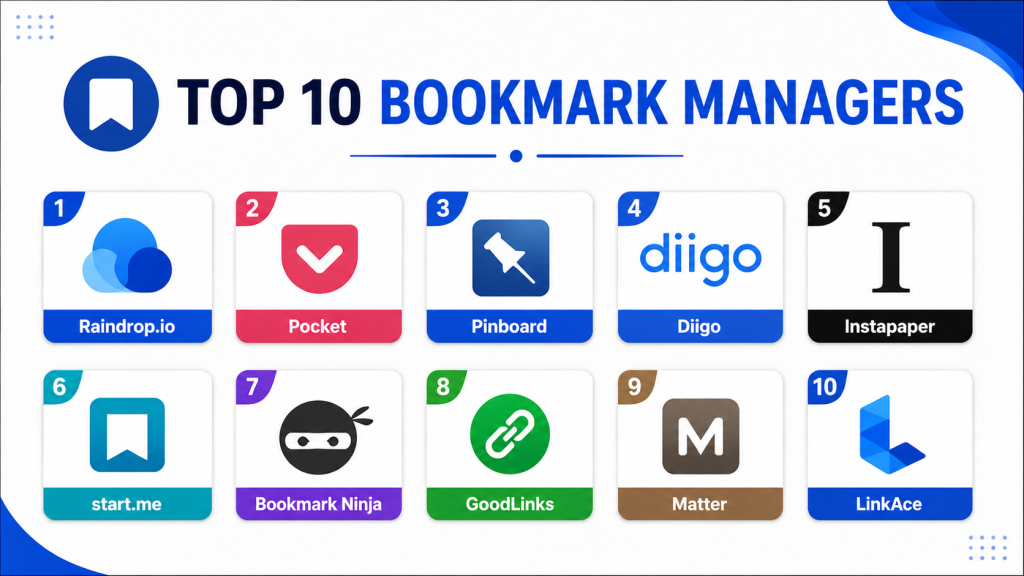
Top 10 Bookmark Managers
#1 — Raindrop.io
Short description: Raindrop.io is one of the most feature-rich Bookmark Managers available today, offering advanced organization, visual collections, collaboration, and cross-device synchronization. It is widely used by researchers, designers, marketers, and productivity-focused professionals managing large digital libraries.
Key Features
- Visual bookmark collections
- Advanced tagging systems
- Full-text search
- Cross-device synchronization
- Web clipping support
- Team collaboration
- Multimedia bookmark previews
Pros
- Excellent visual organization
- Strong cross-platform support
- Powerful search and tagging
Cons
- Premium plan required for some advanced features
- Can feel feature-heavy for casual users
- Offline capabilities vary by workflow
Platforms / Deployment
- Web / Windows / macOS / Linux / iOS / Android
- Cloud
Security & Compliance
Encryption supported. Additional certifications not publicly stated.
Integrations & Ecosystem
Raindrop.io integrates with productivity and workflow ecosystems for research and knowledge management.
- Browser extensions
- Zapier
- Dropbox
- Google Drive
- APIs
- Note-taking platforms
Support & Community
Large productivity-focused community with strong documentation and regular updates.
#2 — Pocket
Short description: Pocket is a popular read-later and bookmarking platform focused on saving articles, videos, and web content for distraction-free consumption. It is widely used by readers, students, and professionals who want simple and reliable offline access.
Key Features
- Save-for-later workflows
- Offline reading
- Personalized recommendations
- Text-to-speech support
- Cross-device synchronization
- Browser extensions
- Tagging and organization
Pros
- Extremely easy to use
- Excellent mobile experience
- Strong offline functionality
Cons
- Limited advanced organization
- Fewer collaboration features
- Basic automation compared to competitors
Platforms / Deployment
- Web / Windows / macOS / iOS / Android
- Cloud
Security & Compliance
Not publicly stated.
Integrations & Ecosystem
Pocket works well within productivity and reading ecosystems.
- Firefox
- Browser extensions
- Mobile sharing tools
- Read-later integrations
- Productivity apps
Support & Community
Massive user base with broad ecosystem compatibility and simple onboarding.
#3 — Pinboard
Short description: Pinboard is a minimalist Bookmark Manager focused on speed, reliability, and long-term link archiving. It is especially popular among developers, researchers, and users who prefer lightweight workflows over visually complex interfaces.
Key Features
- Lightweight bookmarking
- Full-text search
- Permanent archive options
- Tag-based organization
- Fast performance
- API support
- Minimalist interface
Pros
- Extremely fast and reliable
- Excellent for heavy bookmarking
- Strong archival capabilities
Cons
- Outdated interface design
- Limited visual organization
- Fewer collaboration features
Platforms / Deployment
- Web
- Cloud
Security & Compliance
Not publicly stated.
Integrations & Ecosystem
Pinboard focuses on lightweight workflows and developer-oriented flexibility.
- APIs
- Browser extensions
- RSS support
- Export tools
Support & Community
Strong long-term reputation among developers and productivity enthusiasts.
#4 — Diigo
Short description: Diigo combines bookmarking, highlighting, annotation, and research workflows into one collaborative platform. It is particularly useful for researchers, educators, and teams managing detailed web-based research projects.
Key Features
- Web annotations
- Highlighting tools
- Sticky notes
- Collaborative bookmarking
- Tagging systems
- Research organization
- Group sharing
Pros
- Excellent research workflows
- Strong annotation capabilities
- Useful for educational environments
Cons
- Interface feels dated
- Mobile experience is inconsistent
- Learning curve for advanced features
Platforms / Deployment
- Web / iOS / Android
- Cloud
Security & Compliance
Not publicly stated.
Integrations & Ecosystem
Diigo integrates well with research and educational workflows.
- Browser extensions
- Export tools
- Sharing systems
- Research workflows
Support & Community
Longstanding user base in education and research communities.
#5 — Instapaper
Short description: Instapaper is a clean read-later Bookmark Manager designed for distraction-free article consumption. It focuses heavily on readability, offline access, and simplified content management for individual users.
Key Features
- Offline reading
- Text formatting controls
- Highlighting support
- Speed reading tools
- Article organization
- Cross-device sync
- Browser extensions
Pros
- Excellent reading experience
- Clean minimalist interface
- Strong offline support
Cons
- Limited collaboration features
- Less advanced organization
- Fewer integrations compared to competitors
Platforms / Deployment
- Web / iOS / Android
- Cloud
Security & Compliance
Not publicly stated.
Integrations & Ecosystem
Instapaper focuses primarily on reading and content consumption workflows.
- Kindle integration
- Browser extensions
- Read-later workflows
- Mobile sharing
Support & Community
Stable long-term platform with strong reader-focused usability.
#6 — start.me
Short description: start.me combines bookmarking with dashboard-style productivity management. Users can organize bookmarks, widgets, notes, RSS feeds, and productivity tools into customizable workspaces.
Key Features
- Dashboard workspaces
- Bookmark organization
- RSS widgets
- Notes and reminders
- Team collaboration
- Cross-device synchronization
- Productivity widgets
Pros
- Highly customizable dashboards
- Strong workspace organization
- Good team sharing support
Cons
- Interface can feel busy
- Learning curve for customization
- Mobile workflows less polished
Platforms / Deployment
- Web
- Cloud
Security & Compliance
Not publicly stated.
Integrations & Ecosystem
start.me supports productivity-focused integrations and customizable dashboards.
- RSS feeds
- Browser extensions
- Productivity widgets
- Sharing workflows
Support & Community
Active productivity-focused user base with good onboarding materials.
#7 — Bookmark Ninja
Short description: Bookmark Ninja is a Bookmark Manager focused on speed, organization, and productivity for users handling large bookmark collections. It emphasizes keyboard navigation and efficient resource management.
Key Features
- Advanced organization
- Keyboard shortcuts
- Nested folders
- Fast searching
- Tagging systems
- Import/export support
- Productivity workflows
Pros
- Excellent organization speed
- Good for large collections
- Lightweight experience
Cons
- Limited collaboration features
- Smaller ecosystem
- Fewer multimedia capabilities
Platforms / Deployment
- Web
- Cloud
Security & Compliance
Not publicly stated.
Integrations & Ecosystem
Bookmark Ninja focuses primarily on efficient bookmarking workflows.
- Browser extensions
- Import/export tools
- Productivity workflows
Support & Community
Smaller but dedicated productivity-focused community.
#8 — GoodLinks
Short description: GoodLinks is a lightweight Bookmark Manager and read-later platform designed specifically for Apple users. It focuses on offline reading, organization, and distraction-free content management.
Key Features
- Offline reading
- Apple ecosystem support
- Tagging systems
- Highlighting tools
- Reading history
- Cross-device synchronization
- Clean interface
Pros
- Excellent Apple ecosystem experience
- Lightweight and fast
- Smooth offline reading
Cons
- Limited non-Apple support
- Fewer enterprise capabilities
- Smaller integration ecosystem
Platforms / Deployment
- macOS / iOS
- Cloud sync
Security & Compliance
Not publicly stated.
Integrations & Ecosystem
GoodLinks focuses on Apple ecosystem workflows and reading productivity.
- Safari extensions
- Apple synchronization
- Sharing integrations
- Offline reading workflows
Support & Community
Strong ratings among Apple productivity users and consistent updates.
#9 — Matter
Short description: Matter is a modern read-later and bookmarking platform focused on high-quality reading experiences, AI summaries, and knowledge management workflows. It is increasingly popular among creators and researchers.
Key Features
- AI-powered summaries
- Read-later workflows
- Highlight synchronization
- Newsletter support
- Audio article playback
- Cross-device reading
- Knowledge management integration
Pros
- Modern reading experience
- Strong AI-assisted workflows
- Excellent newsletter handling
Cons
- Premium-focused pricing
- Limited enterprise administration
- Smaller ecosystem maturity
Platforms / Deployment
- Web / iOS
- Cloud
Security & Compliance
Not publicly stated.
Integrations & Ecosystem
Matter integrates with modern productivity and note-taking systems.
- Notion
- Readwise
- Browser extensions
- Newsletter workflows
- Audio integrations
Support & Community
Growing creator and productivity-focused user community.
#10 — LinkAce
Short description: LinkAce is an open-source self-hosted Bookmark Manager built for users who want full ownership and customization of their bookmark libraries. It appeals strongly to developers and privacy-focused users.
Key Features
- Self-hosted deployment
- Tag-based organization
- Bookmark archiving
- Multi-user support
- APIs
- Import/export tools
- Open-source customization
Pros
- Strong privacy control
- Flexible self-hosting
- Open-source extensibility
Cons
- Technical setup required
- Smaller ecosystem
- Limited polished enterprise workflows
Platforms / Deployment
- Web
- Self-hosted
Security & Compliance
Depends on deployment configuration. Additional certifications not publicly stated.
Integrations & Ecosystem
LinkAce supports flexible developer-focused customization and integrations.
- APIs
- Docker
- Browser extensions
- Import/export support
Support & Community
Active open-source community with developer-driven improvements.
Comparison Table
| Tool Name | Best For | Platform(s) Supported | Deployment | Standout Feature | Public Rating |
|---|---|---|---|---|---|
| Raindrop.io | Visual organization | Web, Windows, macOS, Linux, iOS, Android | Cloud | Visual collections | N/A |
| Offline reading | Web, Windows, macOS, iOS, Android | Cloud | Read-later workflows | N/A | |
| Pinboard | Lightweight bookmarking | Web | Cloud | Link archiving | N/A |
| Diigo | Research workflows | Web, iOS, Android | Cloud | Annotations and highlighting | N/A |
| Instapaper | Reading experience | Web, iOS, Android | Cloud | Distraction-free reading | N/A |
| start.me | Productivity dashboards | Web | Cloud | Custom workspaces | N/A |
| Bookmark Ninja | Large bookmark collections | Web | Cloud | Fast organization | N/A |
| GoodLinks | Apple productivity users | macOS, iOS | Cloud sync | Native Apple experience | N/A |
| Matter | AI-assisted reading | Web, iOS | Cloud | AI summaries | N/A |
| LinkAce | Privacy-focused users | Web | Self-hosted | Open-source control | N/A |
Evaluation & Scoring of Bookmark Managers
| Tool Name | Core 25% | Ease 15% | Integrations 15% | Security 10% | Performance 10% | Support 10% | Value 15% | Weighted Total |
|---|---|---|---|---|---|---|---|---|
| Raindrop.io | 9.5 | 9 | 8.5 | 8 | 9 | 8.5 | 8.5 | 8.8 |
| 8 | 9.5 | 7.5 | 6.5 | 8.5 | 8 | 9 | 8.2 | |
| Pinboard | 8 | 7 | 6.5 | 7 | 9 | 7 | 8.5 | 7.7 |
| Diigo | 8.5 | 7 | 7 | 6.5 | 8 | 7.5 | 8 | 7.7 |
| Instapaper | 7.5 | 9 | 6.5 | 6 | 8.5 | 7.5 | 8 | 7.6 |
| start.me | 8 | 7.5 | 7.5 | 6.5 | 8 | 7.5 | 8 | 7.7 |
| Bookmark Ninja | 7.5 | 8 | 6.5 | 6 | 8 | 7 | 8.5 | 7.4 |
| GoodLinks | 7.5 | 8.5 | 6 | 6 | 8.5 | 7 | 8 | 7.4 |
| Matter | 8.5 | 8 | 7.5 | 6.5 | 8 | 7.5 | 7 | 7.7 |
| LinkAce | 8 | 6.5 | 7 | 8 | 8 | 7 | 9 | 7.7 |
These scores are comparative evaluations designed to help buyers understand strengths across different workflow priorities. Some tools excel in visual organization and collaboration, while others focus on privacy, offline reading, or lightweight performance. Enterprise teams may prioritize governance and integrations, while solo users often focus more on simplicity and affordability. Buyers should align scoring priorities with their long-term productivity and knowledge management requirements.
Which Bookmark Manager Is Right for You?
Solo / Freelancer
Solo users typically benefit most from simplicity, fast synchronization, and mobile usability. Pocket, GoodLinks, and Instapaper work especially well for lightweight reading and personal bookmarking workflows.
SMB
Small and medium-sized businesses often require collaboration, organization, and scalable research workflows. Raindrop.io and start.me provide stronger team organization and workspace management capabilities.
Mid-Market
Mid-market organizations managing shared resources and research collections may benefit from stronger integrations and workflow organization. Raindrop.io and Diigo are strong options for collaborative knowledge management.
Enterprise
Enterprise buyers should prioritize governance, permissions, integrations, and scalability. Raindrop.io offers stronger team workflows, while self-hosted solutions like LinkAce may suit organizations prioritizing infrastructure control.
Budget vs Premium
Budget-focused users may prefer Pocket, Pinboard, Bookmark Ninja, or LinkAce. Premium platforms like Raindrop.io and Matter justify higher pricing through advanced organization, AI assistance, and collaboration workflows.
Feature Depth vs Ease of Use
Raindrop.io and Diigo provide deeper organization and research functionality but may require onboarding time. Pocket and Instapaper prioritize simplicity and fast adoption.
Integrations & Scalability
Teams relying heavily on productivity ecosystems should carefully evaluate integrations, APIs, and automation support. Raindrop.io, Matter, and start.me offer stronger extensibility.
Security & Compliance Needs
Privacy-focused users may prefer self-hosted platforms like LinkAce. Organizations with governance requirements should validate permissions, synchronization security, and administrative controls before deployment.
Frequently Asked Questions FAQs
1. What is a Bookmark Manager?
A Bookmark Manager is a platform that helps users save, organize, search, and synchronize digital resources such as websites, articles, videos, and documents across devices and workflows.
2. Why use a Bookmark Manager instead of browser bookmarks?
Modern Bookmark Managers provide advanced tagging, search, collaboration, offline reading, and cross-platform synchronization capabilities that traditional browser bookmarks typically lack.
3. Which Bookmark Manager is best for research workflows?
Raindrop.io, Diigo, and Matter are especially useful for research-heavy workflows because they provide tagging, annotation, highlighting, and advanced organization capabilities.
4. Are Bookmark Managers secure?
Security varies by platform. Some tools support encryption and stronger synchronization controls, while self-hosted platforms depend heavily on user-managed infrastructure and configurations.
5. Can Bookmark Managers work offline?
Yes. Many modern Bookmark Managers support offline reading and synchronization features, especially platforms focused on read-later workflows like Pocket and Instapaper.
6. Which Bookmark Manager is best for Apple users?
GoodLinks, Instapaper, and Raindrop.io provide strong Apple ecosystem experiences with smooth synchronization and optimized mobile workflows.
7. Do Bookmark Managers support collaboration?
Some platforms support shared collections, collaborative libraries, annotations, and workspace management for teams. Raindrop.io and Diigo are especially strong for collaboration workflows.
8. What mistakes should buyers avoid?
Common mistakes include ignoring search quality, underestimating scalability needs, choosing overly complex systems for simple workflows, and overlooking synchronization reliability.
9. Can Bookmark Managers integrate with productivity tools?
Yes. Many Bookmark Managers integrate with note-taking platforms, browser extensions, automation workflows, and productivity ecosystems such as Notion, Zapier, and Readwise.
10. Is migrating between Bookmark Managers difficult?
Most Bookmark Managers support import and export functionality, making migration manageable. However, tags, annotations, and custom workflows may require additional manual configuration.
Conclusion
Bookmark Managers have evolved into powerful productivity and knowledge management platforms that go far beyond traditional browser bookmarks. Some tools focus on visual organization and collaboration, while others prioritize offline reading, AI-assisted workflows, privacy, or self-hosting flexibility. Raindrop.io stands out for advanced organization and scalability, while Pocket and Instapaper excel in distraction-free reading experiences. Diigo remains highly valuable for research and annotation workflows, while Matter introduces modern AI-assisted content management capabilities. Privacy-focused users may prefer LinkAce for self-hosted control, while Apple ecosystem users can benefit from GoodLinks and Instapaper. The best Bookmark Manager ultimately depends on your workflow complexity, organization preferences, collaboration needs, and integration requirements. Before selecting a platform, shortlist two or three tools, test synchronization reliability and search functionality, evaluate mobile usability, and validate how well the platform fits into your long-term productivity and knowledge management workflows.