Introduction
Newsreader Apps help users discover, organize, read, and manage news content from websites, publishers, blogs, RSS feeds, newsletters, and digital publications through centralized platforms. These applications improve information consumption by combining personalization, offline reading, AI-powered recommendations, article aggregation, highlighting, and synchronization into streamlined reading experiences. Modern newsreader apps now include AI summarization, bias analysis, cross-device syncing, read-it-later workflows, and productivity integrations.
As information overload and digital content consumption continue increasing, newsreader platforms have become essential for professionals, researchers, students, marketers, analysts, creators, and everyday readers who want more control over how they consume information. Many apps now focus on reducing algorithmic noise while improving personalization and productivity workflows.
Real-world use cases include:
- Following industry and technology news
- Reading personalized daily briefings
- Managing RSS feeds and newsletters
- Offline article reading
- Research and information monitoring
Key evaluation criteria for buyers include:
- Personalization quality
- RSS and source management
- Offline reading support
- AI-powered summaries and filtering
- Cross-device synchronization
- Search and archive capabilities
- Reading interface quality
- Integration ecosystem
- Privacy and customization controls
- Subscription pricing structure
Best for: professionals, researchers, students, journalists, marketers, creators, analysts, and productivity-focused readers who consume large amounts of digital content.
Not ideal for: users who only read occasional headlines through social media platforms or individuals seeking enterprise document management systems instead of news consumption tools.
Key Trends in Newsreader Apps
- AI-powered content filtering and summarization are becoming core platform features.
- RSS readers are seeing renewed popularity among productivity-focused users.
- Bias analysis and perspective comparison tools are becoming more common.
- Cross-device cloud synchronization is now expected across platforms.
- Read-it-later workflows are increasingly integrated with PKM ecosystems.
- Offline reading support continues growing in importance for mobile users.
- Local-first and privacy-focused readers are attracting advanced users.
- AI assistants are improving trend discovery and topic monitoring.
- Newsletter integration is becoming standard across modern RSS readers.
- Productivity integrations with PKM and note-taking tools are expanding rapidly.
How We Selected These Tools
We evaluated newsreader apps based on usability, personalization quality, RSS flexibility, synchronization reliability, ecosystem maturity, and long-term reading productivity value.
Selection criteria included:
- Market popularity and adoption
- RSS and aggregation capabilities
- Reading experience quality
- AI and personalization features
- Cross-platform usability
- Offline reading support
- Integration ecosystem maturity
- Search and archive functionality
- Security and privacy practices
- Overall value for money
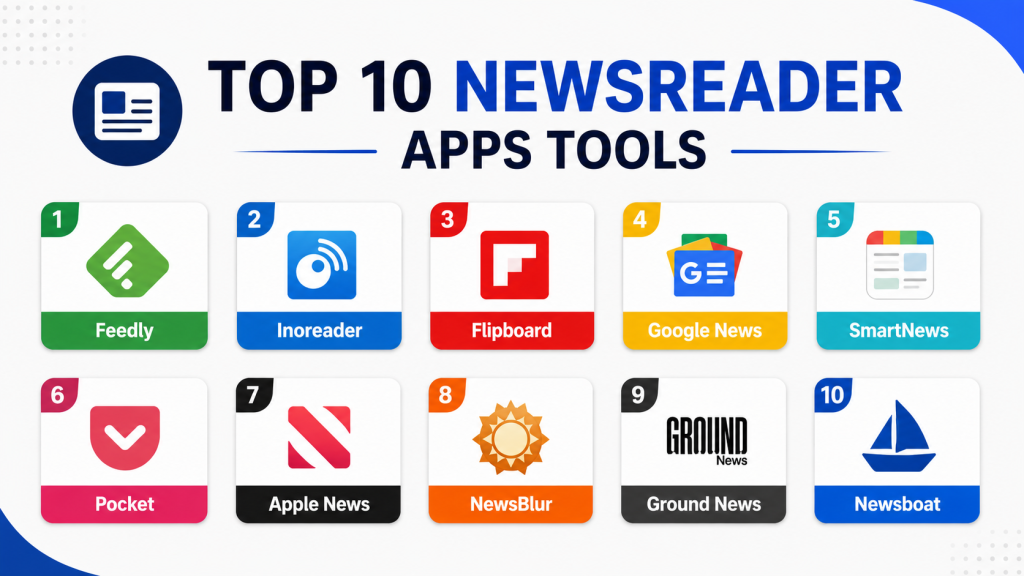
Top 10 Newsreader Apps Tools
#1 — Feedly
Short description:
Feedly is one of the most widely used RSS and news aggregation platforms for professionals, researchers, marketers, and productivity-focused users. It combines customizable feeds with AI-powered filtering and trend monitoring workflows.
Key Features
- RSS feed aggregation
- AI-powered filtering
- Topic tracking
- Newsletter support
- Feed organization
- Cross-device synchronization
- Research workflows
Pros
- Excellent RSS customization
- Strong AI filtering support
- Large integration ecosystem
Cons
- Premium AI features require subscription
- Interface may feel technical for beginners
- Free plan limitations
Platforms / Deployment
- Web
- iOS
- Android
- Cloud
Security & Compliance
- Cloud synchronization protections
- Additional certifications not publicly stated
Integrations & Ecosystem
Feedly integrates deeply with productivity and knowledge management ecosystems.
- Evernote
- Slack
- Zapier
- RSS workflows
- Research systems
Support & Community
Massive productivity-focused community with mature onboarding resources and strong professional adoption.
#2 — Inoreader
Short description:
Inoreader is a powerful RSS reader and content aggregation platform designed for users who want advanced feed control, search, archiving, and automation workflows.
Key Features
- RSS feed management
- Feed search and archiving
- Automation rules
- Offline reading
- Newsletter support
- Translation support
- Discovery workflows
Pros
- Extremely feature-rich
- Excellent free plan
- Strong search capabilities
Cons
- Interface can feel complex
- Learning curve for advanced features
- Premium automation features locked behind paywall
Platforms / Deployment
- Web
- iOS
- Android
- Cloud
Security & Compliance
- Cloud synchronization protections
- Additional certifications not publicly stated
Integrations & Ecosystem
Inoreader integrates with productivity and archival workflows.
- Dropbox
- Evernote
- RSS systems
- Automation tools
- Newsletter workflows
Support & Community
Strong RSS enthusiast and productivity-focused community with extensive tutorials.
#3 — Flipboard
Short description:
Flipboard delivers a visually rich magazine-style news experience focused on personalized content discovery and curated topic collections.
Key Features
- Personalized news feeds
- Magazine-style layouts
- Topic following
- Curated collections
- Social sharing
- Multimedia content
- Local news support
Pros
- Beautiful reading interface
- Excellent content discovery
- Beginner-friendly experience
Cons
- Less RSS customization
- Algorithm-heavy workflows
- Advanced filtering limited
Platforms / Deployment
- iOS
- Android
- Web
- Cloud
Security & Compliance
- Cloud synchronization protections
- Additional certifications not publicly stated
Integrations & Ecosystem
Flipboard focuses on curated reading and social discovery workflows.
- Social sharing
- Topic collections
- Content curation
- Personalized feeds
Support & Community
Large mainstream reading community with polished onboarding experiences.
#4 — Google News
Short description:
Google News combines AI-powered personalization, breaking news aggregation, and full-coverage reporting into one of the most widely used global newsreader platforms.
Key Features
- AI-powered personalization
- Breaking news aggregation
- Full coverage views
- Local news support
- Topic following
- Offline reading
- Cross-device synchronization
Pros
- Massive source coverage
- Excellent personalization
- Strong local news support
Cons
- Algorithm-driven recommendations
- Limited RSS customization
- Privacy concerns for some users
Platforms / Deployment
- iOS
- Android
- Web
- Cloud
Security & Compliance
- Google security ecosystem
- MFA support
- Enterprise-grade infrastructure protections
Integrations & Ecosystem
Google News integrates deeply with Google productivity and search ecosystems.
- Google Search
- Discover
- Google ecosystem
- Cross-device sync
Support & Community
Massive global user ecosystem with strong reliability and platform maturity.
#5 — SmartNews
Short description:
SmartNews focuses on fast news delivery, offline reading, and personalized content aggregation for mainstream news consumption.
Key Features
- Offline reading
- Personalized news tabs
- Breaking news alerts
- Local news support
- Trending story discovery
- Topic customization
- Fast-loading articles
Pros
- Excellent offline reading
- Fast and lightweight performance
- Beginner-friendly interface
Cons
- Interface can feel crowded
- Limited advanced RSS workflows
- Search functionality weaker than competitors
Platforms / Deployment
- iOS
- Android
- Cloud
Security & Compliance
- Cloud synchronization protections
- Additional certifications not publicly stated
Integrations & Ecosystem
SmartNews focuses on mainstream mobile news consumption workflows.
- Personalized feeds
- Offline reading
- Mobile notifications
- Topic tracking
Support & Community
Large mobile-focused news consumption community with strong mainstream adoption.
#6 — Pocket
Short description:
Pocket combines article saving, offline reading, and content discovery into a streamlined read-it-later ecosystem for long-form content consumption.
Key Features
- Save-for-later workflows
- Offline reading
- Highlighting support
- Personalized recommendations
- Audio listening mode
- Cross-device synchronization
- Content tagging
Pros
- Excellent long-form reading experience
- Strong offline support
- Clean distraction-free interface
Cons
- Limited advanced RSS workflows
- Fewer research features
- Premium features restricted
Platforms / Deployment
- iOS
- Android
- Web
- Cloud
Security & Compliance
- Cloud synchronization protections
- Additional certifications not publicly stated
Integrations & Ecosystem
Pocket integrates reading workflows with productivity ecosystems.
- Browser extensions
- Readwise
- Productivity workflows
- Offline synchronization
Support & Community
Large reading-focused user community with strong long-form reading workflows.
#7 — Apple News
Short description:
Apple News delivers curated news, premium journalism, and personalized reading experiences tightly integrated into Apple ecosystems.
Key Features
- Curated news feeds
- Personalized recommendations
- Premium publications
- Offline reading
- Magazine content
- Apple ecosystem integration
- Human-edited news selections
Pros
- Beautiful interface design
- Strong Apple ecosystem integration
- High-quality content curation
Cons
- Limited platform availability
- Premium subscription costs
- Less RSS customization
Platforms / Deployment
- iOS
- iPadOS
- macOS
- Cloud
Security & Compliance
- Apple privacy ecosystem
- Device-level protections
- Additional certifications not publicly stated
Integrations & Ecosystem
Apple News integrates tightly with Apple productivity and media ecosystems.
- Apple ecosystem
- iCloud synchronization
- Premium publications
- Offline workflows
Support & Community
Massive Apple ecosystem support with polished onboarding experiences.
#8 — NewsBlur
Short description:
NewsBlur is an open-source RSS reader focused on customizable filtering, chronological reading, and user-controlled news aggregation workflows.
Key Features
- RSS aggregation
- Story filtering
- Chronological feeds
- Offline support
- Newsletter support
- Open-source architecture
- Feed intelligence
Pros
- Strong user control
- Open-source flexibility
- Excellent RSS workflows
Cons
- Interface less modern
- Smaller ecosystem integrations
- Learning curve for beginners
Platforms / Deployment
- Web
- iOS
- Android
- Cloud
Security & Compliance
- Open-source ecosystem
- Cloud synchronization protections
- Additional certifications not publicly stated
Integrations & Ecosystem
NewsBlur focuses on customizable RSS and reading workflows.
- RSS systems
- Newsletter support
- Feed filtering
- Chronological reading
Support & Community
Strong RSS enthusiast community with active open-source support.
#9 — Ground News
Short description:
Ground News focuses on media bias analysis, source comparison, and perspective diversity for users seeking balanced news consumption.
Key Features
- Bias analysis
- Source comparison
- News aggregation
- Perspective tracking
- Breaking news monitoring
- Topic customization
- Blindspot reporting
Pros
- Excellent media transparency
- Strong bias comparison tools
- Unique perspective analysis
Cons
- Premium features require subscription
- Smaller RSS customization support
- Limited advanced PKM integrations
Platforms / Deployment
- iOS
- Android
- Web
- Cloud
Security & Compliance
- Cloud synchronization protections
- Additional certifications not publicly stated
Integrations & Ecosystem
Ground News focuses on balanced journalism and source transparency workflows.
- Source comparison
- News aggregation
- Topic tracking
- Perspective analysis
Support & Community
Growing journalism-focused user community with strong media literacy positioning.
#10 — Newsboat
Short description:
Newsboat is an open-source terminal-based RSS reader designed for advanced users, developers, and command-line productivity enthusiasts.
Key Features
- Terminal-based RSS reading
- Open-source architecture
- Keyboard-driven workflows
- Offline reading
- Feed filtering
- Lightweight performance
- Script automation
Pros
- Extremely lightweight
- Excellent developer workflows
- Strong privacy and control
Cons
- Not beginner-friendly
- No graphical interface
- Limited mainstream usability
Platforms / Deployment
- Linux
- macOS
- FreeBSD
- Local / Self-hosted
Security & Compliance
- Local-first workflows
- Open-source architecture
- Additional certifications not publicly stated
Integrations & Ecosystem
Newsboat focuses on lightweight developer-centric RSS workflows.
- Terminal workflows
- Script automation
- RSS systems
- Keyboard navigation
Support & Community
Active open-source and developer-focused community with strong technical documentation.
Comparison Table
| Tool Name | Best For | Platforms Supported | Deployment | Standout Feature | Public Rating |
|---|---|---|---|---|---|
| Feedly | Professional RSS workflows | Web, iOS, Android | Cloud | AI-powered filtering | N/A |
| Inoreader | Advanced RSS control | Web, iOS, Android | Cloud | Feed search and archiving | N/A |
| Visual news discovery | iOS, Android, Web | Cloud | Magazine-style layouts | N/A | |
| Google News | AI news aggregation | iOS, Android, Web | Cloud | Full coverage reporting | N/A |
| SmartNews | Offline mobile reading | iOS, Android | Cloud | Offline support | N/A |
| Read-it-later workflows | iOS, Android, Web | Cloud | Long-form reading | N/A | |
| Apple News | Apple ecosystem users | iOS, iPadOS, macOS | Cloud | Premium curated content | N/A |
| NewsBlur | Open-source RSS reading | Web, iOS, Android | Cloud | Chronological feeds | N/A |
| Ground News | Media bias analysis | iOS, Android, Web | Cloud | Bias transparency | N/A |
| Newsboat | Developer RSS workflows | Linux, macOS, FreeBSD | Local / Self-hosted | Terminal-based reading | N/A |
Evaluation & Scoring of Newsreader Apps
| Tool Name | Core 25% | Ease 15% | Integrations 15% | Security 10% | Performance 10% | Support 10% | Value 15% | Weighted Total |
|---|---|---|---|---|---|---|---|---|
| Feedly | 9.5 | 8.5 | 9 | 8 | 8.5 | 8.5 | 8 | 8.8 |
| Inoreader | 9 | 7.5 | 8.5 | 8 | 8.5 | 8 | 8.5 | 8.4 |
| 8 | 9 | 7 | 7 | 8.5 | 8 | 8.5 | 8.0 | |
| Google News | 9 | 9 | 8 | 8 | 9 | 8.5 | 9 | 8.7 |
| SmartNews | 8 | 8.5 | 6.5 | 7 | 8.5 | 8 | 8.5 | 7.9 |
| 8.5 | 9 | 8 | 7.5 | 8.5 | 8 | 8.5 | 8.3 | |
| Apple News | 8.5 | 9 | 7 | 8 | 8.5 | 8.5 | 8 | 8.2 |
| NewsBlur | 8 | 7 | 7.5 | 8 | 8 | 7.5 | 8.5 | 7.8 |
| Ground News | 8.5 | 8 | 7 | 7.5 | 8 | 7.5 | 8 | 7.9 |
| Newsboat | 7.5 | 5.5 | 6 | 9 | 9 | 7 | 9 | 7.3 |
These scores are comparative and intended to help buyers evaluate strengths across personalization, RSS flexibility, usability, integrations, and long-term reading productivity. Some platforms prioritize AI-powered discovery and personalization, while others focus more on user-controlled RSS workflows, privacy, or offline reading. Buyers should evaluate both reading habits and productivity needs before selecting a platform.
Which Newsreader App Is Right for You?
Solo / Freelancer
Solo users often benefit from lightweight and flexible platforms such as Pocket, Flipboard, or Google News because they simplify daily news consumption and article organization.
SMB
Small research teams and productivity-focused users may prefer Feedly or Inoreader because of their stronger RSS management and integration ecosystems.
Mid-Market
Advanced researchers, analysts, and content professionals often benefit from Feedly, Inoreader, or Ground News due to stronger filtering and monitoring workflows.
Enterprise
Enterprise intelligence and research environments may prioritize Feedly because of its AI-assisted monitoring and professional research workflows.
Budget vs Premium
Budget-conscious users may prefer Google News or SmartNews because they provide strong free functionality. Premium users may prefer Feedly or Ground News for advanced filtering and research workflows.
Feature Depth vs Ease of Use
Inoreader and Feedly provide deeper RSS and automation workflows, while Flipboard and Pocket focus more on simplicity and visual reading experiences.
Integrations & Scalability
Users invested in productivity ecosystems may benefit more from Feedly or Pocket because of stronger integrations with PKM and note-taking workflows.
Security & Compliance Needs
Privacy-conscious users should evaluate how reading behavior, saved articles, and synchronization data are stored across cloud ecosystems before selecting a platform.
Frequently Asked Questions
1. What are Newsreader Apps used for?
Newsreader Apps help users aggregate, organize, personalize, and consume digital news and content from multiple publishers and sources in one place.
2. What is an RSS reader?
An RSS reader aggregates updates from websites and blogs into a centralized feed, allowing users to follow content without relying on social media algorithms.
3. Which Newsreader App is best for beginners?
Google News, Flipboard, and SmartNews are commonly recommended for beginners because they provide easy onboarding and simple reading workflows.
4. Which app is best for RSS power users?
Feedly and Inoreader are widely considered the strongest options for advanced RSS workflows and content customization.
5. Are AI-powered news apps useful?
AI features can help users filter noise, identify trends, summarize articles, and prioritize important information more efficiently.
6. Can Newsreader Apps work offline?
Many modern platforms such as Pocket and SmartNews provide offline reading support for saved articles and downloaded content.
7. Are Newsreader Apps secure?
Most leading vendors provide account protections and cloud synchronization security. However, enterprise-grade compliance transparency varies across providers.
8. Which apps are best for balanced news consumption?
Ground News is especially popular for media bias analysis and perspective comparison workflows.
9. What mistakes do users commonly make with newsreader platforms?
Common mistakes include subscribing to too many feeds, poor content filtering, excessive notifications, and failing to organize reading workflows effectively.
10. How should I choose the right Newsreader App?
Start by identifying your primary workflow such as casual reading, RSS management, research monitoring, or offline reading. Then evaluate usability, integrations, and customization capabilities before selecting a platform.
Conclusion
Newsreader Apps have evolved into intelligent information management ecosystems that combine AI-powered discovery, RSS aggregation, offline reading, personalization, and productivity workflows. Casual readers may prefer lightweight platforms such as Google News, SmartNews, or Flipboard, while advanced professionals often benefit more from powerful RSS systems like Feedly or Inoreader. Users focused on balanced journalism may value Ground News for media transparency, while developer-oriented readers may prefer open-source platforms like Newsboat or NewsBlur. The ideal solution depends on reading habits, customization preferences, workflow complexity, and ecosystem integrations. Buyers should evaluate personalization quality, synchronization reliability, search capabilities, and long-term reading productivity before selecting a platform. Rather than searching for a single universal winner, shortlist two or three tools that align with your information consumption style, test them consistently over several weeks, and validate whether they genuinely improve focus, knowledge retention, and daily news management.