Introduction
Digital Reading & Annotation Apps help users read, highlight, organize, annotate, and manage digital content such as PDFs, ebooks, web articles, research papers, and documents across devices. These platforms improve learning, research, productivity, and knowledge retention by combining note-taking, highlighting, commenting, bookmarking, and synchronization workflows into centralized reading environments. Modern annotation applications now include AI-powered summaries, knowledge extraction, cloud synchronization, collaboration tools, and multimedia note support.
As digital learning, remote work, online research, and knowledge management continue growing rapidly, reading and annotation apps have become essential tools for students, researchers, professionals, writers, and lifelong learners. Many platforms now integrate with productivity ecosystems, citation tools, cloud storage systems, and personal knowledge management platforms to create connected reading experiences.
Real-world use cases include:
- Academic research and study workflows
- Ebook and PDF annotation
- Knowledge extraction and note organization
- Team document collaboration
- Long-form article reading and highlighting
Key evaluation criteria for buyers include:
- Annotation flexibility
- PDF and ebook support
- Cross-device synchronization
- Search and retrieval quality
- Knowledge organization features
- Collaboration capabilities
- AI-powered summaries and insights
- Offline reading support
- Integration ecosystem
- Security and privacy protections
Best for: students, researchers, writers, professionals, educators, consultants, and productivity-focused users managing large amounts of reading material.
Not ideal for: users seeking lightweight ebook readers only, advanced enterprise document management systems, or people who primarily consume physical books and offline paper-based reading workflows.
Key Trends in Digital Reading & Annotation Apps
- AI-powered summarization and reading insights are becoming core features.
- Personal knowledge management integrations are expanding rapidly.
- Cross-platform synchronization is now expected across all devices.
- Collaborative annotation workflows are becoming more advanced.
- Local-first and offline reading support remain important for researchers.
- PDF annotation and academic research tools continue evolving rapidly.
- Read-it-later ecosystems are integrating more deeply with PKM platforms.
- Voice notes and multimedia annotations are becoming more common.
- Citation management integrations are increasingly important for academic workflows.
- Smart search and contextual retrieval are improving knowledge discovery.
How We Selected These Tools
We evaluated digital reading and annotation apps based on annotation quality, reading experience, synchronization reliability, ecosystem maturity, and long-term knowledge management value. The goal was to identify platforms suitable for casual readers, researchers, students, and productivity-focused professionals.
Selection criteria included:
- Market popularity and adoption
- Annotation and highlighting capabilities
- PDF and document handling quality
- Search and retrieval functionality
- Cross-device usability
- Offline reading support
- Integration ecosystem maturity
- Collaboration features
- Security and privacy practices
- Overall value for money
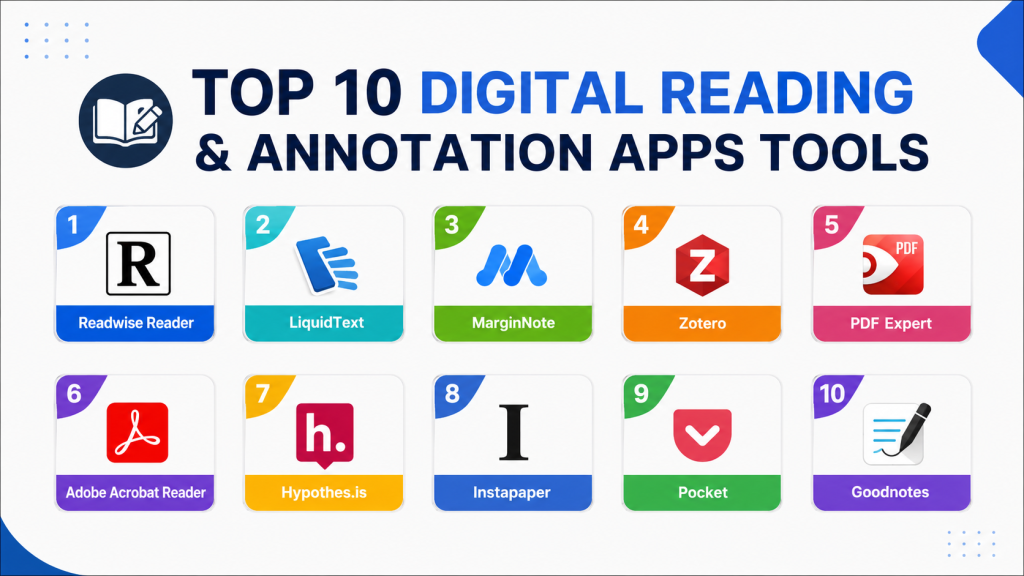
Top 10 Digital Reading & Annotation Apps Tools
#1 — Readwise Reader
Short description:
Readwise Reader combines digital reading, highlighting, article management, and knowledge retention workflows into a modern reading-first productivity platform. It is widely used for long-form reading and knowledge capture.
Key Features
- Article saving
- Highlight synchronization
- AI-powered summaries
- Read-it-later workflows
- PDF annotation
- Ebook support
- Knowledge review systems
Pros
- Excellent reading workflows
- Strong knowledge retention support
- Powerful highlight management
Cons
- Premium subscription required
- Learning curve for advanced workflows
- Offline support still evolving
Platforms / Deployment
- Web
- iOS
- Android
- Cloud
Security & Compliance
- Cloud synchronization protections
- Additional certifications not publicly stated
Integrations & Ecosystem
Readwise Reader integrates deeply with productivity and PKM ecosystems.
- Obsidian
- Notion
- Roam Research
- Kindle highlights
- Instapaper
Support & Community
Strong productivity-focused community with active onboarding resources and educational workflows.
#2 — LiquidText
Short description:
LiquidText focuses on research-heavy annotation workflows through dynamic PDF interaction, document linking, and visual note organization.
Key Features
- PDF annotation
- Research workspaces
- Linked notes
- Document comparison
- Handwritten annotations
- Knowledge organization
- Visual reading workflows
Pros
- Excellent academic research support
- Strong visual workflows
- Powerful document interaction
Cons
- Learning curve for beginners
- Premium pricing structure
- Limited Android support
Platforms / Deployment
- Windows
- iPadOS
- macOS
- Cloud
Security & Compliance
- Cloud synchronization support
- Additional certifications not publicly stated
Integrations & Ecosystem
LiquidText integrates annotation workflows with research and productivity systems.
- PDF workflows
- Research organization
- Cloud synchronization
- Knowledge mapping
Support & Community
Strong researcher and academic-focused community with detailed onboarding support.
#3 — MarginNote
Short description:
MarginNote combines PDF reading, annotation, flashcards, and mind mapping into a powerful study and knowledge synthesis platform.
Key Features
- PDF annotation
- Mind mapping
- Flashcard generation
- Linked notes
- Research organization
- Knowledge visualization
- Study workflows
Pros
- Excellent study workflows
- Strong knowledge synthesis support
- Powerful annotation flexibility
Cons
- Interface can feel complex
- Best experience within Apple ecosystem
- Learning curve for advanced features
Platforms / Deployment
- iOS
- macOS
- Cloud
Security & Compliance
- Cloud synchronization protections
- Additional certifications not publicly stated
Integrations & Ecosystem
MarginNote integrates deeply with academic and study-focused workflows.
- Mind mapping
- Flashcard systems
- PDF workflows
- Knowledge organization
Support & Community
Large student and researcher community with strong educational workflow support.
#4 — Zotero
Short description:
Zotero is a research and citation management platform that also provides strong PDF annotation and academic document organization capabilities.
Key Features
- Research library management
- PDF annotation
- Citation management
- Reference organization
- Cloud synchronization
- Browser capture
- Academic workflows
Pros
- Excellent academic support
- Strong citation workflows
- Free core functionality
Cons
- Interface feels academic-focused
- Limited visual workflows
- Collaboration features less polished
Platforms / Deployment
- Windows
- macOS
- Linux
- iOS
- Web
- Cloud
Security & Compliance
- Cloud synchronization protections
- Open-source ecosystem
- Additional certifications not publicly stated
Integrations & Ecosystem
Zotero integrates deeply with academic research ecosystems.
- Citation tools
- Academic databases
- PDF workflows
- Browser capture support
Support & Community
Massive academic and research-focused open-source community.
#5 — PDF Expert
Short description:
PDF Expert focuses on fast PDF reading, editing, and annotation workflows for professionals and productivity-focused users.
Key Features
- PDF annotation
- Document editing
- Highlighting tools
- Form support
- Cloud synchronization
- Reading modes
- File organization
Pros
- Fast and polished experience
- Excellent PDF performance
- Strong Apple ecosystem support
Cons
- Limited advanced research workflows
- Premium pricing
- Best experience within Apple ecosystem
Platforms / Deployment
- iOS
- macOS
- Cloud
Security & Compliance
- Cloud synchronization protections
- Additional certifications not publicly stated
Integrations & Ecosystem
PDF Expert integrates document workflows with productivity ecosystems.
- Cloud storage services
- PDF workflows
- File management
- Productivity systems
Support & Community
Reliable productivity-focused onboarding with polished user experiences.
#6 — Adobe Acrobat Reader
Short description:
Adobe Acrobat Reader remains one of the most widely used PDF reading and annotation platforms for document review, highlighting, and collaboration.
Key Features
- PDF annotation
- Document review
- Highlighting tools
- Comment systems
- Form support
- Cloud synchronization
- Collaboration workflows
Pros
- Industry-standard PDF support
- Strong collaboration features
- Reliable cross-platform compatibility
Cons
- Premium features require subscription
- Interface can feel heavy
- Advanced workflows may feel complex
Platforms / Deployment
- Windows
- macOS
- iOS
- Android
- Web
- Cloud
Security & Compliance
- Adobe security ecosystem
- Encryption support publicly referenced
- Additional certifications not publicly stated
Integrations & Ecosystem
Adobe Acrobat integrates deeply with document and enterprise ecosystems.
- Adobe ecosystem
- Cloud storage
- Enterprise workflows
- Document collaboration
Support & Community
Massive enterprise and productivity-focused ecosystem with mature documentation.
#7 — Hypothes.is
Short description:
Hypothes.is focuses on collaborative web annotation and social reading workflows for researchers, educators, and students.
Key Features
- Web annotation
- Collaborative highlighting
- Shared comments
- Academic workflows
- Browser support
- Discussion systems
- Public and private annotations
Pros
- Excellent collaborative annotation
- Strong education support
- Open web annotation workflows
Cons
- Limited offline functionality
- Less suited for advanced PDF workflows
- Smaller productivity ecosystem
Platforms / Deployment
- Web
- Browser extensions
- Cloud
Security & Compliance
- Cloud synchronization protections
- Additional certifications not publicly stated
Integrations & Ecosystem
Hypothes.is integrates collaborative annotation into research and education ecosystems.
- Browser integrations
- Learning systems
- Research collaboration
- Web annotation workflows
Support & Community
Strong academic and education-focused community with open annotation support.
#8 — Instapaper
Short description:
Instapaper is a read-it-later platform designed for saving, organizing, highlighting, and consuming long-form web content.
Key Features
- Article saving
- Offline reading
- Highlighting support
- Reading organization
- Text formatting
- Speed reading tools
- Cross-device synchronization
Pros
- Excellent reading experience
- Strong offline functionality
- Simple and clean interface
Cons
- Limited advanced annotation workflows
- Smaller collaboration ecosystem
- Fewer research-focused tools
Platforms / Deployment
- iOS
- Android
- Web
- Cloud
Security & Compliance
- Cloud synchronization protections
- Additional certifications not publicly stated
Integrations & Ecosystem
Instapaper integrates reading workflows with productivity ecosystems.
- Kindle support
- Readwise integrations
- Browser extensions
- Offline reading workflows
Support & Community
Large reading-focused user community with strong long-form content workflows.
#9 — Pocket
Short description:
Pocket combines article saving, offline reading, highlighting, and content discovery into a streamlined digital reading platform.
Key Features
- Article saving
- Offline reading
- Highlighting tools
- Content recommendations
- Reading organization
- Cross-device synchronization
- Audio listening support
Pros
- Excellent read-it-later workflows
- Strong cross-platform support
- Easy content discovery
Cons
- Limited deep annotation features
- Smaller research workflows
- Premium features restricted
Platforms / Deployment
- iOS
- Android
- Web
- Cloud
Security & Compliance
- Cloud synchronization protections
- Additional certifications not publicly stated
Integrations & Ecosystem
Pocket integrates article management into productivity and reading ecosystems.
- Browser integrations
- Readwise support
- Audio workflows
- Offline synchronization
Support & Community
Large reading-focused ecosystem with strong productivity and content discovery communities.
#10 — Goodnotes
Short description:
Goodnotes combines handwriting, PDF annotation, note-taking, and digital notebook workflows into a powerful platform for students and professionals.
Key Features
- Handwritten notes
- PDF annotation
- Notebook organization
- Multimedia support
- Search functionality
- Cloud synchronization
- Study workflows
Pros
- Excellent handwriting support
- Strong study workflows
- Beautiful user experience
Cons
- Best experience within Apple ecosystem
- Limited advanced collaboration
- Smaller AI workflow ecosystem
Platforms / Deployment
- iOS
- macOS
- Windows
- Cloud
Security & Compliance
- Cloud synchronization protections
- Additional certifications not publicly stated
Integrations & Ecosystem
Goodnotes integrates digital handwriting and annotation workflows into productivity systems.
- Apple Pencil support
- PDF workflows
- Study systems
- Cloud synchronization
Support & Community
Large student and education-focused community with strong onboarding resources.
Comparison Table
| Tool Name | Best For | Platforms Supported | Deployment | Standout Feature | Public Rating |
|---|---|---|---|---|---|
| Readwise Reader | Knowledge retention workflows | Web, iOS, Android | Cloud | Highlight synchronization | N/A |
| LiquidText | Academic research annotation | Windows, iPadOS, macOS | Cloud | Dynamic document interaction | N/A |
| MarginNote | Study and knowledge synthesis | iOS, macOS | Cloud | Mind mapping support | N/A |
| Zotero | Academic research management | Windows, macOS, Linux, iOS, Web | Cloud | Citation workflows | N/A |
| PDF Expert | Professional PDF workflows | iOS, macOS | Cloud | Fast PDF editing | N/A |
| Adobe Acrobat Reader | Enterprise PDF annotation | Windows, macOS, iOS, Android, Web | Cloud | Industry-standard PDF support | N/A |
| Hypothes.is | Collaborative web annotation | Web, Browser extensions | Cloud | Social annotation | N/A |
| Instapaper | Long-form article reading | iOS, Android, Web | Cloud | Offline article reading | N/A |
| Read-it-later workflows | iOS, Android, Web | Cloud | Content discovery | N/A | |
| Goodnotes | Handwritten annotation | iOS, macOS, Windows | Cloud | Digital handwriting | N/A |
Evaluation & Scoring of Digital Reading & Annotation Apps
| Tool Name | Core 25% | Ease 15% | Integrations 15% | Security 10% | Performance 10% | Support 10% | Value 15% | Weighted Total |
|---|---|---|---|---|---|---|---|---|
| Readwise Reader | 9.5 | 8.5 | 9 | 7.5 | 8.5 | 8.5 | 8 | 8.7 |
| LiquidText | 9 | 7.5 | 7 | 7 | 8.5 | 8 | 7.5 | 7.9 |
| MarginNote | 9 | 7.5 | 7 | 7 | 8 | 8 | 7.5 | 7.8 |
| Zotero | 8.5 | 7.5 | 8.5 | 8 | 8.5 | 8.5 | 9 | 8.4 |
| PDF Expert | 8.5 | 9 | 7.5 | 7.5 | 9 | 8 | 7.5 | 8.2 |
| Adobe Acrobat Reader | 8.5 | 8 | 8.5 | 8 | 8.5 | 8.5 | 7.5 | 8.2 |
| Hypothes.is | 7.5 | 8 | 7 | 7 | 8 | 7.5 | 8.5 | 7.7 |
| Instapaper | 8 | 9 | 7 | 7 | 8.5 | 8 | 8.5 | 8.0 |
| 8 | 9 | 7.5 | 7 | 8.5 | 8 | 8.5 | 8.1 | |
| Goodnotes | 8.5 | 9 | 7 | 7.5 | 8.5 | 8 | 8 | 8.1 |
These scores are comparative and designed to help buyers evaluate strengths across annotation flexibility, knowledge organization, integrations, usability, and long-term reading workflows. Some platforms prioritize research-heavy workflows, while others focus more on lightweight reading, handwriting, or collaborative annotation. Buyers should evaluate both workflow style and ecosystem compatibility before selecting a platform.
Which Digital Reading & Annotation App Is Right for You?
Solo / Freelancer
Solo users often benefit from lightweight and flexible platforms such as Pocket, Instapaper, or Readwise Reader because they simplify reading and highlight management workflows.
SMB
Small research teams and collaborative learners may prefer Hypothes.is or Adobe Acrobat Reader because of stronger collaboration and document-sharing support.
Mid-Market
Advanced researchers and academic users often benefit from LiquidText, MarginNote, or Zotero because of their deeper annotation and research workflows.
Enterprise
Enterprise productivity environments may prioritize Adobe Acrobat Reader because of its mature document workflows, collaboration capabilities, and industry-standard compatibility.
Budget vs Premium
Budget-conscious users may prefer Zotero or Pocket because they provide strong reading and annotation functionality with lower long-term costs. Premium users may prefer Readwise Reader or LiquidText for advanced knowledge workflows.
Feature Depth vs Ease of Use
LiquidText and MarginNote provide deeper research workflows, while Instapaper and Pocket focus more on simplicity and reading convenience.
Integrations & Scalability
Users invested in personal knowledge management ecosystems may benefit more from Readwise Reader or Zotero because of stronger integrations and long-term knowledge workflows.
Security & Compliance Needs
Privacy-conscious users should evaluate how annotations, research data, and reading history are stored and synchronized across cloud ecosystems.
Frequently Asked Questions
1. What are Digital Reading & Annotation Apps used for?
These applications help users read, highlight, annotate, organize, and manage digital content such as PDFs, ebooks, research papers, and articles.
2. Are annotation apps useful for students and researchers?
Yes. Many platforms provide highlighting, note organization, citation management, and knowledge synthesis workflows that improve learning and research efficiency.
3. Which annotation app is best for beginners?
Pocket, Instapaper, and Goodnotes are commonly recommended for beginners because they provide simple onboarding and intuitive reading experiences.
4. Why are integrations important in annotation platforms?
Integrations connect reading workflows with note-taking tools, PKM systems, cloud storage, and productivity ecosystems for better knowledge retention.
5. Are AI-powered reading summaries useful?
AI summaries can help users extract key ideas, organize highlights, and review large amounts of reading material more efficiently.
6. Can annotation apps work offline?
Some platforms such as Instapaper and Goodnotes provide strong offline reading support, while others rely more heavily on cloud synchronization.
7. Which apps are best for academic research?
LiquidText, MarginNote, and Zotero are especially popular among researchers because of their strong document organization and annotation capabilities.
8. Are Digital Reading & Annotation Apps secure?
Most leading vendors provide cloud synchronization protections and account security features. However, enterprise-grade compliance transparency varies between providers.
9. What mistakes do users commonly make with annotation tools?
Common mistakes include over-highlighting content, poor note organization, inconsistent tagging systems, and failing to review captured knowledge regularly.
10. How should I choose the right annotation platform?
Start by identifying your primary workflow such as academic research, long-form reading, handwriting, or collaborative annotation. Then evaluate integrations, usability, and synchronization capabilities before selecting a platform.
Conclusion
Digital Reading & Annotation Apps have evolved into intelligent knowledge and productivity ecosystems that combine highlighting, research workflows, AI-powered summaries, note organization, and cross-platform synchronization. Casual readers may prefer lightweight platforms such as Pocket or Instapaper, while advanced researchers often benefit more from deep annotation systems like LiquidText, MarginNote, or Zotero. Users focused on long-term knowledge retention may value Readwise Reader because of its integration-focused workflows, while handwriting-focused learners may prefer Goodnotes. The ideal solution depends on reading habits, research complexity, preferred integrations, and long-term knowledge management goals. Buyers should evaluate synchronization reliability, annotation flexibility, offline support, and ecosystem compatibility before selecting a platform. Rather than searching for a single universal winner, shortlist two or three tools that align with your reading workflows, test them consistently over several weeks, and validate whether they genuinely improve focus, learning retention, and knowledge organization.