Introduction
Incident Management Tools are platforms designed to detect, respond to, and resolve service disruptions or operational incidents quickly and efficiently. They act as a centralized system for handling alerts, coordinating teams, tracking incidents, and ensuring minimal downtime.
In modern DevOps and SRE environments, incidents are inevitable—but chaos is not. These tools transform reactive firefighting into structured, automated, and collaborative workflows, helping teams reduce Mean Time to Resolution (MTTR) and maintain service reliability.
With the rise of cloud-native systems, microservices, and always-on applications, incident management tools have become essential for maintaining uptime, customer trust, and operational efficiency.
Real-World Use Cases
- Managing production outages and service disruptions
- Coordinating on-call teams and alerts
- Automating incident response workflows
- Conducting post-incident analysis (postmortems)
- Ensuring SLA/SLO compliance
What Buyers Should Evaluate
- Alerting and on-call management capabilities
- Incident lifecycle automation
- Integration with monitoring/observability tools
- Collaboration features (Slack, Teams, etc.)
- Reporting and post-incident analysis
- Scalability for large teams
- AI-driven automation and triage
- Ease of setup and usability
Best for: DevOps teams, SREs, IT operations teams, and enterprises running critical production systems.
Not ideal for: Small teams with minimal uptime requirements or no structured incident workflows.
Key Trends in Incident Management Tools
- AI-driven incident triage and root cause analysis
- ChatOps-based workflows (Slack/Teams integration)
- Automation of incident lifecycle (detect → resolve → learn)
- Integration with observability platforms
- Real-time collaboration and communication tools
- Proactive incident detection using predictive analytics
- Increased focus on reducing MTTR
- Multi-cloud and hybrid environment support
- Incident knowledge graphs and learning systems
- Developer-first and API-driven platforms
How We Selected These Tools (Methodology)
- High adoption among DevOps and SRE teams
- Strong incident lifecycle management features
- Integration with monitoring and observability tools
- Proven reliability and scalability
- Automation and AI capabilities
- Active community or enterprise support
- Balanced mix of enterprise and developer-friendly tools
- Real-world usage across SaaS and enterprise environments
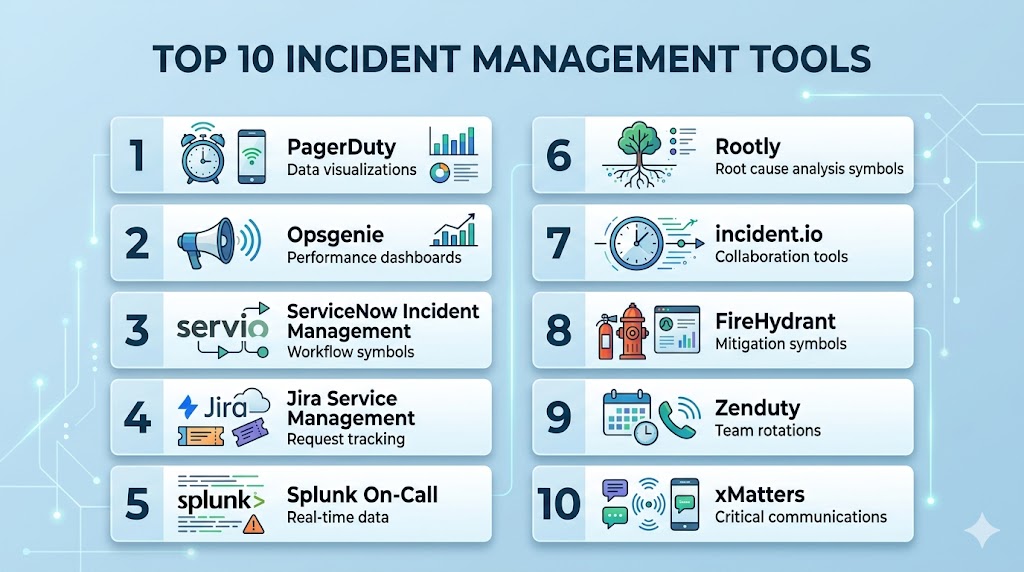
Top 10 Incident Management Tools
#1 — PagerDuty
Short description: A leading incident response platform for alerting, on-call management, and automation.
Key Features
- Real-time alerting
- On-call scheduling
- Incident automation
- AI-driven insights
- Integrations with monitoring tools
Pros
- Industry standard
- Strong automation
Cons
- Expensive
- Complex pricing
Platforms / Deployment
Web / Mobile
Cloud
Security & Compliance
RBAC, audit logs
Not publicly stated
Integrations & Ecosystem
- Datadog
- AWS
- Slack
- Monitoring tools
Support & Community
Strong enterprise support.
#2 — Opsgenie
Short description: A powerful alerting and incident management tool with deep integration into DevOps workflows.
Key Features
- Alert routing
- On-call scheduling
- Incident tracking
- Escalation policies
- Reporting
Pros
- Flexible alerting
- Strong integrations
Cons
- Learning curve
- Transitioning roadmap changes
Platforms / Deployment
Web / Mobile
Cloud
Security & Compliance
RBAC
Not publicly stated
Integrations & Ecosystem
- Jira
- Slack
- Monitoring tools
Support & Community
Strong Atlassian ecosystem.
#3 — ServiceNow Incident Management
Short description: An enterprise ITSM platform with advanced incident management capabilities.
Key Features
- Incident tracking
- Workflow automation
- SLA management
- Reporting dashboards
- ITIL compliance
Pros
- Enterprise-grade
- Highly scalable
Cons
- Expensive
- Complex setup
Platforms / Deployment
Web
Cloud / Self-hosted
Security & Compliance
RBAC, audit logs
Not publicly stated
Integrations & Ecosystem
- Enterprise systems
- ITSM tools
Support & Community
Enterprise support.
#4 — Jira Service Management
Short description: A popular ITSM tool for incident tracking and service management.
Key Features
- Incident tracking
- SLA management
- Automation workflows
- Knowledge base
- Integration with Jira
Pros
- Easy to use
- Strong ecosystem
Cons
- Requires configuration
- Not dedicated incident-only tool
Platforms / Deployment
Web
Cloud / Self-hosted
Security & Compliance
RBAC
Not publicly stated
Integrations & Ecosystem
- Atlassian tools
- DevOps tools
Support & Community
Large community.
#5 — Splunk On-Call
Short description: A real-time incident response platform integrated with observability.
Key Features
- Alerting
- Incident escalation
- On-call management
- Analytics
- Automation
Pros
- Strong observability integration
- Real-time insights
Cons
- Expensive
- Complex setup
Platforms / Deployment
Web
Cloud
Security & Compliance
Encryption, RBAC
Not publicly stated
Integrations & Ecosystem
- Splunk
- Monitoring tools
Support & Community
Enterprise support.
#6 — Rootly
Short description: A modern incident management platform designed for Slack-based workflows.
Key Features
- Slack-native incident management
- Automation workflows
- Postmortem generation
- Alerting
- Incident timelines
Pros
- Modern UI
- ChatOps integration
Cons
- Paid plans
- Smaller ecosystem
Platforms / Deployment
Web
Cloud
Security & Compliance
Not publicly stated
Integrations & Ecosystem
- Slack
- DevOps tools
Support & Community
Growing adoption.
#7 — incident.io
Short description: A Slack-native incident management tool focused on automation and AI.
Key Features
- ChatOps workflows
- Incident automation
- AI insights
- Postmortems
- Reporting
Pros
- Developer-friendly
- Strong automation
Cons
- Slack dependency
- Paid plans
Platforms / Deployment
Web
Cloud
Security & Compliance
Not publicly stated
Integrations & Ecosystem
- Slack
- DevOps tools
Support & Community
Growing community.
#8 — FireHydrant
Short description: An incident response platform focused on reliability engineering teams.
Key Features
- Incident tracking
- Runbooks
- Automation
- Postmortems
- Metrics
Pros
- Strong reliability focus
- Good automation
Cons
- Learning curve
- Pricing
Platforms / Deployment
Web
Cloud
Security & Compliance
Not publicly stated
Integrations & Ecosystem
- DevOps tools
- Slack
Support & Community
Growing adoption.
#9 — Zenduty
Short description: A modern incident management platform with alerting and on-call features.
Key Features
- Alerting
- On-call scheduling
- Incident tracking
- Automation
- Analytics
Pros
- Cost-effective
- Easy to use
Cons
- Smaller ecosystem
- Limited enterprise features
Platforms / Deployment
Web / Mobile
Cloud
Security & Compliance
Not publicly stated
Integrations & Ecosystem
- Monitoring tools
- DevOps tools
Support & Community
Growing support.
#10 — xMatters
Short description: An incident response and workflow automation platform for enterprises.
Key Features
- Incident alerting
- Workflow automation
- Communication tools
- Real-time collaboration
- Integration support
Pros
- Strong automation
- Enterprise-ready
Cons
- Complex setup
- Pricing
Platforms / Deployment
Web
Cloud
Security & Compliance
Not publicly stated
Integrations & Ecosystem
- DevOps tools
- ITSM platforms
Support & Community
Enterprise support.
Comparison Table (Top 10)
| Tool Name | Best For | Platform(s) Supported | Deployment | Standout Feature | Public Rating |
|---|---|---|---|---|---|
| PagerDuty | Enterprise | Web/Mobile | Cloud | Alerting | N/A |
| Opsgenie | DevOps | Web/Mobile | Cloud | Routing | N/A |
| ServiceNow | Enterprise | Web | Hybrid | ITSM | N/A |
| Jira SM | Teams | Web | Hybrid | Integration | N/A |
| Splunk On-Call | Observability | Web | Cloud | Analytics | N/A |
| Rootly | Slack teams | Web | Cloud | ChatOps | N/A |
| incident.io | Dev teams | Web | Cloud | AI automation | N/A |
| FireHydrant | SRE | Web | Cloud | Reliability | N/A |
| Zenduty | SMB | Web/Mobile | Cloud | Cost-effective | N/A |
| xMatters | Enterprise | Web | Cloud | Automation | N/A |
Evaluation & Scoring of Incident Management Tools
| Tool Name | Core | Ease | Integrations | Security | Performance | Support | Value | Weighted Total |
|---|---|---|---|---|---|---|---|---|
| PagerDuty | 10 | 8 | 10 | 9 | 9 | 9 | 7 | 9.0 |
| Opsgenie | 9 | 8 | 9 | 9 | 9 | 9 | 8 | 8.8 |
| ServiceNow | 10 | 7 | 9 | 10 | 9 | 9 | 6 | 8.9 |
| Jira SM | 9 | 8 | 9 | 8 | 8 | 9 | 9 | 8.7 |
| Splunk | 9 | 7 | 9 | 9 | 9 | 9 | 7 | 8.6 |
| Rootly | 8 | 9 | 8 | 7 | 8 | 8 | 8 | 8.2 |
| incident.io | 9 | 9 | 8 | 8 | 8 | 8 | 8 | 8.4 |
| FireHydrant | 8 | 8 | 8 | 8 | 8 | 8 | 7 | 8.0 |
| Zenduty | 8 | 9 | 7 | 7 | 8 | 7 | 9 | 8.1 |
| xMatters | 9 | 7 | 8 | 9 | 9 | 8 | 7 | 8.3 |
How to interpret scores:
These scores compare tools across automation, usability, and value. Enterprise tools score higher in scalability and compliance, while newer tools excel in ease of use and modern workflows.
Which Incident Management Tool Is Right for You?
Solo / Freelancer
Zenduty or Jira Service Management for simplicity.
SMB
Opsgenie and incident.io for flexibility and automation.
Mid-Market
PagerDuty and Rootly for scalability and integrations.
Enterprise
ServiceNow and Splunk On-Call for advanced workflows and compliance.
Budget vs Premium
- Budget: Zenduty
- Premium: ServiceNow, PagerDuty
Feature Depth vs Ease of Use
- Feature-rich: ServiceNow
- Easy-to-use: Rootly
Integrations & Scalability
- Best integrations: PagerDuty
- Scalable: ServiceNow
Security & Compliance Needs
- Strong security: ServiceNow
- Moderate: Zenduty
Frequently Asked Questions (FAQs)
What is incident management software?
It helps detect, manage, and resolve service disruptions.
Why is it important?
It reduces downtime and improves reliability.
Do these tools support automation?
Yes, automation is a core feature.
Can they integrate with monitoring tools?
Yes, integration is essential.
Are they cloud-based?
Most modern tools are cloud-based.
Can small teams use them?
Yes, many tools support SMB use cases.
What is MTTR?
Mean Time to Resolution—key performance metric.
Are they secure?
Most include security and access controls.
What is ChatOps?
Managing incidents via chat platforms like Slack.
What is the best tool overall?
Depends on your infrastructure and team needs.
Conclusion
Incident Management Tools are critical for maintaining system reliability, reducing downtime, and ensuring smooth operations in modern IT environments. With features like alerting, automation, and real-time collaboration, these tools help teams respond faster and resolve incidents efficiently. Whether you choose enterprise platforms like ServiceNow and PagerDuty or modern tools like Rootly and incident.io, the right solution depends on your scale, workflows, and integration needs. The best approach is to shortlist a few tools, test them in real scenarios, and choose the one that aligns with your operational goals and team structure.