Introduction
Code review tools are platforms that help development teams analyze, review, and improve code quality before merging changes into the main codebase. They enable structured collaboration through comments, approvals, and automated checks, ensuring that code meets quality, security, and performance standards.
In modern development workflows, especially with DevOps, CI/CD pipelines, and distributed teams, code review tools have become essential. They not only reduce bugs and technical debt but also enhance team collaboration and knowledge sharing. With the rise of AI-assisted development, these tools now incorporate automation, static analysis, and intelligent recommendations, making code reviews faster and more effective.
Real-World Use Cases
- Reviewing pull requests and merge requests
- Detecting bugs and vulnerabilities early
- Enforcing coding standards and compliance
- Automating quality checks in CI/CD pipelines
- Improving collaboration and onboarding
What Buyers Should Evaluate
- Integration with Git platforms
- Automation and AI capabilities
- Security and compliance features
- Ease of collaboration and workflows
- Performance with large repositories
- Reporting and analytics
- Deployment flexibility (cloud/self-hosted)
- Customization options
Best for: Development teams, DevOps engineers, and enterprises aiming to improve code quality, security, and collaboration.
Not ideal for: Individual developers working on small projects or teams without structured development workflows.
Key Trends in Code Review Tools for the Future
- AI-powered automated code reviews and suggestions
- Shift-left security with early vulnerability detection
- Deep CI/CD integration for automated checks
- Real-time collaboration within review workflows
- Advanced analytics for tracking code quality
- Support for large-scale repositories and monorepos
- Policy-based compliance and governance
- Integration with DevOps and cloud platforms
- Automation reducing manual review workload
- Increasing focus on developer productivity
How We Selected These Tools (Methodology)
- High adoption and industry recognition
- Strong code review and automation capabilities
- Integration with modern DevOps ecosystems
- Proven reliability and scalability
- Security and compliance considerations
- Multi-language support
- Active community and enterprise backing
- Balanced mix of open-source and enterprise tools
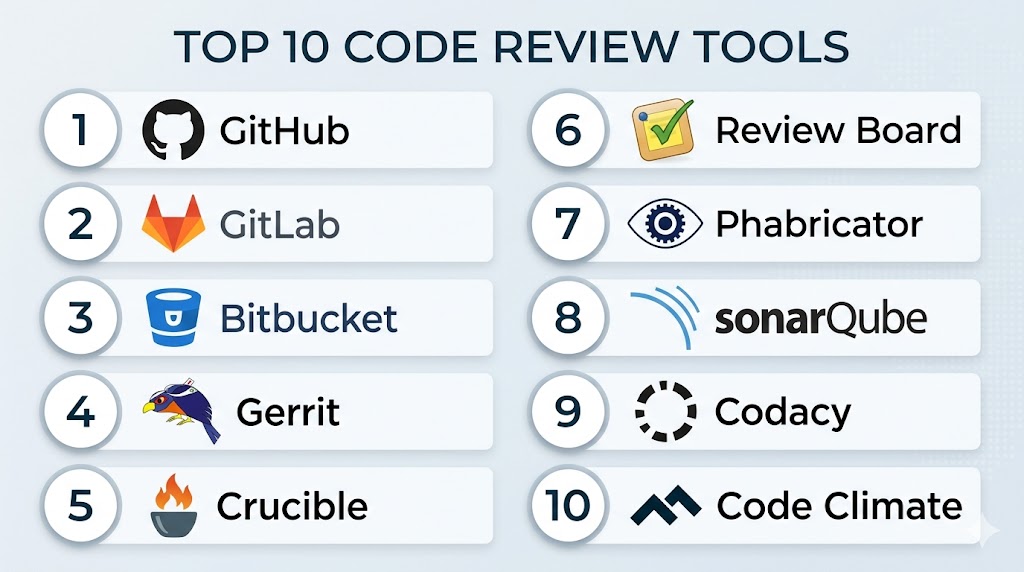
Top 10 Code Review Tools
#1 — GitHub
Short description: A widely used platform offering built-in pull request reviews and collaboration features.
Key Features
- Pull request-based reviews
- Inline commenting and discussions
- Workflow automation
- Branch protection rules
- Code scanning features
Pros
- Massive ecosystem and adoption
- Easy collaboration
Cons
- Advanced workflows require setup
- Pricing can increase with scale
Platforms / Deployment
Web / Windows / macOS / Linux
Cloud / Self-hosted
Security & Compliance
SSO, MFA, encryption, RBAC
Not publicly stated (full certifications)
Integrations & Ecosystem
Integrates with a wide range of development tools and platforms.
- CI/CD tools
- Project management tools
- Cloud platforms
Support & Community
Very strong community and documentation.
#2 — GitLab
Short description: A complete DevOps platform with integrated code review and automation capabilities.
Key Features
- Merge request workflows
- Built-in CI/CD
- Security scanning
- Code quality reports
- Workflow automation
Pros
- All-in-one platform
- Strong automation
Cons
- Learning curve
- Resource-heavy
Platforms / Deployment
Web / Linux
Cloud / Self-hosted / Hybrid
Security & Compliance
SSO, MFA, audit logs
Not publicly stated (full certifications)
Integrations & Ecosystem
- CI/CD pipelines
- Cloud services
- DevOps tools
Support & Community
Strong open-source and enterprise support.
#3 — Bitbucket
Short description: A Git-based platform designed for teams using integrated project management tools.
Key Features
- Pull request workflows
- Inline comments
- Branch permissions
- Pipeline automation
- Workflow controls
Pros
- Strong integration ecosystem
- Cost-effective
Cons
- Smaller ecosystem
- UI limitations
Platforms / Deployment
Web
Cloud / Self-hosted
Security & Compliance
SSO, MFA
Not publicly stated
Integrations & Ecosystem
- Project tracking tools
- Collaboration tools
Support & Community
Good documentation and support.
#4 — Gerrit
Short description: A highly customizable code review tool designed for enterprise workflows.
Key Features
- Patch-based review system
- Workflow customization
- Access control
- Review tracking
- Git integration
Pros
- Highly flexible
- Strong for large teams
Cons
- Complex setup
- Steep learning curve
Platforms / Deployment
Web / Linux
Self-hosted
Security & Compliance
RBAC, audit logs
Not publicly stated
Integrations & Ecosystem
- CI tools
- Git repositories
Support & Community
Strong enterprise usage and community.
#5 — Crucible
Short description: A collaborative code review tool focused on peer review workflows.
Key Features
- Review tracking
- Inline comments
- Workflow customization
- Multi-repository support
- Reporting tools
Pros
- Strong collaboration features
- Supports multiple repositories
Cons
- Paid solution
- Less modern interface
Platforms / Deployment
Web
Self-hosted
Security & Compliance
Not publicly stated
Integrations & Ecosystem
- Project management tools
- CI tools
Support & Community
Enterprise support available.
#6 — Review Board
Short description: A flexible code review tool supporting multiple version control systems.
Key Features
- Multi-VCS support
- Inline commenting
- Review dashboards
- Diff visualization
- Workflow automation
Pros
- Flexible and extensible
- Open-source options
Cons
- Outdated UI
- Setup complexity
Platforms / Deployment
Web
Self-hosted
Security & Compliance
Not publicly stated
Integrations & Ecosystem
- Version control systems
- CI tools
Support & Community
Active open-source community.
#7 — Phabricator
Short description: A development platform offering code review and project management tools.
Key Features
- Code review workflows
- Task management
- Repository hosting
- Workflow automation
- Code browsing
Pros
- All-in-one solution
- Flexible workflows
Cons
- Maintenance complexity
- Reduced active development
Platforms / Deployment
Web
Self-hosted
Security & Compliance
Not publicly stated
Integrations & Ecosystem
- Version control tools
- Development workflows
Support & Community
Community-driven support.
#8 — SonarQube
Short description: A code quality and security analysis tool focused on automated reviews.
Key Features
- Static code analysis
- Security vulnerability detection
- Code quality metrics
- Multi-language support
- CI/CD integration
Pros
- Strong security capabilities
- Detailed insights
Cons
- Not focused on manual reviews
- Requires setup
Platforms / Deployment
Web / Linux
Cloud / Self-hosted
Security & Compliance
Security analysis features
Not publicly stated
Integrations & Ecosystem
- CI/CD tools
- Development platforms
Support & Community
Strong enterprise and community support.
#9 — Codacy
Short description: An automated code review platform providing real-time feedback on code quality.
Key Features
- Automated reviews
- Static analysis
- Security checks
- Code coverage
- Integration with pipelines
Pros
- Easy automation
- Multi-language support
Cons
- Limited manual review features
- Paid plans for advanced use
Platforms / Deployment
Web
Cloud
Security & Compliance
Not publicly stated
Integrations & Ecosystem
- SCM platforms
- CI/CD tools
Support & Community
Good documentation and support.
#10 — Code Climate
Short description: A platform focused on automated code quality insights and maintainability tracking.
Key Features
- Code quality analysis
- Maintainability metrics
- Test coverage tracking
- Automated insights
- CI integration
Pros
- Strong analytics
- Easy integration
Cons
- Limited manual review features
- Subscription required
Platforms / Deployment
Web
Cloud
Security & Compliance
Not publicly stated
Integrations & Ecosystem
- Development tools
- CI/CD platforms
Support & Community
Reliable documentation and support.
Comparison Table (Top 10)
| Tool Name | Best For | Platform(s) Supported | Deployment | Standout Feature | Public Rating |
|---|---|---|---|---|---|
| GitHub | All teams | Multi-OS | Cloud/Hybrid | PR workflows | N/A |
| GitLab | DevOps teams | Web/Linux | Hybrid | All-in-one platform | N/A |
| Bitbucket | SMB teams | Web | Cloud/Self-hosted | Workflow integration | N/A |
| Gerrit | Enterprises | Web/Linux | Self-hosted | Patch reviews | N/A |
| Crucible | Teams | Web | Self-hosted | Peer reviews | N/A |
| Review Board | Flexible teams | Web | Self-hosted | Multi-VCS | N/A |
| Phabricator | Dev teams | Web | Self-hosted | Platform approach | N/A |
| SonarQube | Security focus | Web/Linux | Hybrid | Static analysis | N/A |
| Codacy | Automation | Web | Cloud | Automated checks | N/A |
| Code Climate | Analytics | Web | Cloud | Code insights | N/A |
Evaluation & Scoring of Code Review Tools
| Tool Name | Core | Ease | Integrations | Security | Performance | Support | Value | Weighted Total |
|---|---|---|---|---|---|---|---|---|
| GitHub | 10 | 9 | 10 | 9 | 9 | 10 | 8 | 9.3 |
| GitLab | 10 | 8 | 9 | 9 | 8 | 9 | 8 | 8.9 |
| Bitbucket | 8 | 8 | 8 | 8 | 8 | 8 | 9 | 8.2 |
| Gerrit | 9 | 6 | 7 | 8 | 9 | 8 | 7 | 7.9 |
| Crucible | 8 | 7 | 7 | 7 | 8 | 8 | 7 | 7.6 |
| Review Board | 7 | 7 | 7 | 7 | 7 | 7 | 8 | 7.3 |
| Phabricator | 8 | 6 | 7 | 7 | 8 | 7 | 8 | 7.5 |
| SonarQube | 9 | 7 | 8 | 9 | 8 | 8 | 7 | 8.2 |
| Codacy | 8 | 8 | 8 | 8 | 8 | 8 | 8 | 8.1 |
| Code Climate | 8 | 8 | 8 | 7 | 8 | 8 | 8 | 8.0 |
How to interpret scores:
These scores are comparative and help identify strengths across tools. Higher scores indicate better balance across features and usability. However, tools differ in focus—some emphasize collaboration while others focus on automation or security. Choose based on your workflow and requirements.
Which Code Review Tools Tool Is Right for You?
Solo / Freelancer
GitHub offers the easiest and most accessible workflow.
SMB
Bitbucket and Codacy provide cost-effective solutions.
Mid-Market
GitLab and Code Climate offer scalability and analytics.
Enterprise
Gerrit and SonarQube provide strong compliance and control.
Budget vs Premium
- Budget: Review Board, Codacy
- Premium: GitHub Enterprise, SonarQube
Feature Depth vs Ease of Use
- Feature-rich: GitLab
- Easy-to-use: GitHub
Integrations & Scalability
- Best integrations: GitHub, GitLab
- Scalable: Gerrit
Security & Compliance Needs
- Strong security: SonarQube
- Moderate: Bitbucket
Frequently Asked Questions (FAQs)
What is a code review tool?
It helps developers review and improve code before merging.
Why is code review important?
It improves code quality and reduces bugs.
Are these tools automated?
Many include automation and AI features.
Which tool is best for beginners?
GitHub is the easiest to start with.
Do these tools integrate with CI/CD?
Yes, most modern tools do.
Can code review tools detect security issues?
Yes, especially tools with static analysis.
Are these tools free?
Some offer free tiers; advanced features are paid.
Can I self-host code review tools?
Yes, several tools support self-hosting.
Do they support multiple languages?
Yes, most modern tools support multiple languages.
What is the best overall tool?
It depends on your workflow and requirements.
Conclusion
Code review tools are essential for maintaining high-quality, secure, and maintainable code in modern software development. Whether you choose a collaborative platform like GitHub, an all-in-one solution like GitLab, or a security-focused tool like SonarQube, the right choice depends on your team’s workflow and priorities. These tools not only reduce bugs and improve performance but also enhance collaboration and knowledge sharing across teams. To get the best results, shortlist a few tools, test them in your development environment, and evaluate how effectively they fit into your CI/CD and DevOps workflows.