Introduction
Focus Group Management Tools help businesses plan, recruit, moderate, schedule, record, analyze, and manage focus group research sessions across online, hybrid, and in-person environments. These platforms are widely used by market research teams, UX researchers, product teams, agencies, healthcare researchers, and customer insight departments to collect qualitative feedback from targeted participants.
Traditional focus groups were often difficult to coordinate, expensive to scale, and heavily manual. Modern Focus Group Management Tools now include AI-assisted transcription, participant management, scheduling automation, video collaboration, sentiment analysis, discussion moderation, and integrated reporting workflows. These platforms help researchers run more efficient qualitative studies while improving participant engagement and operational visibility.
Common real-world use cases include:
- Running virtual consumer focus groups
- Conducting product concept testing sessions
- Managing UX and customer research discussions
- Organizing healthcare and academic research panels
- Capturing qualitative feedback for branding and advertising studies
Buyers evaluating Focus Group Management Tools should consider:
- Participant recruitment and management
- Video and collaboration capabilities
- Session recording and transcription quality
- AI-powered analysis features
- Scheduling and incentive workflows
- Moderation and discussion controls
- Security and consent management
- Integration ecosystem
- Scalability for multiple studies
- Ease of onboarding and researcher usability
Best for: market research agencies, UX research teams, consumer insight departments, healthcare researchers, enterprise product teams, qualitative research consultants, and organizations running recurring customer discussion studies.
Not ideal for: businesses only conducting basic surveys, teams relying exclusively on quantitative research, or organizations with very limited qualitative research needs.
Key Trends in Focus Group Management Tools
- AI-powered transcription and summarization are reducing manual qualitative analysis workloads.
- Video-first research workflows are becoming standard across consumer and UX research studies.
- Hybrid focus groups are combining online and in-person participant experiences.
- Automated participant scheduling and reminder systems are improving attendance rates.
- Sentiment analysis and natural language processing are helping researchers identify themes faster.
- Mobile-first participation is improving accessibility for distributed audiences.
- Integrated incentive management is streamlining participant compensation workflows.
- Security and consent tracking are becoming more important in healthcare and enterprise research.
- Multi-language transcription and translation support are improving global research scalability.
- Research repositories and searchable insight libraries are helping teams reuse qualitative insights.
How We Selected These Tools
The platforms included in this list were selected based on qualitative research capabilities, operational usability, collaboration support, and market relevance across different business sizes.
Evaluation factors included:
- Focus group workflow coverage
- Video moderation and collaboration features
- Participant management quality
- AI-powered transcription and analytics
- Scheduling and automation capabilities
- Security and governance controls
- Integration ecosystem maturity
- Scalability for enterprise research programs
- Ease of onboarding and usability
- Overall qualitative research value
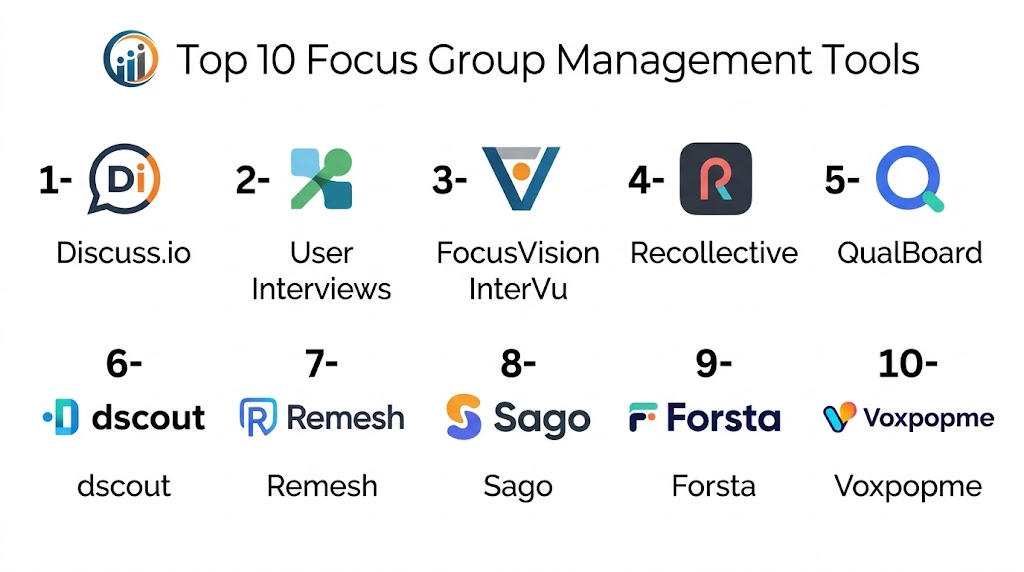
Top 10 Focus Group Management Tools
#1 — Discuss.io
Short description: Discuss.io is a qualitative research platform focused on live video interviews, focus groups, and asynchronous customer research. It helps research teams recruit participants, moderate sessions, capture insights, and analyze conversations using AI-powered workflows. It is widely used by enterprise consumer insight and UX research teams.
Key Features
- Live video focus groups
- AI-powered transcription
- Participant management
- Discussion moderation tools
- Insight tagging and analysis
- Session recording
- Multi-language support
Pros
- Strong enterprise qualitative workflows
- Excellent video research capabilities
- Useful AI summarization tools
Cons
- Premium enterprise pricing
- Smaller teams may not need full capabilities
- Advanced workflows require onboarding
Platforms / Deployment
- Web
- Cloud
Security & Compliance
- SSO/SAML support
- RBAC controls
- GDPR support
- Consent management capabilities
Integrations & Ecosystem
Discuss.io integrates with research, analytics, and collaboration systems to centralize qualitative research workflows.
- Zoom
- CRM systems
- Research repositories
- APIs
- Collaboration platforms
- Analytics workflows
Support & Community
Strong onboarding and enterprise research support with practical implementation guidance for qualitative insight teams.
#2 — User Interviews
Short description: User Interviews is a participant recruitment and research operations platform designed for focus groups, usability studies, and customer interviews. It helps researchers recruit participants, manage scheduling, automate incentives, and coordinate qualitative research workflows efficiently.
Key Features
- Participant recruitment
- Scheduling automation
- Incentive management
- Panel management
- Research CRM workflows
- Screening surveys
- Session coordination tools
Pros
- Excellent participant recruitment workflows
- Easy scheduling management
- Strong UX research support
Cons
- Limited advanced qualitative analytics
- Video moderation depends on integrations
- Enterprise governance features vary
Platforms / Deployment
- Web
- Cloud
Security & Compliance
- GDPR support
- Access controls
- Consent workflows
- Additional certifications not publicly stated
Integrations & Ecosystem
User Interviews integrates well with UX research and product research ecosystems.
- Zoom
- Calendly
- Slack
- CRM tools
- Research repositories
- APIs
Support & Community
Large UX research community with practical onboarding resources and responsive support.
#3 — FocusVision InterVu
Short description: FocusVision InterVu is a professional focus group and qualitative research platform supporting video interviews, online focus groups, and enterprise research operations. It is widely used by agencies and enterprise market research teams.
Key Features
- Online focus groups
- Video interview management
- Participant recruitment workflows
- Session recording
- Research dashboards
- Moderation controls
- Qualitative analytics
Pros
- Strong enterprise qualitative research workflows
- Good moderation capabilities
- Suitable for agencies and enterprises
Cons
- Interface may feel complex for beginners
- Implementation may require onboarding
- Smaller businesses may not need full depth
Platforms / Deployment
- Web
- Cloud
Security & Compliance
- SSO support
- RBAC controls
- GDPR support
- Consent management features
Integrations & Ecosystem
FocusVision supports enterprise research workflows and integrates with broader insight management systems.
- CRM systems
- Analytics tools
- APIs
- Research repositories
- Collaboration systems
- Data export workflows
Support & Community
Professional support and enterprise onboarding with strong agency-focused research assistance.
#4 — Remesh
Short description: Remesh is an AI-powered research platform that enables large-scale moderated conversations and live audience engagement. It combines focus group-style qualitative interaction with AI analysis and scalable participant participation.
Key Features
- AI-assisted moderation
- Large-scale live discussions
- Real-time audience engagement
- Sentiment analysis
- Automated summarization
- Discussion analytics
- Interactive polling workflows
Pros
- Strong AI-powered conversation analysis
- Scalable live discussion support
- Useful for rapid qualitative insights
Cons
- Different from traditional focus group formats
- Enterprise-oriented pricing
- Advanced workflows require planning
Platforms / Deployment
- Web
- Cloud
Security & Compliance
- GDPR support
- Access controls
- Additional certifications not publicly stated
Integrations & Ecosystem
Remesh integrates with collaboration and analytics ecosystems for broader research visibility.
- APIs
- Analytics tools
- Collaboration platforms
- CRM systems
- Reporting workflows
- Data export systems
Support & Community
Strong onboarding support with guided implementation for enterprise research teams.
#5 — dscout
Short description: dscout is a qualitative research platform designed for diary studies, interviews, focus groups, and mobile-first customer research. It is widely used by UX researchers and product teams that need real-world participant insights.
Key Features
- Mobile-first qualitative research
- Video diaries
- Focus group coordination
- Participant management
- AI-assisted tagging
- Session recording
- Research repository workflows
Pros
- Excellent mobile research experience
- Strong UX and product research workflows
- Good participant engagement capabilities
Cons
- More UX-focused than traditional market research
- Enterprise workflows can increase costs
- Advanced analytics vary by deployment
Platforms / Deployment
- Web
- iOS
- Android
- Cloud
Security & Compliance
- GDPR support
- Consent management workflows
- Access controls
- Additional certifications not publicly stated
Integrations & Ecosystem
dscout integrates with UX research, product management, and collaboration environments.
- Slack
- Research repositories
- APIs
- Product research systems
- Collaboration workflows
- Analytics tools
Support & Community
Strong UX research adoption with extensive onboarding resources and active researcher communities.
#6 — Recollective
Short description: Recollective is a qualitative research platform focused on online communities, focus groups, and longitudinal customer research. It supports both synchronous and asynchronous research workflows for enterprise insight teams.
Key Features
- Online focus groups
- Research communities
- Discussion boards
- Participant engagement workflows
- AI-powered analysis
- Session recording
- Insight management
Pros
- Strong asynchronous research workflows
- Useful long-term research community support
- Good enterprise scalability
Cons
- Setup may require operational planning
- Smaller teams may find workflows extensive
- Advanced features may require onboarding
Platforms / Deployment
- Web
- Cloud
Security & Compliance
- SSO support
- GDPR compliance workflows
- Access controls
- Additional certifications not publicly stated
Integrations & Ecosystem
Recollective integrates with insight repositories and enterprise research workflows.
- APIs
- Analytics systems
- Collaboration tools
- CRM systems
- Research repositories
- Reporting tools
Support & Community
Strong enterprise onboarding and qualitative research support for customer insight teams.
#7 — Lookback
Short description: Lookback is a UX research and interview platform focused on live customer conversations, usability testing, and collaborative observation workflows. It is commonly used for product and customer experience research.
Key Features
- Live customer interviews
- Session recording
- Collaborative observation
- Focus group workflows
- Screen sharing
- Session notes and tagging
- Research collaboration tools
Pros
- Excellent UX testing support
- Strong collaborative observation workflows
- Easy live interview management
Cons
- Less focused on traditional enterprise market research
- Limited large-scale panel management
- Advanced analytics are moderate
Platforms / Deployment
- Web
- iOS
- Android
- Cloud
Security & Compliance
- GDPR support
- Consent workflows
- Access controls
- Additional certifications not publicly stated
Integrations & Ecosystem
Lookback integrates with product research and collaboration workflows for customer insight collection.
- Slack
- Zoom workflows
- Research repositories
- APIs
- Collaboration tools
- Product research systems
Support & Community
Popular among UX researchers with accessible onboarding and practical research resources.
#8 — Indeemo
Short description: Indeemo is a mobile ethnography and qualitative research platform designed for customer studies, focus groups, and field research. It supports video, photo, and diary-based participant submissions.
Key Features
- Mobile ethnography workflows
- Video and photo submissions
- Focus group coordination
- Participant task management
- Session recording
- Research dashboards
- AI-assisted organization
Pros
- Strong mobile research capabilities
- Useful ethnographic workflows
- Good participant engagement support
Cons
- Less suitable for traditional moderated panels
- Enterprise research orientation
- Smaller teams may not require full workflows
Platforms / Deployment
- Web
- iOS
- Android
- Cloud
Security & Compliance
- GDPR support
- Consent management workflows
- Access controls
- Additional certifications not publicly stated
Integrations & Ecosystem
Indeemo supports qualitative and field research workflows across customer insight environments.
- APIs
- Analytics systems
- Research repositories
- Collaboration platforms
- Data export systems
- Reporting tools
Support & Community
Professional onboarding support with strong mobile research guidance for enterprise insight teams.
#9 — QualBoard
Short description: QualBoard is an online qualitative research platform focused on asynchronous discussions, online communities, and moderated focus group studies. It is useful for customer insight teams needing flexible engagement workflows.
Key Features
- Online discussion boards
- Moderated focus groups
- Participant engagement workflows
- Research communities
- Multimedia response collection
- Session analysis tools
- Reporting dashboards
Pros
- Good asynchronous discussion workflows
- Useful community engagement capabilities
- Flexible participant interaction support
Cons
- Less modern interface compared with newer platforms
- AI analytics capabilities are moderate
- Enterprise integrations may vary
Platforms / Deployment
- Web
- Cloud
Security & Compliance
- GDPR support
- Access controls
- Consent workflows
- Additional certifications not publicly stated
Integrations & Ecosystem
QualBoard supports online qualitative engagement and discussion-based research operations.
- Research workflows
- APIs
- Collaboration systems
- Reporting tools
- Data exports
- Insight repositories
Support & Community
Provides practical onboarding and support resources for qualitative research teams and agencies.
#10 — Fuel Cycle
Short description: Fuel Cycle is a customer intelligence and online community platform designed for enterprise research and customer feedback programs. It combines focus groups, research communities, and customer insight management into a centralized environment.
Key Features
- Online customer communities
- Focus group workflows
- Participant engagement tools
- AI-powered insights
- Survey and qualitative research support
- Insight repository management
- Customer feedback analytics
Pros
- Strong enterprise insight management
- Good long-term customer engagement workflows
- Useful centralized research environment
Cons
- Enterprise-focused implementation complexity
- Higher operational cost for smaller teams
- Advanced workflows require onboarding
Platforms / Deployment
- Web
- Cloud
Security & Compliance
- SSO support
- RBAC controls
- GDPR support
- Audit management capabilities
Integrations & Ecosystem
Fuel Cycle integrates with enterprise customer insight and analytics ecosystems for centralized research operations.
- CRM systems
- Analytics platforms
- APIs
- Collaboration systems
- Insight repositories
- Business intelligence tools
Support & Community
Enterprise-focused onboarding and strategic support for customer intelligence and insight teams.
Comparison Table
| Tool Name | Best For | Platform(s) Supported | Deployment | Standout Feature | Public Rating |
|---|---|---|---|---|---|
| Discuss.io | Enterprise qualitative research | Web | Cloud | AI-powered video insights | N/A |
| User Interviews | Participant recruitment | Web | Cloud | Research operations automation | N/A |
| FocusVision InterVu | Professional focus groups | Web | Cloud | Enterprise moderation workflows | N/A |
| Remesh | AI-driven live discussions | Web | Cloud | Scalable conversational research | N/A |
| dscout | UX and mobile research | Web, iOS, Android | Cloud | Mobile-first qualitative studies | N/A |
| Recollective | Longitudinal research communities | Web | Cloud | Asynchronous research workflows | N/A |
| Lookback | UX interviews and observation | Web, iOS, Android | Cloud | Collaborative usability testing | N/A |
| Indeemo | Mobile ethnography research | Web, iOS, Android | Cloud | Multimedia participant studies | N/A |
| QualBoard | Online qualitative discussions | Web | Cloud | Community discussion workflows | N/A |
| Fuel Cycle | Enterprise customer intelligence | Web | Cloud | Centralized insight management | N/A |
Evaluation & Scoring of Focus Group Management Tools
| Tool Name | Core 25% | Ease 15% | Integrations 15% | Security 10% | Performance 10% | Support 10% | Value 15% | Weighted Total |
|---|---|---|---|---|---|---|---|---|
| Discuss.io | 9.2 | 8.1 | 8.7 | 8.5 | 8.9 | 8.7 | 7.8 | 8.6 |
| User Interviews | 8.7 | 9.0 | 8.3 | 7.9 | 8.5 | 8.6 | 8.8 | 8.5 |
| FocusVision InterVu | 9.0 | 7.8 | 8.5 | 8.4 | 8.8 | 8.5 | 7.7 | 8.4 |
| Remesh | 8.9 | 8.2 | 8.4 | 8.0 | 8.7 | 8.4 | 7.9 | 8.4 |
| dscout | 8.8 | 8.7 | 8.2 | 8.0 | 8.6 | 8.5 | 8.2 | 8.4 |
| Recollective | 8.9 | 7.9 | 8.4 | 8.2 | 8.7 | 8.5 | 7.8 | 8.3 |
| Lookback | 8.3 | 9.1 | 7.9 | 7.8 | 8.3 | 8.4 | 8.7 | 8.4 |
| Indeemo | 8.5 | 8.3 | 8.0 | 7.9 | 8.4 | 8.3 | 8.1 | 8.2 |
| QualBoard | 8.1 | 8.2 | 7.8 | 7.7 | 8.0 | 8.2 | 8.4 | 8.1 |
| Fuel Cycle | 9.1 | 7.6 | 8.8 | 8.6 | 8.9 | 8.7 | 7.5 | 8.5 |
These scores are comparative rather than absolute. Enterprise-focused platforms generally score higher in governance, scalability, AI analysis, and operational depth, while UX-focused and lightweight platforms perform better in usability and rapid deployment. The right choice depends on research complexity, participant management needs, collaboration requirements, and organizational maturity.
Which Focus Group Management Tools Tool Is Right for You?
Solo / Freelancer
Independent researchers and consultants usually benefit most from Lookback, User Interviews, or dscout because these platforms are easier to deploy and support lightweight qualitative workflows without requiring large operational teams.
SMB
SMBs often need participant recruitment, session coordination, and collaborative moderation without enterprise complexity. User Interviews, Lookback, and dscout provide balanced usability and research flexibility for growing teams.
Mid-Market
Mid-market organizations typically require broader participant management, AI analysis, and scalable research workflows. Discuss.io, Recollective, and Remesh provide stronger operational visibility and qualitative insight management.
Enterprise
Large enterprises should prioritize Discuss.io, Fuel Cycle, FocusVision InterVu, or Recollective because of their governance capabilities, scalability, integration ecosystems, and enterprise research support.
Budget vs Premium
Budget-conscious teams may prefer Lookback or User Interviews for focused qualitative studies with lower operational overhead. Premium enterprise platforms like Discuss.io and Fuel Cycle provide broader insight management and AI-assisted analysis capabilities.
Feature Depth vs Ease of Use
Lookback and User Interviews prioritize usability and rapid onboarding, while Fuel Cycle, FocusVision InterVu, and Discuss.io offer deeper operational and governance capabilities that may require structured implementation.
Integrations & Scalability
Organizations with CRM, analytics, repository, and collaboration requirements should prioritize Discuss.io, Fuel Cycle, or Recollective because of their stronger enterprise integration ecosystems.
Security & Compliance Needs
Healthcare, enterprise, and regulated research environments should prioritize platforms with consent tracking, RBAC, SSO, audit controls, and centralized administrative workflows.
Frequently Asked Questions
1. What is a Focus Group Management Tool?
A Focus Group Management Tool helps businesses recruit participants, moderate sessions, schedule discussions, capture recordings, analyze conversations, and manage qualitative research workflows.
2. Why are these tools important?
These platforms reduce manual coordination work, improve participant management, streamline qualitative analysis, and help researchers collect richer customer insights faster.
3. Can focus groups be conducted remotely?
Yes. Most modern platforms support live virtual focus groups, asynchronous discussions, mobile participation, and hybrid research environments.
4. Do these tools support AI analysis?
Many modern platforms now include AI-powered transcription, summarization, tagging, sentiment analysis, and thematic insight extraction capabilities.
5. Are these platforms useful for UX research?
Yes. Many UX research teams use platforms like Lookback, dscout, and User Interviews for usability studies, customer interviews, and product feedback sessions.
6. How difficult is implementation?
Implementation depends on workflow complexity and organizational size. Lightweight tools can be deployed quickly, while enterprise platforms may require onboarding and operational planning.
7. Are participant incentives managed within these platforms?
Many platforms now support participant compensation workflows, automated payments, and incentive tracking to improve attendance and engagement.
8. What are common mistakes when selecting a platform?
Common mistakes include underestimating participant management needs, ignoring integration requirements, focusing only on video capabilities, and failing to evaluate insight analysis workflows.
9. Are these platforms secure?
Enterprise-focused platforms generally provide governance capabilities such as SSO, RBAC, consent management, and administrative controls. Security depth varies by vendor and deployment type.
10. What are alternatives to Focus Group Management Tools?
Alternatives include manually coordinated Zoom sessions, spreadsheet-based participant tracking, traditional research agencies, and standalone survey tools. These approaches may work initially but become difficult to scale.
Conclusion
Focus Group Management Tools help organizations transform qualitative research from a manual coordination process into a scalable and insight-driven operation. The right platform depends on participant management needs, research complexity, collaboration requirements, AI analysis expectations, and organizational scale. Smaller teams may prefer lightweight and UX-friendly tools like Lookback, User Interviews, or dscout, while larger enterprises often benefit from Discuss.io, Fuel Cycle, FocusVision InterVu, or Recollective for broader governance and research management capabilities. Instead of selecting a platform based only on video features or participant recruitment, businesses should evaluate moderation workflows, AI analysis quality, integration support, security requirements, and long-term research scalability. The best next step is to shortlist a few platforms, run pilot studies with real participants, validate moderation and reporting workflows, and compare operational efficiency before making a long-term investment.