Introduction
DJ Mixing Software allows DJs to mix, remix, organize, perform, stream, and manipulate digital music using laptops, controllers, mixers, turntables, and standalone DJ hardware. Modern DJ platforms now include advanced features such as real-time stem separation, AI-assisted track recommendations, cloud synchronization, streaming service integrations, live effects processing, harmonic mixing, and video DJ capabilities.
As live performances, online streaming, creator culture, and home studio production continue expanding, DJ Mixing Software has become essential for club DJs, mobile DJs, producers, event performers, radio hosts, livestream creators, and beginner hobbyists. Many platforms now support cloud music libraries, real-time remixing, performance pads, hardware integration, and cross-device workflows that simplify modern DJ setups.
Real-world use cases include:
- Performing live DJ sets at clubs and events
- Streaming DJ mixes online
- Creating mashups and remixes
- Managing digital music libraries
- Practicing and learning DJ workflows at home
Evaluation Criteria for Buyers:
- Hardware compatibility
- Real-time performance stability
- Music library management
- Stem separation quality
- Streaming service integration
- Effects and remix capabilities
- Cross-platform compatibility
- Ease of use for beginners
- Advanced workflow customization
- Pricing and licensing flexibility
Best for: club DJs, event DJs, livestream creators, music producers, beginner DJs, mobile entertainers, educators, and professional performers managing digital mixing workflows.
Not ideal for: users who only consume music casually or creators seeking full-scale music production DAWs instead of live DJ performance environments.
Key Trends in DJ Mixing Software
- AI-powered stem separation is becoming a standard feature across major DJ platforms.
- Cloud-based music library synchronization is rapidly expanding for multi-device workflows.
- Streaming platform integrations with Apple Music and Spotify are reshaping DJ workflows.
- Club-standard workflows continue to center heavily around Rekordbox ecosystems.
- Open library standards are improving interoperability between DJ ecosystems.
- Mobile and tablet DJ workflows are becoming more professional-grade.
- Video DJing and livestream support are becoming increasingly common.
- Subscription pricing models continue expanding across major DJ ecosystems.
- Beginner-friendly DJ software editions are improving accessibility.
- Real-time performance optimization and GPU acceleration are improving stability for large live events.
How We Selected These Tools Methodology
The tools in this list were selected based on performance reliability, ecosystem maturity, workflow flexibility, and industry adoption.
- Strong adoption among professional and hobbyist DJs
- Reliable live-performance stability
- Hardware controller compatibility
- Advanced mixing and remixing capabilities
- Music library organization quality
- Streaming and cloud integration support
- Cross-platform flexibility
- Innovation in AI and stem separation
- Scalability for beginners and professionals
- Long-term ecosystem and community strength
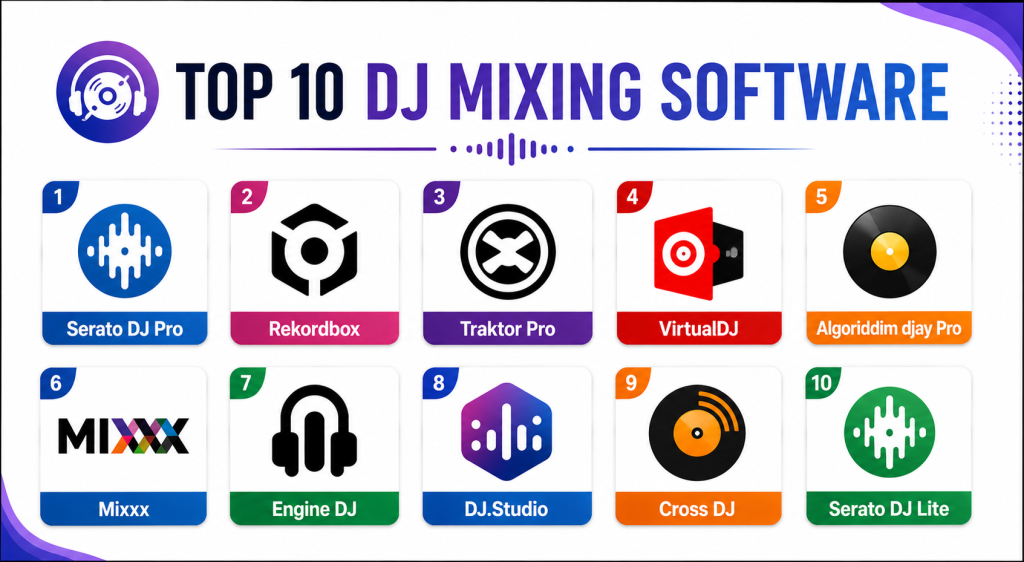
Top 10 DJ Mixing Software
#1 — Serato DJ Pro
Short description: Serato DJ Pro is one of the most widely used DJ platforms globally and remains the industry standard for scratch DJs, mobile DJs, and live performance professionals. It is especially respected for stability, hardware support, and DVS workflows.
Key Features
- Real-time stem separation
- DVS support
- Advanced cue and looping controls
- Streaming integrations
- Hardware controller compatibility
- Waveform beatmatching
- Performance pad workflows
Pros
- Exceptional live performance stability
- Industry-standard scratching workflows
- Huge hardware ecosystem
Cons
- Premium features require paid tiers
- Subscription ecosystem can become expensive
- Interface learning curve for beginners
Platforms / Deployment
- Windows / macOS
- Local / Cloud
Security & Compliance
Account protections and licensing systems supported. Additional certifications not publicly stated.
Integrations & Ecosystem
Serato integrates deeply with professional DJ controllers, streaming platforms, and live-performance ecosystems.
- Pioneer DJ hardware
- Roland controllers
- Streaming integrations
- DVS systems
- MIDI controllers
Support & Community
Massive global DJ community with extensive tutorials, courses, and professional ecosystem support.
#2 — Rekordbox
Short description: Rekordbox is the dominant club-standard DJ software ecosystem developed by AlphaTheta Pioneer DJ. It combines music library management, live performance workflows, cloud sync, and hardware integration for professional club DJs.
Key Features
- Club-standard USB export
- Cloud library synchronization
- AI-assisted workflows
- Real-time stems
- Streaming support
- Performance mode
- Advanced playlist management
Pros
- Essential for many club environments
- Excellent hardware integration
- Strong library management
Cons
- Advanced plans can become expensive
- Best experience tied to Pioneer ecosystem
- Resource-intensive on older systems
Platforms / Deployment
- Windows / macOS / iOS / Android
- Cloud / Hybrid
Security & Compliance
Account protections and cloud synchronization security supported.
Integrations & Ecosystem
Rekordbox integrates heavily with Pioneer DJ ecosystems and modern streaming services.
- CDJs
- XDJ systems
- Streaming services
- Cloud sync workflows
- DJ controllers
Support & Community
Huge professional club DJ ecosystem with strong hardware and educational support.
#3 — Traktor Pro
Short description: Traktor Pro is a professional DJ platform focused on advanced remixing, electronic music workflows, customizable layouts, and creative live performance tools. It remains especially popular among electronic and techno DJs.
Key Features
- Stem decks
- Harmonic mixing
- Advanced looping
- Pattern player
- Flexible beatgrids
- Custom layouts
- Remix decks
Pros
- Excellent creative workflows
- Strong customization support
- Good value licensing model
Cons
- Steeper learning curve
- Smaller mainstream ecosystem
- Club adoption lower than Rekordbox
Platforms / Deployment
- Windows / macOS
- Local
Security & Compliance
Not publicly stated.
Integrations & Ecosystem
Traktor integrates strongly with Native Instruments hardware and electronic performance environments.
- Native Instruments controllers
- MIDI workflows
- Beatport streaming
- Remix environments
Support & Community
Strong electronic music community with extensive creative workflow tutorials.
#4 — VirtualDJ
Short description: VirtualDJ is one of the most popular DJ software platforms globally, known for accessibility, advanced automation, video DJing, and beginner-friendly workflows.
Key Features
- Real-time stem separation
- Video DJ support
- Live streaming tools
- Smart mixing automation
- Extensive hardware support
- Karaoke workflows
- Customizable skins
Pros
- Extremely beginner-friendly
- Massive hardware compatibility
- Excellent automation tools
Cons
- Interface can feel cluttered
- Advanced automation may not suit purists
- Some features rely heavily on internet workflows
Platforms / Deployment
- Windows / macOS
- Local / Cloud
Security & Compliance
Account protections supported. Additional certifications not publicly stated.
Integrations & Ecosystem
VirtualDJ supports one of the broadest hardware and streaming ecosystems in the DJ industry.
- DJ controllers
- Video workflows
- Streaming platforms
- Karaoke systems
- MIDI hardware
Support & Community
Massive global community with strong beginner and professional adoption.
#5 — Algoriddim djay Pro
Short description: djay Pro is a modern DJ mixing platform designed for mobile, desktop, and touchscreen workflows. It is especially popular among beginner DJs and creators using Apple ecosystems.
Key Features
- Neural Mix stem separation
- Touchscreen workflows
- Streaming integrations
- Automix functionality
- AI-powered transitions
- Mobile DJ workflows
- Video mixing support
Pros
- Excellent mobile experience
- Beginner-friendly workflows
- Strong Apple ecosystem integration
Cons
- Less dominant in professional club setups
- Advanced workflows may feel limited
- Hardware ecosystem smaller than competitors
Platforms / Deployment
- Windows / macOS / iOS / Android
- Cloud / Hybrid
Security & Compliance
Account protections supported.
Integrations & Ecosystem
djay Pro integrates strongly with mobile workflows and streaming ecosystems.
- Apple Music
- MIDI controllers
- Touchscreen devices
- Streaming services
Support & Community
Growing creator-focused community with strong mobile-first workflows.
#6 — Mixxx
Short description: Mixxx is a free and open-source DJ software platform offering professional mixing tools, hardware compatibility, and cross-platform support for beginners and advanced users alike.
Key Features
- Open-source architecture
- MIDI controller support
- DVS workflows
- Auto DJ functionality
- Beat syncing
- Recording support
- Cross-platform compatibility
Pros
- Completely free
- Strong open-source community
- Broad controller support
Cons
- Interface less polished
- Smaller commercial ecosystem
- Limited premium workflow integrations
Platforms / Deployment
- Windows / macOS / Linux
- Local
Security & Compliance
Open-source platform with active community maintenance.
Integrations & Ecosystem
Mixxx supports flexible open-source DJ workflows and controller ecosystems.
- MIDI controllers
- DVS systems
- Audio interfaces
- Open-source plugins
Support & Community
Large open-source community with strong beginner support resources.
#7 — Engine DJ
Short description: Engine DJ is Denon DJ’s ecosystem-focused software platform designed for standalone DJ hardware workflows, streaming integration, and professional live performance environments.
Key Features
- Standalone hardware workflows
- Cloud synchronization
- Streaming integration
- Playlist management
- Touchscreen workflows
- USB export
- Performance analytics
Pros
- Excellent standalone hardware support
- Strong streaming workflows
- Good modern interface
Cons
- Best suited for Denon ecosystems
- Smaller adoption compared to Serato and Rekordbox
- Limited third-party ecosystem depth
Platforms / Deployment
- Windows / macOS
- Cloud / Hybrid
Security & Compliance
Not publicly stated.
Integrations & Ecosystem
Engine DJ integrates deeply with Denon standalone DJ hardware ecosystems.
- Denon DJ hardware
- Streaming platforms
- Standalone players
- Cloud sync workflows
Support & Community
Growing professional ecosystem with strong standalone hardware adoption.
#8 — DJ.Studio
Short description: DJ.Studio is a timeline-based DJ mix creation platform focused on structured mix production, transitions, mashups, and online set creation rather than live performance workflows.
Key Features
- Timeline-based mixing
- Automatic transitions
- Mashup workflows
- Export support
- AI-assisted mix planning
- Structured set building
- Multi-platform export
Pros
- Excellent for pre-produced mixes
- Beginner-friendly workflow
- Strong content creation support
Cons
- Not designed for live DJing
- Limited controller workflows
- Smaller live-performance ecosystem
Platforms / Deployment
- Windows / macOS
- Local
Security & Compliance
Not publicly stated.
Integrations & Ecosystem
DJ.Studio complements live-performance software ecosystems for mix preparation workflows.
- Rekordbox exports
- Serato exports
- Traktor exports
- Mix production workflows
Support & Community
Growing creator-focused ecosystem with modern onboarding workflows.
#9 — Cross DJ
Short description: Cross DJ is a lightweight DJ mixing platform focused on beginner accessibility, mobile workflows, and streamlined digital mixing experiences.
Key Features
- Beat synchronization
- Looping workflows
- MIDI controller support
- Mobile compatibility
- Effects processing
- Playlist management
- Audio recording
Pros
- Easy for beginners
- Lightweight performance
- Good mobile usability
Cons
- Smaller ecosystem
- Limited advanced professional workflows
- Fewer integrations than major competitors
Platforms / Deployment
- Windows / macOS / iOS / Android
- Local
Security & Compliance
Not publicly stated.
Integrations & Ecosystem
Cross DJ supports lightweight DJ workflows and mobile-friendly environments.
- MIDI controllers
- Mobile devices
- Audio interfaces
- Streaming workflows
Support & Community
Smaller but accessible beginner-focused community.
#10 — Serato DJ Lite
Short description: Serato DJ Lite is the beginner-focused version of Serato designed to introduce new DJs to professional mixing workflows before upgrading to Serato DJ Pro.
Key Features
- Beginner-friendly interface
- Basic beatmatching
- Streaming integration
- Cue controls
- Controller support
- Music library management
- Upgrade path to Pro
Pros
- Excellent beginner onboarding
- Strong ecosystem transition path
- Stable performance
Cons
- Limited advanced features
- Requires upgrade for professional workflows
- Fewer customization capabilities
Platforms / Deployment
- Windows / macOS
- Local / Cloud
Security & Compliance
Account protections supported.
Integrations & Ecosystem
Serato DJ Lite integrates directly into broader Serato professional ecosystems.
- DJ controllers
- Streaming integrations
- Serato hardware
- Upgrade workflows
Support & Community
Large beginner ecosystem with strong educational resources.
Comparison Table
| Tool Name | Best For | Platform(s) Supported | Deployment | Standout Feature | Public Rating |
|---|---|---|---|---|---|
| Serato DJ Pro | Professional live DJs | Windows, macOS | Local / Cloud | Industry-standard scratching | N/A |
| Rekordbox | Club DJs | Windows, macOS, iOS, Android | Cloud / Hybrid | Club-standard USB workflows | N/A |
| Traktor Pro | Electronic music DJs | Windows, macOS | Local | Advanced remix decks | N/A |
| VirtualDJ | Beginner and mobile DJs | Windows, macOS | Local / Cloud | Video DJ support | N/A |
| djay Pro | Mobile-first DJ workflows | Windows, macOS, iOS, Android | Cloud / Hybrid | Neural Mix AI stems | N/A |
| Mixxx | Open-source DJs | Windows, macOS, Linux | Local | Free open-source workflows | N/A |
| Engine DJ | Standalone hardware users | Windows, macOS | Cloud / Hybrid | Standalone DJ integration | N/A |
| DJ.Studio | Pre-produced DJ mixes | Windows, macOS | Local | Timeline-based mix creation | N/A |
| Cross DJ | Beginner mixing | Windows, macOS, iOS, Android | Local | Lightweight mobile workflows | N/A |
| Serato DJ Lite | Beginner DJs | Windows, macOS | Local / Cloud | Beginner-friendly onboarding | N/A |
Evaluation & Scoring of DJ Mixing Software
| Tool Name | Core 25% | Ease 15% | Integrations 15% | Security 10% | Performance 10% | Support 10% | Value 15% | Weighted Total |
|---|---|---|---|---|---|---|---|---|
| Serato DJ Pro | 9.5 | 8.5 | 9 | 8 | 9.5 | 9 | 8 | 8.9 |
| Rekordbox | 9.5 | 8 | 9.5 | 8 | 9 | 9 | 7.5 | 8.8 |
| Traktor Pro | 9 | 7 | 8 | 7.5 | 9 | 8.5 | 8.5 | 8.2 |
| VirtualDJ | 8.5 | 9 | 9 | 7 | 8.5 | 8.5 | 9 | 8.5 |
| djay Pro | 8.5 | 9 | 8 | 7.5 | 8.5 | 8 | 8.5 | 8.3 |
| Mixxx | 8 | 7.5 | 7 | 8 | 8 | 8 | 10 | 8.1 |
| Engine DJ | 8 | 7.5 | 8 | 7 | 8.5 | 7.5 | 8 | 7.9 |
| DJ.Studio | 7.5 | 8.5 | 7 | 7 | 8 | 7.5 | 8.5 | 7.8 |
| Cross DJ | 7 | 8 | 6.5 | 6.5 | 7.5 | 7 | 8.5 | 7.4 |
| Serato DJ Lite | 7 | 9 | 7.5 | 7 | 8 | 8 | 9 | 7.9 |
These scores are comparative evaluations intended to help DJs align software selection with workflow priorities. Some platforms excel in live performance reliability and hardware ecosystems, while others focus on mobile accessibility, remix creativity, or beginner onboarding. Buyers should evaluate software based on their preferred hardware, performance environments, streaming workflows, and long-term creative goals.
Which DJ Mixing Software Is Right for You?
Solo / Freelancer
Beginner DJs and solo creators often benefit most from ease of use and affordability. VirtualDJ, Serato DJ Lite, and djay Pro provide excellent onboarding experiences for learning digital DJ workflows.
SMB
Event DJs and mobile entertainment businesses often prioritize stability, controller compatibility, and library management. Serato DJ Pro and Rekordbox are strong choices for scalable professional workflows.
Mid-Market
Mid-market performance environments managing events, livestreams, and multimedia production may benefit from Rekordbox, Traktor Pro, and Engine DJ for larger workflow flexibility.
Enterprise
Large entertainment environments and venue ecosystems often prioritize reliability, hardware integration, and professional support ecosystems. Rekordbox and Serato DJ Pro dominate many professional environments.
Budget vs Premium
Budget-conscious DJs may prefer Mixxx or Serato DJ Lite. Premium ecosystems like Rekordbox and Serato DJ Pro justify higher pricing through hardware compatibility and professional reliability.
Feature Depth vs Ease of Use
Traktor Pro provides some of the deepest creative workflows but requires onboarding time. VirtualDJ and djay Pro prioritize accessibility and fast learning curves.
Integrations & Scalability
DJs heavily invested in Pioneer ecosystems should strongly consider Rekordbox, while scratch DJs and mobile performers often benefit more from Serato workflows.
Security & Compliance Needs
Professional DJs managing cloud libraries and streaming integrations should validate account protections, backup workflows, and synchronization reliability carefully before large-scale deployment.
Frequently Asked Questions FAQs
1. What is DJ Mixing Software?
DJ Mixing Software allows DJs to mix, remix, organize, and perform music digitally using laptops, DJ controllers, turntables, and streaming platforms.
2. Which DJ software do most professional DJs use?
Serato DJ Pro and Rekordbox remain among the most widely used professional DJ platforms globally.
3. Which DJ software is best for beginners?
VirtualDJ, Serato DJ Lite, and djay Pro are often recommended for beginners because of their simpler interfaces and accessible workflows.
4. What is stem separation in DJ software?
Stem separation allows DJs to isolate vocals, drums, bass, and melodies independently for live remixing and mashup creation.
5. Can DJ software stream music directly?
Yes. Many modern DJ platforms integrate with streaming services such as Apple Music, Beatport, and Spotify for cloud-based music access.
6. Which DJ software is best for club DJs?
Rekordbox is widely considered the standard for club workflows because of its compatibility with Pioneer CDJ ecosystems.
7. Is open-source DJ software reliable?
Yes. Mixxx is a respected open-source DJ platform that offers professional-grade mixing features and controller support.
8. What mistakes should beginner DJs avoid?
Common mistakes include choosing overly advanced software too early, ignoring controller compatibility, underestimating library organization, and neglecting live-performance stability.
9. Can DJs use tablets and phones professionally?
Modern platforms such as djay Pro increasingly support professional-grade mobile workflows, especially for practice, livestreaming, and lightweight performance environments.
10. Is switching DJ ecosystems difficult?
Switching can require rebuilding playlists, cue points, and metadata workflows. New interoperability initiatives are helping reduce ecosystem lock-in.
Conclusion
DJ Mixing Software has evolved into a sophisticated ecosystem of live performance, streaming, remixing, and music management platforms that support everyone from beginners to professional touring DJs. Some tools focus heavily on club-standard workflows and hardware ecosystems, while others prioritize mobile accessibility, creative remixing, or open-source flexibility. Serato DJ Pro remains a dominant choice for live performance reliability and scratching workflows, while Rekordbox continues leading in club-standard environments and Pioneer hardware integration. Traktor Pro excels in electronic music creativity, VirtualDJ remains highly accessible for beginners and livestream creators, and Mixxx offers impressive open-source value. The best DJ Mixing Software ultimately depends on your hardware ecosystem, performance style, creative goals, and budget. Before choosing a platform, shortlist two or three tools, test controller compatibility and workflow usability, evaluate streaming and stem-separation features, and confirm long-term scalability for your DJ setup and performance environment.