Introduction
Password Sharing Tools help individuals and organizations securely store, manage, and share login credentials, sensitive access information, API keys, and authentication data without relying on unsafe methods like spreadsheets, email, or messaging apps. These platforms are designed to improve security, simplify collaboration, and reduce the risks associated with password reuse and unauthorized access.
Modern Password Sharing Tools now include advanced capabilities such as encrypted vaults, role-based access controls, zero-knowledge architecture, password health monitoring, MFA support, secure notes, audit logs, browser integrations, and enterprise governance controls. As remote work and distributed teams continue growing, secure credential management has become essential for businesses of all sizes.
Real-world use cases include:
- Sharing team credentials securely
- Managing client access across agencies
- Protecting privileged accounts and admin credentials
- Centralizing password management for remote teams
- Securing developer and infrastructure access workflows
Evaluation Criteria for Buyers:
- Encryption and security architecture
- Password sharing and access controls
- MFA and authentication support
- Ease of use and onboarding
- Browser and mobile integrations
- Audit logs and activity monitoring
- Cross-platform synchronization
- Scalability for teams and enterprises
- Compliance and governance features
- Pricing flexibility and value
Best for: IT teams, agencies, SMBs, enterprises, developers, remote teams, cybersecurity professionals, and organizations managing shared credentials across multiple users and systems.
Not ideal for: users who only manage a few personal passwords locally without collaboration or sharing requirements.
Key Trends in Password Sharing Tools
- Zero-knowledge encryption models are becoming standard across premium platforms.
- Passwordless authentication and passkey support are rapidly expanding.
- AI-powered password health analysis and breach detection are improving security visibility.
- Browser-based autofill and synchronization experiences are becoming more seamless.
- Enterprise buyers increasingly prioritize governance, auditability, and compliance features.
- Secure credential sharing for remote and hybrid teams continues growing.
- PAM and privileged credential workflows are merging with password management systems.
- Self-hosted and privacy-focused password vaults are gaining traction among technical users.
- Biometric authentication support is becoming more common across mobile workflows.
- Integration with SSO, IAM, and developer infrastructure ecosystems is expanding rapidly.
How We Selected These Tools Methodology
The tools in this list were selected based on security posture, usability, ecosystem maturity, and enterprise readiness.
- Strong industry adoption and reputation
- Proven encryption and security architecture
- Cross-platform synchronization reliability
- Password sharing and collaboration capabilities
- MFA and authentication flexibility
- Integration ecosystem and API support
- Audit logging and governance features
- Usability across desktop and mobile environments
- Suitability for solo users, SMBs, and enterprises
- Long-term product reliability and innovation
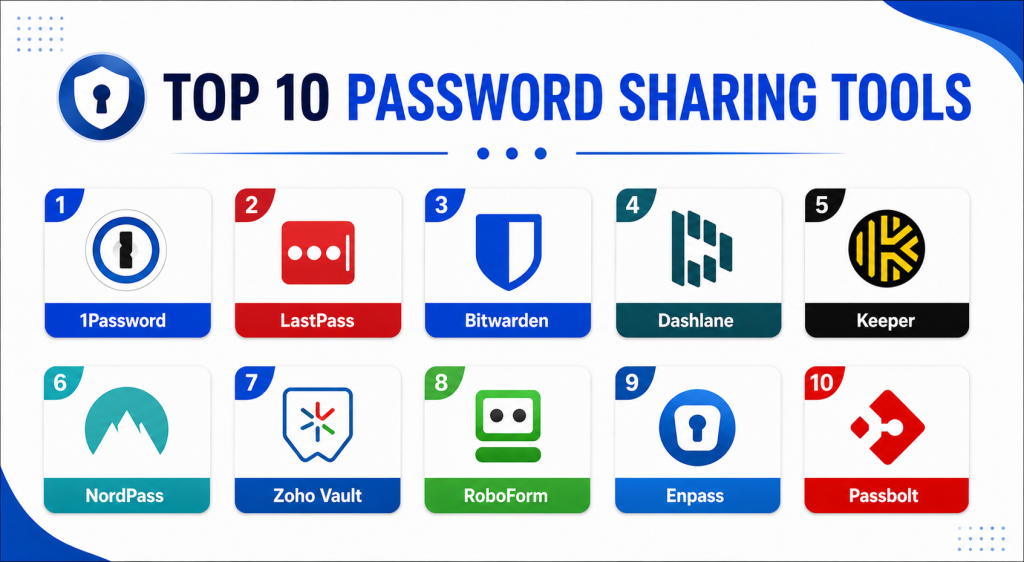
Top 10 Password Sharing Tools
#1 — 1Password
Short description: 1Password is one of the most trusted password management and password sharing platforms available today. It combines strong encryption, secure team collaboration, developer-focused secret management, and enterprise governance capabilities into a highly polished user experience.
Key Features
- Shared vaults
- Secure password sharing
- Watchtower security monitoring
- MFA support
- Developer secrets management
- Biometric authentication
- Cross-device synchronization
Pros
- Excellent user experience
- Strong security architecture
- Highly scalable for teams
Cons
- Premium pricing for enterprise plans
- Advanced administration requires onboarding
- Limited free-tier functionality
Platforms / Deployment
- Web / Windows / macOS / Linux / iOS / Android
- Cloud
Security & Compliance
Zero-knowledge encryption, MFA, SSO support, audit controls, SOC 2, GDPR-related controls.
Integrations & Ecosystem
1Password integrates deeply with enterprise identity and productivity ecosystems.
- Okta
- Azure AD
- Slack
- GitHub
- Browser extensions
- Developer CLI tools
Support & Community
Strong enterprise support, excellent onboarding, and extensive documentation ecosystem.
#2 — LastPass
Short description: LastPass is a widely used password management platform focused on secure password storage, autofill, and credential sharing for individuals and organizations. It remains popular among SMBs and enterprises managing large user environments.
Key Features
- Shared password vaults
- Password autofill
- MFA support
- Dark web monitoring
- Password generation
- Admin dashboard
- Security reporting
Pros
- Broad ecosystem compatibility
- Easy onboarding experience
- Strong sharing workflows
Cons
- Reputation impacted by past security incidents
- Advanced features require higher-tier plans
- Interface can feel crowded
Platforms / Deployment
- Web / Windows / macOS / Linux / iOS / Android
- Cloud
Security & Compliance
MFA supported, zero-knowledge model, SSO support available. Additional certifications vary by plan.
Integrations & Ecosystem
LastPass integrates with identity, productivity, and enterprise access management systems.
- Microsoft environments
- Okta
- Browser extensions
- Directory services
- Enterprise admin systems
Support & Community
Large user community with extensive enterprise deployment resources.
#3 — Bitwarden
Short description: Bitwarden is a popular open-source password management and sharing platform known for strong security, affordability, and flexible deployment options. It is especially favored by developers, SMBs, and privacy-focused organizations.
Key Features
- Open-source architecture
- Shared organization vaults
- Self-hosting support
- MFA support
- Password generator
- Cross-device sync
- Secure file storage
Pros
- Excellent value for pricing
- Strong transparency and trust
- Flexible self-hosting options
Cons
- Interface less polished than premium competitors
- Some enterprise features require configuration
- Limited advanced automation
Platforms / Deployment
- Web / Windows / macOS / Linux / iOS / Android
- Cloud / Self-hosted
Security & Compliance
Zero-knowledge encryption, MFA, SSO support, SOC 2, GDPR-related controls.
Integrations & Ecosystem
Bitwarden supports integrations across enterprise and developer ecosystems.
- Browser extensions
- CLI tools
- APIs
- Directory integrations
- Self-hosted deployments
Support & Community
Strong open-source community with active enterprise growth and documentation.
#4 — Dashlane
Short description: Dashlane combines password management, password sharing, dark web monitoring, and security reporting into a user-friendly platform designed for individuals and businesses focused on improving credential security.
Key Features
- Password sharing
- VPN support
- Dark web monitoring
- Password health dashboard
- MFA support
- Autofill capabilities
- Secure notes
Pros
- Clean user interface
- Strong security monitoring
- Good mobile usability
Cons
- Higher pricing for business plans
- VPN functionality varies by region
- Advanced enterprise controls less extensive than some competitors
Platforms / Deployment
- Web / Windows / macOS / iOS / Android
- Cloud
Security & Compliance
Zero-knowledge encryption, MFA support, SSO support available.
Integrations & Ecosystem
Dashlane integrates with productivity and enterprise access ecosystems.
- Browser extensions
- Identity providers
- Admin consoles
- Productivity workflows
Support & Community
Good onboarding experience with business-focused support resources.
#5 — Keeper
Short description: Keeper is an enterprise-oriented password management and privileged access platform focused heavily on security, governance, and compliance. It is widely used in regulated industries and enterprise environments.
Key Features
- Secure password sharing
- Role-based access controls
- Privileged access management
- Audit logging
- MFA support
- Secure file storage
- Compliance reporting
Pros
- Strong enterprise security controls
- Excellent audit capabilities
- Good compliance support
Cons
- Premium enterprise pricing
- More complex setup for smaller teams
- Interface can feel admin-heavy
Platforms / Deployment
- Web / Windows / macOS / Linux / iOS / Android
- Cloud
Security & Compliance
Zero-knowledge encryption, MFA, SSO/SAML, SOC 2, FedRAMP-related offerings vary by environment.
Integrations & Ecosystem
Keeper supports enterprise-grade integrations for identity and governance workflows.
- Okta
- Azure AD
- SIEM systems
- APIs
- Enterprise admin tools
Support & Community
Strong enterprise support organization with extensive security documentation.
#6 — NordPass
Short description: NordPass is a password management platform designed for individuals and businesses seeking simplicity, strong encryption, and secure password sharing. It is built by the team behind Nord Security products.
Key Features
- Shared password vaults
- Password health tools
- MFA support
- Autofill functionality
- Biometric login
- Secure notes
- Cross-platform synchronization
Pros
- Simple and modern interface
- Good pricing structure
- Easy onboarding for SMBs
Cons
- Smaller enterprise ecosystem
- Limited advanced governance features
- Fewer integrations compared to enterprise-focused tools
Platforms / Deployment
- Web / Windows / macOS / Linux / iOS / Android
- Cloud
Security & Compliance
Zero-knowledge architecture, MFA supported. Additional certifications not publicly stated.
Integrations & Ecosystem
NordPass focuses on streamlined productivity and secure credential management.
- Browser extensions
- Mobile integrations
- Productivity workflows
- Business admin tools
Support & Community
Growing business-focused community with accessible onboarding.
#7 — Zoho Vault
Short description: Zoho Vault is a password management and sharing solution integrated into the broader Zoho business ecosystem. It is particularly attractive for SMBs already using Zoho applications.
Key Features
- Shared password vaults
- Role-based permissions
- Password policies
- MFA support
- Audit trails
- Team sharing
- Centralized administration
Pros
- Affordable SMB pricing
- Strong Zoho ecosystem integration
- Good administrative controls
Cons
- Best suited for Zoho-heavy environments
- Interface less polished than premium competitors
- Limited advanced enterprise automation
Platforms / Deployment
- Web / Windows / macOS / iOS / Android
- Cloud
Security & Compliance
Encryption supported, MFA available, audit trails included.
Integrations & Ecosystem
Zoho Vault integrates closely with business and productivity systems.
- Zoho ecosystem
- Browser extensions
- Directory integrations
- Productivity tools
Support & Community
Strong SMB-focused onboarding and support resources.
#8 — RoboForm
Short description: RoboForm is a long-standing password management platform focused on password storage, autofill, and secure sharing across personal and business environments. It remains popular for its ease of use and mature autofill capabilities.
Key Features
- Secure password sharing
- Autofill support
- Password auditing
- MFA support
- Secure notes
- Cross-platform sync
- Emergency access workflows
Pros
- Excellent autofill performance
- Mature platform stability
- Easy onboarding
Cons
- Interface feels dated
- Smaller enterprise ecosystem
- Limited advanced governance features
Platforms / Deployment
- Web / Windows / macOS / Linux / iOS / Android
- Cloud
Security & Compliance
Encryption supported, MFA available. Additional certifications not publicly stated.
Integrations & Ecosystem
RoboForm focuses on secure credential management and browser compatibility.
- Browser extensions
- Mobile integrations
- Enterprise admin workflows
Support & Community
Longstanding reputation with stable customer support resources.
#9 — Enpass
Short description: Enpass is a privacy-focused password management platform offering local-first storage options and flexible synchronization choices. It appeals strongly to users seeking greater control over their credential storage.
Key Features
- Local vault storage
- Offline password management
- Shared vaults
- MFA support
- Password auditing
- Cross-device sync
- Biometric authentication
Pros
- Strong privacy orientation
- Flexible sync options
- Local-first architecture
Cons
- Smaller enterprise ecosystem
- Limited advanced admin features
- Less polished collaboration workflows
Platforms / Deployment
- Web / Windows / macOS / Linux / iOS / Android
- Cloud / Local storage
Security & Compliance
Encryption supported, MFA available. Additional certifications not publicly stated.
Integrations & Ecosystem
Enpass supports flexible synchronization and local storage workflows.
- Cloud storage providers
- Browser extensions
- Mobile synchronization
- Productivity integrations
Support & Community
Privacy-focused user community with active long-term support.
#10 — Passbolt
Short description: Passbolt is an open-source password sharing platform designed specifically for teams and enterprise collaboration. It focuses heavily on secure credential sharing, self-hosting flexibility, and privacy-oriented workflows.
Key Features
- Open-source architecture
- Team password sharing
- Self-hosted deployment
- Role-based permissions
- Audit logs
- MFA support
- API access
Pros
- Strong team-sharing workflows
- Excellent privacy and transparency
- Flexible self-hosting options
Cons
- Technical setup required
- Smaller ecosystem compared to major competitors
- Less polished onboarding
Platforms / Deployment
- Web / Linux
- Cloud / Self-hosted
Security & Compliance
OpenPGP-based encryption, MFA support, audit controls available.
Integrations & Ecosystem
Passbolt supports developer and enterprise infrastructure workflows.
- APIs
- Self-hosted infrastructure
- Browser extensions
- Enterprise workflows
Support & Community
Strong open-source community with enterprise-focused development.
Comparison Table
| Tool Name | Best For | Platform(s) Supported | Deployment | Standout Feature | Public Rating |
|---|---|---|---|---|---|
| 1Password | Enterprise teams | Web, Windows, macOS, Linux, iOS, Android | Cloud | Developer secrets management | N/A |
| LastPass | SMB credential sharing | Web, Windows, macOS, Linux, iOS, Android | Cloud | Password sharing workflows | N/A |
| Bitwarden | Privacy-focused organizations | Web, Windows, macOS, Linux, iOS, Android | Cloud / Self-hosted | Open-source flexibility | N/A |
| Dashlane | Security monitoring | Web, Windows, macOS, iOS, Android | Cloud | Dark web monitoring | N/A |
| Keeper | Enterprise governance | Web, Windows, macOS, Linux, iOS, Android | Cloud | Audit and compliance controls | N/A |
| NordPass | SMB simplicity | Web, Windows, macOS, Linux, iOS, Android | Cloud | User-friendly interface | N/A |
| Zoho Vault | Zoho ecosystem users | Web, Windows, macOS, iOS, Android | Cloud | Business workflow integration | N/A |
| RoboForm | Autofill workflows | Web, Windows, macOS, Linux, iOS, Android | Cloud | Mature autofill system | N/A |
| Enpass | Local-first security | Web, Windows, macOS, Linux, iOS, Android | Cloud / Local | Offline vault management | N/A |
| Passbolt | Open-source team sharing | Web, Linux | Cloud / Self-hosted | Open-source collaboration | N/A |
Evaluation & Scoring of Password Sharing Tools
| Tool Name | Core 25% | Ease 15% | Integrations 15% | Security 10% | Performance 10% | Support 10% | Value 15% | Weighted Total |
|---|---|---|---|---|---|---|---|---|
| 1Password | 9.5 | 9 | 9 | 9 | 9 | 9 | 8 | 9.0 |
| LastPass | 8.5 | 8.5 | 8 | 7 | 8 | 8 | 8 | 8.0 |
| Bitwarden | 9 | 8 | 8.5 | 9 | 8.5 | 8.5 | 9.5 | 8.8 |
| Dashlane | 8.5 | 9 | 7.5 | 8 | 8 | 8 | 7.5 | 8.1 |
| Keeper | 9 | 7.5 | 8.5 | 9 | 8.5 | 8.5 | 7 | 8.3 |
| NordPass | 8 | 8.5 | 7 | 8 | 8 | 7.5 | 8.5 | 7.9 |
| Zoho Vault | 8 | 8 | 7.5 | 8 | 8 | 7.5 | 8.5 | 7.9 |
| RoboForm | 7.5 | 8.5 | 6.5 | 7 | 8 | 7 | 8 | 7.5 |
| Enpass | 8 | 7.5 | 6.5 | 8.5 | 8 | 7 | 8.5 | 7.8 |
| Passbolt | 8.5 | 7 | 7.5 | 8.5 | 8 | 7.5 | 8.5 | 8.0 |
These scores are comparative evaluations rather than universal rankings. Enterprise organizations may prioritize governance, integrations, and compliance controls, while SMBs often focus more on affordability and usability. Open-source tools may score lower on onboarding simplicity but significantly higher on flexibility and privacy. Buyers should align scoring priorities with their operational and security requirements.
Which Password Sharing Tool Is Right for You?
Solo / Freelancer
Solo users often benefit most from simplicity, autofill quality, and affordable pricing. NordPass, Dashlane, and RoboForm provide straightforward onboarding and easy password management workflows.
SMB
Small and medium-sized businesses typically require secure sharing, centralized administration, and collaboration features. Bitwarden, 1Password, and Zoho Vault provide strong balance between usability and business scalability.
Mid-Market
Mid-market organizations managing growing remote teams often need stronger governance, reporting, and integrations. 1Password, Keeper, and Bitwarden provide scalable credential management capabilities.
Enterprise
Enterprise buyers should prioritize audit logging, SSO integration, compliance, governance controls, and privileged access workflows. Keeper and 1Password are particularly strong for enterprise-scale deployments.
Budget vs Premium
Budget-conscious buyers may prefer Bitwarden, Passbolt, or Enpass for strong value and flexibility. Premium platforms like 1Password and Keeper justify higher pricing through governance, automation, and enterprise controls.
Feature Depth vs Ease of Use
1Password and Keeper provide deeper enterprise capabilities but may require onboarding time. NordPass and RoboForm focus more heavily on ease of use and simplified credential workflows.
Integrations & Scalability
Organizations with mature IT ecosystems should carefully evaluate SSO support, APIs, directory integrations, and automation capabilities. 1Password, Keeper, and Bitwarden offer stronger extensibility.
Security & Compliance Needs
Organizations with strict compliance requirements should validate encryption architecture, MFA, audit logging, and governance controls carefully before deployment. Open-source tools may appeal strongly to privacy-focused teams requiring infrastructure control.
Frequently Asked Questions FAQs
1. What are Password Sharing Tools?
Password Sharing Tools help users securely store, manage, and share credentials without exposing sensitive information through unsafe communication methods such as spreadsheets or messaging apps.
2. Why are Password Sharing Tools important?
These tools reduce password reuse, improve collaboration security, centralize credential management, and help organizations maintain stronger governance and access control practices.
3. Which Password Sharing Tool is best for enterprises?
1Password, Keeper, and Bitwarden are commonly selected for enterprise deployments because they provide strong governance, integrations, and secure collaboration capabilities.
4. Are Password Sharing Tools secure?
Most leading platforms use encryption, MFA, and zero-knowledge architectures to protect credentials. However, buyers should validate vendor security practices and administrative controls before deployment.
5. What is a zero-knowledge architecture?
A zero-knowledge architecture means the service provider cannot view or decrypt stored user passwords because encryption keys remain under user control.
6. Can Password Sharing Tools support remote teams?
Yes. Modern platforms are designed specifically to support secure credential sharing and centralized access management for remote and distributed work environments.
7. Are open-source password managers reliable?
Open-source password managers such as Bitwarden and Passbolt are widely respected because their codebases can be independently reviewed and audited by the security community.
8. What common mistakes should buyers avoid?
Common mistakes include weak MFA policies, poor access governance, choosing overly complex systems for small teams, and failing to audit shared credentials regularly.
9. Can Password Sharing Tools integrate with SSO systems?
Yes. Many enterprise-focused platforms integrate with identity providers such as Okta, Azure AD, and SAML-based authentication systems.
10. Is migrating between password managers difficult?
Most password managers support import and export functionality, making migration relatively manageable. However, permissions, policies, and governance workflows may require additional manual setup.
Conclusion
Password Sharing Tools have become essential security platforms for organizations managing shared credentials, remote teams, and increasingly complex digital infrastructures. Some tools focus heavily on enterprise governance and compliance, while others prioritize simplicity, affordability, or privacy-focused self-hosting flexibility. 1Password and Keeper stand out for enterprise-grade administration and security workflows, while Bitwarden offers exceptional value and open-source transparency. Dashlane and NordPass deliver streamlined user experiences for SMBs and growing teams, while Passbolt and Enpass appeal strongly to organizations prioritizing infrastructure control and privacy. The best Password Sharing Tool ultimately depends on your team size, governance requirements, integration ecosystem, and long-term security priorities. Before selecting a platform, shortlist two or three tools, validate MFA and sharing workflows, test administrative usability across devices, and confirm compatibility with your identity management and compliance requirements.