Introduction
Note-taking apps are digital tools that help individuals and teams capture, organize, and retrieve information efficiently. Unlike traditional notebooks, these apps allow users to structure notes with text, images, audio, and even handwritten input—making them far more powerful and flexible.
In modern workflows, where information moves quickly and across devices, note-taking apps have become essential for productivity. Whether you’re a student managing study materials, a professional tracking ideas, or a team documenting knowledge, these tools help centralize information and reduce friction.
Common use cases include:
- Personal note-taking and journaling
- Meeting notes and documentation
- Knowledge management and second-brain systems
- Research and content planning
- Task tracking and idea organization
Key evaluation criteria:
- Ease of use and interface design
- Organization structure (folders, tags, backlinks)
- Search and retrieval capabilities
- Cross-device syncing
- Offline access
- Collaboration features
- Integrations with other tools
- Security and privacy controls
- AI-assisted features
- Pricing and scalability
Best for: Students, professionals, writers, founders, and teams who need to capture and organize information across devices.
Not ideal for: Users who need heavy spreadsheet calculations, complex project tracking, or advanced database management—where specialized tools are more suitable.
Key Trends in Note-Taking Apps
- AI-powered note assistance: Automatic summaries, rewriting, and idea generation
- Second-brain systems: Tools designed for long-term knowledge organization
- Bi-directional linking: Connecting notes like a knowledge graph
- Offline-first capabilities: Reliable access without internet
- Multimedia notes: Combining text, audio, images, and handwriting
- Cross-platform syncing: Seamless experience across devices
- Privacy-first tools: Growing demand for encryption and local storage
- Markdown support: Popular among developers and writers
- Integration ecosystems: Connecting notes with tasks, calendars, and workflows
- Minimalist interfaces: Focus on distraction-free writing
How We Selected These Tools (Methodology)
- Evaluated market adoption and popularity
- Assessed core note-taking capabilities and flexibility
- Compared ease of onboarding and usability
- Reviewed performance and sync reliability
- Analyzed integration ecosystems
- Considered security and privacy features
- Included tools for individuals, teams, and enterprises
- Evaluated offline and cross-platform support
- Assessed innovation in AI and knowledge management
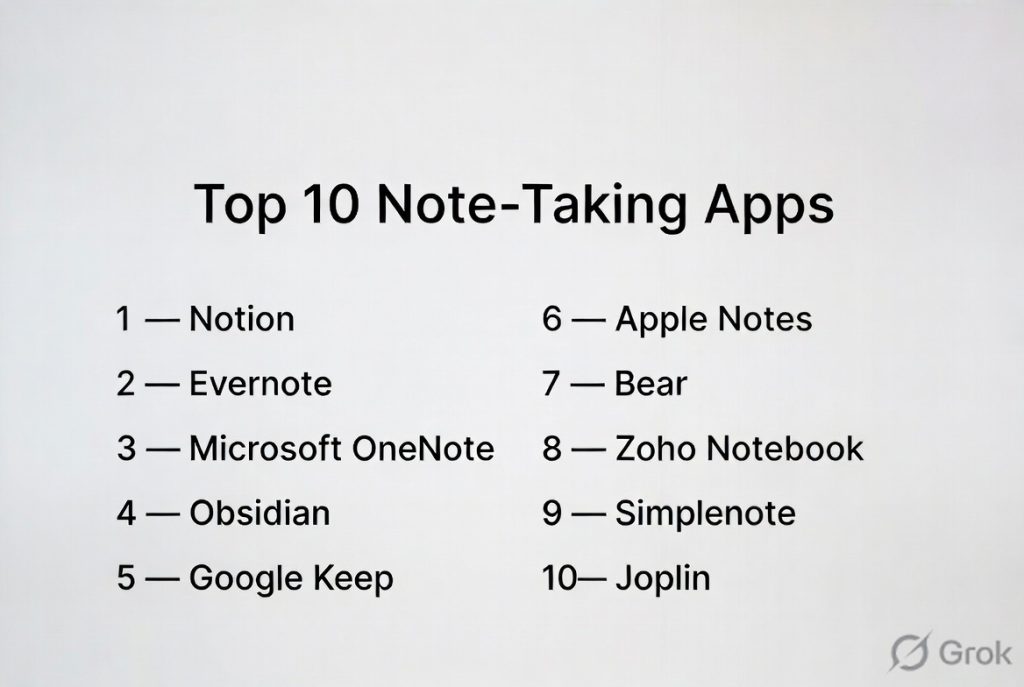
Top 10 Note-Taking Apps
#1 — Notion
Short description: A powerful all-in-one workspace combining notes, databases, and collaboration tools for individuals and teams.
Key Features
- Rich text editor with blocks
- Databases and structured notes
- AI writing and summarization
- Templates for workflows
- Real-time collaboration
- Linked pages and knowledge graphs
- Task and project management
Pros
- Extremely flexible and customizable
- Combines multiple tools into one
Cons
- Can feel complex for beginners
- Requires internet for full functionality
Platforms / Deployment
Web / Windows / macOS / iOS / Android
Cloud
Security & Compliance
SSO, encryption
SOC 2
Integrations & Ecosystem
Notion integrates with a wide range of tools for productivity workflows.
- Slack
- Google Drive
- Zapier
- API access
Support & Community
Strong community, templates ecosystem, and documentation.
#2 — Evernote
Short description: A long-established note-taking app focused on capturing and organizing information across devices.
Key Features
- Web clipping
- Notebook organization
- OCR search for images
- Task management
- Cross-device sync
- Templates
Pros
- Strong search capabilities
- Reliable syncing
Cons
- Pricing can be high
- Interface feels dated to some users
Platforms / Deployment
Web / Windows / macOS / iOS / Android
Cloud
Security & Compliance
Encryption, MFA
Other certifications not publicly stated
Integrations & Ecosystem
- Google Drive
- Outlook
- Slack
Support & Community
Well-established support and documentation.
#3 — Microsoft OneNote
Short description: A free-form note-taking app integrated into the Microsoft ecosystem.
Key Features
- Notebook-style structure
- Freeform canvas
- Handwriting support
- Audio recording
- Cloud sync
- Collaboration
Pros
- Free with Microsoft ecosystem
- Great for students
Cons
- Organization can get messy
- Limited advanced features
Platforms / Deployment
Web / Windows / macOS / iOS / Android
Cloud
Security & Compliance
Enterprise-grade Microsoft security
GDPR, ISO standards
Integrations & Ecosystem
- Microsoft Teams
- Outlook
- OneDrive
Support & Community
Strong enterprise support.
#4 — Obsidian
Short description: A powerful knowledge management tool focused on local storage and linked notes.
Key Features
- Markdown-based notes
- Bi-directional linking
- Graph view
- Offline-first storage
- Plugins ecosystem
- Custom themes
Pros
- Full control over data
- Highly customizable
Cons
- Steeper learning curve
- Collaboration limited
Platforms / Deployment
Windows / macOS / Linux / iOS / Android
Local / Cloud optional
Security & Compliance
Local storage, encryption options
Other details not publicly stated
Integrations & Ecosystem
- Plugin marketplace
- API extensions
Support & Community
Very active community and plugin ecosystem.
#5 — Google Keep
Short description: A simple and lightweight note-taking app for quick capture and reminders.
Key Features
- Sticky note interface
- Voice notes
- Reminders
- Labels and colors
- Real-time sync
Pros
- Extremely simple
- Fast and accessible
Cons
- Limited organization
- Not suitable for complex notes
Platforms / Deployment
Web / Android / iOS
Cloud
Security & Compliance
Standard cloud security
GDPR
Integrations & Ecosystem
- Google Workspace
- Google Docs
Support & Community
Basic support.
#6 — Apple Notes
Short description: A native note-taking app for Apple users with strong integration and simplicity.
Key Features
- Rich text and handwriting
- Folder organization
- Document scanning
- Sync via iCloud
- Collaboration
Pros
- Free and built-in
- Smooth performance
Cons
- Limited outside Apple ecosystem
- Fewer advanced features
Platforms / Deployment
macOS / iOS
Cloud
Security & Compliance
Encryption
Other details not publicly stated
Integrations & Ecosystem
- Apple ecosystem
- iCloud
Support & Community
Strong ecosystem support.
#7 — Bear
Short description: A minimalist note-taking app focused on writing and markdown support.
Key Features
- Markdown editing
- Tag-based organization
- Clean interface
- Themes
- Export options
Pros
- Beautiful design
- Great for writers
Cons
- Apple-only
- Limited collaboration
Platforms / Deployment
macOS / iOS
Cloud
Security & Compliance
Encryption
Other details not publicly stated
Integrations & Ecosystem
Limited integrations
Support & Community
Moderate support with loyal user base.
#8 — Zoho Notebook
Short description: A visually rich note-taking app with multimedia support and free access.
Key Features
- Multimedia notes
- Notebook organization
- Sync across devices
- Web clipping
- Sketch notes
Pros
- Free to use
- Visually appealing
Cons
- Limited advanced features
- Smaller ecosystem
Platforms / Deployment
Web / Windows / macOS / iOS / Android
Cloud
Security & Compliance
Not publicly stated
Integrations & Ecosystem
- Zoho ecosystem
Support & Community
Moderate support.
#9 — Simplenote
Short description: A fast and minimal note-taking app focused on simplicity and speed.
Key Features
- Plain text notes
- Tagging system
- Version history
- Sync across devices
- Markdown support
Pros
- Lightweight and fast
- Easy to use
Cons
- Very limited features
- No multimedia support
Platforms / Deployment
Web / Windows / macOS / Linux / iOS / Android
Cloud
Security & Compliance
Not publicly stated
Integrations & Ecosystem
Minimal integrations
Support & Community
Basic support.
#10 — Joplin
Short description: An open-source note-taking app focused on privacy and offline use.
Key Features
- Markdown notes
- Offline-first
- End-to-end encryption
- Web clipping
- Sync options
- Plugins
Pros
- Privacy-focused
- Open-source
Cons
- UI less polished
- Setup can be complex
Platforms / Deployment
Windows / macOS / Linux / iOS / Android
Cloud / Self-hosted
Security & Compliance
End-to-end encryption
Other certifications not publicly stated
Integrations & Ecosystem
- Plugin system
- Sync services
Support & Community
Strong open-source community.
Comparison Table (Top 10)
| Tool Name | Best For | Platform(s) Supported | Deployment | Standout Feature | Public Rating |
|---|---|---|---|---|---|
| Notion | All-in-one workspace | All platforms | Cloud | Databases + notes | N/A |
| Evernote | Organized notes | All platforms | Cloud | OCR search | N/A |
| OneNote | Students | All platforms | Cloud | Freeform canvas | N/A |
| Obsidian | Knowledge management | All platforms | Local/Cloud | Linked notes | N/A |
| Google Keep | Quick notes | Web, Mobile | Cloud | Simplicity | N/A |
| Apple Notes | Apple users | Apple devices | Cloud | Native integration | N/A |
| Bear | Writers | Apple devices | Cloud | Markdown | N/A |
| Zoho Notebook | Visual notes | All platforms | Cloud | Multimedia notes | N/A |
| Simplenote | Minimalists | All platforms | Cloud | Speed | N/A |
| Joplin | Privacy users | All platforms | Cloud/Self-hosted | Encryption | N/A |
Evaluation & Scoring of Note-Taking Apps
| Tool Name | Core (25%) | Ease (15%) | Integrations (15%) | Security (10%) | Performance (10%) | Support (10%) | Value (15%) | Weighted Total |
|---|---|---|---|---|---|---|---|---|
| Notion | 9 | 7 | 9 | 8 | 8 | 8 | 8 | 8.3 |
| Evernote | 8 | 8 | 8 | 7 | 8 | 8 | 6 | 7.7 |
| OneNote | 8 | 8 | 8 | 9 | 8 | 9 | 9 | 8.4 |
| Obsidian | 9 | 6 | 7 | 8 | 9 | 8 | 8 | 8.0 |
| Google Keep | 6 | 10 | 7 | 7 | 8 | 7 | 9 | 7.8 |
| Apple Notes | 7 | 9 | 6 | 8 | 9 | 8 | 9 | 8.0 |
| Bear | 7 | 9 | 5 | 7 | 8 | 7 | 7 | 7.3 |
| Zoho Notebook | 7 | 8 | 6 | 6 | 7 | 7 | 9 | 7.5 |
| Simplenote | 5 | 10 | 4 | 6 | 8 | 6 | 9 | 7.0 |
| Joplin | 7 | 6 | 6 | 9 | 7 | 7 | 8 | 7.3 |
How to interpret the scores:
- Scores are relative comparisons, not absolute ratings
- Higher totals indicate broader capability and flexibility
- Lower scores may still be ideal for niche use cases
- Always align tool selection with your workflow needs
Which Note-Taking Apps Tool Is Right for You?
Solo / Freelancer
Best options: Obsidian, Bear, Simplenote
Focus on speed, privacy, and simplicity.
SMB
Best options: Notion, Evernote
Balance between organization and collaboration.
Mid-Market
Best options: Notion, OneNote
Need integrations and structured workflows.
Enterprise
Best options: OneNote, Notion
Focus on security, scalability, and integrations.
Budget vs Premium
- Budget: Google Keep, Simplenote
- Premium: Notion, Evernote
Feature Depth vs Ease of Use
- Feature-rich: Notion, Obsidian
- Easy-to-use: Google Keep, Apple Notes
Integrations & Scalability
- Strong ecosystems: Notion, OneNote
- Limited: Simplenote, Bear
Security & Compliance Needs
- Strong: OneNote, Joplin
- Basic: Most others
Frequently Asked Questions (FAQs)
What are note-taking apps used for?
They help capture, organize, and retrieve information efficiently.
Are note-taking apps free?
Many offer free versions with optional paid upgrades.
Can I sync notes across devices?
Yes, most modern apps support cross-device syncing.
Do they work offline?
Some tools offer offline capabilities depending on the platform.
Are they secure?
Security varies; some offer encryption and advanced controls.
Can teams collaborate?
Yes, many apps support real-time collaboration.
What is the best app for students?
Tools like OneNote and Notion are popular choices.
Can I migrate between apps?
Yes, but it may require exporting and reformatting.
Do they support AI features?
Many apps now include AI for summarization and writing.
What alternatives exist?
Document editors and knowledge management tools.
Conclusion
Note-taking apps have evolved into powerful productivity tools that go far beyond simple text capture. They now support knowledge management, collaboration, and even AI-assisted workflows.